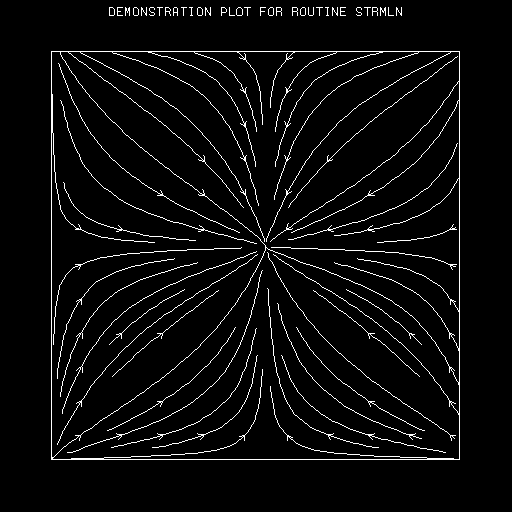
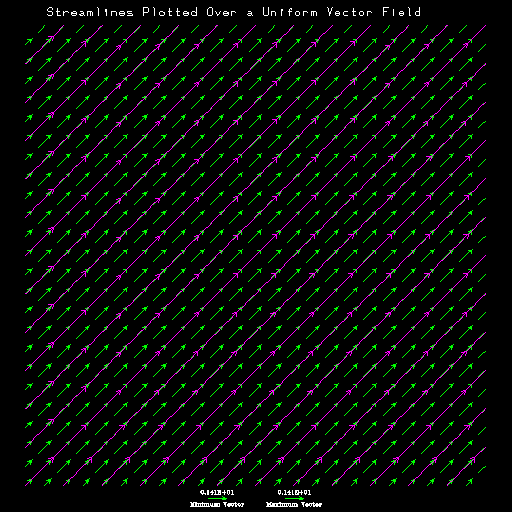
Streamlines, A Field Flow Visualization Utility
David I. Brown
NCAR, P.O. Box 3000
Boulder, Colorado 80307-3000
Table of Contents
1.0 PREFACE
2.0 Introduction
3.0 SUBROUTINES
3.1 STGETC (CNM,CVL)
3.2 STGETI (CNM,IVL)
3.3 STGETR (CNM,RVL)
3.4 STINIT (U,LU,V,LV,P,LP,M,N,WRK,LW)
3.5 STREAM (U,V,P, IAM,STUMSL,WRK)
3.6 STRSET
3.7 STSETC (CNM,CVL)
3.8 STSETI (CNM,IVL)
3.9 STSETR (CNM,RVL)
3.10 STUIXY (XUS,YUS,XDA,YDA,IST)
3.11 STUMSL (XCS,YCS,NCS,IAI,IAG,NAI)
3.12 STUMTA (XDA,YDA,XUS,YUS,XND,YND,DU,DV,TA,IST)
3.13 STUMXY(XDA,YDA,XUS,YUS,IST)
4.0 OBSOLETE SUBROUTINES
4.1 EZSTRM (U,V,WORK,IMAX,JMAX)
4.2 FX (X,Y)
4.3 FY (X,Y)
4.4 STRMLN (U,V,WORK,IMAX,IPTSX,JPTSY,NSET,IER)
5.0 PARAMETERS
6.0 ERROR MESSAGES
7.0 EXAMPLES
INDEX
1.0 PREFACE
The streamline field flow plotting utility described here was
originally written in the early 1970's and has previously been known
as STRMLN. Over the years, a number of enhancements have been made,
but the basic capabilities and interface have not changed much. Late
in 1992 a more extensive revision was undertaken. Both the interface
and functionality of the package underwent a major upgrade. There were
several goals: first, make the package work more like other utilities
in the NCAR Graphics toolkit suite; second, make it easier to use in
combination with the other utilities; third, allow easier access to
standard coordinate system mappings, including especially the EZMAP
transformations; and fourth, improve the information content of the
final plot. Most of these goals have been at least partially realized
in the current version of the package, although, as usual, not all the
envisioned improvements could be accomplished in the time allotted to
the task. Since it might be confusing to retain the name of a now
obsolete entry point as the utility name, and moreover, as it now
seems unwise to share the package name with any entry point name, the
new name for the NCAR Graphics streamline plotting utility is simply
Streamlines.
2.0 INTRODUCTION
This document describes the NCAR Graphics utility, known as
Streamlines, designed to allow a user to plot a
streamline representation of field flow given two arrays containing
the components of the field vectors on a uniform grid in a
user-defined coordinate system.
In the past, subroutines within the STRMLN utility were assigned names
meaningful to the programmer, but there was no comprehensive naming
convention in place. Beginning with NCAR Graphics Version 3.2,
however, all new routines, whether user-entry points or not, are six
characters long and begin with the key letters, 'ST'. The old entry
points are still supported through a compatibility version of the
STRMLN subroutine, and some, though not all, of the features provided
by the new routines are available through these entry points by
appropriately setting the compatibility mode internal parameter,
CPM.
This section is intended to give an overall view of
Streamlines and selected aspects of its design; it
covers some details, but, in general, one should refer to the sections
SUBROUTINES and PARAMETERS for detailed descriptions of
subroutines and parameters mentioned. (Parameters are mentioned by
name; all the names are of the form XXX, where XXX is a
three-character mnemonic.) The section ERROR
MESSAGES describes error messages written by
Streamlines. The section EXAMPLES describes the examples available for
Streamlines. It is assumed that the reader is
familiar with NCAR Graphics in general and has some knowledge of (or
can find and read the documentation for) the utilities AREAS and
EZMAP.
Note that currently a Streamlines plot gives
information about the instantaneous directional characteristics of the
field flow. Variations in flow intensity can be shown by enabling the
progressive step-wise coloring feature using flow magnitude as the scalar
value. For the future, enhancements are planned to allow
Streamlines also to represent field intensity
using a continuously varying line width.
2.1 Streamlines User Entry Point Routines
The code to draw a streamline flow field plot (unless using the
obsolete entries points discussed at the end of this section) must
include a call to the routine STINIT
followed at some point by a call to STREAM. Before and after the STINIT call you may use several internal
parameter setting routines to alter the behavior of the streamline
plotting code. You must set some of these parameters before the call
to STINIT in order to have any (or the
correct) effect. In other cases, you can safely set the parameter
between the call to STINIT and the call to
STREAM. However, there is currently little
benefit in delaying any of the parameter setting calls. You are
encouraged, therefore, to make all parameter setting calls before
calling STINIT.
You may be wondering why the Streamlines utility
requires two calls where formerly only a call to STRMLN was
required. The answer is twofold. First, the interface to
Streamlines is now almost identical to the new
interface to the companion utility, Vectors, so that if you know one
of the utilities you will have less to learn and remember to use the
other effectively. Second, future enhancements to the Streamline
utility are planned that will allow you to use parameter getting
routines to obtain information about the target data sets after the STINIT call; then, using parameter setting
routines, you will be able to adjust the behavior of the STREAM routine to best fit the requirements
of the data.
All the internal parameters have default values; only those which are
to have values different from the default need to be set. The user may
call routines to set the values of parameters as follows:
- STRSET resets all internal parameters
to their default values.
- STSETC assigns a value of type
CHARACTER to a parameter.
- STSETI assigns a value of type INTEGER
to a parameter.
- STSETR assigns a value of type REAL to
a parameter.
In general, once a parameter is given a value by a call to one of
these routines, it retains that value until a similar call resets
it. Thus, many of the parameter-setting calls do not need to be
repeated for each new streamliner field flow plot.
The user may retrieve the value of an internal parameter at any time
by calling one of the parameter getting routines:
- STGETC returns a parameter value
of type CHARACTER.
- STGETI returns a parameter value of
type INTEGER.
- STGETR returns a parameter value of
type REAL.
The core functionality of the Streamlines utility is
contained in the two routines that are required in order to create a
streamline field flow plot, STINIT and STREAM.
- STINIT performs the initialization
required for STREAM to interpret the data
properly. The dimensions of the data arrays are copied to internal
variables. Depending on the current value of certain internal
parameters, the grid space indices are mapped into the X,Y
data coordinate system. The mapping from the user
coordinate space to the to the normalized device coordinate
(NDC, sometimes also known as fractional coordinate)
space is also established using either the routine, GETSET, if a
previously established mapping is to be used, or the routine, SET, if
Streamlines needs to set up the mapping. Note,
however, that the mapping from the data to user
coordinate system is left indeterminate at this point. This is because
you may choose from several pre-defined mappings, such as an EZMAP
projection, or implement a user-defined mapping to implement this
transformation. STINIT and, for that
matter, STREAM need to have (almost) no
knowledge of the mapping be performed.
- STREAM renders the streamline field
flow plot according to the conditions set up by the parameter setting
routines and the STINIT call. After
calling STREAM, if you would like a border
around the plot, call PERIM(1,0,1,0). Finally, to advance the frame,
call the SPPS routine, FRAME.
Streamlines contains four user-modifiable routines
that are not invoked directly by the user, but by
Streamlines itself. Three of the routines, STUMXY, STUIXY,
and STUMTA, are provided for the user to
implement custom mappings from data to user
coordinate space. The fourth, STUMSL,
draws streamline segments when the parameter, MSK, is set to enable masking to an area
map. The default versions of these routines contain simple code that
may handle a basic case, but little more. These routines are as
follows:
- STUMXY maps a point on the streamline
from data to user coordinate
space. Streamlines calls this routine when the
internal parameter MAP specifies a mapping
other than one of the three pre-defined mappings. The pre-defined MAP parameter codes are 0, 1, and 2 --
respectively, the identity mapping, the EZMAP projections, and the
polar coordinate mapping. If MAP has any
other value, the user-definable mapping routines, including STUMXY, are invoked. The default version of
STUMXY performs a simple identity mapping:
the user coordinate values returned are equal to the
data coordinate values input. To implement a custom mapping,
you would decide on a new mapping code, then modify each of the
routines, STUMXY, STUIXY, and STUMTA, to respond to the new code in a
consistent manner appropriate to the requirements of the mapping.
- STUIXY is the inverse of STUMXY; it maps a point from user to
data coordinate space. Unlike older versions of the utility,
Streamlines now builds each streamline by adding
incremental steps in normalized device coordinate space
instead of in grid coordinate space. This approach has the
advantage of eliminating discontinuities caused by great variations in
step size when a non-linear mapping is in effect, but it requires that
each new point in NDC space be transformed back to
grid coordinates. Hence the requirement for this routine. STUIXY provides a piece of this inverse
transformation pipeline. Like STUMXY, the
default version of STUIXY simply performs
an identity mapping, returning data coordinate values equal
to the input user coordinates.
- STUMTA maps the tangent angle of the
streamline at each point into NDC
space. Streamlines uses the tangent angle along with
the NDC space step size to determine the next new point on
the streamline. In general, this routine will be the most difficult to
implement, since if the mapping is non-linear, differential techniques
are required to obtained the angle at a point. By default, STUMTA assumes a linear mapping and returns
the (suitably rationalized) angle whose tangent is the normalized and
interpolated V vector field component at the point divided by the U
component at the point.
- STUMSL is the default name of an
externally defined function passed as a parameter to STREAM. It is only required when you want to
draw streamline masked by an area map generated by the routines in the
AREAS utility. STUMSL is responsible for
deciding which streamline segments to draw based on its area
identifiers for each of the area groups in the area map. The default
version of the routine draws a streamline segment only if it has no
negative area identifiers.
Two Streamlines routines are supplied to provide
compatibility with pre-Version 3.2 codes. You may choose from a
variety of compatibility options by setting the compatibility mode
parameter CPM appropriately; this facility
offers considerable flexibility in making a transition to the new
version of the utility.
- STRMLN, the pre-Version 3.2 principal entry point, has been
rewritten to act as a front end to the STINIT/STREAM
interface. Depending on the setting of the CPM parameter the variables from the common
blocks, STR02 and STR03, and/or the NSET input argument, may be used
to set the corresponding internal parameters. The CPM parameter also controls whether the old
FX and FY mapping routines are used instead of the current mapping
routines, STIMXY, STMPXY and STMPTA. When CPM is set to its default value, the results
of a call to STRMLN are quite close to what they would have been
pre-Version 3.2.
- EZSTRM is a front end to STRMLN and is unchanged from its
pre-Version 3.2 state. It is a simple interface for standard
situations, when detailed control of the plot is not required.
2.2 Using Streamlines
In order to use Streamlines, you must make the
following sequence of calls:
- Optionally call parameter-setting routines.
- Call STINIT to initialize the
streamline flow field plot.
- Call STREAM to draw the streamlines.
- Optionally call PERIM(1,0,1,0) if you want to place a border
around the plot.
- Call FRAME to advance the plotter frame.
Assuming that step 1 is null and that all default parameter values are
used, the resulting plot will look similar to what would have been
drawn by STRMLN.
2.3 Coordinate Systems in Streamlines
In order to understand the process of transforming the data contained
in the vector field component input arrays into streamlines following
particular paths on an output plot, it would be helpful to
differentiate unambiguously each stage of the transformation pipeline
within the context of the coordinate systems defined by NCAR
Graphics. In this discussion, the following terms are used:
- The indices of the input vector field component arrays define the
grid coordinate system. It is bounded by the ranges from 1 to
the value of M (argument to STINIT) along
the first dimension, conventionally the X axis; and from 1 to the
value of N (argument to STINIT) along the
second dimension, conventionally the Y axis.
- The internal parameters XC1, XCM, YC1, and YCN provide a linear mapping from
grid coordinates to the data coordinate
system. Data coordinates provide the natural context for the
data. For instance, a set of wind vector data might use longitudinal
coordinates values for XC1 and XCM; latitudinal values for YC1 and YCN.
- The internal parameter MAP specifies a
mapping, possibly non-linear, from data to user
coordinates. A call to the SPPS routine, SET, establishes the
boundaries of this coordinate space. If the last argument to SET does
not specifies a log-scaled axis, and neither axis is mirror-imaged,
user coordinates are equivalent to GKS world
coordinates. When user and world coordinates are
not equivalent, Streamlines accounts for the
difference in its mapping routines, although it never uses
world coordinates explicitly. The term "window" is used
rather loosely to refer to the boundaries of either of these
coordinate systems. The intended system is hopefully clear from the
context.
- From the point of view of Streamlines, the final
transformation is the mapping from user coordinates to the
NDC system, also known as the fractional coordinate
system. The boundaries of NDC space are also established by
the SET call, and must fall within the range 0.0 to 1.0. They define a
"viewport" into the drawable area of the plotting surface. If the SET
call specifies a log-scaled axis, or if the window and the viewport
defined by the SET call have differing aspect ratios,
Streamlines' handling of this transformation is
affected by the setting of the internal parameter TRT.
- Streamlines uses one other system for the
specification of items, such as the basic differential step unit or
the length of the directional arrow heads, that should retain a
constant size and position relative to the plot as a whole. This
system has no real name, but is referred to in this document as
"fraction of the viewport width".
Note that all reliance on the integer metacode coordinate
system has been eliminated from the Streamline utility as of Version
3.2.
Given the default values of the parameters XC1, XCM, YC1 and YCN, the
mapping from grid to data coordinate space is an
identity transformation. That is, the data coordinate space
extends from (1.0,1.0) to (REAL(M), REAL(N)). However, you may assign
any desired boundaries to the data coordinate system by
setting XC1, XCM, YC1 and YCN to values of your choice. For
satisfactory results these choices need to be consistent with the
user coordinate boundaries established by the SET call and
the mapping established by the MAP
parameter. In general, the location of an array element A(I,J) in
data coordinate space is given as:
Xdata = XC1 + (I - 1)*(XCM - XC1)/(M - 1)
Ydata = YC1 + (J - 1)*(YCN - YC1)/(N - 1)
where (XC1,YC1) is the lower boundary of the
data coordinate space and (XCM,YCN) is the upper boundary.
2.4 Coordinate Space Mapping
If the parameter MAP has values between 0
and 2 Streamlines handles the mapping from
data space to user and NDC space
internally, using routines STMPXY, STIMXY, and STMPTA. If MAP has any other value the user-modifiable
routines STUMXY, STUIXY, and STUMTA are called to perform a mapping
defined by the user. Note that Streamlines uses three
routines to perform mappings similar to those accomplished in one
routine by other utilities in NCAR Graphics. This is because in order
to handle non-linear mappings properly, Streamlines
must map points both in both directions of the transformation
pipeline, and in addition must map the directional angle from
grid to NDC space at each incremental point of the
streamline. New points on the streamline are generated using a
constant reference increment size in NDC space, avoiding the
discontinuities that can occur from using grid coordinate
based increments that can vary greatly in size after applying a
non-linear mapping.
The mappings handled internally by Streamlines are as
follows:
- If MAP is set to 0, the data
to user space mapping is an identity. However, if the SET
call specifies a log-scaled axis, or if the window and the viewport
defined by the SET call have differing aspect ratios, the mapping of
the streamline directional angle from user to NDC
space is affected by the setting of the transformation type parameter,
TRT. See the discussion of TRT in the PARAMETERS section for an explanation of its
effect.
- If MAP is set to 1, the data
coordinate system is assumed to define a bounded surface on the globe,
with degrees of longitude extending along the X axis and degrees of
latitude along the Y axis. XC1, XCM, YC1, and YCN, specified in degrees, establish the
boundaries. You cannot use this mapping without first calling routines
in the EZMAP utility to set up a map transformation. Since EZMAP
performs the required SET call, you must set the
Streamlines SET parameter
to 0 to prevent Streamlines from calling SET
itself. EZMAP always sets up a uniform rectangular user coordinate
space, with the window boundaries chosen for the convenience of its
projection algorithms. You do not need to be aware of these window
boundaries. If you need to adjust the viewport you should use the
EZMAP routine, MAPPOS.
- When MAP is set to 2, the data
coordinates are treated as representing a polar coordinate space. The
first dimension (X Axis) is mapped to the radial axis, and the second
dimension (Y Axis) is mapped to the angular component in degrees. With
this in mind you must set XC1, XCM, YC1, and YCN to appropriate values. The transformation
type parameter, TRT, allows for different
interpretations of the field flow data, depending on whether you are
mapping an intrinsically radial space or whether you are using polar
coordinates to determine the location in an underlying cartesian
space.
When a user-defined mapping is required, you must modify the
user-definable mapping routines, STUMXY,
STUIXY, and STUMTA, to respond in a consistent way to the
MAP code you choose to identify your
mapping. In the standard distribution, the default versions of these
routines are all located in the single source file, 'stumxy.f'. If the
Streamlines routines are loaded from a binary
library, you can usually replace the library version just by compiling
the routines and explicitly linking its object with the NCAR Graphics
library.
2.5 How Streamlines Are Constructed
If you are creating your own mapping routines, it may be helpful to
have some idea of how streamlines are created. The steps of the
iterative streamline construction process may be summarized as
follows:
- Find the next grid box eligible for starting a streamline, and
generate the normalized interpolated vector components for the point
at the center of this box.
- Convert the grid coordinate point to data
coordinates and call STMPXY to map the point to user
coordinates. Then use the SPPS routines CUFX and CUFY to find the
point in NDC space.
- Given the coordinates of the point in data,
user, and NDC space, and also the normalized
interpolated vector component values, call STMPTA to determine the
streamline directional angle at the point relative to NDC
space.
- Using the directional angle, the normalized device point
coordinates, and the NDC differential magnitude value
(indirectly specified by the internal parameter, DFM) generate the next point of the
streamline in NDC space.
- Convert this point back to user coordinates using the
SPPS calls, CFUX and CFUY. Then call STIMXY to map the user
coordinates back to data coordinates. Finally convert the
data coordinates to grid coordinates and generate the
normalized interpolated vector component values for this new point.
- Repeat steps three through five until a streamline termination
condition is met. Go back to the original starting point of the stream
and perform the same steps in the other direction to complete the
streamline. Then start over at step one until no eligible streamline
starting grid boxes remain.
In contrast, when Streamlines is emulating the
pre-Version 3.2 mapping method, the steps are somewhat different. Here
is a summary:
- Find the next grid box eligible for starting a streamline, and
generate the normalized interpolated vector components for the point
at the center of this box.
- Call FX and FY to convert the point in grid coordinates
into user coordinates. (Any transitional mapping from
grid to data coordinates must be handled within these
functions.) Then use the SPPS routines CUFX and CUFY to find the point
in NDC space.
- Use the function ATAN2 applied directly to the normalized
interpolated vector components to determine the streamline directional
angle. (This is used only to establish the direction of the
directional arrowheads)
- Add the interpolated components, which are normalized to
represented a fractional distance in grid coordinate space,
to the grid coordinates of the point to generate a new
point. Generate the normalized interpolated vector components of this
new point.
- Repeat steps two through four until a streamline termination
condition is met. Go back to the original starting point of the stream
and perform the same steps in the other direction to complete the
streamline. Then start over at step one until no eligible streamline
starting grid boxes remain.
Clearly, somewhat less processing is involved when the older mapping
technique is used, so if execution time is a primary concern, and the
mapping is linear (or you can afford to ignore the non-linearities),
you may prefer to use the older mapping method. You can do this, even
when using the Version 3.2 interface, simply by setting the
compatibility mode parameter, CPM, to a positive value.
When the mapping is non-linear, the Version 3.2 approach has two
primary advantages: (1) the directional arrows always point in the
correct direction, and (2) the likelihood of discontinuities appearing
in the streamline as the result of grid box stretching and distortion
over the transformation is greatly reduced. If discontinuities do
appear they can generally be eliminated simply by setting the
differential magnitude parameter, DFM, to
a suitably small value. Note, however, that
Streamlines still chooses stream starting points and
places the directional arrowheads relative to the grid coordinate
system. Over non-linear mappings, therefore, the arrowheads and the
streams may be crowded in some areas of the plot and sparse in
others. Future versions of the Streamlines utility
plan to address these problems.
2.6 The SET Call
The mapping into the plotter frame depends on the boundaries of the
user coordinate space and the viewport defined in
NDC space. If the user coordinates are not
log-scaled and neither axis is mirrored user coordinates and
GKS world coordinates are the same. In this case, and it is
possible to define the user/world coordinate boundaries (also
known as the window) and map them to the viewport using GKS
calls. However, this document only discusses the SPPS routine, SET,
since it accomplishes all the same goals and works under all
conditions recognized by NCAR Graphics.
A call to the SPPS routine SET has the form
CALL SET (VPL,VPR,VPB,VPT,WDL,WDR,WDB,WDT,LL)
All arguments are REAL except for LL, which is an INTEGER. The first
four arguments must all be between 0 and 1, inclusive; they define a
rectangular area on the plotter frame known as the "viewport". The
next four arguments define the boundaries of the user
coordinate space (the "window"). The final argument indicates whether
the mapping of user coordinates into the viewport is to be
linear or logarithmic in X and Y. See the documentation of the SPPS
utility for further details.
By default, Streamlines calls SET. However, by
setting the parameter SET to zero, you may
prevent Streamlines from doing making the call. In
this case, however, you must do your own SET call or depend on some
other utility (such as EZMAP) to have done it.
If Streamlines calls SET, it always uses LL = 1,
requesting a linear-linear mapping from the window to the
viewport. The viewport is positioned as specified by the current
values of the parameters VPL, VPR, VPB, VPT, and VPS. The
first four of these specify the boundaries of a "viewport area", in
which the viewport is to be centered and made as large as possible;
the final one determines how the shape of the viewport is to be
chosen. You could, for example, render several plots within a single
plotter frame by setting these parameters to define separate
non-overlapping areas for each plot.
By default, the user coordinate boundaries are set equal to
the data coordinate boundaries, which, in turn, default to
the grid coordinate boundaries (1: M, 1: N) unless the
parameters XC1, XCM, YC1, YCN have non-default values. You may override
this behavior by setting parameters WDL,
WDR, WDB, and
WDT to non-default values, explicitly
specifying the values used to define the window in the SET
call. Normally you would modify the window setting parameters only
when the parameter MAP has a non-default
value, but Streamlines is still expected to perform
the SET call. Whereas the viewport area may be set to any part of the
plotter frame, without fear of losing the plot, you must be careful
setting WDL, WDR, WDB, and WDT, or the region of interest is not likely
to match up with the viewport.
When MAP is set to 1, specifying an EZMAP
projection, you should give the SET
parameter a value of 0, since EZMAP must take charge of the SET call
to perform the requested map transformation. If you want to adjust the
viewport size or position in this case, do it using the EZMAP call
MAPPOS.
When MAP is set to 2, specifying a polar
coordinate mapping, you may choose either to leave the SET parameter defaulted and set the
user coordinate boundary parameters WDL, WDR, WDB, and WDT
appropriately, or else to set the SET
parameter to zero and make your own call to the SET routine.
Note that, as long as the parameter MAP is
zero, a SET call performed by Streamlines will define
the window in such a way as to be consistent with the ranges of the X
and Y coordinates it generates. If MAP is
set non-zero, then you will probably need to set XC1, XCM, YC1, and YCN to
transform the grid coordinates into the range of
data coordinates expected by Streamlines
mapping routine. The call to SET must specify user coordinate
boundaries commensurate with the range generated by the data
coordinate to user coordinate transformation; if
Streamlines is to do the call, then you will need to
set WDL, WDR,
WDB, and WDT
to accomplish this.
2.7 Streamline Modes
Streamlines has two modes: normal streamline mode and
"curly" vector mode. In normal mode, a streamline begins at the
center of a grid box, and once started, it steps both in the flow
direction and opposite the flow direction. It continues in both
directions until it steps outside the data grid, approaches within a
certain minimum distance of an existing streamline, or stops making
progress because it approaches a critical point in the field. In
contrast, a "curly" vector begins at a grid point (i.e. one of the
corners of a grid box), and its length is predetermined based on the
magnitude of the flow at that point. It may extend in both directions
or only in one direction, depending on the value of the parameter VPO. However, each step along the path of a
curly vector is determined in the same way as a step along the path of
normal streamline.
2.7.1 Curly Vector Mode
By default, Streamlines is in normal streamline
mode. Set the parameter STM to 1 in order
to activate curly vector mode. Although curly vectors are generated
using the same basic algorithm as streamlines, a number of specialized
parameters, similar to those used by the Vectors package, are used to
control their appearance.
2.7.1.1 Reference length and magnitude
The basic length of each curly vector is determined in relation to a
vector reference magnitude specified by the parameter VRM and a vector reference length specified,
as a fraction of the viewport width, by the parameter VRL. Vectors belonging to the dataset whose
magnitude is equal to the reference magnitude are drawn at the
reference length. By default, if VRM is
set to 0.0, the reference magnitude is the maximum magnitude in the
vector field, but it may be set to any arbitrary value. The default
reference length is determined dynamically based on the viewport and
the size of the dataset along each dimension.
2.7.1.2 Minimum length and magnitude
By default the size of each vector differs from the reference length
by the ratio of its magnitude to the reference magnitude. A common
result of this strictly proportional representation is that low
magnitude vectors become too small to be rendered clearly. As a
result, their direction, especially, becomes difficult to
decipher. Streamlines provides a parameter, VFR, that allows you to specify, as a
fraction of the reference length, a minimum vector arrow length. When
this resource is set to a value greater than 0.0, the smallest
magnitude vector is rendered at the specified fraction of the
reference length, and intermediate magnitude vectors are rendered at
proportionally intermediate lengths. Setting VFR to 1.0 causes all vector arrows to be
drawn at the reference length.
2.7.1.3 Ensuring uniform arrow sizing over a series of plots
In order to ensure that within a series of plots of related data a
particular length always represents the same vector magnitude, you
must always first set the reference magnitude using parameter VRM explicitly. Otherwise, whatever
magnitude happens to be the maximum in each plot will be rendered at
the reference length. In addition, because VFR sets a size for the smallest magnitude
vector in each plot, you must leave it set to its default value of 0.0.
2.7.1.4 Controlling the spacing between vector arrows
You can control the spacing of curly vectors using the same parameters
you use to set the spacing for starting streamlines in normal
streamline mode. The starting grid increment parameter
SGD can be used to set a stride through the
grid space to thin the curly vectors uniformly in grid space. This can
work well if the transformation from data space to NDC is
linear. However, if the transformation is non-linear, you may find
that the minimum distance parameter SMD
provides better results. It marks grids points as ineligible in such
as way that you are ensured each curly vector starting point is spaced
a minimum distance in NDC space from each neighbor in the plot.
However, it does requires that you provide a larger workspace, and
processing make take a bit longer.
2.7.1.5 Arrow Position
Using the VPO parameter, you can control
whether the tail, the head, or the center of vector arrow is
positioned at the location of the grid point in data space. Based on
this parameter, curly vector are generated by stepping in the flow direction,
opposite the flow direction, or in both directions for half the total length
each.
2.8 Color Threshold Level Control
Streamlines now supports progressive coloring based upon the
interpolated magnitude or other associated scalar value at each
step-wise location of the streamline.
Streamlines will not set up a color palette. You must
call the GKS routine GSCR to assign RGB values for each color index
you intend to use. Currently, a maximum palette of 255 colors is
allowed. As in all of NCAR Graphics, the color indices used can range
from 1 to 255, with index 0 reserved for the background color. You are
also responsible for setting up the GKS color index array used by
Streamlines to determine the color to use for data
within a certain range. For example, assuming (1) a palette of 14
colors is desired, (2) the desired RGB values have previously been
stored in a 3 x n array called "RGB", and (3) a consecutive
series of GKS indices starting at N + 1 is to be used (where N is a
previously initialized value between 0 and 255 - 14) you could
accomplish both these tasks in a single simple loop:
      DO 100 I=1,14,1
        CALL GSCR (1,I+N,RGB(1,I),RGB(2,I),RGB(3,I))
        CALL STSETI('PAI -- Parameter Array Index', I)
        CALL STSETI('CLR -- GKS Color Index', I+N)
      100 CONTINUE
The setting of the color threshold value control parameter, CTV, determines how
Streamlines handles the selection of color threshold
values. If you want Streamlines to choose the
threshold values, set CTV to a positive
value: 1 to color by vector magnitude or 2 to color by scalar
array. Set the number of levels parameter NLV to select the number of threshold levels
(and the number of colors, with a maximum of 255) to use. When
Streamlines chooses the threshold levels, it finds
the maximum and minimum values in the data, then simply divides the
range into NLV equally spaced
divisions. The resulting NLV threshold
values are stored into the threshold level array, TVL. The first value stored is the minimum
data value plus one division increment while the last value is the
maximum data value itself. As each vector is processed its color is
chosen by finding the first entry in the threshold level array greater
than or equal to the data value associated with the vector, retrieving
the array subscript for this entry, and then setting the GKS polyline
color index to the value in the color index array, CLR, accessed by the same subscript. Assuming
as above that 14 levels are desired, the following code would tell
Streamlines to choose the color levels based on data
in the scalar array:
      CALL STSETI('NLV - Number of Threshold Levels', 14)
      CALL STSETI('CTV - Color Threshold Value Control', 2)
To set up the threshold level array yourself, make CTV negative: -1 to color by vector magnitude
or -2 to color by scalar array value. When CTV is less than or equal to 0,
Streamlines will not touch the values in the TVL array. Set NLV as before to the number of levels
desired, then set the first NLV members of
the threshold array to the desired threshold values, keeping in mind
from the preceding description how Streamlines
chooses the color index based on the threshold array values. A basic
rule to observe is that the threshold values should increase
monotonically as the array subscripts increase. Note also that if the
data value associated with a location on the streamline is larger than
all the values in the threshold value array, it will be assigned the
color subscripted by the index for the maximum data value. Again
assuming 14 colors and also that the desired threshold values are
stored in an array called "TVALS", the following code would set up the
threshold array and inform Streamlines not to modify
its contents:
      CALL STSETI('NLV - Number of Threshold Levels', 14)
      CALL STSETI('CTV - Color Threshold Value Control', -2)
      DO 200 I=1,14,1
        CALL STSETI('PAI -- Parameter Array Index', I)
        CALL STSETR('TVL -- Threshold Value Array', TVALS(I))
  200 CONTINUE
You can also use the color threshold control parameter to retain a
threshold array set up by a previous plot (within the same program
execution). Suppose you have a program to create several plots using
scalar arrays with varying maximum and minimum values. When
Streamlines picks the threshold values, the color
associated with a particular data value may change from plot to
plot. To ensure that a given data value is associated with the same
color for the complete series of plots, pick one plot (preferably the
one with the greatest range) and by setting CTV to a positive value, allow
Streamlines to set up the threshold array. For the
subsequent plots, set CTV negative. All
plots will then use the same threshold array, and therefore the colors
will be associated with identical ranges of data.
2.9 Masked Streamline Overlays Using an Area Map
At times you may need to overlay a streamline flow field over a plot
created by another NCAR Graphics utility, such as
Conpack. There may be certain areas, such as the
boxes containing contour level labels, where you do not want the
streamlines to appear. Beginning with Version 3.2, the
Streamlines utility supports streamline masking based
on the contents of a area map previously established using routines
from the Areas utility. Most of the information
required to use the area map routines is documented elsewhere, either
in the descriptions of the Conpack utilities that
work with area maps or in the actual documentation of the
Areas utility itself. You create the area map and the
underlying plot just as you normally would. Then, in order to create
the streamline overlay, you would need to take the following steps:
- Insert an EXTERNAL declaration for the user-defined subroutine
that actually draws the masked streamline segments. The name of the
subroutine must be passed to the STREAM
call. If the default version of the subroutine supplied with the
Streamlines utility is used, the statement would
be:
EXTERNAL STUMSL
- Call STSETI to set the MSK parameter to 1.
- Make any other necessary calls to the parameter setting
routines. In particular you would probably want to tell
Streamlines not to do a SET call, since
Streamlines will need to work in the same coordinate
space as used in the underlying plot to create the area map. You also
need to set the data coordinate parameters, XC1, XCM, YC1, and YCN and
the MAP parameter to coincide
appropriately with the underlying plot.
- Call STINIT as usual
- Call STREAM, passing the previously
created area map and the external drawing subroutine in the argument
list.
2.10 Special Values
If the data at a particular grid point is unavailable or unreliable, a
"special" value, typically a value outside the possible range of valid
data, may be assigned to the array element associated with the grid
point in question. Since Streamlines has two vector
field component arrays as input, it uses several parameters to control
processing of special value data points. Each of the two input arrays
may have its own separately defined special value. The parameters USV and VSV are
used to set the special values for the U and V vector field component
arrays, respectively.
The parameter SVF controls special value
processing. When SVF is set to its default
value, 0, Streamlines assumes that the data contains
no special values. If the data actually does contain special values,
the resulting plots hopefully will look strange enough that you will
realize that special values need to be taken into account. When SVF has any other value, special value
processing is enabled. In this case, Streamlines
overrides the interpolation method flag and insists on using the
4-point bi-linear interpolation method. This is because the other
available interpolation method generally requires 16 surrounding good
data points to determine the vector component values at any point in
the streamline. If the 16 point method were used with special values
present, not only would 32 special value checks, rather than 8, need
to be performed at each step of the streamline construction, but also
Streamlines would be required to omit the streamlines
from a larger portion of the field plot, because only one special
value out of the 32 array elements checked would be enough to cause
termination of the streamline.
As it is, Streamlines checks the U and V data arrays
at each of the four corner points of the grid box, each time a
streamline under construction enters a new grid cell. If any of the
eight values checked is a special value, then the streamline is
terminated and a new one begun if possible.
2.11 Supplementary Text and Plot Information
- The Zero Field text block contains a message ("Zero Field", by
default), printed whenever the field contains no positive magnitude
vector data. By default, this block is located in the center of the
plot viewport.
- Although not part of the graphics plot itself, you may obtain
supplementary information about the operation of
Streamlines by setting the streamline statistics
parameter, SST to
1. Streamlines will write to the default output unit
the number of streamlines plotted and the total number differential
steps used to construct all the streamlines.
2.12 Streamlines' Grid Window
Note that the grid window for Streamlines is not the
same as the grid window for AUTOGRAPH, since the former is expressed
with respect to the plotter frame and the latter is expressed with
respect to the AUTOGRAPH "graph window". There is an easy conversion
from one to the other, however. If AGFL, AGFR, AGFB, and AGFT specify
the AUTOGRAPH graph window and AGDL, AGDR, AGDB, and AGDT specify the
AUTOGRAPH grid window and CGDL, CGDR, CGDB, and CGDT specify the
Streamline grid window, then the following
relationships ensure coincidence of the AUTOGRAPH and
Streamlines' grid windows:
CGDL=AGFL+AGDL*(AGFR-AGFL)
CGDR=AGFL+AGDR*(AGFR-AGFL)
CGDB=AGFB+AGDB*(AGFT-AGFB)
CGDT=AGFB+AGDT*(AGFT-AGFB)
Note what happens when AGFL and AGFB are 0's and AGFR and AGFT are
1's, which is the default situation; in that case CGDL=AGDL,
CGDR=AGDR, CGDB=AGDB, and CGDT=AGDT.
2.13 GKS Considerations
Certain assumptions are made by Streamlines about the
state of GKS, as follows:
- Like all the utilities in NCAR Graphics,
Streamlines assumes that GKS has been opened and that
the desired workstations have been opened and activated. The
statement
CALL OPNGKS
calls the SPPS routine OPNGKS, the GKS equivalent of which is
      CALL GOPKS (6,0)
      CALL GOPWK (1,2,1)
      CALL GACWK (1)
creating a single metacode workstation associated with FORTRAN unit
2.
- Similarly, at the end of one's program, the workstations must be
deactivated and closed and then GKS must be closed. The statement
CALL CLSGKS
calls the SPPS routine CLSGKS, the GKS equivalent of which is
      CALL GDAWK (1)
      CALL GCLWK (1)
      CALL GCLKS
- It is assumed that the aspect source flags for various quantities
are set to "individual". (NCAR GKS does this by default, but other
packages may not.) To make sure that all the aspect source flags are
set correctly, use the following code:
      DIMENSION IASF(13)
      ...
      DATA IASF / 13*1 /
      ...
      CALL GSASF (IASF)
- Streamlines uses the GKS polyline color index set
by the most recent call to GSPLCI for rendering the streamlines.
3.0 SUBROUTINES
All Streamlines routines added for NCAR Graphics
Version 3.2 and later have six-character names beginning with the
letters 'ST. Current user entry points and user modifiable routines
are described in detail in alphabetical order in this
section. Obsolete routines appear in the section following entitled OBSOLETE SUBROUTINES.
3.1 STGETC (CNM,CVL)
This routine is used to get the current value of a parameter of type
CHARACTER
3.1.1 Usage
Use the statement
CALL STGETC (CNM,CVL)
at any time to retrieve in CVL the current character value of the
parameter whose name is CNM.
3.1.2 Arguments
CNM (CHARACTER, input) is the name of a parameter
whose character value is to be retrieved. Only the first three
characters of CNM are examined. The three characters may either be
entirely upper or entirely lower case; mixed case is not
recognized. It is recommended that the rest of the character string be
used to improve the readability of the code. For example, instead of
just 'ZFT', use 'ZFT - Zero Field Text String'.
CVL (CHARACTER, output) is a variable in which the
value of the parameter specified by CNM is to be returned.
3.2 STGETI (CNM,IVL)
This routine is used to get the current value of a parameter of type
INTEGER.
3.2.1 Usage
Use the statement
CALL STGETI (CNM,IVL)
at any time to retrieve in IVL the current integer value of the
parameter whose name is CNM.
3.2.2 Arguments
CNM (CHARACTER, input) is the name of a parameter
whose integer value is to be retrieved. Only the first three
characters of CNM are examined. The three characters must either be
entirely upper or entirely lower case; mixed case is not
recognized. It is recommended that the rest of the character string be
used to improve the readability of the code. For example, instead of
just 'PLR', use 'PLR - Polar Input Mode'.
IVL (INTEGER, output) is a variable in which the
value of the parameter specified by CNM is to be returned.
3.3 STGETR (CNM,RVL)
This routine is used to get the current value of a parameter of type
REAL.
3.3.1 Usage
Use the statement
CALL STGETR (CNM,RVL)
at any time to retrieve in RVL the current real value of the parameter
whose name is CNM.
3.3.2 Arguments
CNM (CHARACTER, input) is the name of a parameter
whose real value is to be retrieved. Only the first three characters
of CNM are examined. The three characters must either be entirely
upper or entirely lower case; mixed case is not recognized. It is
recommended that the rest of the character string be used to improve
the readability of the code. For example, instead of just 'ARL', use
'ARL - Arrowhead Length'.
RVL (REAL, output) is a variable in which the value
of the parameter specified by CNM is to be returned.
3.4 STINIT (U,LU,V,LV,P,LP,M,N,WRK,LW)
STINIT performs initialization tasks required before STREAM may be called to create a streamline
field flow plot. Information about the input data arrays is copied
into internal common block variables and the coordinate system
mappings and boundaries are established.
3.4.1 Usage
Call STINIT before the first invocation of STREAM, and again any time you modify the
contents of the input data arrays. You may precede an STINIT call with
any number of calls to the parameter setting routines, STSETC, STSETR
and STSETI. Although it is possible to
call STSETC, STSETI or STSETR
between calls to STINIT and STREAM,
changing the setting of many of Streamline's parameters at this point
will result in incorrect behavior. When in doubt, set parameters
before the STINIT call.
Set up the two vector component arrays prior to calling STINIT. To
permit multiple purpose use of the array space, the STINIT argument
list includes both the actual size and an assumed size for the first
dimension of each input array. Due to FORTRAN array ordering
conventions, only the assumed size needs to be specified for the
second dimension. (Note: when using the C bindings, mentally exchange
all references to first and second dimensions in this discussion.) The
arguments LU, LV, and LP contain the actual size of the first
dimensions of arrays U, V, and P respectively. Since the grid
locations for each of the data arrays are assumed to coincide, a
single argument, M, represents the assumed size of the first dimension
for all the arrays. Similarly, the argument, N, is the assumed size of
the second dimension. The only requirement for the actual second
dimension size is that it be greater than or equal to N for each
array.
WRK is an work array used for various purposes within the
Streamlines oode. Its actual dimension and the
associated size specifier, LW, must be given values ranging from a
minimum of 2*M*N to 5*M*N, depending on the parameter settings in
effect. Given the default value of all parameters,
Streamlines uses the WRK array only to store
normalized values of the U and V vector components while the
streamlines are calculated, and a size of 2*M*N is sufficient. If the
streamline minimum distance parameter, SMD, has a positive non-zero value, then
another 2*M*N must be added. If coloring the streamlines based on
vector magnitude (CTV equal to 1 or -1),
an additional M*N is required. Note that there is no problem
specifying an array bigger than required: if memory is not a problem
you can simply specify the dimension size as 5*M*N to ensure that
Streamlines will work will any combination of
parameter settings.
3.4.2 Arguments
U (REAL 2-dimensional array, dimensioned LU
xn: n >= N, input): By default, assumed to
contain the first dimensional Cartesian components of the vector
field. However, if PLR is non-zero, it is
treated as containing the vector magnitudes.
LU (INTEGER, input): Actual value of the first
dimension of array U.
V (REAL 2-dimensional array, dimensioned LV x
n: n >= N, input): By default, assumed to contain
the second dimensional Cartesian components of the vector
field. However, if PLR is non-zero, it is
treated as containing the vector angles.
LV (INTEGER, input): Actual value of the first
dimension of array V
P (REAL 2-dimensional array, dimensioned LP x n: n >=
N, input): Array of scalar data that may be used as a basis for
progressively coloring the streamlines. The grid points are assumed to
coincide with the grid points of the U and V arrays. Required only if
CTV
has an absolute value of 2; otherwise this argument is ignored and
may be assigned a dummy value.
LP (INTEGER, input, DUMMY):
Actual value of the first dimension of array P
M (INTEGER, input): Number of contiguous elements
along the first dimensional axis containing data to be processed in
each of the arrays, U and V.
N (INTEGER, input): Number of contiguous elements
along the second dimensional axis containing data to be processed in
each of the arrays, U and V.
WRK (REAL, array dimensioned n: n >=
LW, input/output): Work array used for various purposes.
LW (INTEGER, input): Assumed size of the array
WRK. Must be at least 2*M*N for Streamlines to operate with default
parameter settings up to 5*M*N to allow any combination of parameter
settings.
3.5 STREAM (U,V,P, IAM,STUMSL,WRK)
This routine plots a streamline representation of field flow data,
based on conditions established by STINIT
and the current values of a set of user-modifiable internal parameters
associated with the Streamlines utility.
3.5.1 Usage
A call to STINIT must precede the first
call to STREAM, and is again required any time the vector array data
changes or any of the coordinate space control parameters are
modified. However, you may modify certain rendering control parameters
between multiple invocations of STREAM. See the section, PARAMETERS, for more information.
Arguments to STINIT establish the sizes of
the two or three data arrays and the WRK array. STINIT places these values into common block
variables where they become available to STREAM. Therefore no size
arguments need appear in the STREAM argument list. When there is no
scalar data array, and area masking is not enabled, the third, fourth,
and fifth arguments to STREAM may have dummy values and the invocation
would be something like:
CALL STREAM(U,V,IDM,IDM,IDM,WRK)
where IDM is an arbitrary variable, INTEGER or REAL, that need not
have been initialized. However, any time the color threshold control
parameter, CTV
has an absolute value of 2, the auxiliary scalar data
array is expected, and the P scalar array variable needs to be
specified.
The masking capability supported by Streamlines
allows you to overlay streamlines on top of graphics produced by other
utilities, such as CONPACK contour plots, without encroaching on
areas, like label boxes, that should appear in the
foreground. Normally the area map should be generated and used in the
normal way (as described in the AREAS and CONPACK documentation)
before calling any routines in the Streamlines
utility. When the parameter MSK has a
non-zero value, masking is enabled and a previously created area map
must be passed to STREAM. STREAM examines the map, returning an error
if the map appears to be invalid or the number of area groups is
beyond the range it can handle (currently 64). Otherwise, it only uses
the map as an argument to the Areas utility subroutine, ARDRLN. The
user must also pass in a user-definable masked drawing subroutine. A
simple version of this subroutine, named (like the argument) STUMSL, is supplied with the
Streamlines utility, and may suffice for basic masked
drawing operations. There is a separate entry describing the arguments
and usage of STUMSL in this section.
Note that in order to keep the interface as simple as possible,
Streamlines locally declares the area identifier and
area group arrays passed to the masked drawing subroutine. The
dimension of these arrays is set to the value of the FORTRAN PARAMETER
IPAGSZ, currently set to 64.
3.5.2 Arguments
U (REAL 2 dimensional array, dimensioned as specified
in last call to STINIT, input): By
default, assumed to contain the first dimensional axis components of
the vector field. However, if PLR is
non-zero, it is treated as containing the vector magnitudes.
V (REAL 2 dimensional array, dimensioned as specified
in last call to STINIT, input): By
default, assumed to contain the second dimensional axis components of
the vector field. However, if PLR is
non-zero, it is treated as containing the vector angles.
P (REAL 2 dimensional array, dimensioned as specified
in last call to STINIT, input): Array of
scalar data used as a basis for progressively coloring the
streamlines. The grid points are assumed to coincide with the grid
points of the U and V arrays. Required only if CTV has an absolute value of 2; otherwise
this argument is ignored and may be assigned a dummy value.
IAM (INTEGER array, unknown dimension, input): Area
map array previously established by calls to routines in the
Areas utility. It is checked to see that the number
of area groups is within the limits allowed by
Streamlines, then simply passed through to an
Areas routine for further processing. Required only
if MSK is set to a non-zero value;
otherwise it is ignored and may be assigned a dummy value.
STUMSL (EXTERNAL subroutine, input): User-definable
masked drawing subroutine. See the entry, "STUMSL", in this section for a discussion of
the usage and argument list required for this subroutine. Required
only if MSK is set to a non-zero value;
otherwise it is ignored and may be assigned a dummy value.
WRK (REAL array, dimensioned as specified in last
call to STINIT, input/output): Work array
used to store normalized values of the U and V vector components while
the streamlines are calculated. It also holds bit flags indicating
whether a grid location is eligible for starting a streamline or
placing a directional arrowhead.
3.6 STRSET
Resets all parameters to their initial default values.
3.6.1 Usage
To reset all parameters to their default values:
CALL STRSET
There are no arguments
3.6.2 Arguments
None.
3.7 STSETC (CNM,CVL)
This routine is called to set the value of a parameter of type CHARACTER.
3.7.1 Usage
Use the statement
CALL STSETC (CNM,CVL)
to give the parameter whose name is CNM the character value CVL.
3.7.2 Arguments
CNM (CHARACTER, input) is the name of a parameter to
be given a character value. Only the first three characters of CNM are
examined. The three characters may either be entirely upper or
entirely lower case; mixed case is not recognized. It is recommended
that the rest of the character string be used to improve the
readability of the code. For example, instead of 'ZFT', use 'ZFT -
Zero Field Text String'.
CVL (CHARACTER, input) is an expression, the value of
which is to be given to the parameter specified by CNM.
3.8 STSETI (CNM,IVL)
This routine is called to set the value of a parameter of type INTEGER.
3.8.1 Usage
Use the statement
CALL STSETI (CNM,IVL)
to give the parameter whose name is CNM the integer value IVL.
3.8.2 Arguments
CNM (CHARACTER, input) is the name of a parameter to
be given an integer value. Only the first three characters of CNM are
examined. The three characters must either be entirely upper or
entirely lower case; mixed case is not recognized. It is recommended
that the rest of the character string be used to improve the
readability of the code. For example, instead of 'CKP', use 'CKP -
Check Progress Iteration Count'.
IVL (INTEGER, input) is an expression, the value of
which is to be given to the parameter specified by CNM.
3.9 STSETR (CNM,RVL)
This routine is called to set the value of a parameter of type REAL.
3.9.1 Usage
Use the statement
CALL STSETR (CNM,RVL)
to give the parameter whose name is CNM the real value RVL.
3.9.2 Arguments
CNM (CHARACTER, input) is the name of a parameter to
be given a real value. Only the first three characters of CNM are
examined. The three characters may either be entirely upper or
entirely lower case; mixed case is not recognized. It is recommended
that the rest of the character string be used to improve the
readability of the code. For example, instead of 'DFM', use 'DFM -
Differential Magnitude'.
RVL (REAL, input) is an expression, the value of
which is to be given to the parameter specified by CNM.
3.10 STUIXY (XUS,YUS,XDA,YDA,IST)
The user-modifiable routine STUIXY inversely maps a single point on
the streamline from user to data coordinate space.
3.10.1 Usage
STUIXY is a user-modifiable routine provided to support custom
mappings of the data coordinate space. The user does not
invoke it directly. Instead, whenever the parameter MAP specifies a mapping not handled by
Streamlines internally (i.e., when MAP is set to a value other than 0, 1, or 2),
Streamlines calls STUIXY once for each incremental
step in the creation of a streamline. The default version of STUIXY
simply performs an identity mapping. In order to implement a custom
mapping, you must pick a unique mapping code (a positive integer
greater than 2), and then modify each of the three routines, STUMXY, STUIXY, and STUMTA to recognize and respond consistently
to the chosen code. In the standard distribution of NCAR Graphics,
these three routines reside in a single file, "stumxy.f". STUMXY maps a point from data to
user coordinate space, STUIXY inversely maps a point from
user to data coordinate space, and STUMTA, which is likely to be the most
difficult to implement, finds the tangent angle of the streamline at a
point in NDC space. The user does not call STUIXY.
STUIXY has access to a common block called STMAP that contains a
number of variables used to record the current transformation
state. In order to accommodate a variety of mapping implementations,
STMAP provides more information than normally required. Consider the
values stored in STMAP as strictly read-only. One essential member of
this common block is IMAP, which contains the value currently assigned
to the MAP parameter.
In STUIXY, the implementor of a custom mapping needs to add code of
the form:
      IF (IMAP .EQ. <chosen_map_code>) THEN
          ...map XUS to XDA
          ...map YUS to YDA
          ...if error, set IST to a negative value
          RETURN
      ENDIF
Note that after the return from STUIXY, Streamlines
checks to ensure that XDA and YDA are within the current boundaries of
the data coordinate system.
When implementing a custom mapping, you may wish to look at the coding
of the pre-defined mappings (0, identity mapping; 1, EZMAP
projections; and 2, polar coordinate mapping) in the file
"stmpxy.f". For these mappings, the subroutine STIMXY is the
equivalent of STUIXY; it has an identical interface and may serve as a
model for your implementation. For more information, see the section
titled Coordinate Systems in
Streamlines.
3.10.2 Arguments
XUS (REAL, input): The X coordinate of a point in the
user coordinate system.
YUS (REAL, input): The Y coordinate of a point in the
user coordinate system.
XDA (REAL, output): The X coordinate of the point in
the data coordinate system.
YDA (REAL, output): The Y coordinate of the point in
the data coordinate system.
IST (REAL, output): Status of the mapping operation:
0 indicates success, negative values indicate that the mapping failed;
positive values are reserved and should not be used by the implementor
of a mapping routine.
3.11 STUMSL (XCS,YCS,NCS,IAI,IAG,NAI)
This routine is the user-definable external subroutine used to draw
masked streamlines. The default version of the routine draws any
polyline all of whose area identifiers are greater than or equal to
zero.
3.11.1 Usage
"STUMSL" is the name given to the default version of the masked
streamline drawing routine, and it is also the name given to the
argument through which the external subroutine is passed to STREAM. However, you may choose any
acceptable FORTRAN identifier as the name of a user-defined version of
the routine. The substitute routine must have an argument list
equivalent to the default version of STUMSL. Also, whether or not the
default version is used, the subroutine that calls STREAM should contain an external declaration
of the routine, such as:
EXTERNAL STUMSL
If the MSK parameter is greater than 0,
signifying that masking is to be performed,
Streamlines sends one or more sets of X and Y
polyline coordinate arrays to the area masking routine, ARDRLN, for
each streamline. ARDRLN subdivides the polyline into pieces such that
each smaller polyline has a single area identifier with respect to
each area identifier group, then makes a call to STUMSL for each
polyline piece. While the default version of STUMSL only checks to see
that none of the area identifiers are negative, a user-defined version
could perform more complicated decision processing based on knowledge
of the meaning of specific area identifier groups and/or area
identifier values. Note that, before invoking STUMSL, ARDRLN modifies
the user coordinate space by making the following calls:
      CALL GETSET(VPL,VPR,VPB,VPT,WDL,WDR,WDB,WDT,LLG)
      CALL SET(VPL,VPR,VPB,VPT,VPL,VPR,VPB,VPT,1)
These calls temporarily turn the user to NDC mapping
into an identity, allowing the user to call any of the routines,
CURVE, CURVED, or the GKS routine GPL, to render the polygon piece,
without worrying about a possible non-identity mapping between
user and world coordinates.
The current version of Streamlines supports masked
drawing with up to 64 area groups. Streamlines will
exit with an error message if an area map with more than 64 groups is
passed to it.
3.11.2 Arguments
XCS (REAL array, assumed size NCS, input): Array of X
coordinates of the points defining the polyline with the given set of
area identifiers.
YCS (REAL array, assumed size NCS, input):
Array of Y coordinates of the points defining the polyline
with the given set of area identifiers.
NCS (INTEGER, input): Number of points; assumed size
of the X and Y coordinate arrays, XCS and YCS.
IAI (INTEGER array, assumed size NAI, input): Array
of area identifier values. Each value represents the area identifier
with respect to the area group in the area group array with the same
array index.
IAG (INTEGER array, assumed size NAI, input): Array
of area-identifier groups.
NAI (INTEGER, input): Number of area identifier
groups. The current version of Streamlines supports
up to 64 area groups.
3.12 STUMTA (XDA,YDA,XUS,YUS,XND,YND,DU,DV,TA,IST)
Given the coordinates of a point on the streamline in data,
user, and NDC space, and the interpolated, normalized
components of the vector at the point relative to data
coordinate space, the user-modifiable routine STUMTA finds the
directional angle of the streamline relative to NDC space at
the point.
3.12.1 Usage
STUMTA is a user-modifiable routine provided to support custom
mappings of the data coordinate space. The user does not invoke it
directly. Instead, whenever the parameter MAP specifies a mapping not handled by
Streamlines internally (i.e., when MAP is set to a value other than 0, 1, or 2),
Streamlines calls STUMTA once for each incremental
step in the creation of a streamline. The default version of STUMTA
simply returns the angle implied by the incremental vector components
passed to it: that is, it returns ATAN2(DV,DU). In order to implement
a custom mapping, you must pick a unique mapping code (a positive
integer greater than 2), and then modify each of the three routines,
STUMXY, STUIXY, and STUMTA to recognize and respond
consistently to the chosen code. In the standard distribution of NCAR
Graphics, these three routines reside in a single file, "stumxy.f". STUMXY maps a point from data to user
coordinate space and STUIXY inversely maps
a point from user to data coordinate space. STUMTA, which is likely to
be the most difficult to implement, finds the tangent angle of the
streamline at a point in NDC space.
STUMTA has access to a common block called STMAP that contains a
number of variables used to record the current transformation
state. In order to accommodate a variety of mapping implementations,
STMAP provides more information than normally required. Consider the
values stored in STMAP as strictly read-only. One essential member of
this common block is IMAP, which contains the value currently assigned
to the MAP parameter.
When implementing a non-linear mapping, an iterative differential
technique will most likely be required. Look at the routine, STMPTA,
in 'stmpxy.f', which handles the pre-defined mappings, for examples of
the method. Both the default transformation (MAP set to 0), in order to account for
possible log scaling of the user coordinate axes, and also
the EZMAP projection (MAP set to 1) use
such a technique. Basically the idea is that the vector components
must be proportionally reduced in size enough that an effectively
"instantaneous" angle can be calculated, but they must not become so
small that the calculation is adversely affected by the floating point
precision available for the machine. Additionally, checks must be put
in place to prevent the increment from stepping off the edge of the
coordinate system space. The pre-defined mappings step in the opposite
direction to find the angle whenever an increment in the original
direction would fall off the edge.
3.12.2 Arguments
XDA (REAL, input): The X coordinate of a point on the
streamline in the data coordinate system.
YDA (REAL, input); The Y coordinate of a point on the
streamline in the data coordinate system.
XUS (REAL, input): The X coordinate of the point in
the user coordinate system.
YUS (REAL, input): The Y coordinate of the point in
the user coordinate system.
XND (REAL, input): The X coordinate of the point in
NDC space.
YND (REAL, input): The Y coordinate of the point in
NDC space.
DU (REAL, input): The interpolated value of the
normalized component of the vector at the point, with direction
parallel to the X axis of the data coordinate system.
DV (REAL, input): The interpolated value of the
normalized component of the vector at the point, with direction
parallel to the Y axis of the data coordinate system.
TA (REAL, output): The directional angle of the
streamline at the point relative to NDC space.
IST (REAL, output); Status of the mapping operation:
0 indicates success, negative values indicate that the mapping failed;
positive values are reserved and should not be used by the implementor
of a mapping routine.
3.13 STUMXY(XDA,YDA,XUS,YUS,IST)
The user-modifiable routine STUMXY maps a single point on the
streamline from data to user coordinate space. The
argument list for STUMXY parallels that of the internal
Streamlines routine, STMPXY, used for the predefined
mappings employed when the MAP parameter
has a value between 0 and 2.
3.13.1 Usage
STUMXY is a user-modifiable routine provided to support custom
mappings of the data coordinate space. The user does not
invoke it directly. Instead, whenever the parameter MAP specifies a mapping not handled by
Streamlines internally (i.e., when MAP is set to a value other than 0, 1, or 2),
Streamlines calls STUMY as needed during the process
of creating a streamline. The default version of STUMY simply performs
an identity mapping. In order to implement a custom mapping, you must
pick a unique mapping code (a positive integer greater than 2), and
then modify each of the three routines, STUMXY, STUIXY, and STUMTA to recognize and respond consistently
to the chosen code. In the standard distribution of NCAR Graphics,
these three routines reside in a single file, "stumxy.f". STUMXY maps
a point from data to user coordinate space, STUIXY inversely maps a point from
user to data coordinate space, and STUMTA, which is likely to be the most
difficult to implement, finds the tangent angle of the streamline at a
point in NDC space. The user does not call STUIXY.
STUMXY has access to a common block called STMAP that contains a
number of variables used to record the current transformation
state. In order to accommodate a variety of mapping implementations,
STMAP provides more information than normally required. Consider the
values stored in STMAP as strictly read-only. One essential member of
this common block is IMAP, which contains the value currently assigned
to the MAP parameter.
In STUMXY, the implementor of a custom mapping needs to add code of
the form:
      IF (IMAP .EQ. <chosen_map_code>) THEN
          ...map XDA to XUS
          ...map YDA to YUS
          ...if error, set IST to a negative value
          RETURN
      ENDIF
Note that after the return from STUMY, Streamlines
checks to ensure that XUS and YUS are within the current boundaries of
the user coordinate system.
When implementing a custom mapping, you may wish to look at the coding
of the pre-defined mappings (0, identity mapping; 1, EZMAP
projections; and 2, polar coordinate mapping) in the file
"stmpxy.f". For these mappings, the subroutine STMPXY is the
equivalent of STUMXY; it has an identical interface and may serve as a
model for your implementation. For more information, see the section
titled Coordinate Systems in
Streamlines.
3.13.2 Arguments
XDA (REAL, input): The X coordinate of a point on the
streamline in data coordinate space.
YDA (REAL, input): The Y coordinate of a point on the
streamline in data coordinate space.
XUS (REAL, output): The X coordinate of the point in
user coordinate space.
YUS (REAL, output): The Y coordinate of the point in
user coordinate space.
IST (REAL, output) Status of the mapping operation: 0
indicates success, negative values indicate that the mapping failed;
positive values are reserved and should not be used by the implementor
of a mapping routine.
4.0 OBSOLETE SUBROUTINES
4.1 EZSTRM (U,V,WORK,IMAX,JMAX)
EZSTRM is a front-end to STRMLN with a simpler interface. Like STRMLN,
it may be used to create a streamline field flow plot in a single
call.
4.1.1 Usage
U and V are 2-dimensional vector component arrays. IMAX must be given
the value of the actual size of the first dimension of both these
arrays (implying that the first dimensions must be the same for both),
while JMAX is the assumed size of the second dimension. The WORK array
must, at minimum, be of length 2*IMAX*JMAX. Assuming the default value
of the compatibility mode parameter, CPM,
Streamlines always performs a SET call and will draw
a perimeter around the plot using a call to PERIM when accessed
through the EZSTRM interface. By modifying the value of CPM, however, you may take more control over
the utility than originally possible using this entry point. For
instance, you can override the default value of the SET parameter, or use the Version 3.2
coordinate system mapping routines instead of the old FX and FY
functions. Nevertheless, when creating new code, users are strongly
encouraged to use the STINIT/STREAM interface, since its capabilities are
greater and more likely to improve with time.
4.1.2 Arguments
U (REAL 2-dimensional array, dimensioned IMAX
xn: n >= JMAX, input) By default, assumed to
contain the first dimensional Cartesian components of the vector
field. However, if PLR is non-zero, it is
treated as containing the vector magnitudes.
V (REAL 2-dimensional array, dimensioned IMAX
xn: n >= JMAX, input) By default, assumed to
contain the second dimensional Cartesian components of the vector
field. However, if PLR is non-zero, it is
treated as containing the vector angles.
WORK (REAL array, dimensioned n: n>= 2*IMAX*JMAX
working space): User provided work array used to store the normalized
vector component values, and also to keep track of the grid boxes
eligible for starting a streamline or placement of a directional
arrow.
IMAX (INTEGER, input) Actual size of the first
dimension of arrays U and V
JMAX (INTEGER, input) Assumed size of the second
dimension of arrays U and V.
4.2 FX (X,Y)
Given the X and Y coordinates of a point on the streamline in the grid
coordinate system, the function FX returns the X coordinate of the
point in user coordinate space.
4.2.1 Usage
The user does not invoke the function, FX, directly. In older versions
of NCAR Graphics, the user modified the functions, FX and FY, in order
to implement custom mappings from grid coordinates to
user coordinates. These functions were used throughout NCAR
Graphics, not just in the Streamlines utility. For
compatibility with existing code, calls to any of the
Streamlines primary entry points predating Version
3.2 (EZSTRM or STRMLN), by default use FX and FY to map from
grid to user coordinates. However, by appropriately
setting the compatibility mode parameter, CPM, the user can choose whether the FX and
FY functions or the new mapping routines are invoked when using any of
the primary entry points supported by Streamlines.
Unlike the Version 3.2 mapping routines, whose input coordinates are
in the data coordinate system, FX takes input in the
grid coordinate system. Therefore, any required conversions
into the data coordinate system must be performed within the
function prior to the mapping into user coordinates. The
common block STMAP, available for inclusion within the FX routine,
supplies the information necessary to perform the conversion into
data coordinate space, as well as for the mapping from
data to user coordinates. The default version of FX
simply performs an identity mapping from grid to
user coordinate space.
4.2.2 Arguments
X (REAL, input): The X coordinate of a point on the
streamline in the grid coordinate system
Y (REAL, input) The Y coordinate of a point on the
streamline in the grid coordinate system
4.3 FY (X,Y)
Given the X and Y coordinates of a point on the streamline in the grid
coordinate system, the function FX returns the X coordinate of the
point in user coordinate space.
4.3.1 Usage
The user does not invoke the function, FY, directly. In older versions
of NCAR Graphics, the user modified the functions, FX and FY, in order
to implement custom mappings from grid coordinates to
user coordinates. These functions were used throughout NCAR
Graphics, not just in the Streamlines utility. For
compatibility with existing code, calls to any of the
Streamlines primary entry points predating Version
3.2 (EZSTRM or STRMLN), by default use FX and FY to map from
grid to user coordinates. However, by appropriately
setting the compatibility mode parameter, CPM, the user can choose whether the FX and
FY functions or the new mapping routines are invoked when using any of
the primary entry points supported by Streamlines.
Unlike the Version 3.2 mapping routines, whose input coordinates are
in the data coordinate system, FY takes input in the grid
coordinate system. Therefore, any required conversions into the
data coordinate system must be performed within the function
prior to the mapping into user coordinates. The common block
STMAP, available for inclusion within the FY routine, supplies the
information necessary to perform the conversion into data
coordinate space, as well as for the mapping from data to
user coordinates. The default version of FY simply performs an
identity mapping from grid to user coordinate space.
4.3.2 Arguments
X (REAL, input): The X coordinate of a data point in
the grid coordinate system
Y (REAL, input): The Y coordinate of a data point in
the grid coordinate system
4.4 STRMLN (U,V,WORK,IMAX,IPTSX,JPTSY,NSET,IER)
STRMLN plots a streamline representation of a flow field, given two
2-dimensional vector component arrays, U and V. Certain
characteristics of the plot may be controlled by adjusting the values
given to the input arguments. Other less frequently changed
characteristics may be affected by modifying the initial values
assigned to members of the common blocks STR02 and STR03 at the
beginning of the executable code section of STRMLN. In addition,
depending on the value given to the compatibility parameter, CPM, certain options may be controlled by
setting internal parameters using STSETx routines.
4.4.1 Usage
Beginning with version 3.2 of NCAR Graphics, the STRMLN entry point
has been recoded as a front end to the STINIT/STREAM
interface to Streamlines. The compatibility mode
parameter, CPM, controls the degree to
which a call to the Version 3.2 STRMLN emulates the older
call. Appropriate settings of CPM can
separately answer each the following three questions regarding the
level of emulation:
- Should FX and FY rather than the Version 3.2 mapping routines
perform the mapping to user coordinates?
- Should the value of the input argument, NSET, override the current
value of the SET parameter?
- Should the values contained in the common blocks STR02 and STR03
override the current values of corresponding
Streamlines' internal parameters?
Given the default value of CPM, all these
questions are answered in the affirmative, and a call to STRMLN gives
a reasonably faithful emulation of the older version's
behavior. However, even in this case, it is possible to use the
parameter setting routines to control the behavior of features that
have no counterpart in the older version of STRMLN, as long as the
feature is accessible without calling the new interface. For instance,
you could control the streamline linewidth by setting the LWD parameter, but on the other hand you
could not draw streamlines masked to an area map because doing so
requires direct invocation of STREAM with
the proper input arguments.
The following two tables show how the STRMLN input arguments and
STR02/STR03 common block members map into internal parameters
currently supported by Streamlines:
| Input Argument | Internal
Parameter | | NSET | SET (NSET = 0 is
approximately equivalent to SET =
1) |
| Common Block Member | Internal Parameter |
| INITA | SGD |
| INITB | AGD |
| ITERP | CKP |
| ITERC | CKX |
| IGFLG | TRP |
| ICYC | CYK |
| IMSG | SVF |
| UVMSG | USV |
| UVMSG | VSV |
| DISPL | VNL |
| AROWL | ARL (AROWL as fraction of grid box size is converted to
ARL as fraction of viewport width) |
| CSTOP | SSP (CSTOP as fraction of
grid box size is converted to SSP as
fraction of viewport width) |
| DISPL | DFM (DISPL as fraction of
grid box size is converted to DFM as
fraction of viewport width) |
| DISPC/DISPL | CDS (The critical
displacement multiplier CDS is calculated
as the ratio of DISPC to DISPL) |
See the parameter descriptions in the next section for an explanation
of the meaning of these parameters. Descriptions of the behavior of
NSET and the STR02 and STR03 common block members is available in the
source code for STRMLN.
4.4.2 Arguments
U (REAL 2-dimensional array, dimensioned IMAX x
n: n >= JPTSY, input): By default, assumed to contain
the first dimensional Cartesian components of the vector
field. However, if PLR is non-zero, it is
treated as containing the vector magnitudes.
V (REAL 2-dimensional array, dimensioned IMAX x
n: n >= JPTSY, input): By default, assumed to
contain the second dimensional Cartesian components of the vector
field. However, if PLR is non-zero, it is
treated as containing the vector angles.
WORK (REAL array, dimensioned n: n>=
2*IPTSX*JPTSY, working space): User provided work array used to store
the normalized vector component values, and also to keep track of the
grid boxes eligible for starting a streamline or placement of a
directional arrow.
IMAX (INTEGER, input): Actual value of the first
dimension of arrays U and V.
IPTSX (INTEGER, input): Number of contiguous elements
along the first dimensional axis containing data to be processed in
each of the arrays, U and V.
JPTSY (INTEGER, input): Number of contiguous elements
along the second dimensional axis containing data to be processed in
each of the arrays, U and V.
NSET (INTEGER, input) Flag that controls how and when
the SET call is invoked. If NSET is 0, STRMLN makes a SET call to
establish a standard viewport and window boundaries coincident with
the array coordinate boundaries. PERIM is called to draw a border. If
NSET is greater than zero, STRMLN does not call SET or PERIM. If NSET
is less than zero, STRMLN calls SET to establish window boundaries
coincident with the array grid coordinate boundaries but does not
modify the viewport or call PERIM.
IER (INTEGER, output) If no error involving the ICYC
common block variable (or, depending on the compatibility mode, the CYK internal parameter) is detected IER
contains the value 0 on exit from STRMLN. If, when STRMLN is invoked,
ICYC (or CYK) is erroneously set to indicate that the data is cyclic,
STRMLN still processes the data using non-cyclic interpolation
formulas, but returns the value of -1 in IER.
5.0 PARAMETERS
The behavior of Streamlines is controlled by
parameters stored in internal common blocks accessible to its routines
that require access to them.
5.1 Parameter Names
Each of the parameters of Streamlines is identified
by a three-character name that in general has some mnemonic
relationship to its function. For example, SSP is the name of a parameter that specifies
the amount of space Streamlines tries to maintain
between adjacent streamlines and MSK is
the name of a parameter that allows the user to specify whether or not
to mask the streamlines to an area map.
5.2 Parameter Types
Each parameter is intrinsically of type INTEGER, or REAL, but the type
of the parameter is not implied by the form of its name; one must read
the description of the parameter to determine its type. Note that
Streamlines does not currently support any parameters
of type CHARACTER.
5.3 Parameter Defaults
Each parameter has a default value which is intended to yield a
reasonable, useful, default behavior. To modify the behavior of
Streamlines routines, one changes the values of the
appropriate parameters at the appropriate time.
5.4 Parameter Access
The value of a parameter may be set using STSETI or STSETR. Each of these routines has as its
first argument a character string beginning with the three-character
name of the parameter and as its second argument an expression of the
type implied by the last character of the routine name ("I" for
"INTEGER" or "R" for "REAL"). Similarly, the current value of a
parameter may be retrieved using STGETI or
STGETR, each of which has as its first
argument the name of the parameter and as its second argument a
variable of the type implied by the last character of the routine
name.
In general, once a parameter is given a particular value, it retains
that value until it is given a new value by the user. However, a
number of parameters are read-only to the user; their values may be
retrieved by the STGETx routines but an attempt to set them
using the STSETx routines will result in an error. These parameters
are intended to provide the user with useful information about the
state of the program that may be helpful in determining how to perform
the next operation.
5.5 Parameter-Name Arguments
Only the first three characters of the parameter-name argument in
calls to the parameter access routines are examined. The user is
encouraged to add additional text in order to make the code more
understandable. For example, a call to set the streamline spacing
might read
CALL STSETR ('SSP - Streamline Spacing',0.02)
Note that since the dimension of the parameter name variable is
defined as 'CHARACTER*(*)', there is no limit to the number of
characters used to comment the call.
5.6 Automatic Type Conversion
Normally, one would use STSETI to set
parameters of type INTEGER and STSETR to
set parameters of type REAL. However, since automatic conversion is
done as necessary, this need not be the case. One could, for example,
use either of the two statements
      CALL STSETI ('USV - U Array Special Value',-9999)
      CALL STSETR ('USV - U Array Special Value',-9999.0)
to set the U array special value (which is intrinsically REAL) to
-9999.0. The first has the virtue of being two characters
shorter. Similarly, one could use either of the two statements
      CALL STSETI ('TRP - Interpolation Method',1)
      CALL STSETR ('TRP - Interpolation Method',1.0)
to set the interpolation method parameter (which is intrinsically
INTEGER) to 1. (In this case, of course, the first of the two
statements seems to make better sense.) If a REAL parameter is to be
given a non-integral value (like 3.14159), then STSETR must be used, of course. Note that the
argument passing rules of FORTRAN must still be respected: an INTEGER
argument passed to STSETR will have the
usual "undefined" results.
5.7 Automatic Restriction of Parameter Values
Some parameters may take on any possible value of the proper
type. Others are restricted to a certain range. In some cases,
out-of-range parameters are simply constrained to some value within
the range. In other cases, where it seems dangerous to second-guess
what the user has in mind, an error is returned and the program
halts.
5.8 Parameters Categorized
This section contains a list of all Streamlines
parameters categorized by function along with a short descriptive
phrase. It also notes which of the categories may safely be set in
between the call to STINIT and STREAM. The section following is an
alphabetical listing of all parameters including a detailed
description.
5.8.1 Miscellaneous Control Parameters
These parameters provide miscellaneous control of the
Streamlines utility. When using the STINIT/STREAM
interface, these parameters may be set between the calls to STINIT and STREAM.
- CPM - Compatibility Mode - Integer
- SST - Streamline Statistics Output Flag - Integer
- TRP - Interpolation Method - Integer
5.8.2 Coordinate System Control
These parameters (along with the mapping subroutine, STMPXY or STUMXY) establish the mapping through a
series of coordinate systems starting with the array indices that
define the basic grid and ending with the Normalized Device
Coordinates. Any non-default values must be set prior to calling STINIT.
- SET - SET Call Flag - Integer
- XC1 - X Coordinate at Index 1 - Real
- XCM - X Coordinate at Index M - Real
- YC1 - Y Coordinate at Index 1 - Real
- YCN - Y Coordinate at Index N - Real
- WDB - Window Bottom - Real
- WDL - Window Left - Real
- WDR - Window Right - Real
- WDT - Window Top - Real
- VPB - Viewport Bottom - Real
- VPL - Viewport Left - Real
- VPR - Viewport Right - Real
- VPT - Viewport Top - Real
- VPS - Viewport Shape - Real
- TRT - Transformation Type - Integer
- MAP - Map Transformation Code - Integer
5.8.3 Input Data Control
These parameters control the interpretation of the input data, and
allows the user to place restrictions on the range of data
represented. Any non-default values must be set prior to calling
STINIT.
- PSV - P Array Special Value - Real
- SVF - Special Value Flag - Integer
- USV - U Array Special Value - Real
- VSV - V Array Special Value - Real
- PLR - Polar Input Mode - Integer
- CYK - Cyclical Data Flag - Integer
5.8.4 Color Control
These parameters are used to control the set up of the color threshold
array and the color index array. If CTV
has a positive value, STINIT modifies NLV members of the TVL threshold array. Otherwise, these
parameters may be set between the call to STINIT and STREAM.
- CTV - Color Threshold Value Control - Integer
- NLV - Number of Color Levels - Integer
- CLR - Array of GKS Color Indices - Integer Array
- TVL - Array of Threshold Values - Real Array
- SPC - Special Color - Integer
5.8.5 General Rendering Control
These parameters allow the user to control the rendering of the
streamline flow field plot. Parameters in this category may be set
between the call to STINIT and STREAM.
- STM - Streamline Mode - Integer
- GBS - Grid Based Spacing - Integer
- MSK - Mask To Area Map Flag - Integer
- LWD - Streamline Linewidth - Real
- DFM - Streamline Differential Magnitude - Real
- SSP - Streamline Spacing Value - Real
- SGD - Stream Starting Grid Increment - Integer
- SMD - Streamline Minimum Distance - Real
- AGD - Arrow Head Placement Grid Increment - Integer
- AMD - Arrow Head Minimum Distance - Real
- ARL - Arrow Head Length - Real
- CDS - Critical Displacement Multiplier - Real
- CKP - Check Progress Iteration Count- Integer
- CKX - Check Crossover Iteration Count- Integer
- VNL - Vector Normalization Value - Real
5.8.5 Curly Vector Rendering Control
These parameters apply only when curly vector mode is in effect (STM set to 1).
- VRL - Vector Reference Length - Real
- VRM - Vector Reference Magnitude - Real
- VFR - Minimum Vector Fractional Length - Real
- AFR - Arrow Head Fractional Minimum Size - Real
- VPO - Vector Positioning Mode - Integer
5.8.5 Read-Only Informational Parameters
These parameters may be used to retrieve information about the state
of the Streamlines utility. The may be retrieved at
any time, but may not contain useful information at all stages of the
processing.
- DMN - NDC Minimum Vector Size - Real
- DMX - NDC Maximum Vector Size - Real
5.8.6 Supplementary Text Control Parameters
These parameters control the placement of the Zero Field Text Block.
Parameters in this category may be set between the call to STINIT and STREAM.
- ZFC - Zero Field Text Block Color - Integer
- ZFP - Zero Field Text Block Positioning Mode - Integer
- ZFS - Zero Field Text Block Character Size - Real
- ZFT - Zero Field Text String - Character* 36
- ZFX - Zero Field Text Block X Coordinate - Real
- ZFY - Zero Field Text Block Y Coordinate - Real
5.9 Parameter Description
Parameter descriptions follow, in alphabetical order. Each description
begins with a line giving the three-character mnemonic name of the
parameter, the phrase for which the mnemonic stands, and the intrinsic
type of the parameter. Note that the phrases such as "the value of XXX
is x" where 'XXX' is the name of a parameter and x
is an INTEGER or REAL value, are freely used to mean "the
Streamlines internal common block variable associated
with parameter XXX holds the value x".
5.9.1 AFR - Arrow Head Fractional Minimum Size - Real
In curly vector mode, the arrowhead may vary between a minimum size
and a maximum size in proportion to the the vector magnitude of the
grid point. This parameter specifies the minimum size of the arrowhead
as a fraction of the maximum size, which is controlled by the
parameter ARL. AFR has an effect only when
STM has the value 1.
5.9.2 AGD - Arrow Head Placement Grid Increment - Integer
This parameter allows you a degree of control over directional
arrowhead spacing in the field flow plot. Streamlines
allows a maximum of one directional arrowhead for each grid box, where
a grid box is the space between adjacent integer grid
coordinates in the grid coordinate system along both
dimensions. However, Streamlines actually places an
arrowhead only if both lower grid indices, modulo the value of AGD,
are equal to 0. If AGD is set to 2, for instance,
Streamlines places an arrowhead on the first
streamline to enter each grid box with even-numbered lower grid
indices.
If the transformation pipeline is everywhere linear from grid
coordinate space to NDC space, then the spacing of the
arrowheads should be more or less uniform over the field flow
plot. However, if there is a non-linearity anywhere in the pipeline,
the arrowheads will probably be more crowded in some areas than in
others. In that case, a more uniform distribution of the arrowheads
may be achieved using the parameter AMD.
Note that in curly vector mode, there is always one arrowhead per
vector. Therefore, AGD has an effect only when STM has the value 0.
5.9.3 AMD - Arrow Head Minimum Distance - Real
AMD allows you to specify, as a fraction of the viewport width, a
minimum distance between adjacent directional arrowheads along a
single streamline. If the data grid is transformed in such a way that
adjacent grid cells become very close in NDC space, as for instance in
many map projections near the poles, you can use this parameter to
help reduce the otherwise cluttered appearance of these regions of the
plot. Note that currently, whenever AMD has a positive value, the
first arrowhead that would otherwise be drawn for each streamline is
always eliminated. If AMD is less than or equal to 0.0, then no
arrowheads are eliminated. AMD has an effect only when STM has the value 0. The default value of AMD
is 0.0.
Note that in curly vector mode, there is always one arrowhead per
vector. Therefore, AMD has an effect only when STM has the value 0.
5.9.4 ARL - Arrow Head Length -
Real
ARL defines the length of each of the two lines used to
create the directional arrow head. If the parameter GBS is set to 0, ARL has units "fraction of
viewport width"; if GBS is set to 1, ARL
has the units "fraction of grid box width". The default value of ARL
is 0.012 when GBS has the value 0 and 0.33
when GBS has the value 1. Setting GBS causes ARL to be reset to its appropriate
default value.
5.9.5 CDS - Critical Displacement Multiplier - Real
CDS specifies the minimum amount the streamline must grow as a
multiple of the basic differential step size each time the stream
progress is checked in order for the streamline not to be
terminated. The nominal differential step size is specified by DFM in NDC space, and the progress
is checked each CKP iterations. Points of
convergence or divergence typically cause stream growth to diminish
and the streamline eventually to be terminated. The default value of
CDS is 2.0, meaning that any time a streamline does not increase in
length a minimum of 2.0*DFM in NDC over
the previous check, it is discontinued and a new streamline is begun
if possible.
5.9.6 CKP - Check Progress Iteration Count- Integer
The parameter CKP specifies the number of iterations through the
streamline building loop between each check of the streamline
growth. If the distance between current position of the streamline and
the position saved at the time of the previous check is less than a
minimum amount, defined as the value of CDS times the value of DFM in NDC space, then the current
streamline is terminated and a new one begun if possible. The default
value of CKP is 35.
5.9.7 CKX - Check Crossover Iteration Count- Integer
CKX specifies the number of iterations through the streamline building
loop between checks for streamline crossover, that is, one streamline
growing closer than a certain distance (as specified by the parameter
SSP) to previously created streamline. A
negative value of CKX causes Streamlines to check for
crossover only when a new grid box is entered. At each crossover
check, the current streamline position is compared with a sampling of
previous streamline positions retained in an internal circular
list. The length of this list is fixed by the FORTRAN PARAMETER
IPLSTL, currently set to 750. Since up to this number of comparisons
are performed at each crossover check, the frequency with which these
checks are performed can have a noticeable impact on performance. CKX
has an effect only when STM has the value
0. By default, CKX has the value -99, causing
Streamlines to check for crossover only on entrance
to a new grid box.
5.9.8 CLR - Array of GKS Color Indices - Integer Array
This parameter represents an array containing the GKS color index to
use for coloring each streamline step segment when the scalar quantity
is less than or equal to the threshold value with the same index in
the TVL threshold value array. In order
to access a particular element of the CLR array, you must first set
the value of PAI, the parameter array
index parameter, to the value of the array element's index. All
elements of the array are set to one initially. Note that the
Streamlines utility makes no calls to set the GKS
color representation (GSCR), nor ever modifies the contents of the CLR
array; therefore you are responsible for creating a suitably graduated
color palette and assigning the color index values into the CLR array,
prior to calling STREAM. Typically,
assuming the desired RGB values have been previously stored in a
2-dimensional 3 x n array called RGB, you loop through the calls that
set up the color representation and color index as in the following
example for a fourteen color palette:
      DO 100 I=1,14,1
        CALL GSCR (1,I,RGB(1,I),RGB(2,I),RGB(3,I))
        CALL STSETI('PAI -- Parameter Array Index', I)
        CALL STSETI('CLR -- GKS Color Index', I)
  100 CONTINUE
See the descriptions of CTV, NLV, and TVL for details on configuring
the scalar-value based coloring scheme.
5.9.9 CPM - Compatibility Mode - Integer
Controls the degree of compatibility between versions of the
Streamlines utility prior to NCAR Graphics 3.2 and
the current version. You can independently control three behaviors
using the nine settings provided:
- use of STRMLN input parameters;
- use of variables contained in the common blocks STR02 and STR03;
- use of the old coordinate mapping routines, FX and FY.
Note, however, that when using the Version 3.2 entry points STINIT and STREAM, only the third behavior option has
any meaning. Note also that curly vector and progressive streamline
coloring are not available if the old coordinate mapping routines are
used.
When CPM is set to 0, its default value, the
Streamlines utility's behavior varies depending on
whether you access it through one of the pre-Version 3.2 entry points
(STRMLN and EZSTRM), or through the STINIT/STREAM
interface. Otherwise, positive values result in invocation of the
older coordinate mapping routines (FX and FY). Negative values cause
the Version 3.2 mapping routines to be used instead. When using the
pre-Version 3.2 interface only, odd values of CPM cause the data
values in the common blocks, STR02 and STR03, to override
corresponding values initialized in the Version 3.2 STDATA block data
subroutine, or set by the user calling STSETx
routines. Values of CPM with absolute value less than or equal to two
cause the NSET argument to STRMLN to take precedence over the SET parameter.
Here is a table of the nine settings of CPM and their effect on the
operation of the Streamlines utility:
| Value | Use FX and FY | Use STR02, STR03 | Use NSET |
| -4 | no | no | no |
| -3 | no | yes | no |
| -2 | no | no | yes |
| -1 | no | yes | yes |
| 0 | old - yes; new - no (*) | yes | yes |
| 1 | yes | yes | yes |
| 2 | yes | no | yes |
| 3 | yes | yes | no |
| 4 | yes | no | no |
- (*) Old means EZSTRM or STRMLN entry point; new, STINIT/STREAM. Only the first column is applicable
to the behavior of the STINIT/STREAM interface
5.9.10 CTV - Color Threshold Value Control - Integer
In conjunction with NLV, this parameter
controls streamline coloring and the setting of threshold values. The
vectors may be colored based on the vector magnitude or on the
contents of a scalar array (STINIT/STREAM input argument, P). A table of
supported options follows:
| Value | Action |
| -2 | Color streamlines based on scalar array data values; the
user is responsible for setting up threshold level array, TVL |
| -1 | Color streamlines based on vector magnitude; the user is
responsible for setting up values of threshold level array. |
| 0 (default) | Color streamlines according to the current GKS
polyline color index value. Threshold level array, TVL and GKS color
index array, CLR are not used. |
| 1 | Color streamlines based on vector magnitude; STINIT assigns values to the first NLV elements of the threshold level array, TVL. |
| 2 | Color streamlines based on scalar array data values; STINIT assigns values to the first NLV elements of the threshold level array, TVL. |
Note that if streamlines are to be colored by magnitude (CTV set
equal to 1 or -1) you must supply Streamlines with
work space equal to the size of STINIT
arguments N and M multiplied together. In other words, you must add
an additional M*N to the minimum size of the WRK array and value of
the LW argument, for a total of 3*M*N if SMD is not set to a value greater than 0.0 or
to 5*M*N if it is.
5.9.11 CYK - Cyclical Data Flag - Integer
Use this parameter to specify that the data in the vector field arrays
is cyclical: that is, it repeats with a period of M-1 (M, the input
parameter to STINIT) along the first
dimensional axis. If the flag is set to specify that the data is
cyclical, Streamlines checks to see if the field data
meet certain criteria. If they do, then an internal cyclical flag is
set, causing the normalized vector interpolation routines to consider
data from the opposite ends of the dataset when interpolating near the
first dimensional dataset boundaries. If the criteria are not met,
then Streamlines sets an error flag, retrievable by
the user through the parameter ERR; processing continues without
interruption, except that Streamlines now
interpolates near the first dimensional end points without
consideration of data at the opposite end. The test the data must pass
in order to be deemed cyclical is that for each subscript value along
the second dimensional axis, the first element and the last element
along the first dimensional axis must be identical. A value of 0 for
CYK means that the data is to be considered non-cyclical; any other
value means that Streamlines should test for the
cyclical condition. The default value of CYK is 0.
5.9.12 DFM - Streamline Differential Magnitude - Real
DFM specifies the length of the differential magnitude step size used
by Streamlines. If the parameter GBS is set to 0 DFM has units "fraction of
viewport width"; if GBS is set to 1, DFM
has the units "fraction of grid box width". When the Version 3.2
mapping routines are used, DFM directly affects processing time and
the resulting plot precision. In general, smaller values of DFM cause
Streamlines to take more, smaller steps in the
construction of a streamline, resulting, within the limits of the
processor\'s floating point resolution, in longer execution times and
a more precise plot. Process memory requirements are not affected. If
the compatibility mode parameter is set such that the older mapping
routines, FX and FY, are invoked instead, DFM no longer has any effect
on the plot, since in this case the step size is determined by the
setting of the parameter VNL as a fraction
of the grid box width. The default value of DFM is 0.02 when GBS has the value 0 and 0.33 when GBS has the
value 1. Setting GBS causes DFM to be reset to its appropriate default
value.
5.9.13 DMN - NDC Minimum Vector Size - Real, Read-Only
This parameter is read-only and has a useful value only following a
call to STREAM when curly vector mode is
in effect (STM set to 1). It may be
retrieved in order to determine the length in NDC space of the
smallest vector actually drawn. It is initially set to a value of
0.0.
5.9.14 DMX - NDC Maximum Vector Size - Real, Read-Only
This parameter is meaningful only when curly vector mode is in effect
(STM set to 1). Unlike DMN this read-only parameter has a
potentially useful value between calls to STINIT and STREAM. However, the value it reports may be
different before and after the call to STREAM. Before the STREAM call it contains the length in NDC
space that would be used to render the maximum size vector assuming
the user-settable parameter, VRL is set to
its default value of 0.0. After the STREAM
call it contains the NDC length used to render the largest vector
actually drawn. See the section on the VRL parameter for information on using the
value of DMX after the STINIT call in
order to adjust proportionally the lengths of all the vectors in the
plot. It is initially set to a value of 0.0.
5.9.15 GBS - Grid Based Spacing - Integer
The parameter GBS controls the interpretation of several parameters
that play a critical role in the appearance of the streamline
plot. These parameters are DFM, SSP, and ARL. When GBS has the value 0, the values of
these parameters are treated as having units of "fraction of viewport
width". If GBS has the value 1, the values are treated as having the
units of "fraction of grid box width". Whenever you set GBS, the three
affected parameters are reset to default values appropriate to the
units; therefore you must set GBS prior to setting any non-default
values for DFM, SSP, or ARL. You
may find that using the grid-based spacing method causes
Streamlines to adapt more gracefully to variations in
the density of the data grid. Currently, the default value of GBS is
0; however, in the next release this may change.
5.9.16 LWD - Streamline Linewidth - Real
LWD controls the linewidth used to draw the streamlines. Note that
since the linewidth in NCAR Graphics is always calculated relative to
a unit linewidth that is dependent on the output device, you may need
to adjust the linewidth value depending on the output conditions to
obtain a pleasing plot. LWD affects the linewidth of the directional
arrowheads as well as the streamlines themselves. The arrowhead length
also increases somewhat when the linewidth is greater than the
default. However, the arrowhead length parameter still affects the
length. The default is 1.0, specifying a device-dependent minimum
linewidth.
5.9.17 MAP - Map Transformation Code - Integer
MAP defines the transformation between the data and
user coordinate space. For a complete explanation of the
various coordinate systems used by the Streamlines
utility, see the section Coordinate Systems in
Streamlines. Other relevant information is
contained in the discussion of the user-modifiable mapping
subroutines, STUIXY, STUMXY, and STUMTA, in the discussion of the
transformation type parameter, TRT, and
also in the section, The SET Call. Three
MAP parameter codes are reserved for pre-defined transformations, as
follows:
| Value | Mapping
transformation |
| 0 (default) | Identity transformation between data and
user coordinates: array indices of U and V are linearly related
to user coordinates. Note however that a non-linear
transformation is still possible from user to NDC
coordinates. |
| 1 | EZMAP transformation: first dimension indices of U and V are
linearly related to longitude; second dimension indices are linearly
related to latitude. |
| 2 | Polar to rectangular transformation: first dimension indices
of U and V are linearly related to the radius; second dimension
indices are linearly related to the angle in degrees. |
If MAP has any other value, the user-modifiable mapping subroutines
are invoked. The default version of these routines simply perform
identity mappings, without considering the semantic value of the TRT parameter. The effect is the same as if
one were to set both MAP and TRT to
zero. Note that, while the Streamlines utility does
not actually prohibit the practice, the user is advised not to use
negative integers for user-defined mappings, since other utilities in
the NCAR Graphics toolkit attach a special meaning to negative mapping
codes.
For all the predefined mappings, the linear relationship between the
grid array indices and the data coordinate system is
established using the four parameters, XC1, XCM, YC1, and YCN. The
X parameters define a mapping for the first and last indices of the
first dimension of the data arrays, and the Y parameters do the same
for the second dimension. If MAP is set to a value of one, you need to
be careful to ensure that the SET
parameter is given a value of zero, since the EZMAP routines require a
specific user coordinate space for each projection type, and
internally call the SET routine to define the user to
NDC mapping. Otherwise, you may choose whether or not to
issue a SET call prior to calling STINIT,
modifying the value of SET as required.
5.9.18 MSK - Mask To Area Map Flag - Integer
Use this parameter to control masking of streamlines to an existing
area map created by routines in the Areas
utility. When MSK is greater than 0, masking is enabled and
an area map must be set up before calling STREAM. The area map array and, in addition,
the name of a user-definable masked drawing routine, must be passed as
input parameters to STREAM. There are two
states for the MSK parameter, as follows:
| Value | Effect | | <= 0 (default) | No streamline masking. |
| >0 | The subroutine ARDRLN is called internally to decompose
the streamlines into segments contained entirely within a single area
group. ARDRLN calls the user-definable masked drawing
subroutine. |
See the discussion of the default version of the user-definable
subroutine, STUMSL, for further
explanation of masked drawing of streamlines
5.9.19 NLV - Number of Color Levels - Integer
NLV specifies the number of color levels to use when coloring each
streamline step segment according to data in a scalar array or by
vector magnitude. Any time CTV has a
non-zero value, you must set up the first NLV elements of the color
index array CLR. Give each element the
value of a GKS color index that must be defined by a call to the GKS
subroutine, GSCR, prior to calling STREAM. If CTV is
less than 0, in addition to setting up the CLR array, you are also responsible for
setting the first NLV elements of the threshold values array TVL to appropriate values. Currently NLV is
constrained to a maximum value of 255. The default value of NLV is 0,
specifying that streamline step segments are colored according to the
value of the GKS polyline color index currently in effect, regardless
of the value of CTV. If CTV is greater than 0, you must initialize
Streamlines with a call to STINIT after modifying this parameter.
5.9.20 PAI - Parameter Array Index - Integer
The value of PAI must be set before calling STGETC, STGETI,
STGETR, STSETC, STSETI,
or STSETR to access any parameter which is
an array; it acts as a subscript to identify the intended array
element. For example, to set the 10th color threshold array element to
7, use code like this:
      CALL STSETI ('PAI - PARAMETER ARRAY INDEX',10)
      CALL STSETI ('CLR - Color Index',7)
The default value of PAI is one.
5.9.21 PLR - Polar Input Mode - Integer
When PLR is greater than zero, the vector component arrays are
considered to contain the field data in polar coordinate form: the U
array is treated as containing the vector magnitude and the V array as
containing the vector angle. Be careful not to confuse the PLR
parameter with the MAP parameter polar
coordinate mode. The MAP parameter relates
to the location of the vector, not its value. Here is a table of
values for PLR:
| Value | Meaning |
| 0 (default) | U and V arrays contain data in cartesian component form. |
| 1 | U array contains vector magnitudes; V array contains vector angles in degrees. |
| 2 | U array contain vector magnitudes; V array contains vector angles in radians. |
5.9.22 PSV - P Array Special Value - Real
Use PSV to indicate the special value that flags an unknown data value
in the P scalar data array. This value will not be considered in the
determination of the dataset maximum and minimum values. Also,
depending on the setting of the SPC parameter,
streamline step segments may be
specially colored to flag the unknown data point, or even eliminated
from the plot.
5.9.23 SET - SET Call Flag - Integer
Give SET the value 0 to inhibit the SET call STINIT performs by default. Arguments 5-8 of
a SET call made by the user must be consistent with the ranges of the
user coordinates expected by
Streamlines. This is determined by the mapping from
grid to data coordinates as specified by the values
of the parameters XC1, XCM, YC1, YCN, and also by the mapping from
data to user coordinates established by the MAP parameter. See the descriptions of those
parameters and the sections 2.3 and 2.6, Coordinate Systems in
Streamlines and The SET
Call. The default value of SET is 1.
5.9.24 SGD - Stream Starting Grid Increment - Integer
This parameter gives you a degree of control over the number and
density of streamlines in the field flow plot. The
Streamlines utility never begins a streamline in any
grid box that has previously had a streamline pass through it, where a
grid box is defined as the space between adjacent integer grid
coordinates in the grid coordinate system along both
dimensions. By setting SGD to a value greater than 1, you can reduce
the number of grid boxes initially eligible for starting a
streamline. A grid box is considered initially eligible for starting a
streamline only if both the lesser indices that establish the grid
box, modulo the value of SGD, equal 0. If SGD is set to 2, for
instance, every grid box with even-numbered lower grid indices would
be initially eligible for starting a streamline. As the streamlines
grow and pass through grid boxes that were initially eligible, these
boxes too are marked ineligible, further reducing the boxes where a
stream can be started.
If the transformation pipeline is everywhere linear from grid
coordinate space to NDC space, then this scheme for starting
streamlines usually produces a more or less uniform spacing of the
streamlines over the field flow plot. However, if there are non-linear
transforms anywhere in the pipeline, the streamlines will probably be
more crowded in some areas than in others. In this case, better
results may be achieved by using the parameter SMD. If SMD has a
positive non-zero value, it overrides the effect of parameter SGD.
The default value of SGD is 2.
5.9.25 SMD - Streamline Minimum Distance - Real
The parameter SMD is an alternative to SGD
for deciding which streamline grid boxes are initially available for
starting a streamline. If SMD is set to a value greater than 0.0, it
specifies, as a fraction of the viewport width, a minimum distance
between grid boxes (grid points if using curly vector mode) eligible
for starting a streamline. The NDC location of each grid point is
found and then potential starting points are selectively removed in
order to ensure that the remaining starting points are separated by at
least the specified distance. The thinning algorithm requires that you
supply Streamlines with additional work space equal
to twice the size of the STINIT arguments
N and M multiplied together. In other words, you must add an
additional 2*M*N to the minimum size of the WRK array and value of the
LW argument, for a total of 4*M*N if not coloring by magnitude or
5*M*N if you are coloring by magnitude. Use of this capability adds
some processing time to the execution of
Streamlines. If SMD is set to a value greater than
0.0 and LW is set to too small a value, an error condition results.
If the data grid is transformed in such a way that adjacent grid cells
become very close in NDC space, as for instance in many map
projections near the poles, you can use this parameter to reduce the
otherwise cluttered appearance of these regions of the plot. The
default value of SMD is 0.0.
5.9.26 SPC - Special Color - Integer
SPC controls special value processing for the optional scalar data
array (argument P to STINIT/STREAM) used as a basis for progressive
coloring of streamlines:
| Value | Effect |
| < 0 (default) | The P scalar data array is not examined for
special values. |
| 0 | Streamlines at P scalar array special value
locations are not drawn. |
| > 0 | Streamlines at P scalar array special
value locations are drawn using color index SPC. |
5.9.27 SSP - Streamline Spacing Value - Real
The streamline spacing parameter establishes the minimum distance a
streamline in progress is allowed to approach existing streamlines
before being terminated. If the parameter GBS is set to 0, SSP has units "fraction of
viewport width"; if GBS is set to 1, SSP
has the units "fraction of grid box width". In general, within either
system of units, larger values of SSP increase the distance between
streamlines, and have a tendency to create more, but shorter stream
lines. The spacing is only checked at intervals, so streamlines
sometimes approach closer than the specified distance. The checking
frequency is adjustable using the streamline crossover checking
parameter, CKX. Overall streamline density
is also affected by the streamline starting grid increment parameter
SGD or alternatively by the streamline
minimum distance parameter SMD.
SSP is ignored in curly vector mode: it only has an effect when STM is set to 0. The default value of SSP is
0.015 when GBS has the value 0 and 0.5
when GBS has the value 1. Setting GBS
causes SSP to be reset to its appropriate default value.
5.9.27 SST - Streamline Statistics Output Flag - Integer
If SST is set to one, STREAM writes a
summary of its operations to the default logical output unit,
including the number of streamlines plotted and the total differential
step count. Here is a sample of the output:
 STREAM Statistics
                Streamlines plotted: 119
      Total differential step count: 2903
The differential step count actually counts the number of iterations
through the main streamline construction loop, and can be used to help
gauge the trade-offs between the increased processing time required
for smaller differential step sizes and the resulting differences in
plot quality.
5.9.28 STM - Streamline Mode - Integer
If parameter STM is set to 0, it specifies normal streamline mode. If
set to 1, it specifies curly vector mode. Some parameters, as listed
in the following table, have an effect for only one value of STM:
In normal mode, a streamline begins at the center of a grid box,
and once started, it continues in both directions until it steps
outside the data grid, or approaches within a certain minimum
distance of an existing streamline, or stops making progress
because it approaches a critical point of one kind or another. In
contrast, a curly vector begins at a grid point (i.e. one of the
corners of a grid box), and unless it steps outside the data grid or
it approaches a critcal point too closely, its length is proportional
to the magnitude of the flow at that point. It may extend in both
directions or only in one direction, depending on the value of the
parameter VPO. However, each step along
the path of a curly vector is determined in the same way as a step
along the path of normal streamline.
5.9.29 SVF - Special Value Flag - Integer
The special value flag controls special value processing for the U and
V vector component data arrays. Special values may appear in either
the U or V array or in both of them. When any of the four points
surrounding the current streamline end contain a special value, the
streamline is terminated, and a new one started, if
possible. Streamlines allows special value processing
to be turned on or off, as follows:
| Value | Effect |
| 0 (default) | Neither the U nor the V array is examined for special values |
| non 0 | Whenever the streamline under construction enters a new
grid box, the U and V array values at each corner of the box are
examined for special values. The interpolation method parameter, TRP, is overridden, causing
Streamlines to use bi-linear interpolation
only. |
The U and V special values are defined by setting parameters USV and VSV. When
special value processing is in effect, Streamlines
only uses bi-linear interpolation because the Bessel interpolation
method quadruples the requirement for good data points (from 4 to 16)
surrounding the current stream end point.
5.9.30 TRP - Interpolation Method - Integer
Use TRP to control which of two interpolation methods
Streamlines should use in determining the normalized
flow components for each point in the streamline. The choices are as
follows:
| Value | Interpolation Method |
| 0 (default) | Use the 16-point Bessel interpolation method where
possible; otherwise, near the data set boundaries use 12, 9 or 4 point
interpolation methods, depending on the situation. |
| non 0 | Use 4-point bi-linear interpolation at all points. |
Note that Streamlines forces use of the 4-point
bi-linear interpolation method if the SVF
parameter is set to turn on special value processing.
5.9.31 TRT - Transformation Type - Integer
The transformation type parameter, TRT, qualifies the mapping
transformation specified by the MAP
parameter, as follows:
| Value | Effect |
| -1 | Direction, magnitude, and location are all transformed. This
option is not currently supported by any of the pre-defined coordinate
system mappings. |
| 0 | Only location is transformed |
| 1 (default) | Direction and location are transformed |
This parameter allows you to distinguish between a system that
provides a mapping of location only into an essentially cartesian
space, and one in which the space itself mapped. To understand the
difference, using polar coordinates as an example, imagine a set of
wind speed monitoring units located on a radial grid around some
central point such as an airport control tower. Each unit's position
is defined in terms of its distance from the tower and its angular
direction from due east. However, the data collected by each
monitoring unit is represented as conventional eastward and northward
wind components. Assuming the towers' location is at a moderate
latitude, and the monitoring units are reasonably 'local', this is an
example of mapping a radially defined location into a nearly cartesian
space (i.e. if the northward components were all set to 0.0, the
streamlines defined by the eastward components would all be parallel
straight lines. One would set MAP to two
(for the polar transformation) and TRT to zero to model this data on a
plot generated by the Streamlines utility.
On the other hand, picture a set of wind data, again given as eastward
and northward wind components, but this time the center of the polar
map is actually one of the earth's poles. In this case, the eastward
components do not point in a single direction; instead they outline a
series of concentric circles around the pole. This is a space mapping
transformation: one would again set MAP to
two, but TRT would be set to one to transform both direction and
location.
Changing the setting of this parameter affects the end results only
when a non-uniform non-linear mapping occurs at some point in the
transformation pipeline. For this discussion a uniform linear
transformation is defined as one which satisfies the following
equations:
Xout = Xoffset + Sconstant * Xin
Yout = Yoffset + Sconstant * Yin
If the Sconstant is not the same for both equations then the
mapping is non-uniform.
This option is currently implemented only for the pre-defined MAP parameter codes, 0 and 2, the identity
mapping and the polar coordinate mapping. However, it operates on a
different stage of the transformation pipeline in each case. The polar
mapping is non-linear from data to user
coordinates. The identity mapping, even though necessarily linear over
the data to user space mapping, can have a
non-uniform mapping from user to NDC space,
depending on the values given to the input parameters of the SET
call. This will be the case whenever the LL input parameter specifies
a logarithmic scaling or the viewport and the user coordinate
boundaries do not have the same aspect ratio. Thus for a MAP value of 2, TRT affects the mapping
between data and user space, whereas for MAP set to 0, TRT influences the mapping
between user and NDC space.
5.9.32 TVL - Array of Threshold Values - Real Array
TVL is an array of threshold values that is used to determine the
color of each streamline step segment, when CTV and NLV are
both non-zero. For each vector the TVL array is searched for the
smallest value greater than or equal to the interpolated scalar value
at the step segment location. The array subscript of this element is
used as an index into the CLR
array. Streamlines uses the GKS color index found at
this element of the CLR array to set the
color for the vector. Note that Streamlines assumes
that the threshold values are monotonically increasing.
When CTV is less than 0, you are
responsible for assigning values to the elements of TVL yourself. To
do this, first set the PAI parameter to
the index of the threshold level element you want to define, then call
STSETR to set TVL to the appropriate
threshold value for this element. Assuming the desired values have
previously been stored in a array named TVALS, you could assign the
threshold values for a fourteen level color palette using the
following loop:
      DO 100 I=1,14,1
        CALL STSETI(PAI -- Parameter Array Index, I)
        CALL STSETR(TVL -- Threshold Value, TVALS(I))
  100 CONTINUE
When CTV is greater than 0,
Streamlines assigns values into TVL itself. Each
succeeding element value is greater than the preceding value by the
value of the expression:
(maximum_data_value - minimum_data_value) / NLV
where the data values are either from the scalar data array or
represent vector magnitudes determined from the vector component
arrays. The first value is equal to the minimum value plus the
expression; the final value (indexed by the value of NLV) is equal to the maximum value. If
Streamlines encounters a value greater than the
maximum value in the TVL array while processing the field data, it
gives the streamline segment the color associated with the maximum TVL
value.
5.9.33 USV - U Array Special Value - Real
USV is the U vector component array special value. It is a value
outside the range of the normal data used to indicate that there is no
valid data for this grid location. When the special value flag
parameter, SVF, is non-zero, each time a
streamline enters a new cell Streamlines will check
for this special value in the U array at each of the four corners of
the grid box. Any time the special value is discovered, the current
streamline is terminated and a new one started if possible. The
default value given to USV is 1.0 * 1012.
5.9.34 VFR - Minimum Vector Fractional Length - Real
The parameter VFR applies only when curly vector mode is in effect (STM set to 1). VFR specifies the length of
the minimum magnitude vector in the plot as a fraction of the
reference vector length. Specify VFR as a value between 0.0 and 1.0,
where 0.0 represents an unmodified linear scaling of the realized
vector length, in proportion to magnitude, and 1.0 specifies that the
smallest vector be represented at 1.0 times the length of the largest
vector, resulting in all vectors, regardless of magnitude, having the
same length on the plot. A value of 0.5 means that the smallest
magnitude vector appears half as long as the largest magnitude vector;
intermediate sizes are proportionally scaled to lengths between these
extremes. Where there is a wide variation in magnitude within the
vector field, you can use this parameter to increase the size of the
smallest vectors to a usefully visible level. Where the variation is
small, you can use the parameter to exaggerate the differences that do
exist. See also the descriptions of VRL
and VRM.
Note that currently if you want to ensure uniformity of vector sizes
relative to magnitude over a series of plots, you cannot set VFR to
anything other than its default value. The
default value of VFR is 0.0.
5.9.35 VNL - Vector Normalization Value - Real
The parameter, VNL, determines the value Streamlines
uses to normalize the vector flow field, before beginning the
streamline construction loop. When Streamlines is
used with the pre-Version 3.2 mapping routines, FX and FY, the value
of VNL determines the step size in the grid coordinate system
used to construct the streamlines, as a fraction of the grid box
size. When using FX and FY, smaller values of VNL result in smaller
steps, more processing time and, within the limits of the processor's
floating point accuracy, a higher precision plot. However, if the
mapping has non-linearities, the grid size does not remain constant
over the transformation and the step size can vary greatly, resulting
in discontinuities in certain areas of the plot.
Streamline's new mapping routines define the streamline differential
magnitude in NDC space, ensuring a constant step size over the whole
plot, notwithstanding any non-linearity in the transformation. When
using the new mapping routines, the parameter DFM controls the step size in NDC space, and
VNL is not adjustable by the user. (See the discussion of the
compatibility mode parameter, CPM, for a
discussion of how to switch between the old and new mapping routines.)
The default value of VNL is 0.33.
5.9.36 VPB - Viewport Bottom - Real
The parameter VPB has an effect only when SET is non-zero, specifying that
Streamlines should do the call to SET. It defines a
minimum boundary value for the bottom edge of the viewport in NDC
space, and is constrained to a value between 0.0 and 1.0. It must be
less than the value of the Viewport Top parameter, VPT. The actual value of the viewport bottom
edge used in the plot may be greater than the value of VPB, depending
on the setting of the Viewport Shape parameter, VPS. The default value of VPB is 0.05.
5.9.37 VPL - Viewport Left - Real
The parameter VPL has an effect only when SET is non-zero, specifying that
Streamlines should do the call to SET. It defines a
minimum boundary value for the left edge of the viewport in NDC space,
and is constrained to a value between 0.0 and 1.0. It must be less
than the value of the Viewport Right parameter, VPR. The actual value of the viewport left
edge used in the plot may be greater than the value of VPL, depending
on the setting of the Viewport Shape parameter, VPS. The default value of VPL is 0.05.
5.9.38 VPO - Vector Positioning Mode - Integer
The parameter VPO applies only when curly vector mode is in effect (STM set to 1). VPO specifies the where the
curly vector arrow is drawn relation to the grid point location.
Three settings are available, as follows:
| Value | Effect |
| <0 | The head of the vector arrow is placed at the grid point
location. From this point, the vector traces a path opposite the
direction of the flow. |
| 0 (default) | The center of the vector arrow is placed at the
grid point location. From this point, the vector traces a path
extending equally both in the direction of the flow and opposite
it. |
| >0 | The tail of the vector arrow is placed at the grid point
location. From this point, the vector traces a path in the direction
of the flow. |
5.9.39 VPR- Viewport Right - Real
The parameter VPR has an effect only when SET is non-zero, specifying that
Streamlines should do the call to SET. It defines a
maximum boundary value for the right edge of the viewport in NDC
space, and is constrained to a value between 0.0 and 1.0. It must be
greater than the value of the Viewport Left parameter, VPL. The actual value of the viewport right
edge used in the plot may be less than the value of VPR, depending on
the setting of the Viewport Shape parameter, VPS. The default value of VPR is 0.95.
5.9.40 VPS - Viewport Shape - Real
The parameter VPS has an effect only when SET is non-zero, specifying that
Streamlines should do the call to SET; it defines the
desired viewport shape, as follows:
| Value | Effect |
| <0.0 | The absolute value of VPS specifies the shape to use
for the viewport, as the ratio of the viewport width to its
height, |
| 0.0 | The viewport completely fills the area defined by the
boundaries specifiers, VPL, VPR, VPB, VPT |
| >0.0, <1.0 (0.25, default) | Use R = (XCM-XC1)/(YCN-YC1) as the
viewport shape if MIN(R, 1.0/R) is greater than VPS. Otherwise
determine the shape as when VPS is equal to 0.0. |
| >= 1.0 | Use R = (XCM-XC1)/(YCN-YC1) as the viewport shape if MAX(R, 1.0/R)
is less than VPS. Otherwise make the viewport a square. |
The viewport, whatever its final shape, is centered in, and made as
large as possible in, the area specified by the parameters VPB, VPL, VPR, and VPT.
5.9.41 VPT - Viewport Top - Real
The parameter VPT has an effect only when SET is non-zero, specifying that
Streamlines should do the call to SET. It defines a
maximum boundary value for the top edge of the viewport in NDC space,
and is constrained to a value between 0.0 and 1.0. It must be greater
than the value of the Viewport Bottom parameter, VPB. The actual value of the viewport top
edge used in the plot may be less than the value of VPT, depending on
the setting of the Viewport Shape parameter, VPS. The default value of VPT is 0.95.
5.9.42 VRL - Vector Reference Length - Real
The parameter VRL applies only when curly vector mode is in effect (STM set to 1). Streamlines
calculates the length of each curly vector as the sum of length of
each step segment used to generate the vector path. VRL specifies the
realized length of the reference magnitude vector as a fraction of the
viewport width. Based on this value a reference length in NDC units
is established from which the lengths of all vectors in the plot are
derived. The relationship between magnitude and length also depends on
the setting of the minimum vector magnitude fraction parameter, VFR, but, given the default value of VFR (0.0), the length of each vector is
simply proportional to its relative magnitude. Note that the arrow
size parameters, ARL and AFR, allow independent control over the
minimum and maximum size of the curly vector arrowheads.
Given a reference length, Streamlines calculates a
maximum length based on the ratio of the reference magnitude to the
larger of the maximum magnitude in the data set and the reference
magnitude itself. This length is accessible in units of NDC via the
read-only parameter, DMX. If VRL is set
less than or equal to 0.0, STINIT
calculates a default value for DMX, based
on the size of a grid box assuming a linear mapping from grid
coordinates to NDC space. The value chosen is equal to the diagonabbl
length of a grid box. By retrieving the value of DMX and calling GETSET to retrieve the
viewport boundaries after the call to STINIT, you can make relative adjustments to
the vector length, as shown by the following example, where the
maximum vector length is set to 1.5 times its default value:
      CALL STINIT(...
      CALL STGETR('DMX - NDC Maximum Vector Size', DMX)
      CALL GETSET(VL,VR,VB,VT,UL,UR,UB,UT,LL)
      VRL = 1.5 * DMX / (VR - VL)
      CALL STSETR('VRL - Vector Reference Length', VRL)
      CALL STREAM(...
When STREAM sees that VRL is greater than
0.0, it will calculate a new value for DMX. If VRL is never set, the initially
calculated value of DMX is used as the
reference length. Do not rely on the internal parameters used for
setting the viewport, VPL, VPR, VPB and VPT to retrieve information about viewport in
lieu of using the GETSET call. These values are ignored entirely if
the SET parameter is zero, and even if
used, the viewport may be adjusted from the specified values depending
on the setting of the viewport shape parameter, VPS. See also the descriptions of VFR, and VRM. The
default value of VRL is 0.0.
5.9.43 VRM - Vector Reference Magnitude - Real
The parameter VRL applies only when curly
vector mode is in effect (STM set to 1).
VRM specifies a vector magnitude as the reference magnitude. Curly
vectors of this magnitude are rendered at the reference length as
specified by the parameter VRL. If VRM has
a value less than or equal to 0.0, the maximum magnitude in the vector
field data set becomes the reference magnitude. The default value of
VRM is 0.0.
5.9.44 VSV - V Array Special Value - Real
VSV is the V vector component array special value. It is a value
outside the range of the normal data used to indicate that there is no
valid data for this grid location. When the special value flag
parameter, SVF, is non-zero, each time a
streamline enters a new cell Streamlines will check
for this special value in the V array at each of the four corners of
the grid box. Any time the special value is discovered, the current
streamline is terminated and a new one started if possible. The
default value given to VSV is 1.0 * 1012.
5.9.45 WDB - Window Bottom - Real
When STINIT does the call to SET, the
parameter WDB is used to determine argument number 7, the
user Y coordinate at the bottom of the window. If WDB is not
equal to WDT, WDB is used. If WDB is equal
to WDT, but YC1 is not equal to YCN, then YC1 is
used. Otherwise, the value 1.0 is used. The default value of WDB is
0.0.
5.9.46 WDL - Window Left - Real
When STINIT the call to SET, the parameter
WDL is used to determine argument number 5, the user X
coordinate at the left edge of the window. If WDL is not equal to WDR, WDL is used. If WDL is equal to WDR, but XC1 is
not equal to XCM, then XC1 is used. Otherwise, the value 1.0 is
used. The default value of WDL is 0.0.
5.9.47 WDR - Window Right - Real
When STINIT does the call to SET, the
parameter WDR is used to determine argument number 6, the
user X coordinate at the right edge of the window. If WDR is
not equal to WDL, WDR is used. If WDR is
equal to WDL, but XCM is not equal to XC1, then XCM is
used. Otherwise, the value of the STINIT
input parameter, M, converted to a real, is used. The default value of
WDR is 0.0.
5.9.48 WDT - Window Top - Real
When STINIT does the call to SET, the
parameter WDT is used to determine argument number 8, the
user Y coordinate at the top of the window. If WDT is not
equal to WDB, WDT is used. If WDT is equal
to WDB, but YCN is not equal to YC1 then YCN is
used. Otherwise, the value of the STINIT
input parameter, N, converted to a real, is used. The default value of
WDT is 0.0.
5.9.49 XC1 - X Coordinate at Index 1 - Real
The parameter XC1 specifies the X coordinate value that corresponds to
a value of 1 for the first subscript of the U and V, vector field
component arrays. Together with XCM, YC1, and YCN it
establishes the mapping from grid coordinate space to
data coordinate space. If XC1 is equal to XCM, 1.0 will be used. The default value of
XC1 is 0.0.
5.9.50 XCM - X Coordinate at Index M - Real
The parameter XCM specifies the X coordinate value that corresponds to
the value of the STINIT input parameter,
M, for the first subscript of the U and V vector component
arrays. Together with XC1, YC1, and YCN it
establishes the mapping from grid coordinate space to
data coordinate space. If XC1 is
equal to XCM, the value of M, converted to a real, will be used. The
default value of XCM is 0.0
5.9.51 YC1 - Y Coordinate at Index 1 - Real
The parameter YC1 specifies the Y coordinate value that corresponds to
a value of 1 for the first subscript of the U, V, vector component
arrays as well as for the P scalar data array, if used. Together with
YCN, XC1, and
XCM it establishes the mapping from
grid coordinate space to data coordinate space. If
YC1 is equal to YCN, 1.0 will be used. The
default value of YC1 is 0.0
5.9.52 YCN - Y Coordinate at Index N - Real
The parameter YCN specifies the Y coordinate value that corresponds to
the value of the STINIT input parameter,
N, for the second subscript of the U and V vector component arrays as
well as the P scalar data array, if used. Together with YC1, XC1, and XCM it establishes the mapping from
grid coordinate space to data coordinate space. If
YC1 is equal to YCN, the value of N,
converted to a real, will be used. The default value of YCN is 0.0
5.9.53 ZFC - Zero Field Text Block Color - Integer
If ZFC is greater or equal to zero, it specifies the GKS color index
to use to color the Zero Field text block. Otherwise the Zero Field
text block is colored using the current GKS text color index. The
default value of ZFC is -1.
5.9.54 ZFP - Zero Field Text Block Positioning Mode - Integer
The ZFP parameter allows you to justify, using any of the 9 standard
justification modes, the Zero Field text block unit with respect to
the position established by the parameters, ZFX and ZFY. The position
modes are supported as follows:
| Mode | Justification |
| -4 | The lower left corner of the text block is positioned at ZFX, ZFY. |
| -3 | The center of the bottom edge is positioned at ZFX, ZFY. |
| -2 | The lower right corner is positioned at ZFX, ZFY. |
| -1 | The center of the left edge is positioned at ZFX, ZFY. |
| 0 (default) | The text block is centered along both axes at ZFX, ZFY. |
| 1 | The center of the right edge is positioned at ZFX, ZFY. |
| 2 | The top left corner is positioned at ZFX, ZFY. |
| 3 | The center of the top edge is positioned at ZFX, ZFY. |
| 4 | The top right corner is positioned at ZFX, ZFY. |
5.9.55 ZFS - Zero Field Text Block Character Size - Real
ZFS specifies the size of the characters used in the Zero Field
graphics text block as a fraction of the viewport width. The default
value is 0.033.
5.9.56 ZFT - Zero Field Text String - Character* 36
Use ZFT to modify the text of the Zero Field text block. The Zero
Field text block may appear whenever the U and V vector component
arrays contain data such that all the grid points otherwise eligible
for plotting contain zero magnitude vectors. Currently the string
length is limited to 36 characters. Set ZFT to a single space (' ') to
prevent the text from being displayed. The default value for the text
is 'Zero Field'.
5.9.57 ZFX - Zero Field Text Block X Coordinate - Real
ZFX establishes the X coordinate of the Zero Field graphics text block
as a fraction of the viewport width. Values less than 0.0 or greater
than 1.0 are permissible and respectively represent regions to the
left or right of the viewport. The actual position of the block
relative to ZFX depends on the value assigned to the Zero Field
Positioning Mode parameter, ZFP. The default value is 0.5.
5.9.58 ZFY - Zero Field Text Block Y Coordinate - Real
ZFY establishes the Y coordinate of the Zero Field graphics text block
as a fraction of the viewport height. Values less than 0.0 or greater
than 1.0 are permissible and respectively represent regions below and
above the viewport. The actual position of the block relative to ZFY
depends on the value assigned to the Zero Field Positioning Mode
parameter, ZFP. The default value is 0.5.
6.0 ERROR MESSAGES
In this section are listed, in alphabetical order, all the error
messages that may be written by Streamlines. Each
error message begins with the name of the Streamlines
routine in which an error has been detected, followed by a dash,
followed by the error message itself. These error messages are written
by a call to the error-handling support routine SETER, with a final
argument indicating that the error is fatal and that execution should
be terminated.
STGETI OR STGETR - PARAMETER NAME NOT KNOWN - x
The given parameter name ('x') is not a legal parameter name known to
Streamlines.
STGETI OR STGETR - PARAMETER NAME TOO SHORT - x
The parameter name ("x") is less than three characters long.
STINIT - U AND/OR V ARRAY DIMENSIONS EXCEEDED
The STINIT input argument, M, specifying
the number of array elements to use along the first dimension of the U
and V arrays, exceeds the actual first dimension of U and/or V, as
specified by the input arguments LU and LV.
STREAM - TOO MANY AREA GROUPS
The area map passed as the argument, IAM, to STREAM contains more area groups than allowed
by the Streamlines utility, currently 64. This error
can occur only if the mask to area map parameter, MSK, has a value greater than 0, specifying
that streamlines are to be drawn masked to an area map.
STREAM - INVALID AREA MAP
The area map passed as the argument, IAM, to STREAM is judged to be invalid because it
contains a negative value for the number of area groups. This error
can occur only if the mask to area map parameter, MSK, has a value greater than 0, specifying
that streamlines are to be drawn masked to an area map.
STSETI OR STSETR - PARAMETER NAME NOT KNOWN - x
The given parameter name ('x') is not a legal parameter name known to
Streamlines.
STSETI OR STSETR - PARAMETER NAME TOO SHORT - x
The parameter name ("x") is less than three characters long.
STSETI OR STSETR - PARAMETER VALUE OUT OF RANGE - x
An attempt has been made to set the parameter named 'x' to a value
outside the range allowed by the Streamlines
utility.
7.0 EXAMPLES
On a Unix system on which NCAR Graphics has been installed you may
retrieve, compile, and execute all examples involving the
Streamlines utility by executing the command
ncargex -streamlines
Alternatively, you can obtain and run a specific example by giving the
command
ncargex example_name
To obtain the code without compiling or executing it, use the
command
ncargex -n example_name
If, after examining the code and perhaps modifying it, you wish to
compile and execute the program, use the commands
    ncargf77 -o example_name *.f
    ./example_name
(Note that the form of the above command assumes you have the source
for only one example in the current directory.) The metafile created
by executing an example can be viewed using the command
ctrans metafile_name
(It may be necessary to set some environment variables and/or to set
other options on the "ctrans" command line.)
See the section Five quick
steps for creating and viewing your plot in the NCAR Graphics Fundamentals
document for more details.
tstrml: Frame 1 of 1
The test program "tstrml" demonstrates compatibility of the
Streamlines utility with the pre-Version 3.2
interface. This code calls the STRMLN entry point to plot the
streamline field flow of a functionally derived vector field. Due to
changes in the internal algorithms the resulting plot is not identical
to the plot produced by the Version 3.1 version of STRMLN, but it is
very similar, and the information content is the same.
stex01: Frame 1 of 1
The example "stex01" illustrates the polar coordinate mapping supplied
with Streamlines. The plot actually consists of two
uniform fields plotted one over the other. The two mutually
perpendicular fields are mapped to a polar coordinate space, one
parallel to the radial axis and the other perpendicular to it. Besides
illustrating polar coordinate axes, this example provides a good test
of the accuracy of the differentially generated streamlines, since the
streamlines perpendicular to the radial axis should theoretically,
and, in fact, do, form a series of concentric circles. You can affect
the quality of the circles as a whole depending on the value you give
to the differential magnitude parameter, DFM, but the generated streamlines show no
tendency to deviate from a basically circular path.
stex02: Frame 1 of 5
Example "stex02" has 5 frames, where each frame shows the effect of a
different SET call on a simple uniform field (both components at all
locations have a value of 1.0). For comparison, the streamlines drawn
in magenta are overlaid on a vector plot in green of the same
field. The first four frames show each of the four coordinate axis
options available through the LL argument to SET (X and Y linear, X
linear and Y log, X log and Y linear, X and Y log). The final frame
shows the effect of creating a linear coordinate system, where a unit
length on the X axis has a different size than a unit length on the Y
axis. The intent of this example is simply to show that
Streamlines (and Vectors) can now
generate correct plots when used any of the SET call coordinate system
options. The example incidentally illustrates use of the compatibility
mode parameter, CPM. Although it invokes
the old interfaces, STRMLN and VELVCT, it sets CPM to activate Version 3.2 features like the
new mapping routines.
stex03: Frame 1 of 10
The example "stex03" produces 10 frames, one for each of the supported
EZMAP projections. Except for the Lambert conformal conic projection,
all the frames show the maximum possible area of the globe visible
with that projection. Again, a uniform field is shown, and the
streamlines overlay a plot of the same data generated by calls to
routines in the Vectors package. Note that, while for some of the
projections the whole surface of the globe is visible, others show
only a portion of the globe. You do not need to worry about adjusting
the grid boundaries to the visible part of the projection. Streamline
data outside the visible boundaries is simply discarded.
See the section, Field
flows, in NCAR Graphics
Fundamentals, UNIX Version, for descriptions of more examples
involving the Streamlines utility.
INDEX