Conpackt, A Contouring Package for Triangular Meshes
David J. Kennison
NCAR, P.O. Box 3000, Boulder, Colorado 80307-3000
email: kennison@ucar.edu
Table of Contents
INTRODUCTION
SUBROUTINES
CTBACK (RPNT,IEDG,ITRI,RWRK,IWRK)
CTCHCF (IFLG)
CTCHCL (IFLG)
CTCHHL (IFLG)
CTCHIL (IFLG)
CTCHLL (IFLG)
CTCICA (RPNT,IEDG,ITRI,RWRK,IWRK, ... )
CTCLAM (RPNT,IEDG,ITRI,RWRK,IWRK,IAMA)
CTCLDM (RPNT,IEDG,ITRI,RWRK,IWRK,IAMA,RTPL)
CTCLDR (RPNT,IEDG,ITRI,RWRK,IWRK)
CTCLTR (RPNT,IEDG,ITRI,RWRK,IWRK, ... )
CTDRPL (XCS,YCS,NCS,IAI,IAG,NAI)
CTGETC (PNAM,CVAL)
CTGETI (PNAM,IVAL)
CTGETR (PNAM,RVAL)
CTLBAM (RPNT,IEDG,ITRI,RWRK,IWRK,IAMA)
CTLBDR (RPNT,IEDG,ITRI,RWRK,IWRK)
CTMESH (RPNT,NPNT,LOPN,IEDG,NEDG,LOEN, ... )
CTMXYZ (IMAP,XINP,YINP,ZINP,XOTP,YOTP)
CTMVIW (IWKO,IWKN,LWKN)
CTMVRW (RWKO,RWKN,LWKN)
CTPKCL (RPNT,IEDG,ITRI,RWRK,IWRK)
CTPKLB (RPNT,IEDG,ITRI,RWRK,IWRK)
CTRSET
CTSCAE (ICRA,ICA1,ICAM,ICAN, ... )
CTSETC (PNAM,CVAL)
CTSETI (PNAM,IVAL)
CTSETR (PNAM,RVAL)
CTTDBF (RPNT,IEDG,ITRI,RWRK,IWRK,IFLG,ATOL)
CTTDBM (IHBX,IEBX,IWBX,IUBX,IHBA,IEBA,IWBA,IUBA)
CTTDCA (RPNT,IEDG,ITRI,RWRK,IWRK, ... )
CTTDDM (RPNT,IEDG,ITRI,RWRK,IWRK,IDIA)
CTTMRG (IDIM,JDIM,RLAT,RLON,RDAT, ... )
CTTMTL (NTTO,TBUF,MBUF,NBUF, ... )
CTTMTX (NTTO,TBUF,MBUF,NBUF,EPST, ... )
PARAMETERS
ERROR HANDLING
EXAMPLES
This document describes an NCAR Graphics package called CONPACKT that allows
a user to construct contour plots from data on triangular meshes. CONPACKT
provides a sort of tool kit of FORTRAN subroutines that can be called in
various combinations to draw different kinds of contour plots.
This section is intended to give an overall view of CONPACKT and selected
aspects of its design; it covers some details, but, in general, one should
refer to the sections "SUBROUTINES" and
"PARAMETERS" for detailed descriptions of
subroutines and parameters mentioned. (Parameters are mentioned by name;
all the names are of the form 'XXX', where XXX is a three-character
mnemonic.) The section "ERROR HANDLING"
describes error messages written by CONPACKT. The section
"EXAMPLES" describes the examples available
for CONPACKT.
It is assumed that the reader is familiar with NCAR Graphics in general
and has some knowledge of the packages AREAS and EZMAP/EZMAPA.
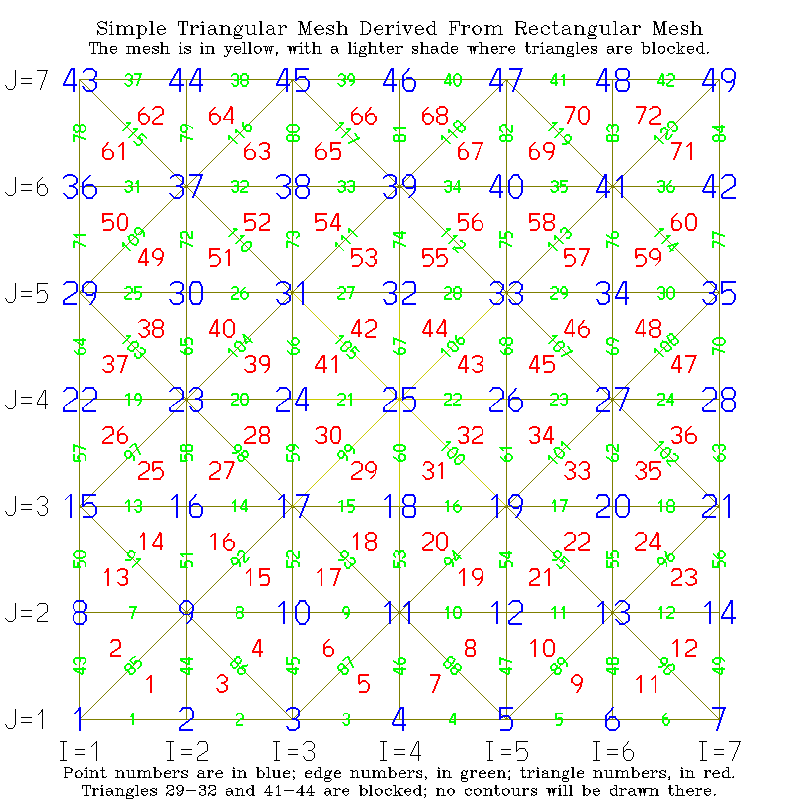
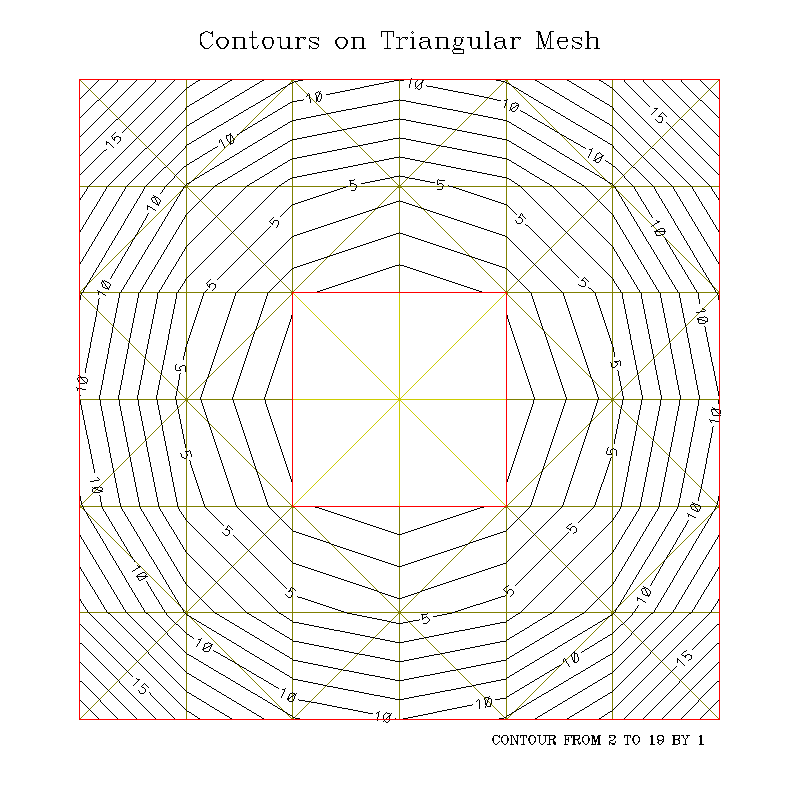
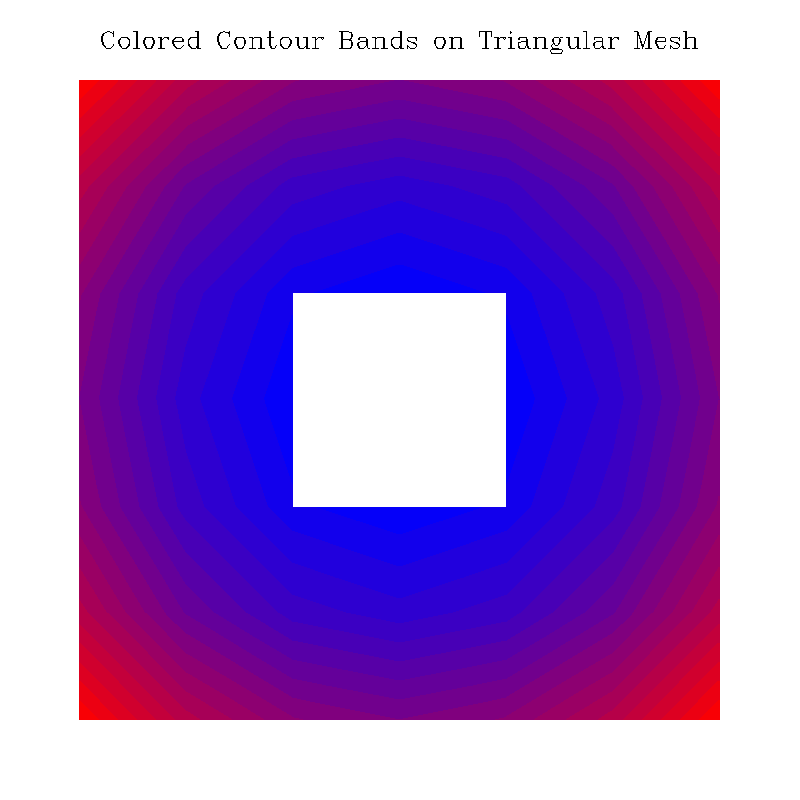
Note: See the example "ctex01" (both the code
and the first frame that it produces) for help in understanding the
structure of a triangular mesh.
To represent a triangular mesh requires three singly-dimensioned arrays:
RPNT defines points, IEDG defines edges (each of which consists of two
connected points), and ITRI defines triangles (each of which consists of
three connected edges). The elements of each array form "nodes" having
nominal lengths as follows:
      PARAMETER (LOPN=4)  !  length of a point node
      PARAMETER (LOEN=5)  !  length of an edge node
      PARAMETER (LOTN=4)  !  length of a triangle node
(In some cases, additional elements are needed in some types of nodes, but
these are the basic ones that must be present.)
The four elements of a point node are reals, as follows:
- the X coordinate of the point;
- the Y coordinate of the point;
- the Z coordinate of the point;
- the field value at the point;
The five elements of an edge node are integers, as follows:
- the base index, in RPNT, of the node defining point 1 of the edge;
- the base index, in RPNT, of the node defining point 2 of the edge;
- the base index, in ITRI, of the node defining the triangle to the
left of the edge, plus the index (1, 2, or 3) of the edge within
that triangle node (-1 if there is no triangle to the left);
- the base index, in ITRI, of the node defining the triangle to the
right of the edge, plus the index (1, 2, or 3) of the edge within
that triangle node (-1 if there is no triangle to the right);
- a utility flag for use by algorithms that scan the structure.
The four elements of a triangle node are integers, as follows:
- the base index, in IEDG, of the node defining edge 1 of the
triangle;
- the base index, in IEDG, of the node defining edge 2 of the
triangle;
- the base index, in IEDG, of the node defining edge 3 of the
triangle;
- a flag set non-zero to block use of the triangle, effectively
removing it from the mesh. For simple purposes, the values 0
and 1 suffice; however, see the routines CTTDBF
and CTTDBM and the internal parameters 'TBX'
and 'TBA' for a description of a scheme allowing one to selectively
block triangles by using different bits of this flag.
The "left" and "right" sides of an edge are defined as they would be
by an observer standing on the front side of the surface defined by the
triangular mesh, at point 1, and looking toward point 2, of the edge.
It is possible, if there are "holes" in the mesh, that there will be
no triangle on the left or on the right of an edge, but there must be
a triangle on one side or the other.
Note: The edges pointed to by a particular triangle node must be
given in counter-clockwise order, as viewed from the chosen "front" side
of the mesh. In fact, it is the ordering of the nodes that defines which
side is the "front" and which side is the "back". In the case of a
sphere, one would probably use the outside of the sphere as the "front".
In the case of a Moebius strip (which I have experimented with a bit),
there is a problem with this - you either have to have a seam across the
strip or go around it twice to avoid having a seam - but that's probably
not a case of great practical interest ... :-)
The "base index" of a point node, an edge node, or a triangle node is
always a non-negative multiple of the length of the node, to which can be
added an offset to get the index of a particular element of the node. For
example, if IPTT is the base index of a triangle of interest, ITRI(IPTT+1)
is its first element, which is the base index of the triangle's first edge.
Thus, IEDG(ITRI(IPTT+1)+2) is the second element of the triangle's first
edge; that is to say, it is the base index of the second point of the first
edge of the triangle with base index IPTT. In a similar fashion, it may be
seen that RPNT(IEDG(ITRI(IPTT+1)+2)+3) is the third (Z) coordinate of the
second point of the first edge of the triangle with base index IPTT.
It is the pointers from the edge nodes back to the triangle nodes that
allow CONPACKT to navigate the mesh, moving from triangle to triangle
as it follows a contour line. These pointers are a little tricky to
define: if IPTE is the base index of an edge node and IEDG(IPTE+3) is
zero or more, saying that there is a triangle to the left of the edge,
then IEDG(IPTE+3) is the actual index of that element of the triangle
node that points to the edge node; that is, ITRI(IEDG(IPTE+3))=IPTE.
The base index of the triangle node defining that triangle is IPTT,
where IPTT=LOTN*((IEDG(IPTE+3)-1)/LOTN), and the index of the pointer
to the edge within the triangle node is IPTI=IEDG(IPTE+3)-IPTT, so that
ITRI(IPTT+IPTI)=IPTE. Similar comments apply to element 4 of an edge
node, which points into the triangle node defining the triangle to the
right of the edge.
For some types of triangular mesh, the maximum number of points, edges,
and triangles can be computed easily:
- Method 1: If the triangular mesh is created from a rectangular mesh
by splitting each rectangular cell in half, we can declare the
largest values we expect to use for the dimensions of that mesh,
for example:
PARAMETER (IDIM=321,JDIM=384,IDM1=IDIM-1,JDM1=JDIM-1)
and then compute from those values the maximum number of points
(MNOP), the maximum number of edges (MNOE), and the maximum number
of triangles (MNOT) that the triangular mesh arrays will need to
hold. The computed values will be exactly as required if no points
or edges of the rectangular mesh are repeated in it; if there are
repeating points or edges, space for slightly fewer points and
edges will be needed:
      PARAMETER (MNOP=IDIM*JDIM)
      PARAMETER (MNOE=3*IDM1*JDM1+IDM1+JDM1)
      PARAMETER (MNOT=2*IDM1*JDM1)
- Method 2: If a geodesic mesh (basically, an icosahedron, each
triangular face of which is subdivided into smaller triangles)
is used, then the maximum number of points, edges, and triangles
can be computed from the parameter NDIV, which determines the order
of the geodesic mesh (it's the number of pieces into which each
edge of the icosahedron is divided):
      PARAMETER (MNOP=10*NDIV*NDIV+2)
      PARAMETER (MNOE=30*NDIV*NDIV)
      PARAMETER (MNOT=20*NDIV*NDIV)
Once we know, at most, how many points, edges, and triangles we're going
to have, we can set parameters defining the space to be reserved for the
triangular mesh:
      PARAMETER (MPNT=MNOP*LOPN)  !  space for points
      PARAMETER (MEDG=MNOE*LOEN)  !  space for edges
      PARAMETER (MTRI=MNOT*LOTN)  !  space for triangles
Then, we can declare the arrays to hold the point nodes, edge nodes, and
triangle nodes defining the triangular mesh:
DIMENSION RPNT(MPNT),IEDG(MEDG),ITRI(MTRI)
In all of the examples, code like that above (throughout the section)
will be found.
The triangular meshes that I have dealt with and provide examples for
might be classified as follows:
In the plane:
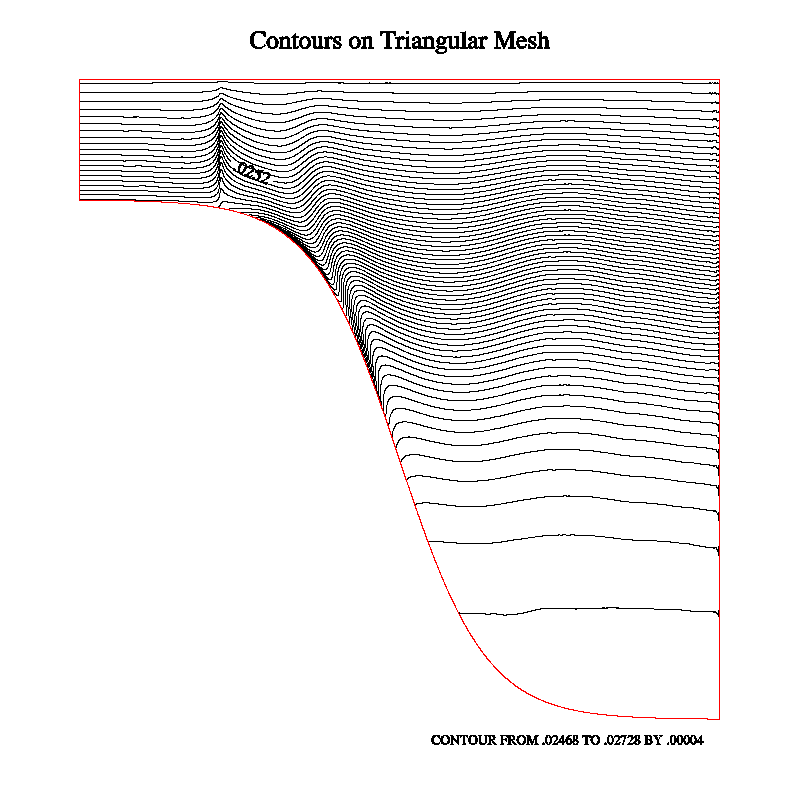
"ctex01" and "ctterr":
These are the examples to look at if you want to learn the details of
constructing a triangular mesh from a rectangular grid in the plane
completely from scratch. "ctex01" uses a small grid (7 x 7, by default),
while "ctterr" is an adapted version of the code that uses a rectangular
grid contributed by a user, representing a vertical slice through an
ocean basin, and deformed to follow the terrain of the ocean bottom;
this grid is dimensioned 4000 x 62, so the triangular mesh consists of
3999 x 61 x 2 = 487,878 triangles, which is a pretty good workout for
CONPACKT. Both examples contain a nice little routine, called DRWMSH,
to draw the mesh, but, in the interest of making the metafile a bit
smaller, the call to it in "ctterr" has been commented out. "ctex01"
also contains code to label the points, edges, and triangles of the mesh,
but these have been omitted from "ctterr".
"ctex02": Demonstrates a possible way to construct,
in the plane, a triangular mesh that fills a particular area of interest
(in this case, the contiguous "lower 48" states of the US). Again, this
example constructs the triangular mesh completely from scratch; it begins
with a set of equilateral triangles that completely fill the map space,
discards those that are wholly outside the area of interest, and adapts
the others to better fit that area.
In three dimensions, on the globe, rectangular:
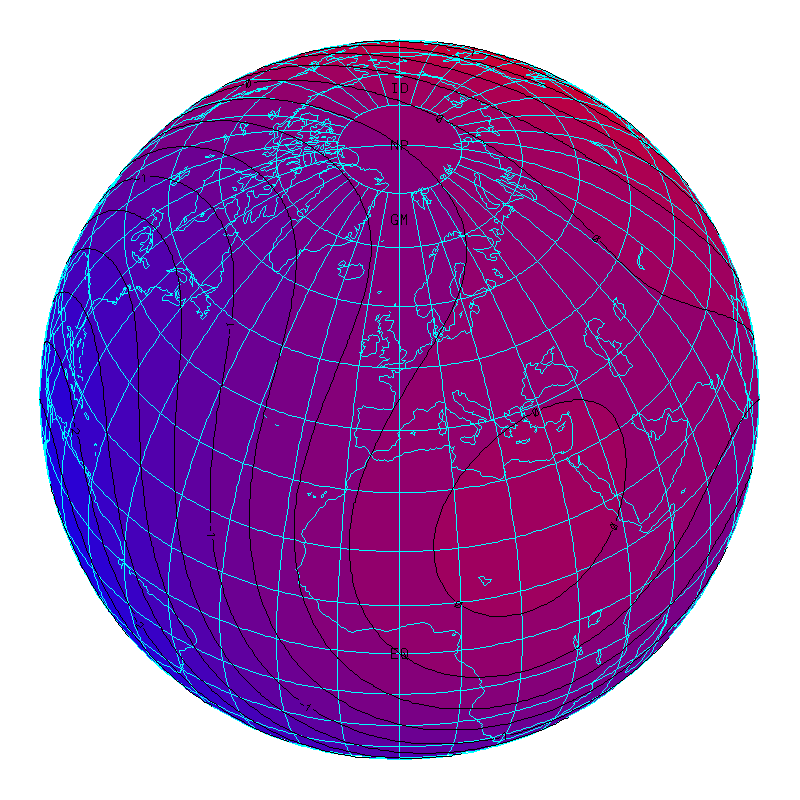
Each of these examples uses EZMAP routines to show the earth in
orthographic projection, as seen from four different viewpoints, and
each calls the routine CTTMRG to deal with
a rectangular grid mapped onto the surface of the globe. In the code
for any of these examples, search for the call to CTTMRG to see how the
triangular mesh is constructed.
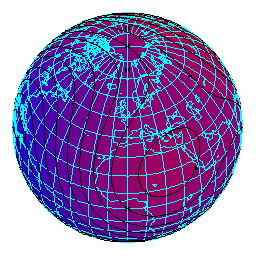
"ctllg1": In this example, the grid is one created
for illustrative purposes; it is dimensioned 81 x 41 and is mapped onto
the portion of the globe between longitudes 80W and 80E and latitudes
40S and 40N, so that it covers a limited portion of the globe.
"ctllg2": In this example, the grid is one created
for illustrative purposes; it is dimensioned 171 x 81 and is mapped onto
the portion of the globe between longitudes 170W and 170E and latitudes
80S and 80N, so that it nearly covers the globe.
"ctllg3": In this example, the grid is one created
for illustrative purposes; it is dimensioned 181 x 91 and is mapped onto
the entire globe. All of the points along the top edge of the rectangular
grid map to the North Pole and all the points along its bottom edge map
to the South Pole; the left and right edges of the rectangular grid meet
along a seam that runs from the North Pole to the South Pole along the
International Date Line.
"ctgaus": This example uses a Gaussian grid from
Paul Swarztrauber; it is dimensioned 129 x 257 and is rotated 90 degrees
as compared to the grids of examples "ctllg1", "ctllg2", and "ctllg3".
It is mapped onto most of the globe. The left and right edges of the
grid map to little circles around the North and South poles, respectively,
while the top and bottom edges of the grid meet along a seam that runs
along a meridian from pole to pole.
"ctpopg": This example uses a typical POP grid
from a user site; it is dimensioned 101 x 116 and is mapped onto the
entire globe, less two little circles. Think of this grid as being
wrapped around the globe so that its left and right edges meet along a
seam on a meridian and then elastically deformed so as to pull the little
circle formed by its top edge to a position over Greenland, while leaving
the little circle formed by its bottom edge centered over the South Pole
and wholly contained within Antarctica. Finally, portions of the grid
over land are omitted, as this grid is used for ocean modelling.
"ctorca": This example uses a typical ORCA grid
from a user site; it is dimensioned 181 x 148 and is mapped onto the
entire globe, less a circle at the South Pole and a few other areas
over Asia and Africa. Think of wrapping this grid around the globe so
that its left and right edges meet along a seam on a meridian and then
squashing flat the circle formed by its top edge in such a way that it
becomes an extension of the left/right seam passing through the North
Pole. (The circle formed by the bottom edge of the grid is centered on
the South Pole and remains open.) Certain rectangular portions of the
grid are then severed from the rest of it and shifted elastically so as
to provide denser coverage of certain areas (the Mediterranean, Black,
Caspian, and Red Seas). Finally, portions of the grid over land are
omitted, as this grid is used for ocean modelling.
"ctfite": This example uses a POP grid from a user
(I got it from Fred Clare); it is dimensioned 321 x 384 and is mapped
onto the globe in much the same way as the grid of "ctpopg". The data
are actual user data and show ice thickness, so there is little of
interest except at the poles.
"ctswth": This example uses a rectangular grid
from Simona Bordoni and represents the area seen by a satellite during
one orbit of the earth. I think the data are wind speeds over the
ocean.
In three dimensions, on the globe, triangular:
Each of these examples uses EZMAP routines to show a portion of the earth
in orthographic projection. Each calls the routine
CTTMTL to deal with an intrinsically
triangular mesh mapped onto the surface of the globe. In the code of any
of these examples, search for the call to CTTMTL to see how a triangular
mesh of the form expected by CONPACKT is constructed from triangles
provided by a user.
"ctcbay": This example uses data provided by Tom
Gross. It consists of the latitudes and longitudes of 7,258 points on
the globe, plus an array of 13,044 index triplets, each specifying the
indices of three of those points forming a triangle. The triangular
mesh represents Chesapeake Bay.
"ctnccl": This example uses data provided by Brett
Estrade. It consists of the latitudes and longitudes of 32,218 points on
the globe, plus an array of 58,641 index triplets, each specifying the
indices of three of those points forming a triangle. The triangular mesh
represents the ocean off the coast of North Carolina.
In three dimensions, on the globe, geodesic:
Each of the examples "ctgeo1", "ctgeo2", and "ctgeo3" uses EZMAP routines
to show the earth in orthographic projection, as seen from four different
viewpoints, and each uses a geodesic grid constructed using a different
method. In all three cases, the net effect is to subdivide the faces
of an icosahedron (a regular Platonic solid with twenty equilateral
triangles as faces), into smaller triangles and then project the vertices
of those triangles outward onto the surface of a circumscribed sphere.
Subdivision of a triangle is done using N-1 lines parallel (in some
cases, roughly parallel, I think) to each of its three sides, dividing
each side into N pieces; by default, N = 16, but, in "ctgeo1" and
"ctgeo2", this is set by a PARAMETER statement and so is easily changed.
Each face is thereby subdivided into N**2 (by default, 256) smaller
triangles, so the total number of triangles is 20*N**2 (by default,
5120). The number of edges is 30*N**2 (by default, 7680) and the number
of vertices is 10*N**2+2 (by default, 2562).
"ctgeo1": In this example, the geodesic grid is
constructed in a clever way that makes very efficient use of memory,
but the code to do it, in the subroutine GTGEO1, will probably prove
quite difficult to follow. Each triangular face of the icosahedron is
subdivided, in a single step, into N**2 smaller triangles of the same
size. Once those triangles are projected outward onto the sphere, some
of them (those near the center of a face of the icosahedron) are quite
a bit larger than others (those near a vertex of the icosahedron).
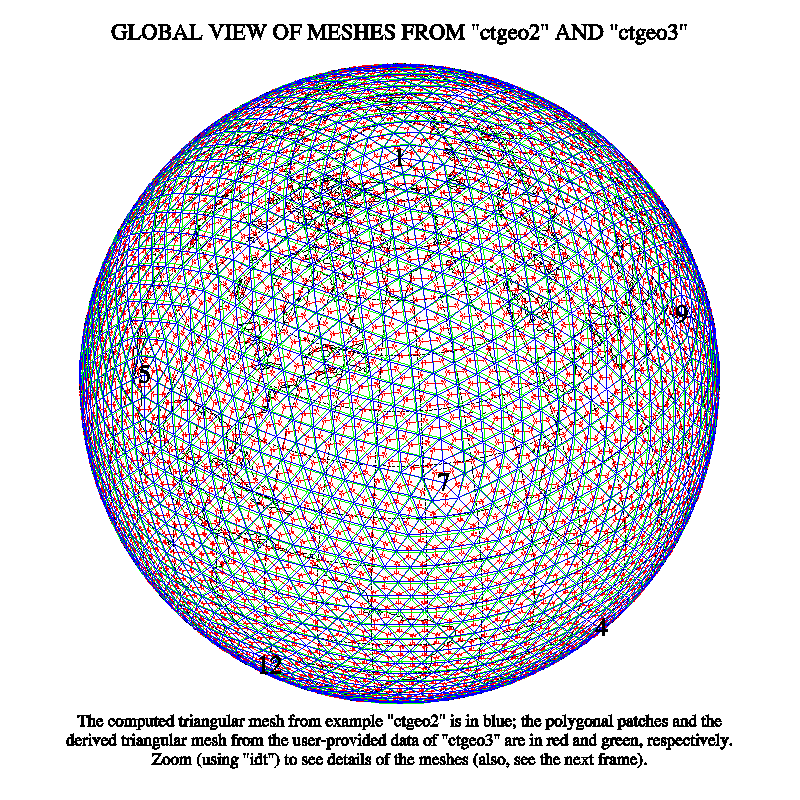
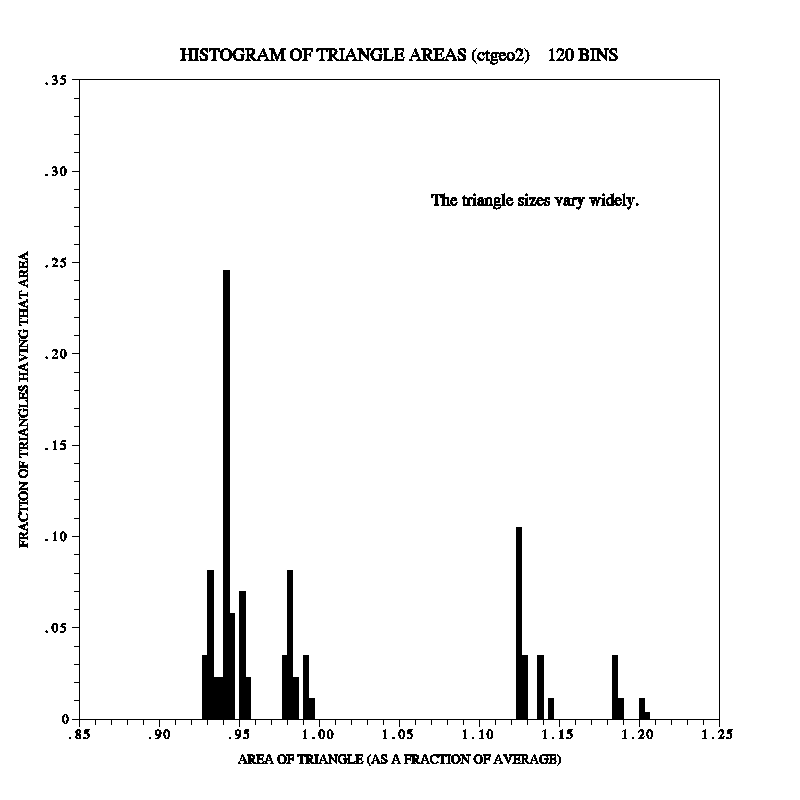
"ctgeo2": In this example, two innovations were
introduced in the subroutine GTGEO2, which constructs the geodesic grid:
- The first innovation was to use a subroutine (now called
CTTMTL and used in other examples as well)
to do most of the work of storing the triangles in the triangular-mesh
structure. This routine needs quite a bit of scratch space, but it
allows one to generate the triangles in any order (in fact, it is best
to generate them in random order, which complicates things a little).
- The second innovation was intended to make the triangles of the mesh
have more nearly the same size. Instead of being subdivided in a single
step, the triangles of the icosahedron are subdivided in a series of steps
(based on the prime factors of N) and projected outward onto the surface
of the sphere at the end of each step. For example, if N has its default
value of 16, which is 2*2*2*2, four steps are carried out, during each
of which each triangle from the previous step is subdivided into four new
triangles (each side of which is 1/2 as long as those of the original)
and projected outward. (If N were set to 30, which is 2*3*5, then there
would be three steps, each of which subdivided the triangles from the
previous step into 4, 9 or 25 new triangles.) In truth, the approach
doesn't produce triangles much more consistent in size than those of
"ctgeo1", but an unintended side effect is that, when N is a power of
2, the grid produced matches that produced by others.
"ctgeo3": This example makes use of data from the
NetCDF file "C02562.global.nc", which was downloaded from the following
Web site:
Go to "Step 2", click on "sample spherical geodesic grids", and then
on "Geodesic grid with 2562 cells". (Actually, "ctgeo3" can easily be
modified to use either of the other grids mentioned there, as well.)
These data are of interest in two ways:
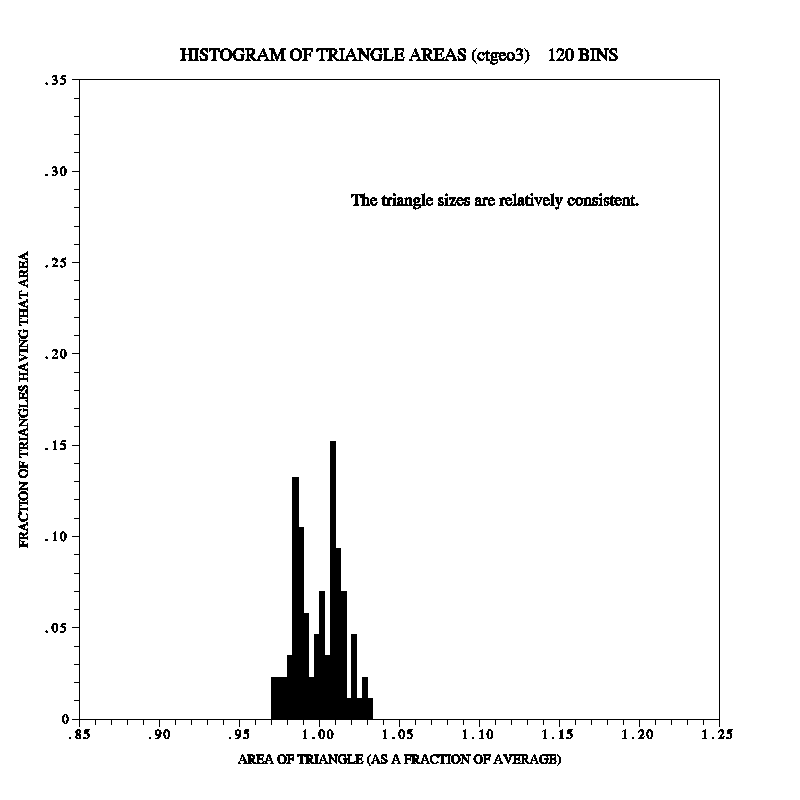
- First, some technique has been used to make all of the triangles
that it generates have nearly the same size. (See example "ctgc23"
for plots demonstrating this.) I do not know how this was done.
- Second, the data are provided in a different format: What one gets
at each of the 2562 vertices of the geodesic mesh are the latitude and
longitude of the vertex, plus the latitudes and longitudes of five or
six other points at the corners of a polygonal patch containing the
vertex. To reconstruct the triangular mesh from this data, one must
search the data for adjacent patches; the lines joining the vertices
at the centers of adjacent patches are the lines forming the triangles
of the triangular mesh. See the code in the subroutine "GTGEO3" for
an algorithm to perform this search in a somewhat efficient manner; it
may be useful in dealing with similar grids obtained elsewhere. (The
brute force approach is grossly inefficient, operating on glacial time
scales.)
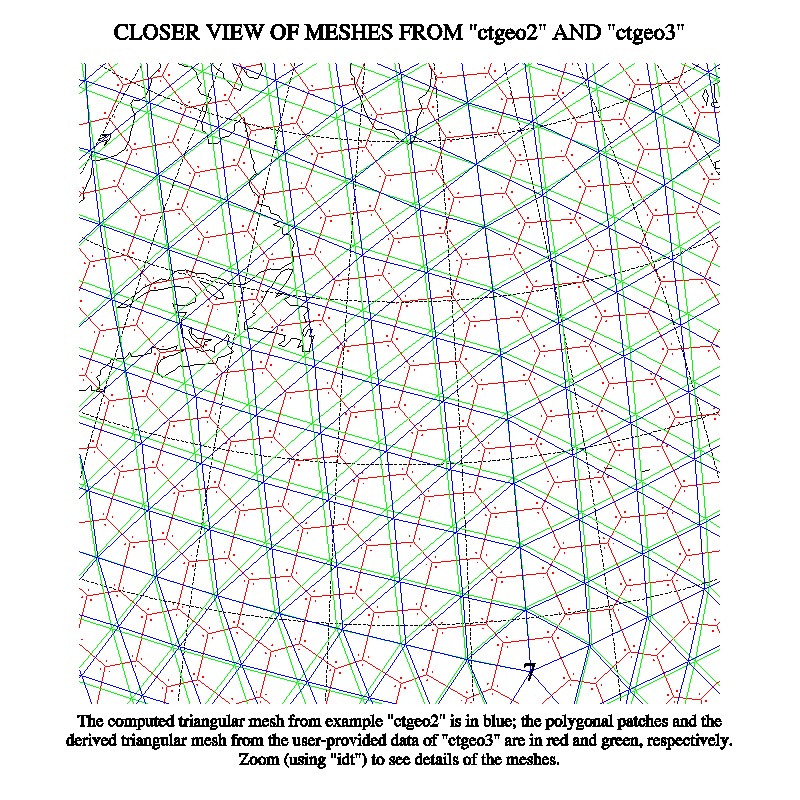
"ctgc23": This example produces four plots
comparing the geodesic grids of examples "ctgeo2" and "ctgeo3". Two
of the plots show the grids superimposed (on a hemisphere of the globe
and in a relatively close-up view); the other two plots show histograms
of the areas of the triangles produced by the two methods.
In three dimensions, on the globe, other:
"ctiscp": This example uses a grid created by the
"International Satellite Cloud Climatology Project" (ISCCP). It consists
of 6596 cells on the globe, each of which is a rectangle on a cylindrical
equidistant projection. The cells are created by dividing the surface
of the earth into strips, parallel to the equator, each of which is
2.5 degrees of latitude wide, and then subdividing each strip into an
integral number of cells in such a way that all of the cells have almost
the same surface area on the globe. The subroutine GTISCP triangulates
this grid by connecting the centers of "adjacent" cells and then using
the connecting lines to form triangles. The code is rather difficult to
describe and may be a bit difficult to read.
"ctisc2": This example represents an attempt to
deal with the ISCCP grid in a more understandable way. It treats each
cell as a polygonal patch like those of example "ctgeo3" and then uses
the technique of that example to determine which of the polygonal patches
are adjacent. (Some of the polygonal patches have one or more sides of
zero length.) Whether the resulting code is easier to understand than
that of "ctiscp" is debatable.
"ctwng1" and "ctwng2": These
examples use SEAM grids (where SEAM stands for "Spectral Element
Atmospheric Model") obtained from Houjun Wang. See the following Web
site for more informataion about such grids:
The basic elements of each grid are quadrilateral patches on the surface
of the globe, obtained by subdividing the faces of a cube and projecting
the pieces outward onto the surface of the globe. The patches are further
subdivided into smaller quadrilaterals; in "ctwng2", in particular, this
is done in such a way as to provide higher-resolution coverage of the US.
Each of the quadrilaterals is then split in half along a diagonal to form
two triangles and the routine CTTMTL or
CTTMTX is used to form a triangular mesh
of the form expected by CONPACKT routines.
In three dimensions, on an arbitrary surface:
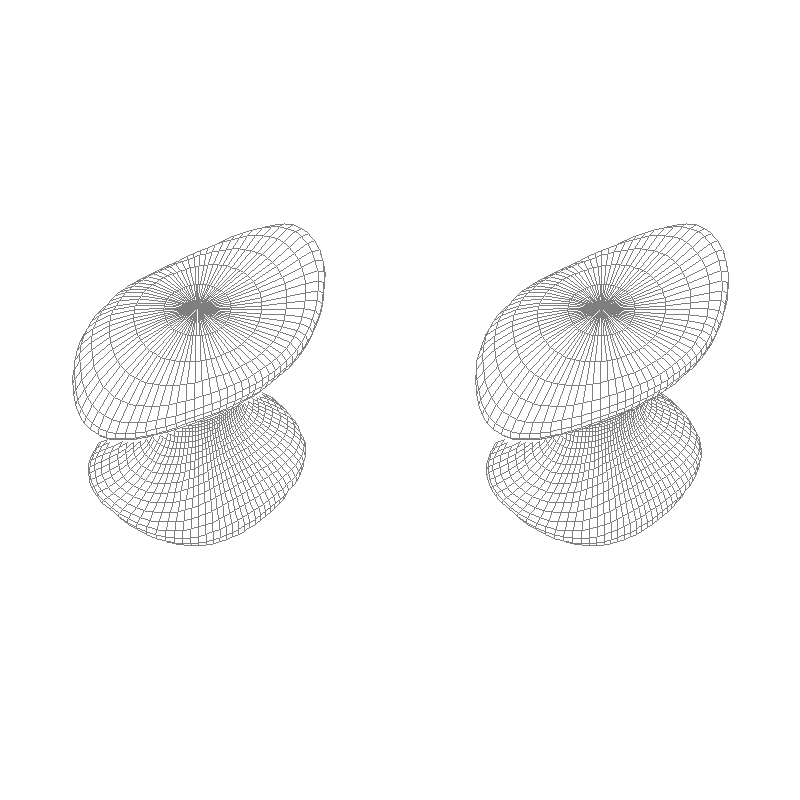
"cttd01" and "cttd02":
These examples demonstrate that CONPACKT is not limited to dealing with
triangular meshes in a plane or on the surface of the globe. In each
case, the triangular mesh used represents an arbitrary surface in 3-space
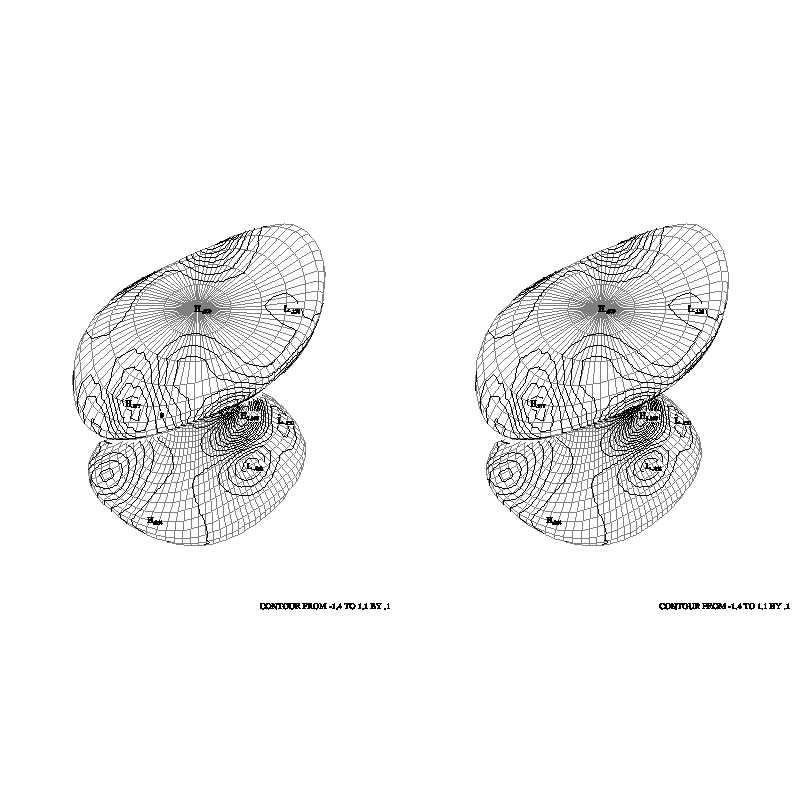
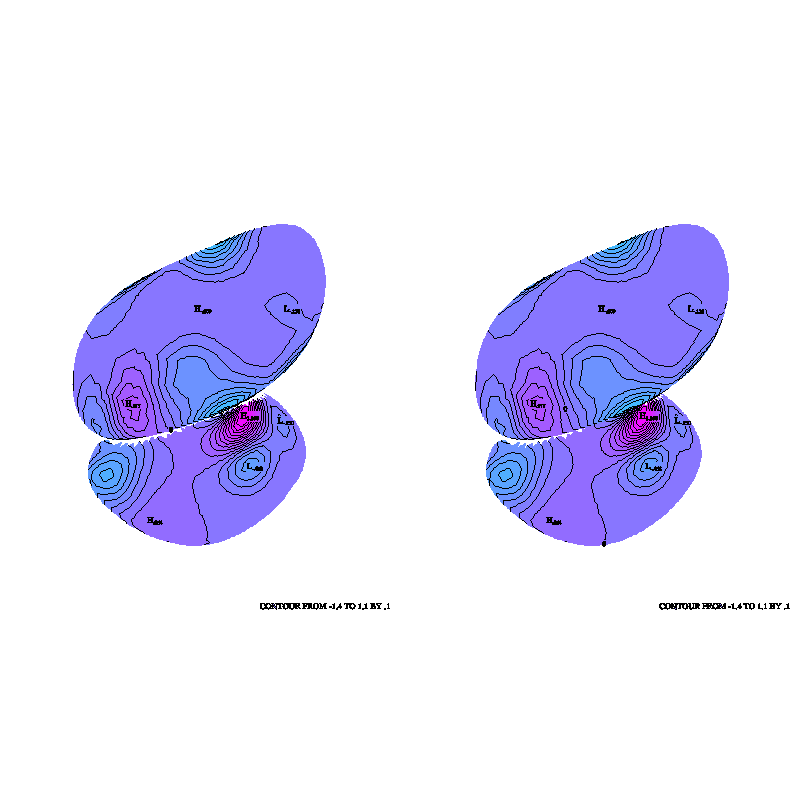
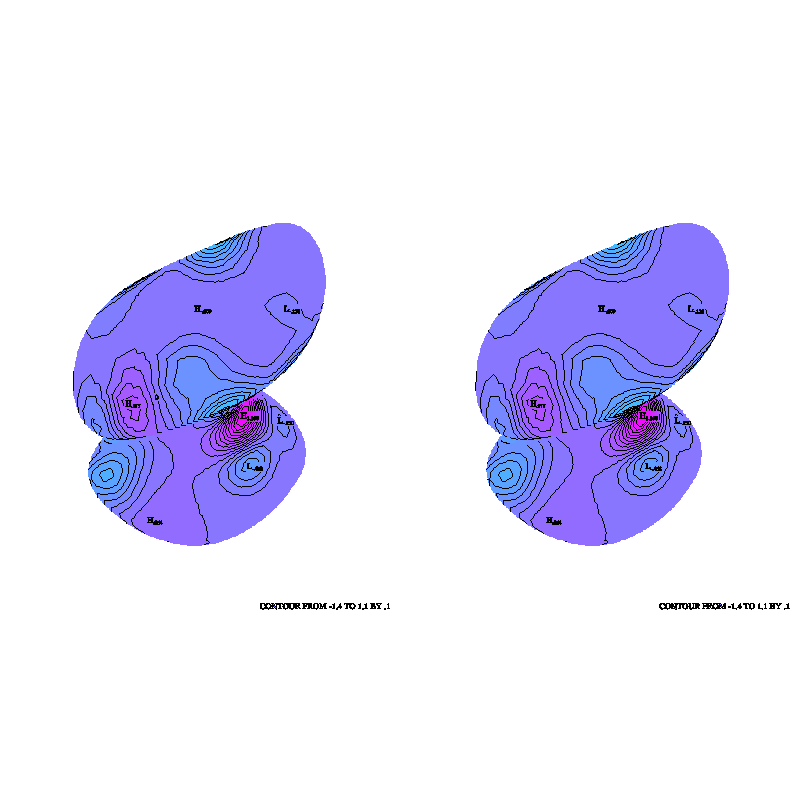
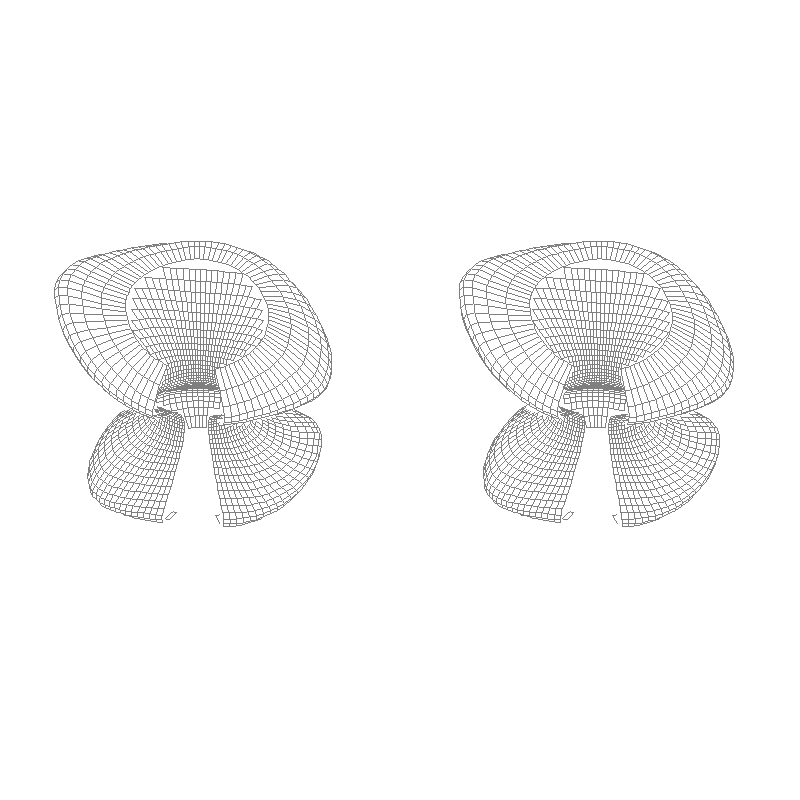
(looking, perhaps, a bit like one of the dancing mushrooms from Disney's
"Fantasia"); one of the meshes forms a closed object, while the other has
a hole in it through which the "back" side of the mesh is visible. The
3D package TDPACK is used to draw perspective views of these grids, with
contours on them.
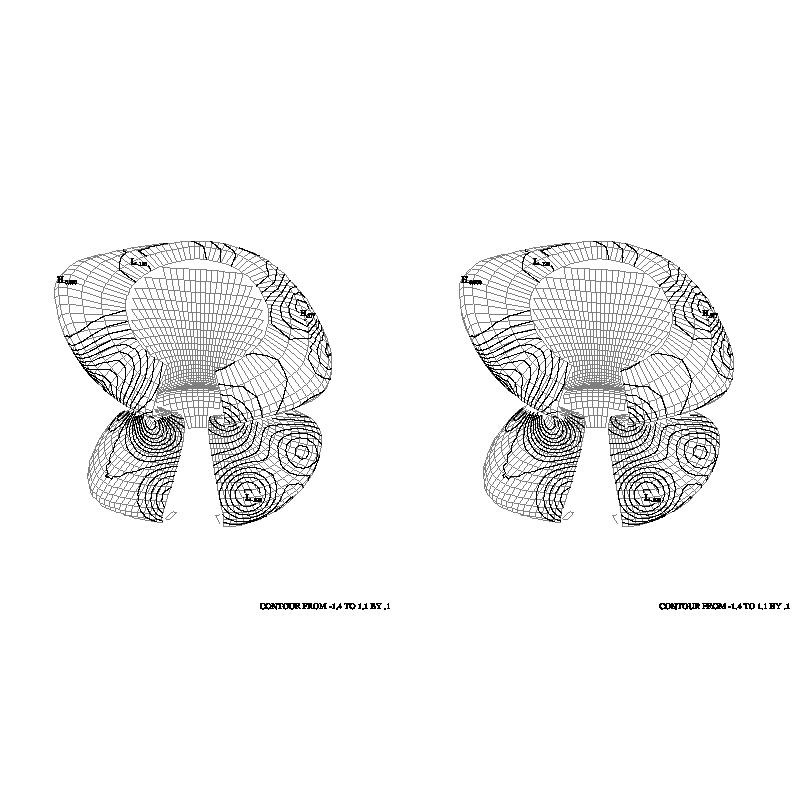
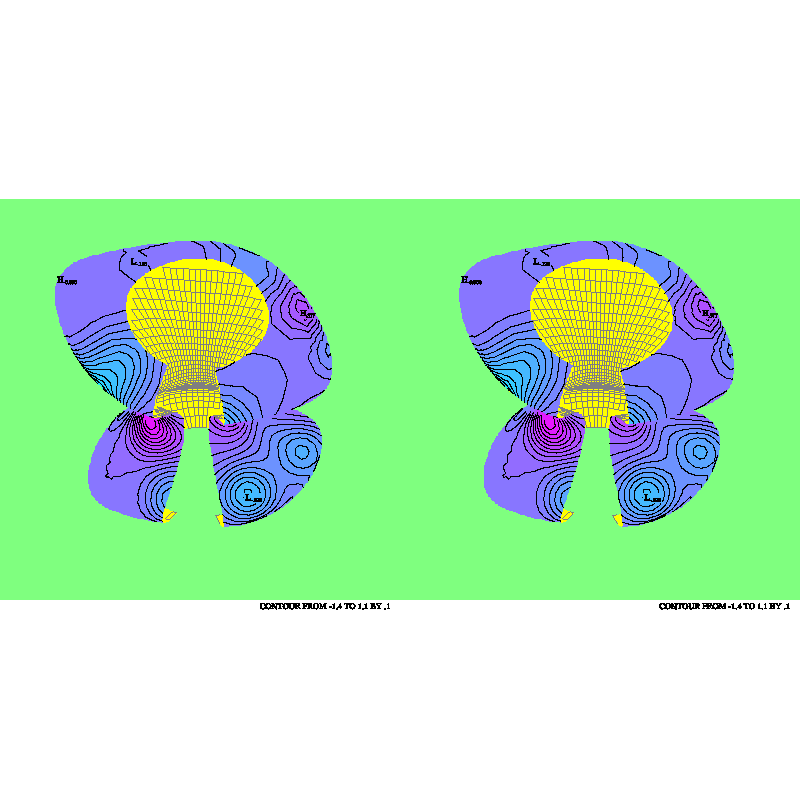
The routine CTTDCA is used to create a cell
array that creates an accurate "picture" of the object. The routine
CTTDBF is used to set bits in the blocking
flags for the triangles to reflect various conditions (triangle hidden
behind another, triangle seen from the back side, triangle seen nearly
edge-on) and CTTDBM is used, just before
drawing the mesh itself or just before drawing contours on the mesh, to
allow drawing in only those triangles that, for example, are seen from
the front, are not hidden, and are not too nearly edge on. The net
result is to solve the "hidden-line" problem for the mesh or for the
contours on a triangle-by-triangle basis (not quite as good as one would
like, but not too bad, either).
The following routines are meant to facilitate the process of creating
a triangular mesh of data:
- CTTMRG makes it easy to obtain a
triangular mesh from a rectangular grid wrapped around the globe.
- CTTMTL makes it easy to obtain a
triangular mesh from an arbitrary collection of triangles in 3-space.
The user must ensure that the coordinates of any vertex that two
triangles have in common are identical in the two triangles.
- CTTMTX is like CTTMTL, making it easy to
obtain a triangular mesh from an arbitrary collection of triangles in
3-space. The user need not ensure that the coordinates of any vertex
that two triangles have in common are identical in the two triangles;
instead, he/she must supply a value of "epsilon" that will be used to
determine whether two points are identical.
Once a triangular mesh has been defined, the code to draw a contour plot
will probably begin with several calls to set internal parameters affecting
the behavior of the routines called after that. All the internal parameters
have default values; only those which are to have values different from the
default need to be set. Routines which may be called to set the values of
parameters are as follows:
- CTRSET is called to reset all parameters
to their default values.
- CTSETC is called to give a value of type
CHARACTER to a parameter.
- CTSETI is called to give a value of type
INTEGER to a parameter.
- CTSETR is called to give a value of type
REAL to a parameter.
In general, once a parameter is given a value by a call to one of these
routines, it retains that value until a similar call resets it. Thus,
many of the parameter-setting calls need to be done only once and do not
need to be repeated for each new contour plot.
After all required parameters have been set, the process of drawing a
contour plot begins with a call to an initialization routine:
- CTMESH is the initialization routine.
This routine CTMESH performs initialization required for subsequent calls
to work properly. The dimensions of the arrays defining the triangular
mesh and the dimensions of the real and integer workspace arrays are copied
to internal variables. Pointers in the array defining the edges of the
mesh are adjusted so as to make the data value at the first point of each
edge less than or equal to the data value at the second point of each edge,
which is important for various algorithms in other routines. Pointers
used to manage the real and integer workspaces are initialized. It is
decided how the 3D coordinates of the points of the triangular mesh are
to be mapped into 2D user coordinates and how those coordinates are to
be mapped to the plotter frame. If the user has not called the SPPS
routine SET (or done the equivalent GKS calls), that call is done. The
minimum and maximum values in the data array are found and it is decided
whether or not the data field is essentially constant. If contour levels
are to be chosen automatically, the parameter arrays specifying the contour
levels are cleared, so that automatic selection will take place when these
levels are required.
Among the internal parameters are arrays completely specifying contour
levels of interest and what is to be done at each of those levels. These
arrays may be used to take complete control of the contouring process;
most users will probably elect not to do this, but to let CONPACKT choose
the levels. At this point, then, as a rule, none of these parameter arrays
will have been filled. No calls need be done to fill them; if they are
empty when they are needed, the required values will be chosen at that
point. For certain applications, however, it is desirable to force the
selection of contour levels and perhaps the character strings which are
to be used as contour labels. This may be done by means of calls to one
or both of the following routines:
- CTPKCL is called to have CONPACKT pick a
set of contour levels.
- CTPKLB is called to pick labels to be
associated with those levels for which the contour lines are to be
labelled and for which no labels have yet been specified.
The advantage of calling one or both of these routines is that, after
each call, one can modify what the routine called has done in order to
produce desired effects. For example, after CTPKCL is called, one might
set elements in parameter arrays which will cause the labelled contour
lines to be solid and the unlabelled contour lines to be dashed. As
another example, after CTPKLB is called, one might check for the string
"0" as a label and change it to "0.0".
At this point, various other routines may be called:
- CTBACK is called to draw a background.
- CTCICA is called to construct a GKS cell
array. Most likely, the user will then call the GKS routine GCA to
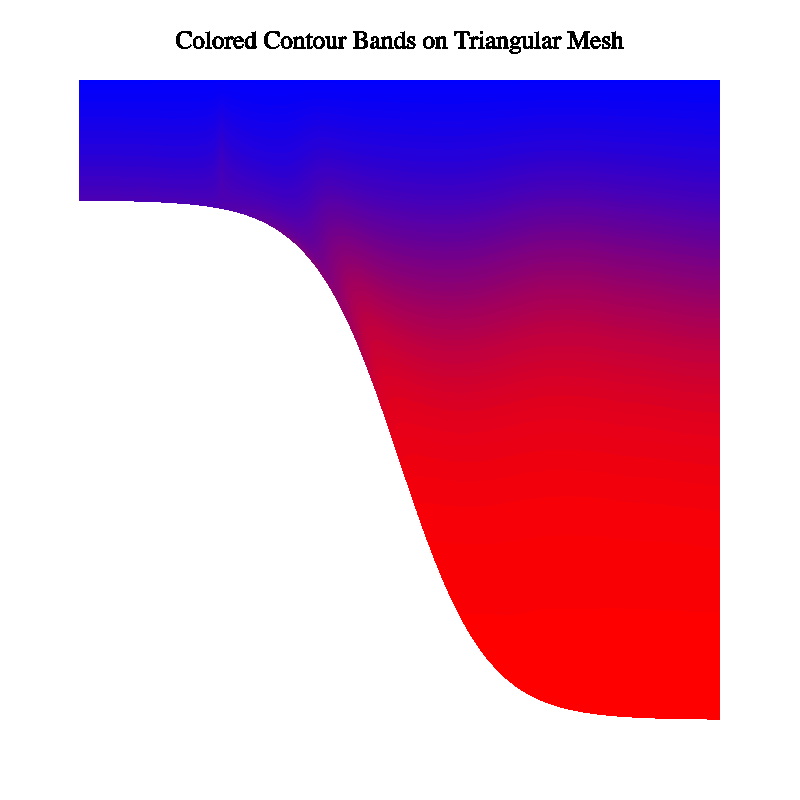
display the cell array, thereby creating a solid-filled contour plot.
- CTCLAM is called to add a set of contour
lines to an area map. Most likely, the user will then call the AREAS
routine ARSCAM to create, from the area map, a solid-filled contour
plot.
- CTCLDM is called to draw a set of contour
lines, as masked by an existing area map.
- CTCLDR is called to draw a set of contour
lines.
- CTCLTR is called to trace all of the
contour lines at a given level and return them to the caller.
- CTLBAM is called to add label boxes to
an area map. Such an area map will most likely be used to prevent
contour lines from passing through the labels.
- CTLBDR is called to draw labels for the
contour plot.
Four routines may be called when 'MAP' is set to 2, which says that the 3D
package TDPACK is being used to project
the triangular mesh into the plane.
- CTTDBF is called to set bits in the
triangle blocking flags in the triangular mesh so as make it possible
to identify those that are seen from the "wrong" side, that are seen
nearly edge-on, or that are hidden by other triangles of the mesh.
- CTTDBM is called to set the value of a
couple of internal parameters that are used as masks for the triangle
blocking flags in the triangular mesh to determine which ones will
actually be blocked.
- CTTDCA is like CTCICA, but it fills the
cell array with color indices reflecting the colors of those triangles
that are closest to the position of the eye and so produces a correct
picture of the triangular mesh.
- CTTDDM is called to draw the triangular
mesh.
Finally, to advance the frame, the user must call the SPPS routine FRAME;
CONPACKT won't do it.
At any time, it is possible to retrieve the value of an internal parameter
by calling one of the three following routines:
- CTGETC is called to get a value of type
CHARACTER.
- CTGETI is called to get a value of type
INTEGER.
- CTGETR is called to get a value of type
REAL.
Several routines in CONPACKT are not called by the user, but by CONPACKT
itself. The default versions of these routines, in all cases but one, do
nothing; the routines exist simply to be replaced by the user. These
routines are as follows:
- CTCHCF is called just before and just
after each step in the process of writing a constant-field message
(which happens when CTMESH determines that the data field being
contoured is effectively constant). A user version may be supplied
to change line width, color, etc.
- CTCHCL is called just before and just
after each contour line is drawn. A user version may be supplied to
change line width, color, dash pattern, etc.
- CTCHHL is called just before and just
after each step in the process of writing the high and low labels.
A user version may be supplied to change line width, color, etc. It
may also be used to eliminate labels in undesirable positions (for
example, over land on an EZMAP background).
- CTCHIL is called just before and just
after each step in the process of writing the informational label. A
user version may be supplied to change line width, color, etc.
- CTCHLL is called just before and just
after each step in the process of writing a contour line label. A
user version may be supplied to change line width, color, etc. It
may also be used to eliminate labels in undesirable positions (for
example, over land on an EZMAP background).
- CTDRPL may be specified as the routine
to be called by CTCLDM, to draw the pieces of contour lines resulting
from masking by an area map. It will draw the polyline defined by its
first three arguments if and only if none of the area identifiers
defined by the remaining arguments is negative. It will use a call
to CURVE or a call to CURVED, depending on the current value of the
parameter 'DPU'.
- CTMXYZ is called when the parameter
named 'MAP' is non-zero. Its function is to map the 3D coordinates
of points on the triangular mesh into 2D coordinates in the user
system. The default version of this routine will handle the mapping
of longitudes and latitudes into rectangular coordinates on a given
EZMAP projection. A user version may be supplied to handle other
mappings.
Two additional routines are provided for use in error-recovery
situations:
- CTMVIW may be called to transfer the
current contents of an integer workspace array to a new array.
- CTMVRW may be called to transfer the
current contents of a real workspace array to a new array.
The design of CONPACKT allows one to construct contour plots in many
different styles. Which style is chosen will depend on the amount of
computer time and memory available, on the capabilities of the device
on which the plots are being drawn, and on the intended use of the
plots. Some possibilities are discussed below.
If the intent is to draw the contour plot using relatively few computer
resources, the following sequence of calls will suffice:
- Call parameter-setting routines.
- Call CTMESH to initialize the drawing of the contour plot.
- Call CTBACK to draw a simple background.
- Call CTCLDR to draw the contour lines, with labels generated by a
dashed-line package.
- Call CTLBDR to draw an informational label below the plot and high/low
labels on the plot.
Assuming that step 1 is null and that all default parameter values are
used, the resulting plot will look much like what would have been drawn
by CONREC. The labels won't be positioned very well and lines may be drawn
through them. The characters used for the informational label and for high
and low labels will be of better quality than those used for the line
labels; if desired, additional resources may be saved by a
parameter-setting call forcing the PLOTCHAR package to use lower-quality
characters.
To produce a better-positioned set of labels, step 1 above should include
a call to CTSETI setting the parameter 'LLP', which says how line labels
are to be positioned, to one of the values 3 or -3; this turns off the
generation of line labels by a dashed-line package called by CTCLDR and
causes them to be positioned and written by the routine CTLBDR instead,
using a penalty scheme which produces quite pleasing results. Contour
lines will still pass through line labels positioned in this way.
Contour lines may be prevented from passing through labels drawn by CTLBDR
in one of two ways, depending on the nature of the plotting device. If the
device allows for the use of the GKS fill area primitive and if the result
of drawing one object on top of another is that the pixels affected by
drawing the second object simply change color (as happens on most
terminals, but not usually on a device which exposes film, for example),
then one may insert calls changing the values of the parameters 'ILB',
'HLB', and 'LLB' in such a way as to force boxes surrounding the
informational label, the high and low labels, and the line labels to be
filled with the background color prior to the drawing of the labels. This
has the effect of preventing the contour lines from passing through the
labels.
If filling the label boxes will not work, then a software technique,
using routines in the utility AREAS, may be used instead. The sequence
of calls will then be as follows:
- Call parameter-setting routines.
- Call CTMESH to initialize the drawing of the contour plot.
- Call CTBACK to draw a simple background.
- Call ARINAM (in AREAS) to initialize an area map.
- Call CTLBAM to generate a list of label positions and to put label
boxes for the labels at those positions into the area map.
- Call CTCLDM to draw contour lines masked against the area map. Each
line is broken into pieces lying outside label boxes and pieces lying
inside label boxes and only the former are drawn.
- Call CTLBDR to draw the labels in the boxes left vacant by step 6.
Some users may wish to draw a solid-filled contour plot, rather than a
line plot. This is also done using routines in the utility AREAS, as
follows:
- Call parameter-setting routines.
- Call CTMESH to initialize the drawing of the contour plot.
- Call ARINAM (in AREAS) to initialize an area map.
- Call CTCLAM to put contour lines into the area map.
- Call ARSCAM (in AREAS) to scan the area map and to recover from it
the polygons created by the lines in the area map. A user-defined
routine is called to fill (or not to fill) each polygon. Filling
may be done by calls to routines in the utility SOFTFILL or to the
GKS routine GFA.
Labels may be written on a solid-filled contour plot; this requires
adding a call to CTLBAM after step 4 and a call to CTLBDR after step 5.
It may be better, though, to draw a key for the solid-filled plot. There
is no routine in CONPACKT to do this, but the NCAR Graphics utility
LABELBAR provides such a capability.
The packages AREAS, CONPACKT, and EZMAP/EZMAPA may be used cooperatively
to achieve other desired effects. For example, if the contour plot being
drawn represents output from an ocean model, it may be desirable to draw
contours (or to fill contour bands) only over the oceans on a background
drawn by EZMAP.
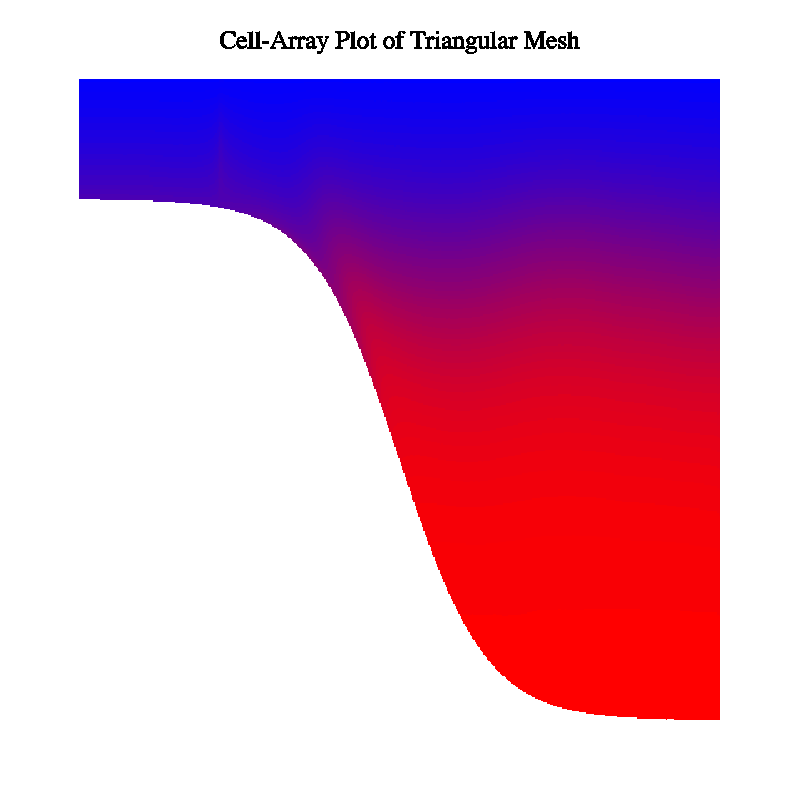
A solid-filled contour plot may be drawn in another way, using the GKS
primitive "cell array". The steps required are as follows:
- Call parameter-setting routines.
- Call CTMESH to initialize the drawing of the contour plot.
- Call CTCICA to generate color indices in a cell array.
- Call the GKS routine GCA to "paint" the cell array.
Using cell arrays has advantages and disadvantages compared to using
AREAS to generate GKS "fill areas". One disadvantage is that, for the
same sort of quality, a rather high-resolution cell array must be used;
it may be time-consuming and space-consuming to generate and to display
such a cell array; in particular, using the "zoom" capability of "idt" on
a cell array doesn't work too well. Another disadvantage of the cell-array
approach is that it is more difficult (sometimes impossible) to limit the
coloring of contour bands to specific areas (as, for example, over land
or over ocean), which can be done relatively easily using the fill-area
approach. The major advantage of the cell-array approach is that it
avoids the problems that, to some extent, accompany the use of the package
AREAS. (While many of these problems have been fixed, one can still expect
an occasional glitch, particularly when using certain EZMAP projections.)
The routines CTCLAM, CTCLDM, CTCLDR, CTLBAM, and CTLBDR all generate
output for specified sets of contour levels. The parameter 'NCL' specifies
the number of different contour levels for which something is to be done
by one or more of the above routines. The value of 'NCL' may not exceed
256. For each value of I from 1 through 'NCL', the Ith element of the
parameter array 'CLV' specifies a contour level and the Ith element of
each of the parameter arrays 'AIA', 'AIB', 'CLC', 'CLD', 'CLL', 'CLU',
'LLC', and 'LLT' is an associated datum, saying something about what is
to be done at that contour level. Detailed descriptions of these parameter
arrays are given in the section "PARAMETERS",
below; thumbnail descriptions of elements of these parameter arrays are
as follows:
- Each element of the parameter array 'AIA' is an area identifier for
areas "above" the contour level (in the area where data values are
greater than the level). Affects CTCICA and CTCLAM.
- Each element of the parameter array 'AIB' is an area identifier for
the area "below" the contour level (in the area where data values are
less than the level). Affects CTCICA and CTCLAM.
- Each element of the parameter array 'CLC' is a color index for
contour lines at the level. Affects CTCLDM and CTCLDR.
- Each element of the parameter array 'CLD' is a dash pattern for
contour lines at the level. Affects CTCLDM and CTCLDR.
- Each element of the parameter array 'CLL' is a line width for
contour lines at the level. Affects CTCLDM and CTCLDR.
- Each element of the parameter array 'CLU' is a "use flag" for
the contour level, indicating whether or not contour lines are to be
drawn and whether or not the lines are to be labelled. Affects CTCLDM,
CTCLDR, CTLBAM, and CTLBDR.
- Each element of the parameter array 'LLC' is a color index for
labels at the level. Affects CTLBDR.
- Each element of the parameter array 'LLT' is a label for the
level. Affects CTLBAM and CTLBDR.
The contents of these parameter arrays may be specified completely by
CONPACKT, completely by the user, or some of both. The parameter 'CLS'
says whether or not CONPACKT is to select contour levels and associated
quantities and, if so, in what manner. The default value of 'CLS' indicates
that CONPACKT is to select about 16 contour levels at multiples of some
nice interval, which it is to choose. By default, then, the call to CTMESH
zeroes 'NCL'; during the first subsequent call which requires contour
levels to have been chosen, they are chosen. The associated parameter
elements are set to indicate which contour lines should be labelled, what
character strings should be used as labels, which lines should be put in
an area map by a call to CTCLAM, and what area identifiers should be used
for areas "above" and "below" these lines.
Other values of 'CLS' may be used to change the way in which CONPACKT
chooses contour levels. See the detailed descriptions of 'CLS' and of
the other parameters 'CIS', 'CIT', 'CIU', 'CMN', 'CMX', 'LIS', 'LIT',
and 'LIU'.
The user may elect to set all of the contour levels and associated
quantities. Suppose, for example, that it is desired to draw labelled
solid lines for each of the values .1, .2, .3, ..., .9 and unlabelled
dashed lines for each of the values .05, .15, .25, ... .95. The following
code, inserted before the call to CTMESH, will set the required
parameters:
      CALL CTSETI ('CLS - CONTOUR LEVEL SELECTION',0)
      CALL CTSETI ('NCL - NUMBER OF CONTOUR LEVELS',19)
      DO 101 I=1,19
        CALL CTSETI ('PAI - PARAMETER ARRAY INDEX',I)
        CALL CTSETR ('CLV - CONTOUR LEVEL VALUE',REAL(I)/20.)
        IF (MOD(I,2).EQ.1) THEN
          CALL CTSETI ('CLU - CONTOUR LEVEL USE',1)
          CALL CTSETI ('CLD - CONTOUR LINE DASH PATTERN',21845)
        ELSE
          CALL CTSETI ('CLU - CONTOUR LEVEL USE',3)
          CALL CTSETI ('CLD - CONTOUR LINE DASH PATTERN',65535)
        END IF
  101 CONTINUE
In the above code, 'CLS' is zeroed to suspend the selection of contour
levels by CONPACKT itself. Then, 'NCL' is set to say how many contour
levels are to be defined. Then, in a loop on I from 1 to 19, 'PAI' is
set to tell CONPACKT which element of each parameter array is to be set,
the Ith element of 'CLV' is set to REAL(I)/20., which, for each I, gives
one of the desired contour levels, the Ith element of 'CLU' is set to a
1 if just the line is to be drawn or to a 3 if both the line and the
labels for the line are to be drawn, and the Ith element of 'CLD' is set
to 21845 (octal 52525) if a dashed line is to be used or to 65535 (octal
177777) if a solid line is to be used.
Note that 'NCL' must be set prior to setting any element of 'CLV' or the
associated arrays.
Note also that, when an element of 'CLV' is set, all of the associated
elements of the associated arrays receive a default value. (In fact,the
default element of 'CLU' is 1, and the default element of 'CLD' is a
pattern specifying a solid line, so two of the calls in the code above
are redundant.)
Note also that the use of CTSETI to specify the value of 'CLD' will work
only if 'DPU' is positive, implying the use of DASHCHAR routines; if 'DPU'
is negative, DASHPACK routines will be used and, by default, they will
expect underscores, rather than apostrophes, to represent gaps, so that
CTSETC calls will be needed to define the dash patterns.
In some cases, the user will want to let CONPACKT choose a set of contour
levels and then either add other levels of interest, modify elements of
the associated parameter arrays, or both. Suppose, for example, that it
is desired to have CONPACKT pick the levels, that contour lines at positive
levels are to be drawn in red, that contour lines at negative levels are
to be drawn in blue, and that contour lines at the zero level are to be
drawn in white. The following code, inserted after the call to CTMESH,
would do the job (assuming that color indices IBLU, IRED, and IWHI have
previously been defined):
      CALL CTPKCL (...)
      CALL CTGETI ('NCL - NUMBER OF CONTOUR LINES',NOCL)
      DO 101 I=1,NOCL
        CALL CTSETI ('PAI - PARAMETER ARRAY INDEX',I)
        CALL CTGETR ('CLV - CONTOUR LEVEL VALUE',CLEV)
        IF (CLEV.LT.0.) THEN
          CALL CTSETI ('CLC - CONTOUR LINE COLOR INDEX',IBLU)
        ELSE IF (CLEV.GT.0.) THEN
          CALL CTSETI ('CLC - CONTOUR LINE COLOR INDEX',IRED)
        ELSE
          CALL CTSETI ('CLC - CONTOUR LINE COLOR INDEX',IWHI)
        END IF
  101 CONTINUE
In the code above, the routine CTPKCL is called to force CONPACKT to pick
a set of contour levels. Then, the value of 'NCL' that it chose is
retrieved, and a loop is run from 1 to that value. On each pass through
the loop, the parameter array index 'PAI' is set to tell CONPACKT what
element of the parameter arrays is being accessed and then one of the
contour levels chosen is retrieved to the variable CLEV. Depending on
the value of CLEV, the associated element of the parameter array which
specifies the color index of the contour lines at that level is set to
produce a blue line, a red line, or a white line.
The mapping of contours into the plotter frame depends on three things:
- The ranges of the X, Y, and Z coordinates used in the three-dimensional
triangular mesh on which the data are defined.
- The way in which these X, Y, and Z coordinates are mapped to X and Y
coordinates in a two-dimensional "user coordinate system".
- The way in which the "user coordinates" are mapped to "fractional
coordinates", specifying the positions of points in the plotter frame,
as determined by a call to the SPPS routine SET or by calls to GKS
routines.
By default, to describe contour lines and other objects on the contour
plot, CONPACKT generates X, Y, and Z coordinates representing points on
the edges of the triangles defined by the data of the triangular mesh
and then discards the Z coordinate, using only the X and Y coordinates
as the user coordinates in calls to NCAR Graphics routines.
If the internal parameter 'MAP' is given a positive non-zero value, each
triplet of X, Y, and Z coordinates is mapped, prior to use, by a statement
of the form
CALL CTMXYZ (IMAP,XINP,YINP,ZINP,XOTP,YOTP)
IMAP is the value of 'MAP'; XINP, YINP, and ZINP are the unmapped (input)
3D coordinates; and XOTP and YOTP are the mapped (output) 2D coordinates
to be used as "user coordinates".
The default version of CTMXYZ does the following mappings (where RTOD =
57.2957795130823 (180/pi):
- If IMAP = 1, it is assumed that the package EZMAP has been initialized
and that XINP, YINP, and ZINP are the coordinates of a point on the
surface of a sphere of radius 1. CTMXYZ computes the latitude and
longitude of the point, using
      RLAT=RTOD*ASIN(ZINP/SQRT(XINP*XINP+YINP*YINP+ZINP*ZINP))

      IF (XINP.EQ.0..AND.YINP.EQ.0.) THEN
        RLON=0.
      ELSE
        RLON=RTOD*ATAN2(YINP,XINP)
      END IF
and then calls the EZMAP routine MAPTRA to obtain XOTP and YOTP, which
are the coordinates of the point on the map specified by the current
state of EZMAP:
CALL MAPTRA (RLAT,RLON,XOTP,YOTP)
- If IMAP = any other non-zero value, XOTP = XINP and YOTP = YINP,
while ZINP is ignored.
The subroutine CTMXYZ may be replaced by a version which does other desired
mappings. If the CONPACKT routines are loaded from a binary library, this
can usually be done by just compiling one's own version of the routine,
so that it replaces the one from the library. The definition of mapping
1 should not be changed.
The way in which "user coordinates" are mapped to "fractional coordinates"
in the plotter frame is determined by the current definitions of the
"window" in the user system and the "viewport" on the plotter frame. The
window and viewport may have been defined by a call to the SPPS routine
SET or by calls to GKS routines; the former will be described.
A call to the SPPS routine SET has the form
CALL SET (XVPL,XVPR,YVPB,YVPT,XWDL,XWDR,YWDB,YWDT,LNLG)
All arguments are REALs except for LNLG, which is an INTEGER. The first
four arguments must all be between 0 and 1, inclusive; they define a
rectangular area in the fractional coordinate space of the plotter frame
known as the "viewport". The next four arguments define a rectangular area
in "user coordinate" space known as the "window". The final argument
indicates whether the mapping of user coordinates into the viewport is
to be linear or logarithmic in X and Y. See the documentation of the
package SPPS for further details.
By default, CONPACKT (specifically, the routine CTMESH) calls SET. One
may, by setting the parameter 'SET' to zero, prevent CONPACKT from doing
this; in that case, one must do the call for oneself or depend on some
other utility (such as EZMAP) to have done it.
If CONPACKT calls SET, it always uses LNLG = 1, requesting a linear-linear
mapping from the window to the viewport, and it positions the viewport and
window as follows: The viewport is positioned as specified by the current
values of the parameters 'VPL', 'VPR', 'VPB', 'VPT', and 'VPS'. The first
four of these specify the position of a "viewport area", in which the
viewport is to be centered and made as large as possible; the final one
says how the shape of the viewport is to be determined. By default, the
position of the window in the user coordinate system is determined by
computing the minimum and maximum values of X and Y over all the points
of the triangular mesh. The parameters 'WDL', 'WDR', 'WDB', and 'WDT'
may be used to override this default behavior and specify the exact values
to be used in the SET call to define the window.
If the triangular mesh represents data on the surface of a globe of radius
1, then to map the CONPACKT output onto an EZMAP background, one need only
set 'MAP' to 1 and initialize EZMAP (which results in a call to the SPPS
routine SET).
CONPACK had a parameter 'SPV', whose value could be used in a data array
in place of missing or unreliable data: any cell with this value at one
or more of its vertices was essentially omitted from the rectangular grid.
CONPACKT has no such parameter, but there are two ways to achieve the same
effect:
- Triangles with "missing" data at one or more vertices may simply be
omitted from the mesh; or
- Triangles with "missing" data at one or more vertices may be left in
the mesh, but marked as "blocked", by setting the fifth elements of
their triangle nodes non-zero.
There is no effective difference between triangles that are actually
omitted from the mesh and triangles that are left in the mesh and marked
as "blocked". The routine CTCLAM adds to an area map edges having omitted
or blocked triangles on one side of them. The routines CTCLDM and CTCLDR
may be made to draw edges having omitted or blocked triangles on one side
of them (by giving a non-zero value to element "-1" of the parameter array
'CLU').
The parameter 'ORV', if non-zero, specifies an "out-of-range" value. This
is only of use when the parameter 'MAP' is non-zero, specifying that
coordinates are to be mapped by calling the subroutine CTMXYZ. The X
coordinate returned by CTMXYZ may be set equal to 'ORV' to indicate
that the mapped point is outside the range in which the mapping is
defined.
A possible value for 'ORV', if it is to be set non-zero, is 1.E12, which
has historically been returned by the EZMAP routines MAPTRN and MAPTRA
to indicate a point which is outside the area depicted by a given map
projection.
The union of all points for which CTMXYZ returns the out-of-range value
constitutes a set of out-of-range areas. Contour lines are not traced
in out-of-range areas (indeed, they cannot be). A binary-halving technique
is used to extend contour lines to the very edge of such areas. The routine
CTCLAM will attempt to generate and add to the area map a set of edges for
such areas, and the routines CTCLDM and CTCLDR may be made to attempt to
draw the edges of such areas (by giving a non-zero value to element "-2"
of the parameter array 'CLU').
When contour lines are traced, if two consecutive points are out of range
(in range), then the entire line segment connecting those two points is
assumed to be out of range (in range). If the detail of the out-of-range
areas is small enough, this assumption may cause errors. Giving the
parameter 'PIC' a non-zero value will cause more points to be examined
along each such line segment, thus curing the problem. For similar reasons,
the algorithms used to trace the edge of the grid, the edges of
special-value areas, and the edges of out-of-range areas may fail. Giving
the parameter 'PIE' a non-zero value will cause these algorithms to use
a finer grid, thus, again, curing the problem.
Each of the routines which generates contour lines (CTCLAM, CTCLDM, and
CTCLDR and the internal routine which positions labels along the lines
using either the penalty scheme or the regular scheme) may be caused to
smooth those lines, using cubic splines under tension. Giving the parameter
'T2D' a non-zero value causes this smoothing to be done. The absolute value
of 'T2D' specifies the tension to be used; values near zero (.001, for
example) yield approximately cubic splines (which may give very "loopy"
curves), and large values (15., for example) yield nearly polygonal curves.
Using very large values (50., for example) can cause overflow in the
routines that do the smoothing.
Note that, since each contour line is smoothed separately, there is no way
to absolutely ensure that it will not cause adjacent contour lines to cross
each other; one must experiment with the tension to reduce the probability
of that to a minimum. A reasonable value to start with is 2.5.
If 'T2D' is negative, smoothing is done prior to the coordinate mapping,
if any, implied by the setting of the parameter 'MAP'. If 'T2D' is
positive, smoothing is done after the mapping.
The parameter 'PIC' says how many points are to be interpolated between
each pair of points defining the contour line, before smoothing. If 'PIC'
is given a non-zero value when the 2D smoother is turned on, the effect
is to constrain the smoothed curves to more closely approximate the
original polygonal lines.
The parameter 'SSL' specifies the distance between points used to draw
the smoothed contour lines. It is expressed as a fraction of the width
of the window in the coordinate system in which the smoothing is being
done.
By default, CONPACKT uses routines from the old dash package called
DASHCHAR. By using the appropriate flags on the "ncargf77" command line
(or, if "ncargf77" is not being used, by specifying a different set of
libraries on a link/load command), one can substitute one of the other
members of the family (DASHSMTH or DASHSUPR).
One can also tell CONPACKT to use routines from a new dash package, called
DASHPACK, which is intended to replace all of the older packages. One does
this by giving the internal parameter 'DPU' a negative value in place of
the default positive value. The new dash package offers many advantages
over the older ones; for a full description of it, see the programmer
document called "DASHPACK, A SOFTWARE
PACKAGE FOR DRAWING DASHED LINES".
When DASHPACK is used, the following considerations apply:
- Before changing any internal parameter of DASHPACK, the CONPACKT
routines CTCLDM and CTCLDR save its current value, so that it can be
restored before control is returned to the user.
- Because CONPACKT does its own 2D smoothing, it always suspends 2D
smoothing by DASHPACK routines. Internal parameters of CONPACKT
determine the dash pattern, the character size, and the gap/solid
width to be used by DASHPACK. Therefore, user changes in the DASHPACK
parameters 'DPS', 'DPT', 'TCS', 'WOC', 'WOG', and 'WOS' are overridden
by CONPACKT and have no effect (except when they are done within the
user callback routine CTCHCL). All other DASHPACK parameters may be
changed by the user and will have the effect described in the
DASHPACK programmer document.
- By default, dash patterns must be specified with dollar signs
representing solids (which is the same as for the older packages),
but with underscores (instead of apostrophes) representing gaps.
(Alternatively, one can tell DASHPACK to expect apostrophes to
represent gaps, but the underscores are more intuitive and easier
to use in FORTRAN.)
- If the DASHPACK parameters 'CHB', 'CHG', and/or 'CHS' are changed by
the user, CONPACKT dash patterns must be changed to match.
- By default, DASHPACK calls PLCHHQ to write numeric labels along the
dashed line. If it is desired to use PLCHMQ or PLCHLQ, one sets the
DASHPACK parameter 'PCF' appropriately.
- If it is desired that numeric labels be made to bend with the contour
lines that they label (which is possible with the new package), this
can be done by setting the DASHPACK flag 'SCF' non-zero only if the
numeric labels contain no function codes for PLCHHQ; if the numeric
labels contain such function codes, the numeric labels must be modified
by the user's code to include "break" characters.
The parameters 'HCL', 'HCF', and 'HCS' may be used to request that contour
lines be "hachured" in one of various ways. "Hachuring" is the process of
drawing "hachures": short line segments perpendicular to the contour and
usually drawn on the "downslope" side of it.
Note: When hachuring is activated, it may be necessary to increase the
value of the internal parameter named 'RWC'. See the descriptions of the
parameters 'HCF' and 'RWC' for more information.
Two or three different types of labels are written by a call to the
routine CTLBDR: an informational label, high and low labels, and
contour-line labels (the latter only if ABS('LLP') is greater than 1).
Boxes surrounding these labels may be added to an area map by calling
the routine CTLBAM; the purpose of this will probably be to prevent
contour lines drawn by a subsequent call to the routine CTCLDM from
passing through the labels or to prevent the label boxes from being
filled or colored by a subsequent call to the routine ARSCAM (in the
package AREAS).
When a constant field was detected by the initial call to CTMESH,
a fourth type of label may be written by CONPACKT routines. In
this case, a call to CTLBDR will write a constant-field label, warning
of the situation, in place of the labels it would normally write. A call
to CTLBAM will add the label box for the constant-field label to the area
map, instead of the label boxes for the other labels. Calls to CTCLDR
and CTCLDM which would normally draw contour lines will write the
constant-field label instead.
The appearance of all of these labels may be determined in detail by
setting parameters:
- The appearance of the informational label is affected by the values
of the parameters 'ILA', 'ILB', 'ILC', 'ILL', 'ILP', 'ILS', 'ILT',
'ILW', 'ILX', and 'ILY'.
- The appearance of the constant-field label is affected by the values
of the parameters 'CFA', 'CFB', 'CFC', 'CFL', 'CFP', 'CFS', 'CFT',
'CFW', 'CFX', and 'CFY'.
- The appearance of high and low labels, which are placed at the
positions of the highs and lows they label, is affected by the values
of the parameters 'HIC', 'HIT', 'HLA', 'HLB', 'HLC', 'HLE', 'HLL',
'HLO', 'HLS', 'HLT', 'HLW', 'HLX', 'HLY', 'LOC', and 'LOT'.
- The appearance of contour-line labels, which are placed along the
contour lines they label, as determined by the parameter 'LLP', is
affected by the values of the parameters 'LLA', 'LLB', 'LLC', 'LLL',
'LLO', 'LLS', 'LLT', and 'LLW'. (This is true only when the value of
'LLP' is not equal to 1. When 'LLP' is equal to 1, contour-line labels
are generated as part of the dash pattern for the contour lines and
are affected only by the values of the parameters 'CLC', 'CLL', 'CLU',
'DPS', and 'DPU'.)
In all of the above parameter names, a suffixed 'A' means "angle", 'B'
means "box flag", 'C' means "color index", 'L' means "line width", 'S'
means "size of characters", 'T' means "text of label", 'W' means "white
space width", 'X' means "X coordinate", and 'Y' means "Y coordinate".
The 'O' in 'HLO' means "overlap", while the 'O' in 'LLO' means
"orientation".
All labels are written by means of calls to the character-plotting routine
PLCHHQ, in the package PLOTCHAR. The angle, in degrees, at which a label
is written is determined by the value of the parameter 'xxA' (and, if it
is a contour-line label, by the value of the parameter 'LLO'). The box
flag 'xxB' determines whether or not, prior to writing the label, a box
surrounding it is filled, and whether or not, after writing the label,
the edge of the box is drawn. If the box is filled, it is done using the
color index specified by the parameter 'LBC'; if the edge of the box is
drawn, it is done using the color index, if any, chosen for the label
itself, which is determined by the value of the parameter 'xxC'. The line
width to be used in drawing the box is determined by the value of the
parameter 'xxL'. The size (width) of the characters is determined by
the value of the parameter 'xxS'. The text of the label is determined
by the value of the parameter 'xxT'; usually, this string may contain
embedded substrings of the form '$xxx$', which are to be replaced by
the value of the quantity specified by the three-character mnemonic 'xxx'.
The width of the "white space" to be left around the label (which defines
the dimensions of the box around it) is determined by the value of the
parameter 'xxW'.
CONPACKT provides three different ways to position labels on contour lines.
The parameter 'LLP' is set by the user to choose one of the three.
- When ABS('LLP') = 1, contour lines are labelled by CTCLDR or CTCLDM;
they do it by calling a dashed-line package with a dash pattern which
includes the desired label, so that it will appear at intervals along
the line. CTLBAM may be called, but it will not add label boxes for
contour line labels to the area map; because of this, there is no way
to keep other contour lines from passing through the labels. This is
the fastest choice, but the labels may not be well positioned (they
may overlap each other, for example) and there may be no easy way to
force all the labels to be written at the same angle. (Also, as
mentioned in the previous section, labels that are generated in this
manner are not affected by changes in the various internal parameters
with names of the form 'LLx'.)
- When ABS('LLP') = 2, a "regular" scheme is used to position the
contour line labels. The nth label on each labelled contour line will
be at a distance RC1 + RC2 * (n-1) + RC3 * Rn units (in the fractional
coordinate system) from the beginning of the line, where 'RC1', 'RC2',
and 'RC3' are internal parameters and "Rn" is a random number between
-1 and 1. Labels which would overlap the edge of the viewport or each
other are omitted. The contour line labels are drawn by a call to
either of the label-drawing routines CTLBDR or CTLBDM; in the latter
case, CTLBAM may be called to add label boxes for contour-line labels
to the area map, so contour lines can be prevented from passing through
them. This scheme is better than the first one, but the contour-line
labels are still not very well positioned. It is somewhat more
expensive in terms of computer time and space used.
- When ABS('LLP') = 3, a "penalty" scheme, based on one developed by
Starley Thompson and Phil Rasch, is used. The contour lines are
traced in order of increasing contour level. At each point along
each line, several tests are performed; if the point fails any of
the tests, no label is put there. At the remaining points on the
line, a penalty function is evaluated. A label is placed at the
point where the penalty function has the smallest value. This process
is repeated for each line until it results in the placement of no
further labels. The contour line labels are drawn by a call to either
of the label-drawing routines CTLBDR or CTLBDM; in the latter case,
CTLBAM may be called to add label boxes for contour-line labels to
the area map, so contour lines can be prevented from passing through
them. This scheme gives by far the best results, but it is also the
most expensive in terms of computer time and space used.
When 'LLP' is 2 or 3, smoothing, if any, implied by a non-zero value of
'T2D' is suspended during placement of contour line labels. This saves
a good deal of computer time and space and provides almost as good a set
of labels. To leave smoothing turned on during placement of contour line
labels, use 'LLP' = -2 or -3.
The penalty scheme is controlled by the ten parameters 'PC1', 'PC2',
'PC3', 'PC4', 'PC5', 'PC6', 'PW1', 'PW2', 'PW3', and 'PW4'. (The rationale
behind the names is that the first six parameters are characterized as
"constants" and the remaining four as "weights" for the four terms in
the penalty function.)
A point P on a contour line will be rejected as the center point of a
label under any of the following conditions:
- If there are fewer than three points on the line.
- If the point P is too close to the center point of any other label on
the current line, where the meaning of "too close" is defined by
'PC6'.
- If a label at the point P would extend outside the current viewport.
- If a label at the point P would overlap any previous label.
- If the estimated gradient of the field being contoured is too large
at the point P, where "too large" is defined by the value of 'PC1',
and 'PW1', the weight of the first term in the penalty function, is
non-zero.
- If the estimated number of contour lines crossing a label at the
point P is too large, where "too large" is defined by the value of
'PC2', and 'PW2', the weight of the second term in the penalty
function, is non-zero.
- If the cumulative change in direction of the contour line within a
circle covering a label at the point P is too large, where "too
large" is defined by the value of 'PC3', and 'PW3', the weight of
the third term in the penalty function, is non-zero.
The penalty function computed at each remaining point has the form
      PFUN = PW1 * GRAD / (GRAV+PC1*GRSD)            GRADIENT TERM
     +       PW2 * ENCB / PC2                        NUMBER-OF-CONTOURS TERM
     +       PW3 * CDIR / PC3                        CHANGE-IN-DIRECTION TERM
     +       PW4 * MIN (1-EXP(-((D(I)-PC4)/PC5)**2)) OPTIMUM-DISTANCE TERM
The first term of the penalty function becomes larger in high-gradient
regions. GRAD is the estimated gradient at the point P, GRAV is the
average gradient over the whole field being contoured, and GRSD is the
standard deviation of the estimated gradients over the whole field. The
parameter 'PC1' specifies how far from the norm gradients are allowed
to wander, as a multiple of the standard deviation. Condition 5 above
implies that, for points at which the penalty function is computed,
either 'PW1' is zero or GRAD is less than or equal to GRAV+PC1*GRSD.
The second term of the penalty function becomes larger as ENCB, the
estimated number of contour bands crossing a label at the point P,
increases. The parameter 'PC2' specifies the largest number of crossing
bands allowed. Condition 6 above implies that, for points at which the
penalty function is computed, either 'PW2' is zero or ENCB is less than
or equal to 'PC2'.
The third term of the penalty function becomes larger as CDIR, the
cumulative change in direction of the contour line in a circular region
centered at the point P and with a radius equal to half the larger
dimension of the label, increases. The parameter 'PC3' specifies the
largest such cumulative change allowed, in degrees. Condition 7 above
implies that, for points at which the penalty function is computed,
either 'PW3' is zero or CDIR is less than or equal to 'PC3'.
The fourth term of the penalty function becomes larger as the distance
of the point P from the centers of all labels previously placed on other
contour lines deviates from an optimum value specified by the user. D(I)
represents the distance to the Ith such label center. The minimum is
taken over all values of I. The parameter 'PC4' is the user-specified
optimum distance, specified as a fraction of the width of the current
viewport. If the point P is exactly 'PC4' units away from some previous
label, then "MIN(1-EXP(...))" will have the value 0; otherwise, it will
be non-zero. The parameter 'PC5' is the "folding distance", specified
as a fraction of the width of the current viewport; as its value
decreases, the function "1-EXP(...)" develops a sharper spike at D(I)
= 'PC4'.
Thumbnail descriptions and default values of all the user-settable
parameters are given below:
    'PC1'=1.   MULTIPLIER OF THE STANDARD DEVIATION OF THE GRADIENTS
    'PC2'=5.   MAXIMUM NUMBER OF CROSSING CONTOUR BANDS
    'PC3'=60.  MAXIMUM CUMULATIVE CHANGE IN DIRECTION OF THE CONTOUR LINE
    'PC4'=.05  OPTIMUM DISTANCE, AS A FRACTION OF THE WIDTH OF THE VIEWPORT
    'PC5'=.15  FOLDING DISTANCE, AS A FRACTION OF THE WIDTH OF THE VIEWPORT
    'PC6'=.30  MINIMUM DISTANCE BETWEEN LABELS ON THE SAME CONTOUR LINE, AS
                   A FRACTION OF THE WIDTH OF THE VIEWPORT
    'PW1'=2.   WEIGHT OF THE GRADIENT TERM
    'PW2'=0.   WEIGHT OF THE NUMBER-OF-CONTOURS TERM
    'PW3'=1.   WEIGHT OF THE CHANGE-IN-DIRECTION TERM
    'PW4'=1.   WEIGHT OF THE OPTIMUM-DISTANCE TERM
It is possible to specify a scale factor by which field values are to be
divided before conversion to a character form for display as a numeric
label.
The parameter 'SFS' says how the scale factor is to be chosen. If it is
given a value greater than zero, that value is the desired scale factor.
If 'SFS' is given a value less than or equal to zero, CONPACKT is directed
to choose a scale factor to use, in one of five different ways. The value
of the parameter 'SFU' may be retrieved by the user; it specifies the
scale factor which has been selected for use.
The value of the scale factor may be displayed as a part of the
informational label. This is done by embedding the substring '$SFU$' in
the string which gives the value of the parameter 'ILT'.
The default value of 'SFS' is 1, which essentially specifies that no
scale factor is to be used.
The routine CTMESH checks for a field which is essentially constant. When
such a field is found, the parameter 'CFF' is set non-zero; otherwise,
'CFF' is zeroed. The value of 'CFF' may be retrieved by the user.
When 'CFF' is non-zero, a call to one of the routines CTCLDM or CTCLDR
will not cause any contour lines to be drawn; instead, the constant-field
label will be written. The edge of the grid, the edges of special-value
areas, and the edges of out-of-range areas may still be drawn.
Similarly, when 'CFF' is non-zero, a call to the routine CTLBDR will write
the constant-field label instead of the labels which would normally be
written, and a call to the routine CTLBAM will put the label box for the
constant-field label into the area map instead of the label boxes for
the normal set of labels.
Many of the routines in CONPACKT require one or more workspace arrays,
some of type REAL and some of type INTEGER. Some routines require more
workspace under some conditions than under other conditions. (For example,
when label positions are being chosen using either the regular scheme or
the penalty scheme, space is required in both the real and integer
workspaces and the amount required is larger for a complicated contour
plot than it is for a simple one.) Building internal workspaces into a
package causes problems; to enlarge such a workspace, the source code of
the package must be modified, which is unacceptable. Providing each
routine with arguments specifying all of the separate workspaces that
it requires leads to complicated and error-prone code.
The workspace management scheme used in CONPACKT is as follows: The user
defines one workspace array of type REAL and another of type INTEGER. In
the call to CTMESH that initializes the drawing of a contour plot, these
arrays appear as arguments (called RWRK and IWRK), together with arguments
specifying their lengths (LRWK and LIWK). In subsequent calls to other
CONPACKT routines which require workspaces, the same arrays appear as
arguments, but the lengths do not. The CONPACKT routines cooperate in
using these arrays in such a way as not to interfere with one another.
Dynamic enlargement of one workspace at the expense of another becomes
possible and the probability of running out of space is reduced.
In general, it is safest not to use the workspace arrays for other
purposes between one call to a CONPACKT routine and the next (unless the
next is to the routine CTMESH, which initializes the workspace pointers).
At the moment, there is only one case in which the contents of the arrays
are assumed to be preserved intact: If labels are being positioned using
either the "regular" scheme or the "penalty" scheme, the list of label
positions is created in the workspace arrays when it is first required
and is assumed untouched thereafter. Other cases may arise as a result
of further development of the package, however.
It is possible to find out how much space has been used in each of the
workspace arrays. The parameters 'IWU' and 'RWU' are zeroed by a call
to CTMESH and are updated thereafter to reflect maximum usage of space
in the arrays. Thus, one might give the arrays large dimensions, create
a typical contour plot, retrieve the values of 'IWU' and 'RWU' to see
how much space was actually used, and then reduce the dimensions to more
reasonable values.
Workspace usage by some routines cannot be predicted exactly. Upper
bounds can be computed, but they may be rather large. For this reason,
it may not be possible to absolutely ensure that enough workspace will
be available for a given call. Therefore, there is a parameter, called
'WSO', which says what to do when a workspace overflow occurs. The four
possibilities are as follows: to terminate after printing an error message,
to continue running after printing an error message (this is the default),
to just continue running without printing anything, or to do a
recoverable-error call to SETER and then continue running without
printing anything. Of course, in the latter two cases, incomplete plots
may result. It is possible to find out whether or not a workspace overflow
has occurred during a given call to a CONPACKT routine; this is done by
retrieving the values of the parameters 'IWU' and 'RWU' and comparing
them with the dimensions of the workspace arrays IWRK and RWRK.
The following information may be of value in attempting to estimate how
much real and integer workspace will be required by each of the
user-callable routines of CONPACKT. First, define the following
quantities:
- NWRC = 2*'RWC' if 2D smoothing of contour lines is turned off and
7*'RWC' if 2D smoothing of contour lines is turned on.
- NWEO = 100*((NHEO+99)/100)), where NHEO is the number of horizontal
segments in the grid used to trace the edges of the out-of-range
areas which cross such an edge; if these edges are not traced, then
NWEO = 0.
- NWL1 = 100*((4*NLBS+99)/100), where NLBS is the total number of
labels written (the informational label + high/low labels + line
labels).
- NWL2 = 100*((4*NIHL+99)/100), where NIHL is the number of
informational labels written (0 or 1), plus the number of high/low
labels written.
- NWGA is zero if the penalty scheme for positioning contour labels
is not being used (that is, if ABS('LLP') is not equal to 3) or if
both the weights 'PW1' and 'PW2' are zero; otherwise, it has the
value 'RWG' (1000, by default). In this space is constructed an
array of gradients which are used in the execution of the penalty
scheme.
- NHLE is zero if highs and lows are not being labelled or if 'HLE' has
its default value of zero; otherwise, it is equal to the number of
points used to define the triangular mesh.
Then:
- CTCLAM uses real workspace of length NWRC and integer workspace of
length NWEO.
- CTCLDM uses real workspace of length 2*'RWM' + NWRC and integer
workspace of length 2*'IWM' + NWEO.
- CTCLDR uses real workspace of length NWRC and integer workspace of
length NWEO.
- CTLBAM uses real workspace of minimum length 10. If contour-line
labels are positioned using either the regular scheme or the penalty
scheme and the list of positions is not defined when CTLBAM is called,
then more real workspace is required, of length NWRC + NWL1 + NWL2 +
NWGA + NHLE.
- CTLBDR uses no real workspace unless contour-line labels are positioned
using either the regular scheme or the penalty scheme and the list of
positions is not defined when CTLBDR is called, in which case more
real workspace is required, of length NWRC + NWL1 + NWL2 + NWGA + NHLE.
- CTTDBF uses integer workspace of length 'IWB'.
Routines not mentioned above use no workspace.
The parameter 'CWM' is used as a multiplier for all character widths and
similar quantities. This makes it possible to scale all such quantities
up and down simultaneously. The default value of 'CWM' is 1.
A point of the triangular mesh is defined to be the position of a high if
and only if it is in the interior of the mesh and the data value there is
greater than the data value at any other point of the mesh within a
distance specified by the value of the internal parameter 'HLR'.
A similar definition is used for the position of a low.
Extended High/Low Search Algorithm
It is sometimes the case, in a data field being contoured (particularly
if it has been packed and unpacked in such a way as to discretize the
distribution of possible values in it), that the same value occurs at
more than one mesh point in a small connected region A. If that value is
greater than or equal to all the values in some extended region B around
A, then it seems reasonable to place a high there, even though none of the
mesh points in A satisfies the definition given above. Lows of a similar
nature may also exist.
In January, 2002, CONPACK was modified to search for such highs and lows,
but only if the user had set the value of the internal parameter 'HLE'
non-zero. Such a feature was added to CONPACKT in July, 2004.
If the user has set the value of the internal parameter 'HLE' (which see)
non-zero, an additional search will be performed, looking for connected
regions in which the field value is constant. Each such region will then
be tested to see if it ought to be considered a high or a low (or neither).
Setting 'HLE' equal to 1 will allow each small connected region A to be
of any size. If 'HLE' is set larger than 1, it will set an upper limit
on the size of each such region; for example, if 'HLE' = 4, then any
such region containing more than 4 mesh points will be ignored.
The region B within which the field values must be smaller than or equal
to (for a high) or greater than or equal to (for a low) the value at the
mesh points of A will be just the union of the neighborhoods defined by
the value of 'HLR' for all of the mesh points in A.
The algorithm to do this seems to be only moderately expensive to run, but
its timing does depend on the nature of the user's contour field. The
feature should probably not be used for fields having very large areas
filled with a relative high or low. One problem arises that did not arise
for CONPACK: if the high or low is spread out over a relatively large
portion of the mesh where the mesh has a small radius of curvature, then
the arithmetic mean of the X, Y, and Z coordinates of the points involved
can yield a position for the high or low which is significantly off-mesh.
A number of the CONPACKT parameters specify the color of some object (like
the informational label) or class of objects (like all contour lines for
a given contour level). The default value of each such parameter is -1,
which says that the color is to be determined by the current value of one
of the GKS color indices. (The polyline color index is used for lines,
the text color index for labels, and the fill area color index for
filling label boxes.) If the value of the CONPACKT color-setting parameter
for a given object is given a value greater than or equal to zero, it
specifies the color index of the color in which the object is to be drawn.
Before any object is drawn, the values of the GKS color indices affected
are saved; after the object is drawn, the saved values are restored.
This structure allows the use of a tiered approach to color setting. If
no color setting whatsoever is done, contour plots are drawn entirely
in the colors specified by the applicable default values of the GKS
color indices. If, on the other hand, prior to calling CONPACKT, one
defines the color index "IC" (see the next section,
"GKS Considerations") and then
uses
CALL GSPLCI (IC)
to change the GKS polyline color index, then all polylines drawn by
CONPACKT change color. Similarly, one may use the statement
CALL GSTXCI (IC)
to change the GKS text color index and the statement
CALL GSFACI (IC)
to change the GKS fill area color index; the first will cause labels
drawn by CONPACKT to change color and the second will cause label boxes
filled by CONPACKT to change color.
If, in addition or instead, CONPACKT color-setting parameters are given
values greater than or equal to zero, the objects or classes of objects
to which those parameters apply are colored accordingly; these colors
are used in preference to values preset by calls to GSPLCI, GSTXCI, or
GSFACI.
A final opportunity to set color is provided by the user-supplied versions
of the "change" routines, with names of the form CTCHxx; calls to GSPLCI,
GSTXCI, and GSFACI may occur in such a routine and take precedence over
color setting by any other means. Note that, if color is being set for
drawing a label, then either or both of the polyline color index and the
text color index may need to be set, depending on whether the labels are
being drawn by calls to the GKS routine GPL (to draw polylines stroking
out the characters) or by calls to the GKS routine GTX (to draw text). In
particular, the routine PLCHHQ, in the package PLOTCHAR, which is called
by CONPACKT to draw labels, may be directed by the user to draw high-quality
characters, which are stroked, medium-quality characters, which are also
stroked, or low-quality characters, which are drawn by GTX.
Certain assumptions are made by CONPACKT about the state of GKS, as
follows:
(1) Like all the utilities in the NCAR graphics package, CONPACKT assumes
that GKS has been opened and that the desired workstations have been
opened and activated. The statement
CALL OPNGKS
calls the SPPS routine OPNGKS, the GKS equivalent of which is
      CALL GOPKS (6,0)
      CALL GOPWK (1,2,1)
      CALL GACWK (1)
creating a single metacode workstation associated with FORTRAN unit 2.
Similarly, at the end of one's program, the workstations must be
deactivated and closed and then GKS must be closed. The statement
CALL CLSGKS
calls the SPPS routine CLSGKS, the GKS equivalent of which is
      CALL GDAWK (1)
      CALL GCLWK (1)
      CALL GCLKS
(2) It is assumed that the aspect source flags for various quantities are
set to "individual". (The NCAR GKS package does this by default, but other
packages may not.) To make sure that all the aspect source flags are set
correctly, use the following code:
      DIMENSION IASF(13)
      ...
      DATA IASF / 13*1 /
      ...
      CALL GSASF (IASF)
(3) Color fill of label boxes is done by CONPACKT using calls to the GKS
routine GFA; color fill of contour bands by the user will be done using
similar calls. To get solid fill, rather than hollow fill, one must call
a GKS routine to set the "fill area interior style":
CALL GSFAIS (1)
(This is because the default "fill area interior style", as mandated by
the GKS standard, is "hollow", rather than "solid".)
(4) Color-setting by CONPACKT is done by executing calls to the GKS
routines GSPLCI, GSTXCI, and GSFACI, with user-defined color indices
as arguments. The association of these color indices with colors on
the workstations must have been defined previously by the user. This
should be done by calling the GKS routine GSCR. The statement
CALL GSCR (IW,IC,RC,GC,BC)
defines, for workstation IW, color index IC, with RGB components RC, GC,
and BC. To be consistent with the SPPS routines OPNGKS and CLSGKS, use
IW = 1. The value of IC may be any non-negative integer. By default, color
index 0 is associated with the color black, which is defined by (RC,GC,BC)
= (0.,0.,0.) and is used as the background color, while color index 1 is
associated with the color white, which is defined by (RC,GC,BC) =
(1.,1.,1.).
All of the CONPACKT routines have six-character names beginning with the
letters 'CT'. The user-callable ones are described in detail below.
This routine draws a background for a contour plot.
The initial version of CTBACK does very little. User feedback will be
useful in determining what this routine is eventually made to do.
Usage
The routine CTBACK may be called at any time after the initialization
call to CTMESH. All it does is draw the perimeter of the current
viewport; it does this by calling PERIM, in the package GRIDAL.
Arguments
All five arguments are arrays used in a previous call to one of
the routines CTMESH, CTMVRW, or CTMVIW.
RPNT (REAL array, dimensioned as specified in the last call to
CTMESH, input) is the user's mesh-point array.
IEDG (INTEGER array, dimensioned as specified in the last call to
CTMESH, input) is the user's edge array.
ITRI (INTEGER array, dimensioned as specified in the last call to
CTMESH, input) is the user's triangle array.
RWRK (REAL array, dimensioned as specified in the last call to
CTMESH or CTMVRW, input/output) is the current real workspace array.
IWRK (INTEGER array, dimensioned as specified in the last call
to CTMESH or CTMVIW, input/output) is the current integer workspace
array.
This routine provides user control as a constant-field message is drawn.
Usage
The routine CTCHCF is not to be called by the user. It is called several
times by CONPACKT while a constant-field label is being drawn. The
default version of CTCHCF does nothing. A user-supplied replacement may
change attributes such as color and line width (by calling the SPPS
routine SETUSV or the appropriate GKS routines).
The text of the label being written may be retrieved by means of a
"CALL CTGETC ('CTM',CVAL)". The text of the label may be changed by
means of a "CALL CTSETC ('CTM',CVAL)"; this should only be done during
a call with IFLG = 1 or 3 and, if it is done for one of those two values,
it should also be done for the other.
When CTCHCF is called, the parameter 'DVA' will have been set to the
value of the field; its value may be retrieved and used by CTCHCF.
Arguments
IFLG (INTEGER, input) is positive if an action is about to be
taken, negative if an action has just been completed. The action in
question is defined by the absolute value of IFLG, as follows:
- The value 1 implies the determination of the size of the label (by
means of a call to PLCHHQ, in the package PLOTCHAR, with ANGD=360.).
- The value 2 implies the filling of the box around the label, which
is done before the drawing of the label itself.
- The value 3 implies the drawing of the label (by means of a call
to PLCHHQ, in the package PLOTCHAR).
- The value 4 implies the drawing of the box around the label, which
is done after the drawing of the label itself.
This routine provides user control as contour lines are drawn.
Usage
The routine CTCHCL is not to be called by the user. It is called by
the CONPACKT routines CTCLDM and CTCLDR just before and just after the
contour lines at each level are drawn. The default version of CTCHCL
does nothing. A user-supplied replacement may change attributes such
as color and line width (by calling the SPPS routine SETUSV or the
appropriate GKS routines).
If the element of the parameter array 'CLU' corresponding to 'PAI'
= -1 has been set non-zero to request the drawing of the edge of
the grid, then CTCHCL will be called before and after that is done.
Similarly, if the element of 'CLU' corresponding to 'PAI' = -2 has
been set non-zero, then CTCHCL will be called before and after the
drawing of the edges of the out-of-range areas.
When CTCHCL is called, the parameter 'PAI' will have been set to the
index of the appropriate contour level (between 1 and 'NCL') or to
one of the values -1 or -2. By retrieving the value of 'PAI',
CTCHCL can find out what line is being drawn; also, a CTGETx call
to retrieve an element of a parameter array like 'CLD' will
automatically get the correct one for the line being drawn.
Arguments
IFLG (INTEGER, input) is +1 if a line is about to be drawn, -1
if a line has just been drawn.
This routine provides user control as high and low labels are drawn.
Usage
The routine CTCHHL is not to be called by the user. It is called several
times by CTLBAM and/or CTLBDR while each high or low label is positioned
and drawn. The default version of CTCHHL does nothing. A user-supplied
replacement may change attributes such as color and line width (by
calling the SPPS routine SETUSV or the appropriate GKS routines).
The text of the label may be retrieved by means of a
"CALL CTGETC ('CTM',CVAL)". The text of the label may be changed by
means of a "CALL CTSETC ('CTM',CVAL)"; this should only be done during
a call with IFLG = 1, 3, 5, or 7; if it is done for one of the two
values 1 and 3, it should also be done for the other; if it is done
for one of the two values 5 and 7, it should also be done for the
other.
When CTCHHL is called, the parameter 'DVA' will have been set to the
value of the high or low being labelled; its value may be retrieved and
used by CTCHHL. Also, the internal parameters 'LBX' and 'LBY' will have
been set to the X and Y coordinates of the center point of the label,
in the current user coordinate system.
Arguments
IFLG (INTEGER, input) is positive if an action is about to be
taken, negative if an action has just been completed. The action in
question is defined by the absolute value of IFLG, as follows:
- The value 1 implies that CONPACKT is deciding whether or not to label
a high at the point ('LBX','LBY') and is determining the size of the
label (by means of a call to PLCHHQ, in the package PLOTCHAR, with
ANGD = 360.). In this case, the value of the internal parameter 'CTM'
may be reset to change the text of the label: if it is set to a
single blank, the label will be suppressed; if it is set to any
other string, it must be set to that same string during the call
for the same label with IFLG = 3.
- The value 2 implies the filling of the box around the label for a
high, which is done before the drawing of the label itself.
- The value 3 implies the drawing of the label for a high (by means
of a call to PLCHHQ, in the package PLOTCHAR).
- The value 4 implies the drawing of the box around the label for a
high, which is done after the drawing of the label itself.
- The value 5 implies that CONPACKT is deciding whether or not to
label a low at the point ('LBX','LBY') and is determining the size
of the label (by means of a call to PLCHHQ, in the package PLOTCHAR,
with ANGD = 360.). In this case, the value of the internal parameter
'CTM' may be reset to change the text of the label: if it is set
to a single blank, the label will be suppressed; if it is set to
any other string, it must be set to that same string during the
call for the same label with IFLG = 7.
- The value 6 implies the filling of the box around the label for a
low, which is done before the drawing of the label itself.
- The value 7 implies the drawing of the label for a low (by means
of a call to PLCHHQ, in the package PLOTCHAR).
- The value 8 implies the drawing of the box around the label for a
low, which is done after the drawing of the label itself.
This routine provides user control as the informational label is drawn.
Usage
The routine CTCHIL is not to be called by the user. It is called several
times by CTLBAM and/or CTLBDR while the informational label is positioned
and drawn. The default version of CTCHIL does nothing. A user-supplied
replacement may change attributes such as color and line width (by
calling the SPPS routine SETUSV or the appropriate GKS routines).
The text of the label may be retrieved by means of a
"CALL CTGETC ('CTM',CVAL)". The text of the label may be changed by
means of a "CALL CTSETC ('CTM',CVAL)"; this should only be done during
a call with IFLG = 1 or IFLG = 3, and, if it is done for one of those
values, it should be done for the other.
The internal parameters 'LBX' and 'LBY' will have been set to the X
and Y coordinates of the center point of the label, in the current
user coordinate system.
Arguments
IFLG (INTEGER, input) is positive if an action is about to be
taken, negative if an action has just been completed. The action in
question is defined by the absolute value of IFLG, as follows:
- The value 1 implies the determination of the size of the label (by
means of a call to PLCHHQ, in the package PLOTCHAR, with ANGD=360.).
- The value 2 implies the filling of the box around the label, which
is done before the drawing of the label itself.
- The value 3 implies the drawing of the label (by means of a call
to PLCHHQ, in the package PLOTCHAR).
- The value 4 implies the drawing of the box around the label, which
is done after the drawing of the label itself.
This routine provides user control as contour line labels are drawn.
Usage
The routine CTCHLL is not to be called by the user. It is called several
times by CTLBAM and/or CTLBDR while each contour-line label is positioned
and drawn. The default version of CTCHLL does nothing. A user-supplied
replacement may change attributes such as color and line width (by
calling the SPPS routine SETUSV or the appropriate GKS routines).
The text of the label may be retrieved by means of a
"CALL CTGETC ('CTM',CVAL)". The text of the label may be changed by
means of a "CALL CTSETC ('CTM',CVAL)"; this should only be done during
a call with IFLG = 1 or 3 and, if it is done for one of those values,
it should be done for the other.
When CTCHLL is called, the parameter 'PAI' will have been set to the
index of the appropriate contour level. Thus, parameters associated
with that level may easily be retrieved by calls to CTGETx. Also, the
parameter 'DVA' will have been set to the contour level value and the
internal parameters 'LBX' and 'LBY' will have been set to the X and Y
coordinates of the center point of the label, in the current user
coordinate system.
Arguments
IFLG (INTEGER, input) is positive if an action is about to be
taken, negative if an action has just been completed. The action in
question is defined by the absolute value of IFLG, as follows:
- The value 1 implies that CONPACKT is deciding whether or not to put
a line label at the point ('LBX','LBY') and is determining the size
of the label (by means of a call to PLCHHQ, in the package PLOTCHAR,
with ANGD = 360.). In this case, the value of the internal parameter
'CTM' may be reset to change the text of the label: if it is set to
a single blank, the label will be suppressed; if it is set to any
other string, it must be set to that same string during the call
for the same label with IFLG = 3.
- The value 2 implies the filling of the box around the label, which
is done before the drawing of the label itself.
- The value 3 implies the drawing of the label (by means of a call
to PLCHHQ, in the package PLOTCHAR).
- The value 4 implies the drawing of the box around the label, which
is done after the drawing of the label itself.
(The remaining arguments are ICRA,ICA1,ICAM,
ICAN,XCPF, YCPF, XCQF, and YCQF.)
This routine creates a GKS cell array, using color indices determined by
examining where the user's contours lie relative to the cell array. It
ignores all triangles of the triangular mesh that are blocked, as specified
by the current values of the blocking masks 'TBX' and 'TBA' and the blocking
flag for each triangle. If the 3D package
TDPACK is being used to project the
triangular mesh into the plane, then the routine
CTTDCA should probably be called instead, since it
can be made to create a much better picture of the mesh than CTCICA can
do.
Usage
The routine CTCICA may be called at any time after the initialization
call to CTMESH. It is given arrays defining a triangular mesh of data,
a real workspace array, an integer workspace array, an array in which
a GKS cell array is to be created, and dimensioning and positioning
information for the cell array. It creates the cell array by associating
with each cell of it an area identifier (let's call it IAID) and then
using IAID to generate a color index to store in that cell; there are
three possible values of IAID:
- If mapping is turned on ('MAP' is non-zero) and an "out-of-range"
value 'ORV' has been defined, and the center of the cell is in a
part of the user plane for which CTMXYZ returns, for the "inverse",
the value 'ORV', then IAID is given the value of the internal
parameter 'AIA' associated with the parameter array index 'PAI' =
-2 (the "out-of-range" value); otherwise,
- If the center of the cell is inside a particular contour band for
which the contents of the internal parameter arrays 'CLV', 'AIA', and
'AIB' unambiguously specify a particular non-zero area identifier,
IAID is given the value of that area identifier; otherwise,
- IAID is given the value of the internal parameter 'AIA' associated
with the parameter array index 'PAI' = -1 (the "off-grid" value).
Note that, to be sure of distinguishing all three possibilities from
each other, it is necessary to give elements -1 and -2 of the parameter
array 'AIA' values which are different from the value of any other
element of 'AIA' or 'AIB'.
Note also that the "off-grid" value is used in cases in which it would
not have been by the CONPACK routine CPCICA; in particular, it may be
used for points inside mapped triangles of the triangular mesh having
one or two vertices that map out-of-range.
Once an area identifier has been associated with a particular cell,
that area identifier must be mapped into a color index to be stored
as the value of the corresponding element of the cell array. The
internal parameter 'CAF' determines how area identifiers are mapped
into color indices, as follows:
- If 'CAF' is negative, the routine CTSCAE is called once for each
cell. The default version of CTSCAE just stores the value of IAID
as the color index in the cell array, but it converts negative values
to zeroes. A user version of CTSCAE may be supplied to do something
more complicated; see the description of the routine CTSCAE, below.
- If 'CAF' is positive, the value 'CAF'+IAID, where IAID is the area
identifier associated with the center point of the cell, is computed
and stored as the value of the color index in the cell array, unless
the value is negative, in which case a zero is stored.
Note that, if element -1 of 'AIA' has the value -1, and if element
-2 of 'AIA' has the value -2, and if, for I = 1 through 'NCL',
element I of 'AIA' has the value I+1 and element I of 'AIB' has the
value I, and if 'CAF' has the value 3, then the color indices stored
in the cell array will have values from 1 through 'NCL'+4, where the
value 1 implies an out-of-range area, the value 2 implies an area
outside the grid, the value 3 implies an area inside the grid for
which no color index has been unambiguously specified (which should
not occur, in this case) and each of the values 4 through 'NCL'+4
implies a particular contour band.
The default value of 'CAF' is zero, so that CTSCAE is not called: if
IAID is non-negative, it is used as the desired color index for a
particular cell; otherwise, a zero is used.
Note that the routine CTCICA works differently from the routine CPCICA,
in CONPACK, which allowed one to modify some elements of an existing cell
array, while leaving others, in out-of-range areas or off-grid areas or
special-value areas, unchanged. CPCICA could do that because the CONPACK
routine CPMPXY implemented full inverse mappings, which the CONPACKT
routine CTMXYZ does not do.
Arguments
The first five arguments are arrays used in a previous call to one of
the routines CTMESH, CTMVRW, or CTMVIW.
RPNT (REAL array, dimensioned as specified in the last call to
CTMESH, input) is the user's mesh-point array.
IEDG (INTEGER array, dimensioned as specified in the last call to
CTMESH, input) is the user's edge array.
ITRI (INTEGER array, dimensioned as specified in the last call to
CTMESH, input) is the user's triangle array.
RWRK (REAL array, dimensioned as specified in the last call to
CTMESH or CTMVRW, input/output) is the current real workspace array.
IWRK (INTEGER array, dimensioned as specified in the last call
to CTMESH or CTMVIW, input/output) is the current integer workspace
array.
ICRA (INTEGER array, dimensioned ICA1 by "n", where "n" is
greater than or equal to the value of the argument ICAN, input/output)
is the user's cell array.
ICA1 (INTEGER, input) is the first dimension of the FORTRAN
array ICRA, which contains the user's cell array.
ICAM (INTEGER, input) is the first dimension of the user's
cell array.
ICAN (INTEGER, input) is the second dimension of the user's
cell array.
XCPF and YCPF (REAL, input) are the coordinates, in the
fractional coordinate system, of a point P, which is the point at that
corner of the rectangular area into which the cell array maps that is
also a corner of the cell with indices (1,1).
XCQF and YCQF (REAL, input) are the coordinates, in the
fractional coordinate system, of a point Q, which is the point at that
corner of the rectangular area into which the cell array maps that is
also a corner of the cell with indices (ICAM,ICAN).
This routine adds contour lines to an area map as part of the process of
drawing a solid-fill contour plot. It ignores triangles of the triangular
mesh that are blocked, as specified by the current values of the blocking
masks 'TBX' and 'TBA' and the blocking flag for each triangle.
Usage
The routine CTCLAM may be called at any time after the initialization
call to CTMESH to add contour lines generated from the data defined on
the triangular mesh to the area map in the array IAMA. The area
map must previously have been initialized by a call to the routine
ARINAM, in the package AREAS.
The contour lines added to the area map are as specified by the first
'NCL' elements of the parameter arrays 'CLV', 'AIA', and 'AIB'. If 'NCL'
is zero, CTPKCL is called to generate these values. The contour levels
defined by the first 'NCL' elements of the parameter array 'CLV' are
then examined. If a given contour level is associated with a non-zero
value of 'AIA' and/or a non-zero value of 'AIB', the contour lines at
that contour level are added to the area map. If there is an associated
non-zero value of 'AIA', it is used as the area identifier for the area
"above" the line (where field values are greater than they are along
the line); otherwise, a zero is used. If there is an associated non-zero
value of 'AIB', it is used as the area identifier for the area "below"
the line (where field values are less than they are along the line);
otherwise, a zero is used. Note that a given contour level may occur
more than once in the internal parameter array 'CLV', but there must
be at most one non-zero value of 'AIA' and at most one non-zero value
of 'AIB' associated with it; otherwise, an error exit occurs. If the
parameter 'T2D' has a non-zero value, the contour lines are smoothed,
using cubic splines under tension.
Other types of lines are also added to the area map by CTCLAM: the edge
of the current viewport and possibly a set of vertical lines within the
viewport; the edge of the grid; and the edges of out-of-range areas, if
any. The area identifier for the outside of the viewport is always -1.
Elements of the parameter array 'AIA' for 'PAI' = -1 and -2 may be used
to specify the area identifiers to be used for the outside of the grid
and the inside of an out-of-range area, respectively; the default values
of the first is 0 and the default value of the second is -1. Area
identifiers for all other sides of these edges are determined from the
area-identifier information given for the contour levels.
The lines added to the area map are put into two edge groups, one with
group identifier 'GIC' and another with group identifier 'GIS'. (The
edge of the viewport may actually be added twice, once to each group.)
The edge group 'GIC' is the more important of the two; it really defines
the division of the plane into contour bands, out-of-range areas, and
outside-the-grid areas. The edge group 'GIS' only receives the edge of
the viewport and a collection of vertical lines; its object is to break
up the areas defined by the other edge group into vertical pieces,
creating simpler polygons on devices that might not handle more
complicated ones. Whether or not edge group 'GIS' is created is under
control of the user; for more information, see the descriptions of the
parameters 'GIS' and 'NVS'.
Lines are added to the area map in the following order: the edge of the
viewport and the vertical lines within it, edges of the out-of-range
areas, if any; the edge of the grid; and the contour lines, in order of
increasing contour level.
If, during the last call to CTMESH, the data being contoured were found
to be essentially constant, then no contour lines are added to the area
map; the other lines are added, however.
Arguments
The first five arguments are arrays used in a previous call to the one of
the routines CTMESH, CTMVRW, or CTMVIW.
RPNT (REAL array, dimensioned as specified in the last call to
CTMESH, input) is the user's mesh-point array.
IEDG (INTEGER array, dimensioned as specified in the last call to
CTMESH, input) is the user's edge array.
ITRI (INTEGER array, dimensioned as specified in the last call to
CTMESH, input) is the user's triangle array.
RWRK (REAL array, dimensioned as specified in the last call to
CTMESH or CTMVRW, input/output) is the current real workspace array.
IWRK (INTEGER array, dimensioned as specified in the last call
to CTMESH or CTMVIW, input/output) is the current integer workspace
array.
IAMA (INTEGER array, dimensioned as specified in a call to
ARINAM, in the package AREAS) is the array containing the area map to
which contour lines are to be added.
This routine draws contour lines masked by an existing area map. The
object of this may be simply to avoid drawing contour lines through label
boxes, but the routine may be used for more complicated tasks, like
limiting the drawing of contour lines to the ocean areas on an EZMAP
background. It ignores triangles of the triangular mesh that are blocked,
as specified by the current values of the blocking masks 'TBX' and 'TBA'
and the blocking flag for each triangle.
Usage
The routine CTCLDM may be called at any time after the initialization
call to CTMESH to draw contour lines masked by an existing area map.
Actually, CTCLDM does not draw the lines; it generates them, masks them
against a user-specified area map, and generates a set of calls to a
user-specified routine (one call for each polyline resulting from the
masking process). Each such polyline lies entirely within precisely
one of the areas defined by the area map. The user routine may use
the information provided by its arguments, describing the area the
polyline is in, to decide whether or not to draw the polyline.
The contour lines generated are those specified by the first 'NCL'
elements of the parameter arrays 'CLV' and 'CLU'. If 'NCL' is zero,
CTPKCL is called to generate these values. Each element of 'CLV'
specifies a contour level and the corresponding element of 'CLU'
specifies whether or not contour lines are to be generated at that
level. If the parameter 'T2D' has a non-zero value, the contour lines
are smoothed, using cubic splines under tension.
If the element of the parameter array 'CLU' corresponding to 'PAI' = -1
is non-zero, the edge of the grid is also generated. If the element of
'CLU' corresponding to 'PAI' = -2 is non-zero, the edges of out-of-range
areas (if any) are generated. The default values are such that neither
type of edge is generated.
Groups of lines are generated in the following order: contour lines for
each of the specified levels, in ascending numeric order; the edges of
special-value areas, if any; the edges of out-of-range areas, if any;
the edge of the grid.
The color, dash pattern, and line width to be used for the lines drawn
may be specified by elements of the parameter arrays 'CLC', 'CLD', and
'CLL', respectively. Each of these contains elements corresponding to
values of 'PAI' from 1 to 'NCL' and two special elements, corresponding
to 'PAI' = -1 and -2. Before and after each group of lines is generated,
the routine CTCHCL is called; a user-supplied version of this routine may
override the settings of color, dash pattern, and line width. (Also, of
course, the user routine which actually does the drawing may override the
settings of these quantities.)
If the dash-pattern-usage parameter 'DPU' is zero, it is assumed that
lines are to be drawn by calling the SPPS routine CURVE; specified dash
patterns are not used. If 'DPU' is greater than zero, it is assumed that
lines are to be drawn by calling the DASHCHAR routine CURVED, while if
'DPU' is less than zero, it is assumed that lines are to be drawn by
calling the DASHPACK routine DPCURV; in either case, specified dash
patterns are used. If 'DPU' is non-zero and ABS('LLP') = 1, then, for
those lines which are to be labelled, the dash pattern is constructed
by replicating the dash pattern specified by the appropriate element
of 'CLD' 'DPU' times and then adding to that the numeric label specified
by the appropriate element of 'LLT'.
If, during the last call to CTMESH, the data being contoured were found
to be essentially constant, then no contour lines are generated; instead,
the constant-field label is written. Other lines are still generated.
Arguments
The first five arguments are arrays used in a previous call to the one of
the routines CTMESH, CTMVRW, or CTMVIW.
RPNT (REAL array, dimensioned as specified in the last call to
CTMESH, input) is the user's mesh-point array.
IEDG (INTEGER array, dimensioned as specified in the last call to
CTMESH, input) is the user's edge array.
ITRI (INTEGER array, dimensioned as specified in the last call to
CTMESH, input) is the user's triangle array.
RWRK (REAL array, dimensioned as specified in the last call to
CTMESH or CTMVRW, input/output) is the current real workspace array.
IWRK (INTEGER array, dimensioned as specified in the last call
to CTMESH or CTMVIW, input/output) is the current integer workspace
array.
IAMA (INTEGER array, dimensioned as specified in a call to
ARINAM, in the package AREAS, input/output) is the array containing
the area map which is to be used to mask the contour lines as they are
drawn.
RTPL (EXTERNAL subroutine) is the user subroutine which is to
process the polylines which result from masking the generated contour
lines and other edges against the area map. It must be declared EXTERNAL
in the routine which calls CTCLDM. It will be called repeatedly and must
have the following form:
      SUBROUTINE RTPL (XCS,YCS,NCS,IAI,IAG,NAI)
      DIMENSION XCS(*),YCS(*),IAI(*),IAG(*)
      ...
      (CODE TO PROCESS POLYLINE DEFINED BY ARGUMENTS)
      ...
      RETURN
      END
The real arrays XCS and YCS hold the X and Y coordinates of NCS points
defining a polyline which is to be considered for drawing. For each I
greater than or equal to 1 and less than or equal to NAI, IAI(I) is the
area identifier for the area in which the polyline lies, relative to the
edge group IAG(I). The X and Y coordinates are all normalized
device coordinates and it may be assumed that the appropriate SET call
has been done. If it is decided to draw the line, it may be done with a
call to the SPPS routine CURVE, to the DASHCHAR routine CURVED, to the
DASHPACK routine DPCURV, or to the GKS routine GPL. The value of 'PAI'
will have been set to the appropriate value (1 through 'NCL', -1, or -2)
for the line of which the polyline is a part. The color and line width
will have been set as implied by the values of the appropriate elements
of the parameter arrays 'CLC' and 'CLL'. The dash pattern will have
been defined as implied by the value of the appropriate elements of the
parameter arrays 'CLD' and 'CLU' and the value of the parameter 'DPU'.
If a dash pattern is defined, it may be retrieved by a
"CALL CTGETC ('CTM',CVAL)".
If the only object of using CTCLDM is to avoid drawing contour lines
through label boxes, then the CONPACKT routine CTDRPL may be used for
RTPL. In the routine that calls CTCLDM, insert the declaration
EXTERNAL CTDRPL
and then use CTDRPL for the last argument.
For more information, see the description of the argument LPR of the
subroutine ARDRLN, in the documentation of the package
AREAS.
This routine draws contour lines. It ignores triangles of the triangular
mesh that are blocked, as specified by the current values of the blocking
masks 'TBX' and 'TBA' and the blocking flag for each triangle.
Usage
The routine CTCLDR may be called at any time after the initialization
call to CTMESH to draw contour lines.
The contour lines drawn are those specified by the first 'NCL' elements
of the parameter arrays 'CLV' and 'CLU'. If 'NCL' is zero, CTPKCL is
called to generate these values. Each element of 'CLV' specifies a
contour level and the corresponding element of 'CLU' specifies whether
or not contour lines are to be drawn at that level and whether or not
the lines are to be labelled. If the parameter 'T2D' has a non-zero
value, the contour lines are smoothed, using cubic splines under
tension.
If the element of the parameter array 'CLU' corresponding to 'PAI' = -1
is non-zero, the edge of the grid is also drawn. If the element of 'CLU'
corresponding to 'PAI' = -2 is non-zero, the edges of out-of-range areas
(if any) are drawn. The default values are such that neither type of
edge is drawn.
Groups of lines are drawn in the following order: contour lines for
each of the specified levels, in ascending numeric order; the edges of
special-value areas, if any; the edges of out-of-range areas, if any;
the edge of the grid.
The color, dash pattern, and line width to be used for the lines drawn
may be specified by elements of the parameter arrays 'CLC', 'CLD', and
'CLL', respectively. Each of these contains elements corresponding to
values of 'PAI' from 1 to 'NCL' and two special elements, corresponding
to 'PAI' = -1 and -2. Before and after each group of lines is drawn, the
routine CTCHCL is called; a user-supplied version of this routine may
override the settings of color, dash pattern, and line width.
If the dash-pattern-usage parameter 'DPU' is zero, lines are drawn by
calling the SPPS routine CURVE; they are all solid and unlabelled. If
'DPU' is greater than zero, lines are drawn by calling the DASHCHAR
routine CURVED, while if 'DPU' is less than zero, lines are drawn by
calling the DASHPACK routine DPCURV; in either case, they are solid or
dashed, depending on the dash pattern specified by the appropriate
element of 'CLD'. If 'DPU' is non-zero and ABS('LLP') = 1, the dash
pattern for those lines which are to be labelled is constructed by
replicating the dash pattern specified by the appropriate element of
'CLD' 'DPU' times and then adding to it the characters specified by
the apppropriate element of 'LLT'. If 'DPU' is non-zero and ABS('LLP')
is greater than 1, the lines drawn will pass through any labels drawn
by CTLBDR; if this is undesirable, CTLBAM can be used to put the label
boxes into an area map and CTCLDM can be used to draw only those portions
of the contour lines which do not lie inside the label boxes.
If, during the last call to CTMESH, the data being contoured were found
to be essentially constant, then no contour lines are drawn; instead, the
constant-field label is written. Other lines are still drawn.
Arguments
All five arguments are arrays used in a previous call to one of
the routines CTMESH, CTMVRW, or CTMVIW.
RPNT (REAL array, dimensioned as specified in the last call to
CTMESH, input) is the user's mesh-point array.
IEDG (INTEGER array, dimensioned as specified in the last call to
CTMESH, input) is the user's edge array.
ITRI (INTEGER array, dimensioned as specified in the last call to
CTMESH, input) is the user's triangle array.
RWRK (REAL array, dimensioned as specified in the last call to
CTMESH or CTMVRW, input/output) is the current real workspace array.
IWRK (INTEGER array, dimensioned as specified in the last call
to CTMESH or CTMVIW, input/output) is the current integer workspace
array.
(The remaining arguments are IRW1, IRW2, and NRWK.)
This routine traces the contour lines at a given level and retrieves them
for some sort of user-defined processing. The contour lines are traced
in such a way that lower field values (less than CLVL) are to the left
and higher field values (greater than CLVL) are to the right (where "left"
and "right" are defined from the standpoint of someone standing at one
point of the contour line, looking toward the next).
CTCLCR ignores triangles of the triangular mesh that are blocked, as
specified by the current values of the blocking masks 'TBX' and 'TBA'
and the blocking flag for each triangle.
Usage
The routine CTCLTR may be called at any time after the initialization
call to CTMESH. It is called using code like the following:
      IJMP=0
  101 CALL CTCLTR (RPNT,IEDG,ITRI,RWRK,IWRK,CLEV,IJMP,IRW1,IRW2,NRWK)
      IF (IJMP.NE.0) THEN
        (PROCESS SEGMENT OF CONTOUR LINE THAT HAS BEEN PUT IN RWRK.)
        GO TO 101
      END IF
CTCLTR is called repeatedly. Initially, IJMP is zeroed. Upon each return
from CTCLTR, if the value of IJMP is non-zero, X and Y coordinates have
been placed in the real workspace array RWRK and the values of IRW1,
IRW2, and NRWK have been set to indicate where the coordinates were put.
After the coordinates have been processed, CTCLTR is called again. If,
upon return from CTCLTR, the value of IJMP is zero, all contour lines
at the specified level have been processed.
If the parameter 'T2D' has a non-zero value, the contour lines are
smoothed, using cubic splines under tension.
Arguments
The first five arguments are arrays used in a previous call to one of
the routines CTMESH, CTMVRW, or CTMVIW.
RPNT (REAL array, dimensioned as specified in the last call to
CTMESH, input) is the user's mesh-point array.
IEDG (INTEGER array, dimensioned as specified in the last call to
CTMESH, input) is the user's edge array.
ITRI (INTEGER array, dimensioned as specified in the last call to
CTMESH, input) is the user's triangle array.
RWRK (REAL array, dimensioned as specified in the last call to
CTMESH or CTMVRW, input/output) is the current real workspace array.
IWRK (INTEGER array, dimensioned as specified in the last call
to CTMESH or CTMVIW, input/output) is the current integer workspace
array.
CLEV (REAL, input) is the desired contour level.
IJMP (INTEGER, input/output) is initially set to zero by the
user. Upon return from CTCLTR, it will be non-zero if coordinates of
a contour line segment have been placed in RWRK; it will be zero if
all contour line segments at the given level have been generated.
IRW1 (INTEGER, output) is a pointer to the place in RWRK where
X coordinates have been stored. They will be in RWRK(IRW1+I) for I =
1, 2, ..., NRWK.
IRW2 (INTEGER, output) is a pointer to the place in RWRK where
Y coordinates have been stored. They will be in RWRK(IRW2+I) for I =
1, 2, ..., NRWK.
NRWK (INTEGER, output) is the number of points on the contour
line segment. The points comprising the segment will be
(RWRK(IRW1+I),RWRK(IRW2+I)) for I = 1, 2, ... NRWK.
This routine provides a useful polyline-drawer for the routine CTCLDM (the
description of which appears earlier in this section).
Usage
If CTCLDM is called, and the only object of using it, instead of CTCLDR,
to draw contour lines is to avoid drawing the lines through labels,
then, in the routine which calls CTCLDM, put the declaration
EXTERNAL CTDRPL
and, in the call to CTCLDM, use CTDRPL for the argument RTPL. Each time
CTDRPL is called, it draws the polyline defined by its first three
arguments if, and only if, none of the area identifiers defined by the
other three arguments is negative.
Arguments
XCS (a REAL array of dimension at least NCS, input) is an array
containing the X coordinates of NCS points defining a polyline.
YCS (a REAL array of dimension at least NCS, input) is an array
containing the Y coordinates of NCS points defining a polyline.
NCS (INTEGER, input) is the number of points defining the
polyline.
IAI (an INTEGER array of dimension at least NAI, input) is an
array of area identifiers for the area in which the polyline lies. For
each I from 1 to NAI, IAI(I) is the area identifier of the area with
respect to the edge group IAG(I).
IAG (an INTEGER array of dimension at least NAI, input) is an
array of group identifiers. See the description of IAI, above.
NAI (INTEGER, input) is the number of area identifiers in the
array IAI and the number of group identifiers in the array IAG.
This routine is used to get the current value of a parameter of type
CHARACTER.
Usage
Use the statement
CALL CTGETC (PNAM,CVAL)
at any time to retrieve in CVAL the current character value of the
parameter whose name is PNAM. If that parameter is an array, the array
element specified by the current value of the parameter 'PAI' will be
the one retrieved.
Arguments
PNAM (CHARACTER, input) is the name of a parameter whose
character value is to be retrieved. Only the first three characters
of PNAM are examined. It is recommended that the rest of the character
string be used to improve the readability of the code. For example,
instead of just 'LLT', use 'LLT - LINE LABEL TEXT'.
CVAL (CHARACTER, output) is a variable in which the value of
the parameter specified by PNAM is to be returned.
This routine is used to get the current integer value of a parameter.
Usage
Use the statement
CALL CTGETI (PNAM,IVAL)
at any time to retrieve in IVAL the current integer value of the
parameter whose name is PNAM. If that parameter is an array, the array
element specified by the current value of the parameter 'PAI' will be
the one retrieved.
Arguments
PNAM (CHARACTER, input) is the name of a parameter whose integer
value is to be retrieved. Only the first three characters of PNAM are
examined. It is recommended that the rest of the character string be
used to improve the readability of the code. For example, instead of
just 'LLP', use 'LLP - LINE LABEL POSITIONING'.
IVAL (INTEGER, output) is a variable in which the value of the
parameter specified by PNAM is to be returned. If the internal parameter
is of type INTEGER and has the value "i", then IVAL = i; if the internal
parameter is of type REAL and has the value "r", then IVAL = INT(r).
This routine is used to get the current real value of a parameter.
Usage
Use the statement
CALL CTGETR (PNAM,RVAL)
at any time to retrieve in RVAL the current real value of the parameter
whose name is PNAM. If that parameter is an array, the array element
specified by the current value of the parameter 'PAI' will be the one
retrieved.
Arguments
PNAM (CHARACTER, input) is the name of a parameter whose real
value is to be retrieved. Only the first three characters of PNAM are
examined. It is recommended that the rest of the character string be
used to improve the readability of the code. For example, instead of
just 'SFS', use 'SFS - SCALE FACTOR SELECTOR'.
RVAL (REAL, output) is a variable in which the value of the
parameter specified by PNAM is to be returned. If the internal parameter
is of type INTEGER and has the value "i", then RVAL = REAL(i); if the
internal parameter is of type REAL and has the value "r", then RVAL =
r.
This routine is used to add label boxes (for the informational label,
high and low labels, and contour-line labels) to an area map. The
ultimate object of this will usually be to prevent contour lines drawn
by CTCLDM from passing through labels or to prevent fill of the label
boxes as contour bands are filled.
CTLBAM ignores triangles of the triangular mesh that are blocked, as
specified by the current values of the blocking masks 'TBX' and 'TBA'
and the blocking flag for each triangle.
Usage
The routine CTLBAM may be called at any time after the initialization
call to CTMESH to add label boxes to an area map. If, during the last
call to CTMESH, the data being contoured were found to be essentially
constant, then the box for the constant-field label is added to the area
map. Otherwise, boxes for the informational label, the high/low labels,
and/or the contour-line labels are added.
A box for the informational label is added only if the parameter 'ILT',
which specifies the text of that label, is non-blank.
Boxes for the high labels are added only if the parameter 'HIT', which
specifies the text of those labels, is non-blank.
Boxes for the low labels are added only if the parameter 'LOT', which
specifies the text of those labels, is non-blank.
Boxes for the contour line labels are added only if the parameter 'LLP',
which says how those labels are to be positioned, has an absolute value
of 2 or 3, and if, for some I between 1 and 'NCL', inclusive, the Ith
element of the parameter array 'CLU' has a value implying that contour
lines at the contour level specified by the Ith element of 'CLV' are to
be labelled.
Arguments
The first five arguments are arrays used in a previous call to one of
the routines CTMESH, CTMVRW, or CTMVIW.
RPNT (REAL array, dimensioned as specified in the last call to
CTMESH, input) is the user's mesh-point array.
IEDG (INTEGER array, dimensioned as specified in the last call to
CTMESH, input) is the user's edge array.
ITRI (INTEGER array, dimensioned as specified in the last call to
CTMESH, input) is the user's triangle array.
RWRK (REAL array, dimensioned as specified in the last call to
CTMESH or CTMVRW, input/output) is the current real workspace array.
IWRK (INTEGER array, dimensioned as specified in the last call
to CTMESH or CTMVIW, input/output) is the current integer workspace
array.
IAMA (INTEGER array, dimensioned as specified in a call to
ARINAM) is the array holding the area map to which the label boxes are
to be added.
This routine draws labels (an informational label, high and low labels,
and line labels). It ignores triangles of the triangular mesh that are
blocked, as specified by the current values of the blocking masks 'TBX'
and 'TBA' and the blocking flag for each triangle.
Usage
The routine CTLBDR may be called at any time after the initialization
call to CTMESH to draw labels. If, during the last call to CTMESH, the
data being contoured were found to be essentially constant, then the
constant-field label is drawn. Otherwise, the informational label, the
high/low labels, and/or the contour-line labels are drawn.
The informational label is drawn only if the parameter 'ILT', which
specifies the text of that label, is non-blank.
High labels are drawn only if the parameter 'HIT', which specifies
the text of those labels, is non-blank.
Low labels are drawn only if the parameter 'LOT', which specifies
the text of those labels, is non-blank.
Contour line labels are drawn only if the parameter 'LLP', which says
how those labels are to be positioned, has an absolute value of 2 or 3,
and if, for some I between 1 and 'NCL', inclusive, the Ith element of
the parameter array 'CLU' has a value implying that contour lines at
the contour level specified by the Ith element of 'CLV' are to be
labelled.
Arguments
All five arguments are arrays used in a previous call to one of
the routines CTMESH, CTMVRW, or CTMVIW.
RPNT (REAL array, dimensioned as specified in the last call to
CTMESH, input) is the user's mesh-point array.
IEDG (INTEGER array, dimensioned as specified in the last call to
CTMESH, input) is the user's edge array.
ITRI (INTEGER array, dimensioned as specified in the last call to
CTMESH, input) is the user's triangle array.
RWRK (REAL array, dimensioned as specified in the last call to
CTMESH or CTMVRW, input/output) is the current real workspace array.
IWRK (INTEGER array, dimensioned as specified in the last call
to CTMESH or CTMVIW, input/output) is the current integer workspace
array.
(The remaining arguments are ITRI, NTRI, LOTN,
RWRK, LRWK, IWRK, and LIWK.)
Initializes the contouring of a triangular array of data. CTMESH ignores
triangles of the triangular mesh that are blocked by the user, as specified
by the low-order bits of the blocking masks 'TBX' and 'TBA' and the blocking
flag for each triangle.
Usage
The routine CTMESH is called to initialize the process of drawing a
contour plot from a triangular array of data. The arguments define
the data arrays, a real workspace array, and an integer workspace array.
The dimensions of all the arrays are transferred to variables in COMMON,
so that, in calls to other CONPACKT routines, those dimensions may be
omitted. The internal pointers which are used to manage workspace use
are initialized. It is decided what the ranges of X and Y coordinates
used to draw contour lines and position labels ought to be. If CONPACKT
is to call SET, appropriate arguments are determined and SET is called;
otherwise, GETSET is called to retrieve the arguments from the user's
call to SET. The list of label positions (if any) left over from
previous calls to the package is discarded. If contour levels are to
be chosen by the package, 'NCL' is zeroed so that the levels will be
chosen when required. The minimum and maximum values in the data array
are located and it is decided whether the data are essentially constant.
Numeric-label parameters which depend on the range of values in the
data array are initialized. A scale factor may be chosen.
Arguments
RPNT (REAL array, dimensioned greater than or equal to
NPNT x LOPN, input) is the user's mesh-point array.
NPNT (INTEGER, input) is the number of elements in RPNT (that is,
the number of points in the triangular mesh, times LOPN).
LOPN (INTEGER, input) is the length of a point node.
IEDG (INTEGER array, dimensioned greater than or equal to
NEDG x LOEN, input) is the user's edge array.
NEDG (INTEGER, input) is the number of elements in IEDG (that is,
the number of edges of the triangular mesh, times LOEN).
LOEN (INTEGER, input) is the length of an edge node.
ITRI (INTEGER array, dimensioned greater than or equal to
NTRI x LOTN, input) is the user's triangle array.
NTRI (INTEGER, input) is the number of elements in ITRI (that is,
the number of triangles of the triangular mesh, times LOTN).
LOTN (INTEGER, input) is the length of a triangle node.
RWRK (REAL array, dimensioned LRWK, input/output) is the real work
array.
LRWK (INTEGER, input) is the length of RWRK.
IWRK (INTEGER array, dimensioned LIWK, input/output) is the
integer work array.
LIWK (INTEGER, input) is the length of IWRK.
This routine defines mappings from the 3D coordinate system of the
triangular mesh to the 2D "user" coordinate system in which the
mapped contours are being drawn.
Usage
CTMXYZ is not to be called by the user. It is called by various CONPACKT
routines when the parameter 'MAP' is non-zero. A user may supply his or
her own version of the routine in order to define other mappings.
The first argument in a call to CTMXYZ will be positive if the call is
intended to map the X, Y, and Z coordinates of a point from the 3D space
in which the triangular mesh is defined to X and Y "user" coordinates in
the 2D space of the drawing plane.
The first argument in a call to CTMXYZ will be negative only if the
parameter 'ORV' has been given a non-zero value, in which case the call
is meant to determine whether or not a point in the 2D space of the
drawing plane is "out-of-range". "Out-of-range" may mean "not a part
of the mapped image of the triangular mesh", but it is more likely to
mean "not a part of the mapped image of the surface (for example, the
globe) on which the triangular mesh lies".
The default version of CTMXYZ is as follows:
      SUBROUTINE CTMXYZ (IMAP,XINP,YINP,ZINP,XOTP,YOTP)
        DATA RTOD / 57.2957795130823 /  !  (radians to degrees)
        IF (IMAP.EQ.1) THEN
          RLAT=RTOD*ASIN(ZINP/SQRT(XINP*XINP+YINP*YINP+ZINP*ZINP))
          IF (XINP.EQ.0..AND.YINP.EQ.0.)
            RLON=0.
          ELSE
            RLON=RTOD*ATAN2(YINP,XINP)
          END IF
          CALL MAPTRA (RLAT,RLON,XOTP,YOTP)
        ELSE IF (IMAP.EQ.-1) THEN
          CALL MAPTRI (XINP,YINP,XOTP,YOTP)
        ELSE IF (IMAP.EQ.2) THEN
          CALL TDPRPT (XINP,YINP,ZINP,XOTP,YOTP)
        ELSE
          XOTP=XINP
          YOTP=YINP
        END IF
        RETURN
      END
When CTMXYZ is called with IMAP = 1, the incoming X, Y and Z coordinates
are assumed to represent points on the surface of a sphere of radius 1;
from these, it computes values of latitude and longitude and calls the
EZMAP routine MAPTRA to find the X and Y coordinates on the map of the
projection of the specified point on the globe; those coordinates are
returned as the outgoing X and Y coordinates.
When IMAP = -1, the incoming X and Y coordinates are assumed to be the
X and Y coordinates of a projected point on the map; the EZMAP routine
MAPTRI is called to find the latitude and longitude of the original
point on the globe and those values are returned as the outgoing X and
Y coordinates. If the point is off the map (as, for example, when an
orthographic projection is used and the point is outside the circle of
radius 1 into which the visible hemisphere of the earth is mapped by
that projection), then MAPTRI will return the value 1.E12 (which should
be declared the "out-of-range" value for CONPACKT).
When CTMXYZ is called with IMAP = 2, the incoming X, Y, and Z coordinates
are assumed to represent points on an arbitrary mesh in 3-space; these
are projected to an image plane by calling the routine
TDPRPT,
in the 3D package TDPACK.
Note that calling CTMXYZ with IMAP = -2 does not use TDPACK; furthermore,
when 'MAP' is given the value 2, 'ORV' should not be set non-zero; there
is no "out-of-range" value.
If IMAP is anything else, the input X and Y coordinates are simply
returned as the output X and Y coordinates.
Note that CTMXYZ is never called with IMAP = 0 (as was the case for
the analogous CONPACK routine CPMPXY).
If CTMXYZ is changed to do a new mapping for a particular value of
'MAP', it must be made to respond properly to a first argument with
value +'MAP' or -'MAP'.
Arguments
IMAP (INTEGER, input) is greater than zero if the object of the
call is to do a forward mapping and less than zero if the object of the
call is to check the "out-of-range" status of a point in the user
coordinate system. The absolute value of IMAP will be equal to the
current value of the parameter 'MAP', identifying the mapping to be
used.
XINP (REAL, input) is used in one of two ways:
- When IMAP is greater than zero, XINP is the X coordinate of a point
on the triangular mesh.
- When IMAP is less than zero, XINP is the X coordinate of a point
on the contour plot, in a coordinate system consistent with the
current window, as specified by arguments 5 through 8 of the last
call to the SPPS routine SET or by the equivalent calls to GKS.
YINP (REAL, input) is used in one of two ways:
- When IMAP is greater than zero, YINP is the Y coordinate of a point
on the triangular mesh.
- When IMAP is less than zero, YINP is the Y coordinate of a point
on the contour plot, in a coordinate system consistent with the
current window, as specified by arguments 5 through 8 of the last
call to the SPPS routine SET or by the equivalent calls to GKS.
ZINP (REAL, input) is only used when IMAP is greater than zero,
in which case it is the Z coordinate of a point on the triangular
mesh. When IMAP is less than zero, ZINP is ignored.
XOTP (REAL, output) and YOTP (REAL, output) are used in
one of two ways:
- When IMAP is greater than zero, XOTP and YOTP are the X and Y
coordinates of a point on the contour plot, in a coordinate system
consistent with the current window, as specified by arguments 5
through 8 of the last call to the SPPS routine SET or by the
equivalent call to GKS.
- When IMAP is less than zero, XOTP and YOTP are values that may
be examined to determine whether or not the point (XINP,YINP) is
"out-of-range" under the current mapping. (They are either equal
to 'ORV' or not.)
To reiterate: if the point (XINP,YINP) cannot be mapped for any reason,
some recognizable impossible value should be returned for both of XOTP
and YOTP and the internal parameter 'ORV' should be given that value,
thereby allowing CONPACKT routines that call CTMXYZ to determine whether
or not a point being mapped is visible or not. The value used for this
purpose by the EZMAP routines MAPTRA and MAPTRI is 1.E12.
This routine is called to move what CONPACKT has in the current integer
workspace array to a new array.
Usage
When, in the execution of a CONPACKT routine, the amount of space left
in the integer workspace array is found to be insufficient, if the
internal parameter 'WSO' has the value 3, the error-handling routine
SETER is called with an appropriate error message. If, in addition,
the user has turned recovery mode on, execution continues and,
eventually, control is returned to the user. At that point, the user
should detect the fact that an error has occurred. If he/she chooses
to try to recover from the error, CTMVIW may be of use: it may be called
to move everything from the current integer workspace array to a new
(and presumably bigger) one, after which it may be possible to resume
execution.
Arguments
IWKO (an input array of type INTEGER, dimensioned as specified
in a previous call to CTMESH or CTMVIW) is the current ("old") integer
workspace array.
IWKN (an output array of type INTEGER, dimensioned LWKN) is the
array which is to become the new integer workspace array.
LWKN (INTEGER, input) is the dimension of the array IWKN.
This routine is called to move what CONPACKT has in the current real
workspace array to a new array.
Usage
When, in the execution of a CONPACKT routine, the amount of space left
in the real workspace array is found to be insufficient, if the internal
parameter 'WSO' has the value 3, the error-handling routine SETER is
called with an appropriate error message. If, in addition, the user
has turned recovery mode on, execution continues and, eventually,
control is returned to the user. At that point, the user should detect
the fact that an error has occurred. If he/she chooses to try to recover
from the error, CTMVRW may be of use: it may be called to move everything
from the current real workspace array to a new (and presumably bigger)
one, after which it may be possible to resume execution.
Arguments
RWKO (an input array of type REAL, dimensioned as specified in
a previous call to CTMESH or CTMVRW) is the current
("old") real workspace array.
RWKN (an output array of type REAL, dimensioned LWKN) is the
array which is to become the new real workspace array.
LWKN (INTEGER, input) is the dimension of the array RWKN.
This routine is called to pick a set of contour levels.
Usage
Normally, CTPKCL is called by CONPACKT when the contour levels are
needed; it may be called by the user (after the initialization call to
CTMESH) when it is desired to modify the resulting parameter arrays
specifying contour levels and associated quantities in some way.
If the contour-level-selection parameter 'CLS' is zero, CTPKCL does
nothing. If the constant-field-flag 'CFF' is non-zero, indicating that,
on the last call to CTMESH, the data were found to be essentially
constant, CTPKCL does nothing.
If neither of the conditions mentioned in the last paragraph arises,
contour levels are picked. For a complete description of the various
possible ways in which this might be done, see the description of the
parameter 'CLS'. In any case, 'NCL' is set to the number of contour
levels picked and elements 1 through 'NCL' of the parameter array 'CLV'
are set to the levels themselves. The Ith elements of the associated
parameter arrays are set as follows:
      'CLU' = 1 OR 3              CONTOUR LEVEL USE FLAG
      'AIA' = I+1                 AREA IDENTIFIER ABOVE THE LEVEL
      'AIB' = I                   AREA IDENTIFIER BELOW THE LEVEL
      'LLT' = ' '                 CONTOUR LINE LABEL TEXT
      'CLD' = '$$$$$$$$$$$$$$$$'  CONTOUR LINE DASH PATTERN
      'CLC' = -1                  CONTOUR LINE COLOR
      'LLC' = -1                  CONTOUR LINE LABEL COLOR
      'CLL' = -1.                 CONTOUR LINE LINE WIDTH
Thus, after CTPKCL is called, the situation for each contour level is
this: Contour lines at the level are to be generated by calls to CTCLDM
or CTLBDR; the lines will be labelled if 'CLU' = 3, but not if 'CLU' = 1.
If CTCLAM is called, the lines will be added to the area map; the
identifier used for areas "above" the lines will be the contour level
index plus one and the identifier used for areas "below" the lines will
be the contour level index. The text of the label associated with the
level is, as yet, unspecified (see the description of the subroutine
CTPKLB, below). The dash pattern for the level is solid, and neither
the color of the line, the color of the labels on it, nor its width
are to be set. By resetting elements in these parameter arrays, the
user can change the situation in various ways.
Arguments
All five arguments are arrays used in a previous call to one of
the routines CTMESH, CTMVRW, or CTMVIW.
RPNT (REAL array, dimensioned as specified in the last call to
CTMESH, input) is the user's mesh-point array.
IEDG (INTEGER array, dimensioned as specified in the last call to
CTMESH, input) is the user's edge array.
ITRI (INTEGER array, dimensioned as specified in the last call to
CTMESH, input) is the user's triangle array.
RWRK (REAL array, dimensioned as specified in the last call to
CTMESH or CTMVRW, input/output) is the current real workspace array.
IWRK (INTEGER array, dimensioned as specified in the last call
to CTMESH or CTMVIW, input/output) is the current integer workspace
array.
This routine is called to pick a set of labels for labelled contour
levels.
Usage
Normally, CTPKLB is called by CONPACKT when labels for the contour
levels are needed; it may be called by the user (after the
initialization call to CTMESH) when it is desired to modify the resulting
parameter arrays specifying the labels.
If the constant-field-flag 'CFF' is non-zero, indicating that, on the
last call to CTMESH, the data were found to be essentially constant,
CTPKLB does nothing; otherwise, it examines the first 'NCL' elements of
the parameter array 'CLV', which defines the contour levels, and the
associated parameter arrays, looking for levels which are to be labelled
('CLU' = 2 or 3) for which no label is specified ('LLT' = ' ', a single
blank). If any such levels are found, labels are generated for them.
The scale factor 'SFU' may be set as a byproduct of choosing the labels.
See the description of the parameter 'SFS'.
After calling CTPKLB, a user program may examine the generated labels
and change them in various ways.
Arguments
All five arguments are arrays used in a previous call to one of
the routines CTMESH, CTMVRW, or CTMVIW.
RPNT (REAL array, dimensioned as specified in the last call to
CTMESH, input) is the user's mesh-point array.
IEDG (INTEGER array, dimensioned as specified in the last call to
CTMESH, input) is the user's edge array.
ITRI (INTEGER array, dimensioned as specified in the last call to
CTMESH, input) is the user's triangle array.
RWRK (REAL array, dimensioned as specified in the last call to
CTMESH or CTMVRW, input/output) is the current real workspace array.
IWRK (INTEGER array, dimensioned as specified in the last call
to CTMESH or CTMVIW, input/output) is the current integer workspace
array.
Resets all parameters to their initial default values.
Usage
Use "CALL CTRSET" to reset all parameters to their default values.
Arguments
None.
(The remaining arguments are XCPF, YCPF, XCQF,
YCQF, IND1, IND2, ICAF, and IAID.)
Updates a particular element of a user's cell array.
Usage
CTSCAE is not called by the user. When a user calls the routine CTCICA
and the internal parameter 'CAF' is negative, CTSCAE is called by CTCICA
exactly once for each cell in the cell array. The default version of
CTSCAE just sets the cell's color index equal to the area identifier
associated with the cell, if that area identifier is greater than or
equal to zero; otherwise, it does nothing. A user-supplied version of
CTSCAE may do something more complicated; for example, it may take into
account both the value of the area identifier associated with the cell
and the current value of the color index for the cell in determining
the new value of the color index for the cell.
Arguments
The first eight arguments of CTSCAE describe the user's cell array and
are taken directly from the user's call to CTCICA:
ICRA (INTEGER array, dimensioned ICA1 by "n", where "n" is
greater than or equal to the value of the argument ICAN, input/output)
is the user's cell array. Generally speaking, a user version of CTSCAE
should only reset the value of the single element ICRA(IND1,IND2).
ICA1 (INTEGER, input) is the first dimension of the FORTRAN
array ICRA, which contains the user's cell array.
ICAM (INTEGER, input) is the first dimension of the user's cell
array.
ICAN (INTEGER, input) is the second dimension of the user's cell
array.
XCPF and YCPF (REAL, input) are the coordinates, in the
fractional coordinate system, of a point P. P is the point at that corner
of the rectangular area into which the cell array maps that corresponds
to the cell (1,1).
XCQF and YCQF (REAL, input) are the coordinates, in the
fractional coordinate system, of a point Q. Q is the point at that corner
of the rectangular area into which the cell array maps that corresponds
to the cell (ICAM,ICAN).
IND1 and IND2 (INTEGER, input) are the indices of an
element in the cell array that is to be reset.
ICAF (INTEGER, input) is the value of the internal parameter
'CAF', which will be a negative integer (because, when 'CAF' is greater
than or equal to zero, the routine CTSCAE is not called). Different
values of 'CAF' may be used in a user version of CTSCAE to select
different schemes for picking color indices.
IAID (INTEGER, input) is the value of the area identifier
associated with the midpoint of the cell (IND1,IND2). The four
possibilities are described above, in the description of the routine
CTCICA.
This routine is called to set the value of a parameter of type CHARACTER.
Usage
Use the statement
CALL CTSETC (PNAM,CVAL)
to give the parameter whose name is PNAM the character value CVAL. If
that parameter is an array, the element specified by the current value
of 'PAI' will be the one changed.
Arguments
PNAM (CHARACTER, input) is the name of a parameter to be given
a character value. Only the first three characters of PNAM are examined.
It is recommended that the rest of the character string be used to
improve the readability of the code. For example, instead of 'ILT',
use 'ILT - INFORMATIONAL LABEL TEXT'.
CVAL (CHARACTER, input) is a character constant or variable,
the value of which is to be given to the parameter specified by PNAM.
This routine is called to give a new integer value to an internal
parameter.
Usage
Use the statement
CALL CTSETI (PNAM,IVAL)
to give the parameter whose name is PNAM the integer value IVAL. If
that parameter is an array, the element specified by the current value
of 'PAI' will be the one changed.
Arguments
PNAM (CHARACTER, input) is the name of a parameter to be given
an integer value. Only the first three characters of PNAM are examined.
It is recommended that the rest of the character string be used to
improve the readability of the code. For example, instead of 'ILA',
use 'ILA - INFORMATIONAL LABEL ANGLE'.
IVAL (INTEGER, input) is an expression, the value of which is
to be given to the parameter specified by PNAM. If the internal parameter
is of type INTEGER, it is given the value IVAL; if the internal parameter
is of type REAL, it is given the value REAL(IVAL).
This routine is called to give a new real value to an internal parameter.
Usage
Use the statement
CALL CTSETR (PNAM,RVAL)
to give the parameter whose name is PNAM the real value RVAL. If that
parameter is an array, the element specified by the current value of
'PAI' will be the one changed.
Arguments
PNAM (CHARACTER, input) is the name of a parameter to be given
a real value. Only the first three characters of PNAM are examined. It
is recommended that the rest of the character string be used to improve
the readability of the code. For example, instead of 'CIS', use
'CIS - CONTOUR INTERVAL SPECIFIER'.
RVAL (REAL, input) is an expression, the value of which is to
be given to the parameter specified by PNAM. If the internal parameter
is of type INTEGER, it is given the value INT(RVAL); if the internal
parameter is of type REAL, it is given the value RVAL.
This routine assumes that the triangular mesh is being projected using
the 3D package TDPACK. When called,
it sets bits of the triangle-blocking flags for all triangles of the mesh
that are not currently blocked by the user in such a way as to enable
identifying those that are seen from the "wrong side", those that are
seen nearly edge-on, and/or those that are partially or completely hidden
by other triangles of the mesh.
Let the low-order seven bits of each triangle's blocking flag be numbered
(from left to right) B6, B5, B4, B3, B2, B1, and B0; the bits are assigned
as follows:
    B6 B5 B4 B3 B2 B1 B0
     \  \  \  \  \  \  \__ reserved for user blocking of triangle
      \  \  \  \  \  \____ right (or only) eye, triangle seen from the wrong side
       \  \  \  \  \______ right (or only) eye, triangle edge-on to the line of sight
        \  \  \  \________ right (or only) eye, triangle hidden by other triangles
         \  \  \__________ left eye, triangle seen from the wrong side
          \  \____________ left eye, triangle edge-on to the line of sight
           \______________ left eye, triangle hidden by other triangles
If the final argument (OTEP) in the last call to TDINIT (the offset to the
eye position), was greater or equal to zero, then CTTDBF will set bits B3,
B2, and B1 of each triangle blocking flag; if OTEP was less than zero, then
CTTDBF will set bits B6, B5, and B4 of each triangle blocking flag. Bit B0
is not affected by the call, but the upper bits (B7 and above) are cleared
for any triangle that is not blocked by the user.
The blocking flag allows one to maintain visibility information for all
triangles of the mesh from two different viewpoints, which means that, by
setting the triangle blocking mask parameters 'TBX' and 'TBA' appropriately,
one can draw views from those two positions, on each view showing only the
triangles visible from that viewpoint.
The argument IFLG allows the caller to say which conditions are to be
tested for (as detailed below, in the section "Arguments"); when it is
given the value 2 or 3, an algorithm is executed to determine which
triangles are partially or completely hidden by other triangles. To run
efficiently, this algorithm requires some integer workspace in IWRK; by
default, it uses 2500 words, as specified by the value of the internal
parameter 'IWB'; increasing the value of 'IWB' (and, of course, the
declared length of IWRK) may make this algorithm run even faster. Some
experimentation may be required to determine the optimum value to use.
See also the discussions of the internal parameters 'IWB', 'TBX', and
'TBA', the subroutine CTTDBM, and the examples
"cttd01" and "cttd02".
Usage
The routine CTTDBF may be called at any time after the initialization
call to CTMESH and the appropriate initialization calls to TDPACK.
Arguments
The first five arguments are arrays used in a previous call to one of the
routines CTMESH, CTMVRW, or CTMVIW.
RPNT (REAL array, dimensioned as specified in the last call to
CTMESH, input) is the user's mesh-point array.
IEDG (INTEGER array, dimensioned as specified in the last call to
CTMESH, input) is the user's edge array.
ITRI (INTEGER array, dimensioned as specified in the last call to
CTMESH, input) is the user's triangle array.
RWRK (REAL array, dimensioned as specified in the last call to
CTMESH or CTMVRW, input/output) is the current real workspace array.
IWRK (INTEGER array, dimensioned as specified in the last call
to CTMESH or CTMVIW, input/output) is the current integer workspace
array.
IFLG (INTEGER, input), is an expression, the value of which must
be 0, 1, 2, or 3, with meanings as follows:
- IFLG=0 => all three bits affected by the call are zeroed.
- IFLG=1 => tests are done for wrong-side and edge-on conditions only
and the appropriate bits are set to 0 (condition does not
apply) or 1 (condition applies). This is an appropriate
value for meshes that are totally closed, have no
user-blocked triangles, and are convex as viewed from
outside (so that no triangle of the mesh that is seen
from the front can hide any other triangle of the mesh
that is also seen from the front. Using IFLG=1 is
desirable in such cases, because the hidden-triangle
testing is time-consuming to do.
- IFLG=2 => tests are done only for hidden-triangle conditions only
and the appropriate bits are set to 0 (condition does not
apply) or 1 (condition applies).
- IFLG=3 => a combination of 1 and 2 - tests are done for all
conditions and the appropriate bits are set to 0
(condition does not apply) or 1 (condition applies).
This is the usual value one would use for arbitrary
meshes.
ATOL (REAL, input), is an expression, the value of which is a
tolerance, in degrees, for the "edge-on" tests. If ATOL is less than
or equal to zero, edge-on testing is turned off; otherwise, edge-on
triangles are those whose center-point normals are within ATOL degrees
of being perpendicular to the line of sight to that point.
This routine assumes that the triangular mesh is being projected using
the 3D package TDPACK. When called,
it sets the values of the internal parameters'TBX' and 'TBA', which are
used as masks for the triangle blocking flags, in such a way as to achieve
a particular desired effect.
Let the low-order seven bits of each triangle's blocking flag be numbered
(from left to right) B6, B5, B4, B3, B2, B1, and B0; the bits are assigned
as follows:
    B6 B5 B4 B3 B2 B1 B0
     \  \  \  \  \  \  \__ reserved for user blocking of triangle
      \  \  \  \  \  \____ right (or only) eye, triangle seen from the wrong side
       \  \  \  \  \______ right (or only) eye, triangle edge-on to the line of sight
        \  \  \  \________ right (or only) eye, triangle hidden by other triangles
         \  \  \__________ left eye, triangle seen from the wrong side
          \  \____________ left eye, triangle edge-on to the line of sight
           \______________ left eye, triangle hidden by other triangles
The user sets the B0 bits of the blocking flags directly; the routine
CTTDBF is called to set the others. Subsequently,
before drawing anything derived from the triangular mesh (contour lines,
for example), a call to CTTDBF may be done to determine how the bits of
the blocking flags are to be interpreted.
If the final argument (OTEP) in the last call to TDINIT (the offset to the
eye position), was greater or equal to zero, CTTDBM will set bits B3, B2,
B1, and B0 of 'TBX' and 'TBA', thus generating masks for the right (or
only) eye; if OTEP was less than zero, CTTDBM will set bits B6, B5, B4,
and B0 of 'TBX' and TBA', thus generating masks for the left eye.
Each bit of 'TBX' (an XOR mask) that is a "1" acts as a toggle for the
corresponding bit of a triangle's blocking flag, reversing its meaning,
while each bit of 'TBA' (an AND mask) that is a "1" acts as a selector
for the corresponding bit of a triangle's blocking flag, selecting it as
a meaningful bit for testing purposes.
For example, the call
C                x x x x a a a a
C                h e w u h e w u
    CALL CTTDBM (0,0,0,0,1,1,1,1)
says that no bits of the triangles' blocking flags are to be toggled and
that all of the bits are to be capable of blocking the triangle. The
effect will be to block all triangles that are hidden, edge-on, seen from
the wrong side, or user-blocked.
The call
C                x x x x a a a a
C                h e w u h e w u
    CALL CTTDBM (0,0,0,0,1,1,0,1)
says that no bits of the triangles' blocking flags are to be toggled and
that all of the bits except the "wrong-side" flag are to be capable of
blocking the triangle. This allows one to (for example) draw the
triangular-mesh edges, no matter which side of the mesh the triangles are
seen from.
The call
C                x x x x a a a a
C                h e w u h e w u
    CALL CTTDBM (1,1,1,0,1,1,1,1)
says that the "hidden", "edge-on", and "wrong-side" bits of the triangles'
blocking flags are to be toggled and that all of the bits in the flag are
to be capable of blocking the triangle. This would allow one to use only
those triangles that not blocked by the user, but are hidden,
edge-on, or viewed from the wrong side. (It's not completely clear
why one would want to do this, but it's possible to do it.)
See also the discussions of the internal parameters 'TBX' and 'TBA', the
subroutine CTTDBF, and the examples
"cttd01" and "cttd02".
Usage
The routine CTTDBF may be called at any time after the initialization
call to CTMESH and the appropriate initialization calls to TDPACK.
Arguments
IHBX (INTEGER, input), is an expression, the value of which must
be 0 or 1, which provides the value of bit B6 or B3 of 'TBX'. This bit
toggles the value of the "hidden" bit of the triangle's blocking flag.
IEBX (INTEGER, input), is an expression, the value of which must
be 0 or 1, which provides the value of bit B5 or B2 of 'TBX'. This bit
toggles the value of the "edge-on" bit of the triangle's blocking flag.
IWBX (INTEGER, input), is an expression, the value of which must
be 0 or 1, which provides the value of bit B4 or B1 of 'TBX'. This bit
toggles the value of the "wrong-side" bit of the triangle's blocking flag.
IUBX (INTEGER, input), is an expression, the value of which must
be 0 or 1, which provides the value of bit B0 of 'TBX'. This bit toggles
the value of the "user" bit of the triangle's blocking flag.
IHBA (INTEGER, input), is an expression, the value of which must
be 0 or 1, which provides the value of bit B6 or B3 of 'TBA'. This bit
masks the value of the "hidden" bit of the triangle's blocking flag.
IEBA (INTEGER, input), is an expression, the value of which must
be 0 or 1, which provides the value of bit B5 or B2 of 'TBA'. This bit
masks the value of the "edge-on" bit of the triangle's blocking flag.
IWBA (INTEGER, input), is an expression, the value of which must
be 0 or 1, which provides the value of bit B4 or B1 of 'TBA'. This bit
masks the value of the "wrong-side" bit of the triangle's blocking flag.
IUBA (INTEGER, input), is an expression, the value of which must
be 0 or 1, which provides the value of bit B0 of 'TBA'. This bit masks
the value of the "user" bit of the triangle's blocking flag.
(The remaining arguments are ICRA,ICA1,ICAM,
ICAN,XCPF, YCPF, XCQF, and YCQF.)
This routine creates a GKS cell array, using color indices determined by
examining where the user's contours lie relative to the cell array, just
as the routine CTCICA does, but CTTDCA assumes that
routines from the 3D package TDPACK are
being used to project the 3-dimensional triangular mesh into a 2-dimensional
image space. If the center of a given cell of the cell array is between
the eye and more than one of the triangles of the triangular mesh, that
triangle which is closest to the eye is the one used to determine the
color of the cell, thus creating a perspective picture of the triangular
mesh.
Unlike CTCICA, this routine examines all triangles of the triangular
mesh except those that are explicitly blocked by the user; that is, it makes
use of only the lowest-order bits of the blocking masks 'TBX' and 'TBA'
and the blocking flag for each triangle. This allows it to paint a much
better picture of the mesh than CTCICA can do.
See the examples "cttd01" and
"cttd02".
Usage
The routine CTTDCA may be called at any time after the initialization
call to CTMESH. It is given arrays defining a triangular mesh of data,
a real workspace array, an integer workspace array, an array in which
a GKS cell array is to be created, and dimensioning and positioning
information for the cell array. It creates the cell array by associating
with each cell of it an area identifier (let's call it IAID) and then
using IAID to generate a color index to store in that cell; there are
three possible values of IAID:
- If there is no projected triangle of the triangular mesh that
"contains" the center of the cell, IAID is given the value of the
internal parameter 'AIA' associated with the parameter array index
'PAI' = 2; otherwise,
- If the nearest such triangle of the mesh is seen from the "back
side", IAID is given the value of the internal parameter 'AIA'
associated with the parameter array index 'PAI' = 1; otherwise,
- IAID is given the value of the area identifier implied by the values
of the function at the vertices of the nearest such triangle and the
contents of the internal parameter arrays 'CLV', 'AIA', and 'AIB'.
Note that, to be sure of distinguishing all three possibilities from
each other, it is necessary to give elements -1 and -2 of the parameter
array 'AIA' values which are different from the value of any other
element of 'AIA' or 'AIB'.
Once an area identifier has been associated with a particular cell,
that area identifier must be mapped into a color index to be stored
as the value of the corresponding element of the cell array. The
internal parameter 'CAF' determines how area identifiers are mapped
into color indices, as follows:
- If 'CAF' is negative, the routine CTSCAE is called once for each
cell. The default version of CTSCAE just stores the value of IAID
as the color index in the cell array, but it converts negative values
to zeroes. A user version of CTSCAE may be supplied to do something
more complicated; see the description of the routine CTSCAE, below.
- If 'CAF' is positive, the value 'CAF'+IAID, where IAID is the area
identifier associated with the center point of the cell, is computed
and stored as the value of the color index in the cell array, unless
the value is negative, in which case a zero is stored.
Note that, if element -1 of 'AIA' has the value -1, and if element
-2 of 'AIA' has the value -2, and if, for I = 1 through 'NCL',
element I of 'AIA' has the value I+1 and element I of 'AIB' has the
value I, and if 'CAF' has the value 3, then the color indices stored
in the cell array will have values from 1 through 'NCL'+4, where the
value 1 implies an out-of-range area, the value 2 implies an area
outside the grid, the value 3 implies an area inside the grid for
which no color index has been unambiguously specified (which should
not occur, in this case) and each of the values 4 through 'NCL'+4
implies a particular contour band.
The default value of 'CAF' is zero, so that CTSCAE is not called: if
IAID is non-negative, it is used as the desired color index for a
particular cell; otherwise, a zero is used.
Note that the routine CTCTCA works differently from the routine CPCICA,
in CONPACK, which allowed one to modify some elements of an existing cell
array, while leaving others unchanged. CPCICA could do that because the
CONPACK routine CPMPXY implemented full inverse mappings, which the
CONPACKT routine CTMXYZ does not do for the TDPACK mapping.
Arguments
The first five arguments are arrays used in a previous call to one of
the routines CTMESH, CTMVRW, or CTMVIW.
RPNT (REAL array, dimensioned as specified in the last call to
CTMESH, input) is the user's mesh-point array.
IEDG (INTEGER array, dimensioned as specified in the last call to
CTMESH, input) is the user's edge array.
ITRI (INTEGER array, dimensioned as specified in the last call to
CTMESH, input) is the user's triangle array.
RWRK (REAL array, dimensioned as specified in the last call to
CTMESH or CTMVRW, input/output) is the current real workspace array.
IWRK (INTEGER array, dimensioned as specified in the last call
to CTMESH or CTMVIW, input/output) is the current integer workspace
array.
ICRA (INTEGER array, dimensioned ICA1 by "n", where "n" is
greater than or equal to the value of the argument ICAN, input/output)
is the user's cell array.
ICA1 (INTEGER, input) is the first dimension of the FORTRAN
array ICRA, which contains the user's cell array.
ICAM (INTEGER, input) is the first dimension of the user's
cell array.
ICAN (INTEGER, input) is the second dimension of the user's
cell array.
XCPF and YCPF (REAL, input) are the coordinates, in the
fractional coordinate system, of a point P, which is the point at that
corner of the rectangular area into which the cell array maps that is
also a corner of the cell with indices (1,1).
XCQF and YCQF (REAL, input) are the coordinates, in the
fractional coordinate system, of a point Q, which is the point at that
corner of the rectangular area into which the cell array maps that is
also a corner of the cell with indices (ICAM,ICAN).
This routine assumes that routines from the 3D package
TDPACK are being used to project the
3-dimensional triangular mesh into a 2-dimensional image space and calls
TDLINE repeatedly to draw
that part of the mesh which is unblocked, where the blocking is as
specified by the blocking masks 'TBX' and 'TBA' and the blocking flags
for the triangles.
See the examples "cttd01" and
"cttd02".
Usage
The routine CTTDDM may be called at any time after the initialization
call to CTMESH. It is given arrays defining a triangular mesh of data,
a real workspace array, an integer workspace array, and a flag that
can be used to suppress certain portions of the mesh.
Arguments
The first five arguments are arrays used in a previous call to one of
the routines CTMESH, CTMVRW, or CTMVIW.
RPNT (REAL array, dimensioned as specified in the last call to
CTMESH, input) is the user's mesh-point array.
IEDG (INTEGER array, dimensioned as specified in the last call to
CTMESH, input) is the user's edge array.
ITRI (INTEGER array, dimensioned as specified in the last call to
CTMESH, input) is the user's triangle array.
RWRK (REAL array, dimensioned as specified in the last call to
CTMESH or CTMVRW, input/output) is the current real workspace array.
IWRK (INTEGER array, dimensioned as specified in the last call
to CTMESH or CTMVIW, input/output) is the current integer workspace
array.
IDIA (INTEGER, input), if non-zero, is the index of an element
in each edge node that acts as a flag to indicate whether that edge is
to be drawn (zero) or not (non-zero). See the example mentioned above
("cttd01"), which uses this feature to suppress
the drawing of those edges of the mesh that were diagonals of the
quadrilaterals of the original mesh from which the triangular mesh was
created. Note that, if this feature is used, code must be inserted
to create the specified elements in the edge nodes.
(The remaining arguments are ISCR, SVAL, RTMI,
RPNT, MPNT, NPNT, LOPN, IEDG,
MEDG, NEDG, LOEN, ITRI, MTRI,
NTRI, and LOTN.)
The routine CTTMRG ("ConpackT, Triangular Mesh from Rectangular mesh on
Globe") is intended to simplify the process of creating triangular meshes
of a particular type: given arrays defining a rectangular grid of data
deformed to wrap around the globe, it returns arrays defining a triangular
mesh representing the data.
Usage
This routine is called using a FORTRAN statement like the following:
        CALL CTTMRG (IDIM,JDIM,            !  dimensioning information
     +               RLAT,RLON,RDAT,ISCR,  !  data arrays, scratch array
     +               SVAL,RTMI,            !  special value, index mapper
     +               RPNT,MPNT,NPNT,LOPN,  !  point node array
     +               IEDG,MEDG,NEDG,LOEN,  !  edge node array
     +               ITRI,MTRI,NTRI,LOTN)  !  triangle node array
Arguments
IDIM (INTEGER, input) is the first dimension of the rectangular
mesh.
JDIM (INTEGER, input) is the second dimension of the rectangular
mesh.
RLAT and RLON (REAL arrays, dimensioned IDIM x JDIM, input)
specify the latitudes and longitudes of the node points of the rectangular
mesh. The mesh is the collection of quadrilaterals defined by corner
points having indices (I,J), (I+1,J), (I,J+1), and (I+1,J+1), for all
pairs (I,J) such that I is between 1 and IDIM-1, inclusive, and J is
between 1 and JDIM-1, inclusive. The mesh may (and, indeed, probably
will) touch itself along certain "seams", but it must not overlap
itself.
RDAT (REAL array, dimensioned IDIM x JDIM, input) specifies
the data values at the points of the rectangular mesh.
ISCR (INTEGER array, dimensioned IDIM x JDIM x 4, scratch) is
a scratch array required by CTTMRG.
SVAL (REAL, input) is a value which, if used in the array RDAT,
marks that datum as "special" or "missing". If there are no such values
in the array RDAT, set SVAL to some value known not to occur in it.
RTMI ("Routine To Map Indices", user subroutine, input) is a
user-defined subroutine describing how the edges of the rectangular
mesh, as deformed onto the surface of the globe, fit together. RTMI
allows CTTMRG to create a triangular mesh that contains only as many
distinct points as there were different points in the rectangular mesh
and that has no "seams" where the edges of the rectangular mesh came
together.
RTMI must be declared EXTERNAL in the routine that calls CTTMRG; it
will be called using FORTRAN statements like this:
CALL RTMI (IDIM,JDIM,IINI,JINI,IINO,JINO)
The arguments IDIM and JDIM are as defined above. The arguments IINI
and JINI are input expressions of type INTEGER defining the indices of
a particular point of the rectangular mesh (where IINI is between 1 and
IDIM and JINI is between 1 and JDIM, inclusive). The arguments IINO and
JINO are output variables of type INTEGER that receive the values to be
used for the specified point of the mesh in place of IINI and JINI.
In general, IINO = IINI and JINO = JINI everywhere except at points
that are coincident with other points of the mesh. For example, if
the rectangular mesh wraps around the globe in such a way that the
entire bottom and top edges of the mesh (for J = 1 and J = JDIM,
respectively) each map into a single point (typically the south pole
and the north pole, respectively) and the left and right edges of the
mesh (for I = 1 and I = IDIM) are coincident on the globe, then one
would define RTMI as follows:
      SUBROUTINE RTMI (IDIM,JDIM,IINI,JINI,IINO,JINO)
        IF (JINI.EQ.1) THEN          !  point in first row of mesh
          IINO=1
          JINO=1
        ELSE IF (JINI.EQ.JDIM) THEN  !  point in last row of mesh
          IINO=1
          JINO=JDIM
        ELSE IF (IINI.EQ.IDIM) THEN  !  point in last column of mesh
          IINO=1
          JINO=JINI
        ELSE                         !  all other points of the mesh
          IINO=IINI
          JINO=JINI
        END IF
        RETURN
      END
RPNT (REAL array, dimensioned greater than or equal to
MPNT x LOPN, output) receives the point array.
MPNT (INTEGER, input) is the dimension of RPNT.
NPNT (INTEGER, output) is the number of elements returned in RPNT
(that is, the number of points in the triangular mesh, times LOPN).
LOPN (INTEGER, input) is the length of a point node.
IEDG (INTEGER array, dimensioned greater than or equal to
MEDG x LOEN, output) receives the edge array.
MEDG (INTEGER, input) is the dimension of IEDG.
NEDG (INTEGER, output) is the number of elements returned in IEDG
(that is, the number of edges of the triangular mesh, times LOEN).
LOEN (INTEGER, input) is the length of an edge node.
ITRI (INTEGER array, dimensioned greater than or equal to
NTRI x LOTN, output) receives the triangle array.
MTRI (INTEGER, input) is the dimension of ITRI.
NTRI (INTEGER, output) is the number of elements returned in ITRI
(that is, the number of triangles of the triangular mesh, times LOTN).
LOTN (INTEGER, input) is the length of a triangle node.
CTTMTX (NTTO,TBUF,MBUF,NBUF,EPST, ... )
(In each case, the remaining arguments are IPPP, MPPP,
NPPP, IPPE, MPPE, NPPE, RPNT,
MPNT, NPNT, LOPN, IEDG, MEDG,
NEDG, LOEN, ITRI, MTRI, NTRI, and
LOTN.)
The routines CTTMTL ("ConpackT, Triangular Mesh from Triangle List") and
CTTMTX (" ..., eXtended") make it relatively easy to obtain, from an
collection of triangles in 3-space, a triangular mesh in the form required
by CONPACKT. Normally, of course, the collection isn't entirely arbitrary,
since the triangles fit together to form a mesh.
One need not supply information specifying which pairs of triangles adjoin;
CTTMTL and CTTMTX can figure that out for themselves. However, it must be
the case that, when two triangles have an edge in common, they have the
entire edge in common (i.e., there must be at most one triangle to the left
of each edge and at most one triangle to the right of each edge).
CTTMTL requires that the coordinates of a vertex that two triangles have in
common be computed exactly the same in both triangles. Sometimes, this is
a difficult thing to ensure; in such cases, one may call CTTMTX instead and
provide an additional argument, EPST, that defines what it means for two
coordinate values to be "identical". Note that CTTMTX is a little slower
and it requires a larger scratch array IPPP for use in sorting the points
(because the tree-sort nodes must contain backward pointers as well as
forward pointers).
Usage
CTTMTL and CTTMTX are called using FORTRAN code something like the
following. (Note that the details may change from one program to
another: for example, some of the DIMENSION statements could be in a
calling routine and the various parameters could be passed as
arguments.)
C
C Declare the maximum number of points, edges, and triangles expected.
C
        PARAMETER (MNOP=maximum_number_of_points,MPPP=MNOP)
        PARAMETER (MNOE=maximum_number_of_edges,MPPE=MNOE)
        PARAMETER (MNOT=maximum_number_of_triangles)
C
C Declare the lengths of a point node, an edge node, and a triangle
C node, respectively.
C
        PARAMETER (LOPN=4,LOEN=5,LOTN=4)
C
C Declare the lengths of the arrays in which the triangular mesh is to
C be formed.
C
        PARAMETER (MPNT=MNOP*LOPN)  !  space for points
        PARAMETER (MEDG=MNOE*LOEN)  !  space for edges
        PARAMETER (MTRI=MNOT*LOTN)  !  space for triangles
C
C Declare the arrays to hold the point nodes, edge nodes, and triangle
C nodes of the triangular mesh.
C
        DIMENSION RPNT(MPNT),IEDG(MEDG),ITRI(MTRI)
C
C Declare a triangle buffer in which to store triangles temporarily.
C This buffer makes it possible to randomize the order in which the
C triangles of the mesh are processed.  This is necessary to ensure
C friendly behavior by the tree sorts that are done to identify points
C and edges that more than one triangle have in common.  The size of
C the buffer (MBUF) and the number of triangles processed from it at
c a time when the buffer is full (KBUF) are dependent on the size of
C the user's triangular mesh.
C
        PARAMETER (MBUF=5021,KBUF=173)
C
        DIMENSION TBUF(12,MBUF)
C
C Declare a scratch array to be used to sort points.
C
        DIMENSION IPPP(2,MPPP)
C
C Declare a scratch array to be used to sort edges.
C
        DIMENSION IPPE(2,MPPE)
C
C Initialize various counters.
C
        NPPP=0  !  number of points in point sorter
        NPPE=0  !  number of edges in edge sorter
        NBUF=0  !  number of triangles in triangle randomizing buffer
        NTRI=0  !  number of triangles in final triangle list
C
C Loop on the triangles in the mesh.
C
        DO 101 I=1,number_of_triangles_in_arbitrary_mesh
C
C If the triangle buffer is full, process KBUF randomly-chosen
C triangles from it, leaving the remainder at the beginning of
C the buffer.
C
          IF (NBUF.GE.MBUF) THEN
            CALL CTTMTL (KBUF,                 !  number to process
     +                   TBUF,MBUF,NBUF,       !  triangle buffer
     +                   IPPP,MPPP,NPPP,       !  point sorting array
     +                   IPPE,MPPE,NPPE,       !  edge sorting array
     +                   RPNT,MPNT,NPNT,LOPN,  !  point node array
     +                   IEDG,MEDG,NEDG,LOEN,  !  edge node array
     +                   ITRI,MTRI,NTRI,LOTN)  !  triangle node array
          END IF
C
C Generate triangle I and put it in the triangle buffer.
C
          NBUF=NBUF+1
C
          TBUF( 1,NBUF)=X coordinate of point 1 of triangle I
          TBUF( 2,NBUF)=Y coordinate of point 1 of triangle I
          TBUF( 3,NBUF)=Z coordinate of point 1 of triangle I
          TBUF( 4,NBUF)=data value at point 1 of triangle I
C
          TBUF( 5,NBUF)=X coordinate of point 2 of triangle I
          TBUF( 6,NBUF)=Y coordinate of point 2 of triangle I
          TBUF( 7,NBUF)=Z coordinate of point 2 of triangle I
          TBUF( 8,NBUF)=data value at point 2 of triangle I
C
          TBUF( 9,NBUF)=X coordinate of point 3 of triangle I
          TBUF(10,NBUF)=Y coordinate of point 3 of triangle I
          TBUF(11,NBUF)=Z coordinate of point 3 of triangle I
          TBUF(12,NBUF)=data value at point 3 of triangle I
C
  101   CONTINUE
C
C Process any triangles that remain in the triangle buffer.
C
        IF (NBUF.NE.0) THEN
          CALL CTTMTL (NBUF,                 !  number to process
     +                 TBUF,MBUF,NBUF,       !  triangle buffer
     +                 IPPP,MPPP,NPPP,       !  point sorting array
     +                 IPPE,MPPE,NPPE,       !  edge sorting array
     +                 RPNT,MPNT,NPNT,LOPN,  !  point node array
     +                 IEDG,MEDG,NEDG,LOEN,  !  edge node array
     +                 ITRI,MTRI,NTRI,LOTN)  !  triangle node array
        END IF
Note that, if the triangle buffer is large enough to hold all the
triangles of the mesh at once, the first call to CTTMTL and its
enclosing block-IF can be omitted, since all the triangles will
be processed out of the buffer by the second call to CTTMTL.
Arguments
NTTO (INTEGER, input) is the number of triangles that CTTMTL is
to process from TBUF.
TBUF (REAL array, dimensioned 12 x MBUF, input) is an array of
triangles that are to be used to create a triangular mesh. For each J
from 1 to NBUF, the elements of TBUF(I,J), for I from 1 to 12, specify
a triangle, as follows: TBUF(1,J) through TBUF(3,J) are the X, Y, and
Z coordinates of point 1 and TBUF(4,J) is a data value associated with
point 1; similarly, TBUF(5,J) through TBUF(8,J) define point 2 and
TBUF(9,J) through TBUF(12,J) define point 3.
MBUF (INTEGER, input) is the second dimension of the array TBUF.
NBUF (INTEGER, input/output), is the number of triangles defined
by the current contents of TBUF.
EPST (REAL, input, CTTMTX only), is an epsilon to be used in
testing for equality of point coordinate values. Two coordinate values
will be considered identical if the absolute value of the difference
between them is less than or equal to EPST.
IPPP (INTEGER array, dimensioned 2 x MPPP (if CTTMTL is called) or
3 x MPPP (if CTTMTX is called), scratch) is a scratch array required by
CTTMTL to sort points.
MPPP (INTEGER, input) is the second dimension of IPPP, which must
be greater than or equal to the total number of distinct points in the
triangular mesh.
NPPP (INTEGER, input/output) is the number of elements of IPPP
used so far.
IPPE (INTEGER array, dimensioned 2 x MPPE, scratch) is a scratch
array required by CTTMTL to sort edges.
MPPE (INTEGER, input) is the second dimension of IPPE, which must
be greater than or equal to the total number of distinct edges in the
triangular mesh.
NPPE (INTEGER, input/output) is the number of elements of IPPE
used so far.
RPNT (REAL array, dimensioned greater than or equal to
MPNT x LOPN, output) receives the point array.
MPNT (INTEGER, input) is the dimension of RPNT.
NPNT (INTEGER, output) is the number of elements returned in RPNT
(that is, the number of points in the triangular mesh, times LOPN).
LOPN (INTEGER, input) is the length of a point node.
IEDG (INTEGER array, dimensioned greater than or equal to
MEDG x LOEN, output) receives the edge array.
MEDG (INTEGER, input) is the dimension of IEDG.
NEDG (INTEGER, output) is the number of elements returned in IEDG
(that is, the number of edges of the triangular mesh, times LOEN).
LOEN (INTEGER, input) is the length of an edge node.
ITRI (INTEGER array, dimensioned greater than or equal to
NTRI x LOTN, output) receives the triangle array.
MTRI (INTEGER, input) is the dimension of ITRI.
NTRI (INTEGER, output) is the number of elements returned in ITRI
(that is, the number of triangles of the triangular mesh, times LOTN).
LOTN (INTEGER, input) is the length of a triangle node.
The behavior of CONPACKT is controlled by a large number of parameters in
internal common blocks to which all of its routines have access. These
parameters are described in detail in this section.
Each of the parameters of CONPACKT is identified by a three-character
mnemonic name. For example, 'NCL' is the name of the parameter specifying
the number of contour levels.
Each parameter is intrinsically of type CHARACTER, INTEGER, or REAL, but
the type of the parameter is not implied by the form of its name; one
must read the description of the parameter to determine its type.
Each parameter has a default value which is intended to yield a reasonable,
useful, default behavior. To modify the behavior of CONPACKT routines, one
changes the values of the appropriate parameters at the appropriate time.
The value of a parameter may be set using one of the three routines CTSETC,
CTSETI, and CTSETR. Each of these routines has as its first argument a
character string beginning with the three-character name of the parameter
and as its second argument an expression of the type implied by the last
character of the routine name ("C" for "CHARACTER", "I" for "INTEGER",
or "R" for "REAL"). Similarly, the current value of a parameter may be
retrieved using one of the three routines CTGETC, CTGETI, and CTGETR,
each of which has as its first argument the name of the parameter and
as its second argument a variable of the type implied by the last
character of the routine name.
In general, once a parameter is given a particular value, it retains that
value until it is given a new value; with only a couple of exceptions,
there is no automatic resetting of parameters at any time.
Only the first three characters of the parameter-name argument in calls
to the parameter access routines are examined. It is strongly recommended
that additional characters be added in order to make the code more
readable. For example, a call to set the number of contour levels might
read
CALL CTSETI ('NCL - NUMBER OF CONTOUR LEVELS',13)
The additional characters make it much easier to remember what the call
is intended to do.
Normally, one would use CTSETI to set parameters of type INTEGER and
CTSETR to set parameters of type REAL. However, since automatic conversion
is done as necessary, this need not be the case. One could, for example,
use either of the two statements
      CALL CTSETI ('ILA - INFORMATIONAL LABEL ANGLE',30)
      CALL CTSETR ('ILA - INFORMATIONAL LABEL ANGLE',30.)
to set the informational-label angle (which is intrinsically REAL) to 30
degrees. The first has the virtue of being one character shorter.
Similarly, one could use either of the two statements
      CALL CTSETI ('NCL - NUMBER OF CONTOUR LEVELS',18)
      CALL CTSETR ('NCL - NUMBER OF CONTOUR LEVELS',18.)
to set the number of contour levels (which is intrinsically INTEGER) to
18. (In this case, of course, the first of the two statements seems to
make better sense.) If a REAL parameter is to be given a non-integral
value (like 3.14159), then CTSETR must be used, of course.
Certain parameters, of type CHARACTER, representing dash patterns, may
be set using either a call to CTSETC or CTSETI; in the latter case, the
low-order sixteen bits of the integer are interpreted and used to construct
a character dash pattern (by mapping 0's into apostrophes and 1's into
dollar signs).
Some parameters may take on any possible value of the proper type: for
example, 'CFA', which specifies the angle at which the constant-field
label is to be written, may be given any real value. Other parameters
may only be given values in a restricted range: for example, 'CFB', which
specifies whether the constant-field label is to be boxed, and, if so,
in what manner, is restricted to the integer values 0, 1, 2, and 3. The
parameter-setting routines attempt to enforce such restrictions. Attempting
to set 'CFB' to a non-integral value will result in truncation of the
fractional part; attempting to give it a value less than 0 will result
in giving it the value 0 and attempting to give it a value greater than
3 will result in giving it the value 3. Other parameters are treated
similarly.
Some of the parameters are actually arrays. For example, the parameter
'CLV', which specifies contour levels, is actually a 256-element array.
In order to access the Ith element of such a parameter array, one must
somehow specify the value of the index I. This is done by making one
parameter, named 'PAI', serve as a "parameter array index". Thus, to
set the tenth contour level to 196.3, one would use the following code:
      CALL CTSETI ('PAI - PARAMETER ARRAY INDEX',10)
      CALL CTSETR ('CLV - CONTOUR LEVEL VALUE',196.3)
In a few cases, negative values of PAI must be used. A negative value of
PAI is not used directly as an index value; it merely serves as a signal
to the parameter-access routines that a special element of the parameter
array is being accessed. These cases will be pointed out as they are
encountered.
Parameter descriptions follow, in alphabetical order. Each description
begins with a line giving the three-character mnemonic name of the
parameter, the phrase for which the mnemonic stands, the intrinsic type
of the parameter, and an indication of whether or not it is an array.
'AIA' - Area Identifier Above - Integer Array
Each element of the parameter array 'AIA' is an area identifier for the
area above the contour level specified by the corresponding element of
the parameter array 'CLV'. The corresponding element of the parameter
array 'AIB' is an area identifier for the area below that level. If,
for a particular contour level, both 'AIA' and 'AIB' are zero, that
level is ignored by the routine CTCLAM; otherwise, contour lines at
that level are added to the area map and the given values of 'AIA'
and 'AIB' are used as right and left area identifiers.
There are two special elements in the parameter array 'AIA',
corresponding to 'PAI' values of -1, and -2; the first specifies an
area identifier for the area outside the edge of the grid and the second
an area identifier for any area in which the mapping routine CTMXYZ
returns the "out of range" value 'ORV'.
If contour levels are chosen automatically, rather than being supplied
by the user, the value supplied for the Ith element of 'AIA' is I+1 and
the value supplied for the Ith element of 'AIB' is I.
The default value of element "-1" of 'AIA' is 0 and the default value
of element "-2" is -1.
'AIB' - Area Identifier Below - Integer Array
See the description of 'AIA', above.
'CAF' - Cell Array Flag - Integer
The parameter 'CAF' determines the way in which the routine
CTCICA (which is called to store color indices
in a user cell array), computes, from an area identifier associated
with a particular cell, a color index for that cell. Let IAID be the
area identifier that is associated with a given cell. Then:
- If 'CAF' is negative, the routine CTSCAE is called. The default
version of CTSCAE behaves as follows: if the value of IAID is greater
than or equal to zero, it itself is stored in the cell array as a
color index; otherwise, the cell array element is zeroed. A user
version of CTSCAE may be supplied to do something more complicated;
since the value of 'CAF' is one of the arguments of CTSCAE, its value
may be used to select one of a number of color-setting schemes built
into the routine.
- If 'CAF' is positive, the value "'CAF'+IAID" is computed. If that
value is positive, it is stored in the cell array as a color index;
otherwise, the cell array element is zeroed. In this case, 'CAF'
acts as an offset, mapping the area identifiers to a unique portion
of the color table.
The default value of 'CAF' is 0.
'CFA' - Constant-Field Label Angle - Real
The parameter 'CFA' specifies the angle (in degrees counterclockwise
from a vector pointing to the right) at which a constant-field label
is to be written.
The default value of 'CFA' is 0.
'CFB' - Constant-Field Label Box Flag - Integer
If 'CFB' is zero, the constant-field label will not be boxed at all.
The value 1 implies that the perimeter of the box is to be drawn (in
the same color as the label) after the label is drawn. The value 2
implies that the box is to be filled (in the color specified by 'LBC')
before the label is drawn. The value 3 implies both of the above.
The default value of 'CFB' is 0.
'CFC' - Constant-Field Label Color Index - Integer
If 'CFC' is less than zero, the constant-field label and the box, if any,
around it, will be drawn in the color specified by the current text color
index; if 'CFC' is greater than or equal to zero, then it specifies the
desired color index for the label and the box. If a box is drawn around
the label, it is made the same color as the label itself.
The default value of 'CFC' is -1.
'CFF' - Constant-Field-Found Flag - Integer
The parameter 'CFF' may not be set by the user; its retrieved value will
be non-zero if and only if CTMESH detected a constant field.
The default value of 'CFF' (prior to any call to CTMESH) is zero.
'CFL' - Constant-Field Label Line Width - Real
If 'CFL' is less than or equal to zero, line width will not be set before
drawing a box around the constant-field label. If 'CFL' is greater than
zero, it specifies the desired width, as a multiple of the "normal" line
width.
The default value of 'CFL' is 0.
'CFP' - Constant-Field Label Positioning Flag - Integer
The parameter 'CFP' says how the constant-field label is to be
positioned. There are nine possible values, each of which specifies
a point of the label box which is to lie on the point defined by 'CFX'
and 'CFY': the value -4 implies the lower left-hand corner of the label
box, -3 implies the center of the bottom of the box, -2 the lower
right-hand corner of the box, -1 the center of the left edge of the
box, 0 the center of the box, +1 the center of the right edge of the
box, +2 the upper left-hand corner of the box, +3 the center of the
top edge of the box, and +4 the upper right-hand corner of the box.
Left, right, bottom, and top are defined from the viewpoint of someone
viewing the label right-side up.
The default value of 'CFP' is 0, so the constant-field label will be
centered on the point whose coordinates are 'CFX' and 'CFY'.
'CFS' - Constant-Field Label Size - Real
The parameter 'CFS' specifies the nominal size (width) of a character
in the constant-field label, as a fraction of the width of the viewport.
This nominal size is multiplied by 'CWM'.
The default value of 'CFS' is .012.
'CFT' - Constant-Field Label Text String - Character
The parameter 'CFT' specifies the text of the constant-field label,
which is written when a constant data field is detected; it is a
character string of at most 64 characters. The embedded string '$DVA$'
will be replaced by the numeric value of the field.
If 'CFT' is given the value ' ' (a single blank), the constant-field
label will not be written.
The default value of 'CFT' is 'CONSTANT FIELD - VALUE IS $DVA$'.
'CFW' - Constant-Field Label White Space Width - Real
The parameter 'CFW' specifies the nominal width of white space to be
left around the constant-field label, as a fraction of the width of
the viewport. This nominal width is multiplied by 'CWM'.
The default value of 'CFW' is .005.
'CFX' - Constant-Field Label X Coordinate - Real
The parameter 'CFX' specifies the X coordinate of the basepoint of
the constant-field label. The given value is mapped linearly onto
the viewport; 0 refers to the left edge of the viewport and 1 to the
right edge of the viewport. Values less than 0 or greater than 1 may
be used.
The default value of 'CFX' is .5, so the constant-field label is
centered horizontally in the viewport.
'CFY' - Constant-Field Label Y Coordinate - Real
The parameter 'CFY' specifies the Y coordinate of the basepoint of the
constant-field label. The given value is mapped linearly onto the
viewport; 0 refers to the bottom edge of the viewport and 1 to the top
edge of the viewport. Values less than 0 or greater than 1 may be used.
The default value of 'CFY' is .5, so the constant-field label is centered
vertically in the viewport.
'CIS' - Contour Interval Specifier - Real
See the description of 'CLS', below. When 'CLS' is greater than zero,
'CIS' is used. A value of 'CIS' less than or equal to zero indicates
that CONPACKT is to choose the contour interval (see the descriptions
of the parameter arrays 'CIT' and 'LIT'). A value of 'CIS' which is
greater than zero is the actual contour interval to be used; in this
case, 'LIS' may be given a non-zero value "n" to specify that every
"nth" contour level should be labelled. See also the descriptions of
'CMN' and 'CMX', below.
The default value of 'CIS' is 0.
'CIT' - Contour Interval Table - Real Array
Each non-zero element of the ten-element parameter array 'CIT' is a
real number greater than or equal to 1 and less than 10; when CONPACKT
picks the contour interval, it chooses a number of the form
"c x 10k", where "c" is one of the elements of 'CIT' and "k"
is an integer. The non-zero elements of 'CIT' must be sorted in ascending
order and appear at the beginning of the array.
The corresponding elements of the parameter array 'LIT' specify which
contours are to be labelled. A contour at "nc x 10k" is labelled
if "n" is a multiple of "l", where "l" is the element of 'LIT'
corresponding to the element "c" of 'CIT'. For example, if the first
element of 'CIT' is "1." and the first element of 'LIT' is "5", then
CONPACKT is allowed to use contour levels 1., 2., 3., 4., etc., with
labels at 5., 10., 15., etc. (5 x 1., 5 x 2., 5 x 3., etc.).
The default contents of 'CIT' and 'LIT' are as follows:
| 'PAI' | 'CIT' | 'LIT' | LEVELS ALLOWED | LABEL INTERVAL |
| 1 | 1.0 | 5 | 1.0 x 10K | EVERY 5TH ONE |
| 2 | 2.0 | 5 | 2.0 x 10K | EVERY 5TH ONE |
| 3 | 2.5 | 4 | 2.5 x 10K | EVERY 4TH ONE |
| 4 | 4.0 | 5 | 4.0 x 10K | EVERY 5TH ONE |
| 5 | 5.0 | 5 | 5.0 x 10K | EVERY 5TH ONE |
| 6 | 0.0 | 0 | none | none |
| 7 | 0.0 | 0 | none | none |
| 8 | 0.0 | 0 | none | none |
| 9 | 0.0 | 0 | none | none |
| 10 | 0.0 | 0 | none | none |
'CIU' - Contour Interval Used - Real
The parameter 'CIU' is normally intended for retrieval only. When the
selection of the contour interval is left up to CONPACKT, 'CIU' is given
the value chosen. When contour levels are completely set by the user,
the value of 'CIU' may need to be set as well, for two reasons: 1) to
make the desired value appear in an informational label (in place of
the embedded string '$CIU$') and 2) so that it may be used by the
penalty scheme for positioning labels. The setting of 'CIU' must be
done after setting the contour levels (because, as a side effect of
the setting of element 1 of 'CLV', 'CIU' is zeroed). If the user
supplies contour levels, but supplies no value of 'CIU', and the
penalty scheme is used to position labels, the required contour interval
is estimated; in certain situations, this can lead to problems (if, for
example, the same contour level appears twice in 'CLV', once to force
lines at that level to be drawn and once to force that level to be used
as the boundary for a shaded area).
The default value of 'CIU' is 0.
'CLC' - Contour Line Color Index - Integer Array
Each element of the parameter array 'CLC', if greater than or equal to
zero, is a color index for contour lines at the level specified by the
associated element of 'CLV'. A value less than zero implies that the
lines will be drawn in the color specified by the current polyline
color index.
There are two special elements in the parameter array 'CLC',
corresponding to 'PAI' values of -1 and -2; the first specifies
a color index for the edge of the grid and the second a color
index for the edge of any area in which the mapping routine
CTMXYZ returns the "out of range" value.
The default value of each element of 'CLC' is -1.
'CLD' - Contour Line Dash Pattern - Character Array
Each element of the parameter array 'CLD' is a dash pattern (as expected
by the package DASHCHAR, when 'DPU' is greater than zero, or by the
package DASHPACK, when 'DPU' is less than zero) to be used (when 'DPU'
is non-zero) to draw contour lines at the level specified by the
associated element of the contour level array 'CLV'. Elements of 'CLD'
may be set using a call to CTSETI, with a sixteen-bit integer as the
second argument, or using a call to CTSETC, with a character string
of 128 or fewer characters as the second argument. In either case,
the result will be a character string internally; a sixteen-bit integer
will be converted to a sixteen-character string by mapping 0-bits into
apostrophes and 1-bits into dollar signs. (When 'DPU' is negative,
setting 'CLD' by means of a call to CTSETI will probably be
inappropriate, since, by default, DASHPACK expects underscores, rather
than apostrophes, to represent gaps in the dash pattern.)
There are two special elements in the parameter array 'CLD',
corresponding to 'PAI' values of -1 and -2; the first specifies
a dash pattern for the edge of the grid and the second a dash
pattern for the edge of any area in which the mapping routine
CTMXYZ returns the "out of range" value.
When CONPACKT picks the contour levels, the default value supplied
for each associated dash pattern is the character constant
'$$$$$$$$$$$$$$$$'. This is also the default value for each of the
two special elements.
'CLL' - Contour Line Line Width - Real Array
Each element of the parameter array 'CLL' specifies the line width
used to draw contour lines at the level specified by the associated
element of the contour level array 'CLV'. Each is expressed as a
multiple of the "normal" line width; values less than or equal to zero
imply that line width should not be set.
There are two special elements in the parameter array 'CLL',
corresponding to 'PAI' values of -1 and -2; the first specifies
a line width for the edge of the grid and the second a line width
for the edge of any area in which the mapping routine CTMXYZ returns
the "out of range" value.
When CONPACKT picks the contour levels, the default value supplied for
each associated line width is 0. This is also the default value for
each of the two special elements.
'CLS' - Contour Level Selection Flag - Integer
This parameter must be set prior to the call to CTMESH which initiates
the process of drawing a particular contour plot; it specifies how
contour levels are to be selected, as follows:
- If 'CLS' has the value "0", CONPACKT will not pick contour levels at
all; the current values of the parameters 'NCL', 'CLV', and
associated arrays will not be changed. They will thus retain the
values chosen by CONPACKT during a previous call or the values
supplied by the user.
- If 'CLS' has a negative value of the form "-n", CONPACKT will generate
"n" contour levels, splitting the range from the minimum field value
to the maximum field value into "n+1" equal intervals.
- If 'CLS' has a positive value of the form "+n" and 'CIS' is less
than or equal to zero, CONPACKT will use values of the form "bk",
where "b" is a "base" value chosen by CONPACKT and "k" is an integer.
The base value "b" will be a "nice" value (as defined by the contents
of the parameter array 'CIT'), chosen in such a way as to give at
least "n" contour levels (with the default contents of the array
'CIT', you may get as many as "2n" levels).
- If 'CLS' has a positive value of the form "+n" and 'CIS' is greater
than zero and 'CMN' is greater than 'CMX', CONPACKT will use values
of the form "'CIS'*k", where "k" is an integer.
- If 'CLS' has a positive value of the form "+n" and 'CIS' is greater
than zero and 'CMN' is less than or equal to 'CMX', CONPACKT will
use values of the form "'CMN'+'CIS'*k" which are greater than or
equal to 'CMN' and less than or equal to 'CMX', where "k" is an
integer.
The default value of 'CLS' is 16.
'CLU' - Contour Level Use Flags - Integer Array
Each element of the parameter array 'CLU' indicates how the associated
contour level, in the parameter array 'CLV', is to be used. The value 0
means that no contour line is to be drawn at the associated level, the
value 1 that the line is to be drawn without labels, the value 2 that
the labels are to be drawn, but not the line, and the value 3 that both
the line and the labels are to be drawn.
There are two special elements in the parameter array 'CLU',
corresponding to 'PAI' values of -1 and -2; the first specifies
a flag for the edge of the grid and the second a flag for the edge of
any area in which the mapping routine CTMXYZ returns the "out of range"
value. In each case, if the flag is zero, the associated edge is not
drawn; otherwise, the associated edge is drawn.
When CONPACKT chooses the contour levels, the associated elements of
'CLU' are given one of the two values 1 or 3, depending on whether
the line is to be labelled or not. The default values of the two
special elements are zeroes.
'CLV' - Contour Level Values - Real Array
Each of the first 'NCL' elements of the parameter array 'CLV' is a
contour level for which something is to be done (the drawing of contour
lines, the drawing of contour labels, and/or the addition of contour
lines to an area map).
Only elements 1 through 'NCL' may be accessed via the parameter-setting
routines. Thus, code to set the contour levels and associated quantities
must begin with a call to set 'NCL'.
A side effect of setting the element numbered 'PAI' of 'CLV' is that
the associated element number 'PAI' in each of the parameter arrays
'AIA', 'AIB', 'CLC', 'CLD', 'CLL', 'CLU', 'LLC', and 'LLT' is also
given a default value. These values are as follows:
| PARAMETER | DEFAULT VALUE |
| 'AIA' | 'PAI'+1 |
| 'AIB' | 'PAI' |
| 'CLC' | -1 |
| 'CLD' | '$$$$$$$$$$$$$$$$' |
'CLL' | 0 |
| 'CLU' | 1 |
| 'LLC' | -1 |
| 'LLT' | ' ' (a single blank) |
Thus, in code to set contour levels and associated quantities, each
contour level must be set before the quantities associated with it.
A side effect of setting element number 1 of 'CLV' is that the parameter
'CIU', which indicates what contour interval was used, is zeroed. It is
assumed that this will only happen when the user is providing all the
contour levels, in which case the concept of the "contour interval" may
or not be well defined. See the description of 'CIU' for more
information.
'CMN' - Contour Minimum - Real
When 'CLS' is greater than zero and 'CIS' is also greater than zero,
if 'CMN' is less than or equal to 'CMX', then the contour levels used
will be of the form 'CMN', 'CMN'+'CIS', 'CMN'+2*'CIS', ... ,
'CMN'+n*'CIS', where "n" is the largest integer such that 'CMN'+n*'CIS'
is less than or equal to 'CMX'. The labelled levels will be those for
which "n" is a multiple of 'LIS'.
The default values of 'CMN' and 'CMX' are 1 and 0, respectively.
'CMX' - Contour Maximum - Real
See the description of 'CMN', above.
'CTM' - Character Temporary - Character
The parameter name 'CTM' refers to a temporary character buffer in
CONPACKT; the name may be used in the routine CTCHCL to get the dash
pattern for the current line and in the routines CTCHHL, CTCHIL, and
CTCHLL to get the text of the label being written or to change it.
The parameter 'CTM' has no meaningful default value.
'CWM' - Character Width Multiplier - Real
All character size parameters are multiplied by 'CWM'; this makes it
easy to scale all the sizes up and down together. Parameters affected
by this are 'CFS', 'CFW', 'DPS', 'DPV', 'HLS', 'HLW', 'ILS', 'ILW',
'LLS', and 'LLW'.
The default value of 'CWM' is 1.
'DMN' - Data Minimum Value - Real
The minimum value of the field data in the mesh, as found by CTMESH.
For output only.
'DMX' - Data Maximum Value - Real
The maximum value of the field data in the mesh, as found by CTMESH.
For output only.
'DPS' - Dash Pattern Size - Real
The parameter 'DPS' specifies the nominal size (width) of a character
in a label in a dash pattern, as a fraction of the width of the viewport.
This nominal size is multiplied by 'CWM'.
The default value of 'DPS' is .010.
'DPU' - Dash Pattern Use Flag - Integer
If 'DPU' is zero, no dash patterns are to be used and contour lines are
to be drawn using calls to CURVE.
If 'DPU' is non-zero, dash patterns are to be used: if 'DPU' is greater
than zero, contour lines are to be drawn using calls to the DASHCHAR
routine CURVED, but if 'DPU' is less than zero, contour lines are to
be drawn using calls to the DASHPACK routine DPCURV.
When the label positioning flag ABS('LLP') = 1, contour lines are caused
to be labelled by using a dash pattern formed by concatenating "n"
repetitions of the appropriate element of 'CLD' (the nominal dash
pattern for the line) and the appropriate element of 'LLT' (the numeric
label for the line); in this case, the absolute value of 'DPU' specifies
the value of "n". When 'DPU' is less than zero and 'NET' = 1, numeric
labels generated by CONPACKT will contain function codes that are
meaningful to PLCHHQ; if it is desired to make these numeric labels
bend with the curve they label, "break" characters must be inserted.
The default value of 'DPU' is 3.
'DPV' - Dash Pattern Vector Length - Real
The parameter 'DPV' specifies the nominal length of the solid vectors
and the gap vectors resulting from the use of a dash pattern, as a
fraction of the width of the viewport. This nominal length is multiplied
by 'CWM'.
The default value of 'DPV' is .005.
'DVA' - Data Value - Real
The parameter 'DVA' is mostly for output. Its value may be retrieved
in a user version of CTCHHL to retrieve the value of the high or low
which is being labelled or in a user version of CTCHLL to retrieve
the value associated with the contour line being labelled. If a
character string representing the value is desired, CTGETC may be
used to obtain it (as modified by the current scale factor); thus,
to obtain the character representation of an arbitrary value in a
form consistent with the other values on a contour plot, set 'DVA'
with a call to CTSETR and retrieve the value of 'DVA' with a call
to CTGETC; if an unscaled value is desired, use the parameter name
'DVU' in the call to CTGETC.
'DVU' - Data Value, Unscaled - Real
The parameter 'DVU' is just like 'DVA' (which see, above), but the
value is unscaled.
'GIC' - Group Identifier for Contour Lines - Integer
The parameter 'GIC' specifies the group identifier for contour lines
added to an area map by the routine CTCLAM. (CTCLAM also adds some
other types of lines to the group with group identifier 'GIC': the
edge of the current viewport; the edge of the grid; the edges of
special-value areas, if any; and the edges of out-of-range areas,
if any.)
The default value of 'GIC' is 3.
'GIL' - Group Identifier for Label Boxes - Integer
The parameter 'GIL' specifies the group identifier for label boxes
added to an area map by the routine CTLBAM.
The default value of 'GIL' is 3.
'GIS' - Group Identifier for Strips - Integer
The parameter 'GIS' specifies the group identifier for a group of edges
added to an area map by the routine CTCLAM to create a set of vertical
strips. This is done only if the parameter 'NVS' (which is described
later in this section) is non-zero.
The default value of 'GIS' is 4.
'HCF' - Hachuring Flag - Integer
The parameter 'HCF' is the hachuring flag, with one of the following
values:
- If 'HCF' = 0, hachuring is turned off (the default).
- If 'HCF' = 1, all contours will be hachured.
- If 'HCF' = 2, closed contours will be hachured only if the interior
of the contour is "downhill". Open contours will be unconditionally
hachured.
- If 'HCF' = 3, closed contours will be hachured only if the interior
of the contour is "downhill". Open contours will be unconditionally
unhachured.
- If 'HCF' = 4, closed contours will be hachured only if the interior
of the contour is "downhill". Open contours will be hachured only
if the "interior" of the contour is "downhill", where "interior"
is defined by computing the total change in direction along the
contour. If that total is positive, the "interior" is to the left;
if it is negative, the "interior" is to the right.
Negative values of 'HCF' may also be used. Each has the same effect as
the corresponding positive value, except that the word "downhill" in the
definition above is replaced by the word "uphill".
The default value of 'HCF' is 0.
The user will be expected to increase the value of the internal parameter
'RWC' ("Real Workspace for Contours") from its default 100 to a value
large enough to accommodate any contour that can arise from his/her data
field; this may require increasing the size of the real workspace array.
(This is so that the hachuring routine is assured of seeing all of each
contour line. Otherwise, it can't tell which way the "inside" and the
"outside" of the closed contours are.)
Closed contours that are broken into pieces that appear to be open
contours (either because portions of the closed contour disappear as
a result of the mapping implied by non-zero values of the parameter
'MAP' and the out-of-range value 'ORV', or because they run through
special-value areas, as defined by the internal parameter 'SPV', or
because the user has forgotten to increase the value of 'RWC', as
described in the previous paragraph), will be hachured. The rationale
for this is that no real confusion can arise from hachuring a contour
line which shouldn't be, only from not hachuring one that should be.
'HCL' - Hachure Length - Real
The parameter 'HCL' specifies the hachure length, stated as a fraction
of the width of the viewport. A positive value implies the use of
hachures on the downslope side of the contour. A negative value implies
the use of hachures on the upslope side of the contour.
The default value of 'HCL' is .004.
'HCS' - Hachure Spacing - Real
The parameter 'HCS' specifies the hachure spacing, stated as a fraction
of the width of the viewport. This is the distance between one hachure
and the next along a contour line. Values outside the range [.0001,10.]
are forced to the nearer end of that range.
The default value of 'HCS' is .01.
'HIC' - High Label Color Index - Integer
The parameter 'HIC' is used in determining the color index for high
labels. See the description of 'HLC', below.
'HIT' - High Label Text String - Character
The parameter 'HIT' specifies the text string to be used in labelling
a high. See the description of 'HLT', below.
'HLA' - High/Low Label Angle - Real
The parameter 'HLA' specifies the angle (in degrees counterclockwise
from a vector pointing to the right) at which high and low labels are
to be written.
The default value of 'HLA' is 0.
'HLB' - High/Low Label Box Flag - Integer
If 'HLB' is zero, high and low labels will not be boxed at all. The
value 1 implies that the perimeter of the box is to be drawn (in the
same color as the label) after the label is drawn. The value 2 implies
that the box is to be filled (in the color specified by 'LBC') before
the label is drawn. The value 3 implies both of the above.
The default value of 'HLB' is 0.
'HLC' - High/Low Label Color Index - Integer
The parameter 'HLC' is used in determining the color index for high
and low labels.
The color index for high labels is determined in this manner: If 'HIC'
is greater than or equal to zero, 'HIC' is used as the color index.
If 'HIC' is less than zero, but 'HLC' is greater than or equal to
zero, 'HLC' is used as the color index. If both 'HIC' and 'HLC' are
less than zero, the current text color index is used. If a box is drawn
around the label, it is made the same color as the label itself.
The color index for low labels is determined similarly: If 'LOC' is
greater than or equal to zero, 'LOC' is used as the color index. If
'LOC' is less than zero, but 'HLC' is greater than or equal to zero,
'HLC' is used as the color index. If both 'LOC' and 'HLC' are less
than zero, the current text color index is used. If a box is drawn
around the label, it is made the same color as the label itself.
To set the color index of all high and low labels, simply supply the
desired value for 'HLC'. To have highs and low labels which are colored
differently, set 'HIC' and 'LOC'.
The default values of 'HLC', 'HIC', and 'LOC' are all -1's.
'HLE' - High/Low Equal-Value Search - Integer
If 'HLE' has the value zero, only the "normal" search for highs and
lows, as described above in the section "Searching for Highs and Lows",
is performed.
If 'HLE' has the value one, then the additional search is performed.
See the subsection "Extended High/Low Search Algorithm", in the section
"Searching for Highs and Lows", above.
If 'HLE' has the value two or greater, then the additional search is
performed, but the candidate regions considered are limited to those
containing no more than 'HLE' grid points.
Whenever 'HLE' is given a non-zero value, care should be taken to
provide enough space in the integer work array to hold an additional
N elements, where N is the number of points in the triangular mesh.
This space is needed to implement the additional search algorithm.
The default value of 'HLE' is zero.
'HLL' - High/Low Line Width - Real
If 'HLL' has a value less than or equal to zero, line width will not
be set before drawing boxes around high and low labels. If 'HLL' has
a value greater than zero, it specifies the desired width, as a
multiple of the "normal" line width.
The default value of 'HLL' is 0.
'HLO' - High/Low Label Overlap Flag - Integer
The value of 'HLO' says what is to be done about the problem of high
and low labels overlapping other objects. The value 0 implies that
the problem will be ignored; high and low labels will not be checked
for overlap with anything else. Adding 1 to the value of 'HLO' implies
the omission of high and low labels which overlap the informational
label. Adding 2 implies the omission of high and low labels which
overlap other high and low labels found before it. Adding 4 implies
the omission of high and low labels which overlap the edges of the
viewport, while adding 8 implies that high and low labels which
overlap the edges of the viewport should be moved inward by just
enough to take care of the problem. If you add both 4 and 8, the
effect will be as if you had added 4 alone.
The default value of 'HLO' is 3 (1 + 2).
'HLR' - High/Low Search Radius - Real
The parameter 'HLR' specifies the radius of a sphere around a possible
high (low) within which field values must be less than (greater than)
the value at the possible high (low) in order for it to be marked. A
positive value specifies a radius equal to 'HLR'*MAX('XMX'-'XMN',
'YMX'-'YMN','ZMX'-'ZMN'), while a negative value specifies the value
ABS('HLR').
The default value of 'HLR' is .075.
'HLS' - High/Low Label Size - Real
The parameter 'HLS' specifies the nominal size (width) of a character
in a high or low label, as a fraction of the width of the viewport.
This nominal size is multiplied by 'CWM'.
The default value of 'HLS' is .012.
'HLT' - High/Low Label Text Strings - Character
The character strings used to label highs and lows may be specified
individually, by setting 'HIT' and 'LOT', or together, by setting
'HLT'. If 'HLT' is set, and there are no apostrophes in the given
character string, both 'HIT' and 'LOT' will be set equal to it and
it will therefore be used as the label for both highs and lows. If
there are apostrophes in the string, what precedes the first one
will be used as the value of 'HIT' (the label for a high) and what
follows it will be used as the value of 'LOT' (the label for a low).
Remember that, in FORTRAN, an apostrophe in a string which is delimited
by apostrophes is represented by two apostrophes.
The substring $DVA$ may be used to represent the numeric value of the
high or the low, divided by the current scale factor; the substring
$DVAU$ may be used to represent the unscaled value.
Some examples:
| FORTRAN STRING | HIGH LABEL | LOW LABEL |
| 'H''L' | H | L |
| 'HI''LO' | HI | LO |
| '$DVA$' | 1.362 | .764 |
| 'H($DVA$)''L($DVA$)' | H(1.362) | L(.764) |
| 'H:B:$DVA$:E:''L:B:$DVA$:E:' | H1.362 | L.764 |
Note that, in the final example, the subscripting capability of the
utility PLOTCHAR is used. The terminating function code "E" ensures
that the "H" or the "L" will be centered on the high or low; to center
the whole thing, either remove the 'E's or change them to 'N's.
Neither of the character strings 'HIT' and 'LOT' may contain more than
32 characters.
If 'HIT' is blank, highs will not be labelled. If 'LOT' is blank, lows
will not be labelled.
The default value for 'HIT' is 'H:B:$DVA$:E:' and the default value of
'LOT' is 'L:B:$DVA$:E:', as shown in the final example above.
'HLW' - High/Low Label White Space Width - Real
The parameter 'HLW' specifies the nominal width of white space to be
left around a high or low label, as a fraction of the width of the
viewport. This nominal width is multiplied by 'CWM'.
The default value of 'HLW' is .005.
'ILA' - Informational Label Angle - Real
The parameter 'ILA' specifies the angle (in degrees counterclockwise
from a vector pointing to the right) at which the informational label
is to be written.
The default value of 'ILA' is 0.
'ILB' - Informational Label Box Flag - Integer
If 'ILB' is zero, the informational label will not be boxed at all.
The value 1 implies that the perimeter of the box is to be drawn (in
the same color as the label) after the label is drawn. The value 2
implies that the box is to be filled (in the color specified by 'LBC')
before the label is drawn. The value 3 implies both of the above.
The default value of 'ILB' is 0.
'ILC' - Informational Label Color Index - Integer
If 'ILC' is less than zero, the informational label and the box, if
any, around it, will be drawn in the color specified by the current
text color index; if 'ILC' is greater than or equal to zero, then it
specifies the desired color index for the label and the box. If a box
is drawn around the label, it is made the same color as the label
itself.
The default value of 'ILC' is -1.
'ILL' - Informational Label Line Width - Real
If 'ILL' has a value less than or equal to zero, line width will not
be set before drawing a box around the informational label. If 'ILL'
has a value greater than zero, it specifies the desired width, as a
multiple of the "normal" line width.
The default value of 'ILL' is 0.
'ILP' - Informational Label Positioning Flag - Integer
The parameter 'ILP' says how the informational label is to be
positioned. There are nine possible values, each of which specifies
a point of the label box which is to lie on the point defined by 'ILX'
and 'ILY': the value -4 implies the lower left-hand corner of the label
box, -3 implies the center of the bottom of the box, -2 the lower
right-hand corner of the box, -1 the center of the left edge of the
box, 0 the center of the box, +1 the center of the right edge of the
box, +2 the upper left-hand corner of the box, +3 the center of the
top edge of the box, and +4 the upper right-hand corner of the box.
Left, right, bottom, and top are defined from the viewpoint of someone
reading the label right-side up.
The default value of 'ILP' is 4, so the upper right-hand corner of the
box will be placed on the point ('ILX','ILY').
'ILS' - Informational Label Size - Real
The parameter 'ILS' specifies the nominal size (width) of a character
in the informational label, as a fraction of the width of the viewport.
This nominal size is multiplied by 'CWM'.
The default value of 'ILS' is .012.
'ILT' - Informational Label Text String - Character
The parameter 'ILT' is a string of 128 or fewer characters, specifying
the text of the informational label. The following substrings will be
replaced by a numeric value:
      $CIU$ - THE CONTOUR INTERVAL USED.
      $CMN$ - THE MINIMUM CONTOUR LEVEL.
      $CMX$ - THE MAXIMUM CONTOUR LEVEL.
      $DMN$ - THE MINIMUM VALUE IN THE DATA ARRAY.
      $DMX$ - THE MAXIMUM VALUE IN THE DATA ARRAY.
      $SFU$ - THE CURRENT SCALE FACTOR.
In each case except $SFU$, the given value will have been divided by
the current scale factor. A "U" may be inserted just before the final
"$" (as in '$CIUU$', '$CMNU$', etc.) to request the use of an unscaled
value.
The value with which $CIU$ is replaced will only be correct if CONPACKT
itself has chosen the contour levels; otherwise, it may be necessary
for the user to set the value of 'CIU' (which see, above).
If 'ILT' is given the value ' ' (a single blank), there will be no
informational label.
The default value of 'ILT' is 'CONTOUR FROM $CMN$ TO $CMX$ BY $CIU$'.
'ILW' - Informational Label White Space Width - Real
The parameter 'ILW' specifies the nominal width of white space to be
left around the informational label, as a fraction of the width of
the viewport. This nominal width is multiplied by 'CWM'.
The default value of 'ILW' is .005.
'ILX' - Informational Label X Coordinate - Real
The parameter 'ILX' specifies the X coordinate of the basepoint of
the informational label. The given value is mapped linearly onto the
viewport; 0 refers to the left edge of the viewport and 1 to the right
edge of the viewport. Values less than 0 or greater than 1 may be used.
The default value of 'ILX' is .98.
'ILY' - Informational Label Y Coordinate - Real
The parameter 'ILY' specifies the Y coordinate of the basepoint of
the informational label. The given value is mapped linearly onto the
viewport; 0 refers to the bottom edge of the viewport and 1 to the
top edge of the viewport. Values less than 0 or greater than 1 may
be used.
The default value of 'ILY' is -.02.
'IWB' - Integer Workspace for Blocking - Integer
The parameter 'IWB' specifies the amount of integer workspace to be
allotted for use by CTTDBF, which sets the blocking flags for triangles
in a triangular mesh being projected by the 3D package TDPACK. Increasing
its value may help one of the algorithms executed by CTTDBF to run more
efficiently.
The default value of 'IWM' is 2500.
'IWM' - Integer Workspace for Masking - Integer
The parameter 'IWM' specifies the amount of integer workspace to be
allotted for use by CTCLDM, which draws contour lines masked by an
area map, in calls to the routine ARDRLN, in the package AREAS. Assume
a parameter value "n"; the space used will be "2n" ("n" for the array
IAI and "n" for the array IAG, in calls to ARDRLN). The value "n" must
be greater than or equal to the number of group identifiers used in
generating the area map.
The default value of 'IWM' is 10.
'IWU' - Integer Workspace Usage - Integer
The parameter 'IWU' is intended for retrieval only. It is zeroed by
the call to CTMESH. Thereafter, as CONPACKT routines
are called, the value of 'IWU' is updated to reflect the largest number
of words of integer workspace needed at any one time. Therefore, by
retrieving its value after an entire plot has been constructed, one
may find out how large an integer workspace was actually required.
'LBC' - Label Box Color Index - Integer
If label boxes (of whatever type) are filled, the filling is done using
the color index specified by 'LBC'. If 'LBC' is less than zero, the
current fill area color index is used.
The default value of 'LBC' is 0, which specifies the background color.
'LBX' - Label Box X Coordinate - Real
Not to be set by the user. The value may be retrieved in one of the
routines CTCHCF, CTCHHL, CTCHIL, or CTCHLL. It specifies the X coordinate
(in the current user coordinate system) of the center of the box
surrounding the label that has caused the routine to be called.
The default value of 'LBX' is 0.
'LBY' - Label Box Y Coordinate - Real
Not to be set by the user. The value may be retrieved in one of the
routines CTCHCF, CTCHHL, CTCHIL, or CTCHLL. It specifies the Y coordinate
(in the current user coordinate system) of the center of the box
surrounding the label that has caused the routine to be called.
The default value of 'LBY' is 0.
'LIS' - Label Interval Specifier - Integer
When 'CLS' is given a positive value, indicating that CONPACKT is to
choose contour levels at intervals of the form "bk", where "b" is a
base value and "k" is an integer, and 'CIS' is given a positive value,
indicating that it is the desired value of "b", then 'LIS' must be set
to specify the interval between labelled contour levels.
See the descriptions of the parameters 'CLS' and 'CIS'.
As an example, one might specify 'CLS'=1, 'CIS'=1/3 and 'LIS'=3 in
order to get contours at values like 1/3, 2/3, 3/3, 4/3, etc., with
labels at values like 1, 2, 3, etc.
The default value of 'LIS' is 5.
'LIT' - Label Interval Table - Integer Array
See the description of the parameter 'CIT'.
'LIU' - Label Interval Used - Integer
The parameter 'LIU' is for retrieval only. When CONPACKT chooses the
contour interval and decides that every "nth" one should be labelled,
it sets 'LIU' to "n".
'LLA' - Line Label Angle - Real
The parameter 'LLA' specifies the angle (in degrees counterclockwise
from a vector pointing to the right) at which contour line labels are
to be written when ABS('LLP') is greater than or equal to 2 and 'LLO'
is 0.
The default value of 'LLA' is 0.
'LLB' - Line Label Box Flag - Integer
If 'LLB' is zero, contour line labels drawn by CTLBDR will not be boxed
at all. The value 1 implies that the perimeter of the box is to be drawn
(in the same color as the label) after the label is drawn. The value 2
implies that the box is to be filled (in the color specified by 'LBC')
before the label is drawn. The value 3 implies both of the above.
The default value of 'LLB' is 0.
'LLC' - Line Label Color Index - Integer Array
Each element of the parameter array 'LLC', if greater than or equal
to zero, is the color index for labels on contour lines at the level
specified by the associated element of 'CLV'. A value less than zero
implies that the current text color index is to be used.
This parameter only affects line labels when ABS('LLP') = 2 or 3 and
the labels are therefore drawn by CTLBDR. It does not affect line
labels when ABS('LLP') = 1 and the line labels are therefore drawn
by a dash package routine called by CTCLDM or CTCLDR.
The default values of the elements of 'LLC' are all -1's.
'LLL' - Line Label Line Width - Real
If 'LLL' has a value less than or equal to zero, line width will not
be set before drawing boxes around contour line labels. If 'LLL' has
a value greater than zero, it specifies the desired width, as a multiple
of the "normal" line width.
The default value of 'LLL' is 0.
'LLO' - Line Label Orientation - Integer
The parameter 'LLO' only has effect when ABS('LLP') is greater than
or equal to 2, specifying use of either the regular scheme or the
penalty scheme for positioning labels on contour lines. If 'LLO'
is zero, the labels are written at the angle specified by 'LLA'.
If 'LLO' is non-zero, the labels are written in the local direction
of the contour line.
The default value of 'LLO' is 0.
'LLP' - Line Label Positioning - Integer
The parameter 'LLP' says whether or not labels should be produced and,
if so, how, as follows:
- If 'LLP' is 0, it says that no line labels should be produced.
- If ABS('LLP') is 1, it says that labels should be positioned along
contour lines by using the old CONREC scheme of setting up a
character dash pattern including the label and using a software
dash package to draw the labels (which requires having 'DPU' set
non-zero). This scheme has the disadvantages that one cannot control
the orientation and one cannot shield the labels from having contour
lines drawn through them.
- If ABS('LLP') is 2, it says that labels should be positioned at
regular intervals along the line. See the descriptions of the
parameters 'RC1', 'RC2', and 'RC3'.
- If ABS('LLP') is 3, it says that labels should be positioned using
a penalty scheme, which gives much better results than either of
the others.
When 'LLP' is 2 or 3, the 2D smoothing, if any, implied by the value
of 'T2D' is suspended during label positioning, so that fewer label
positions will be considered; this is quite a bit faster and the results
are nearly as good as if the smoothing were done. To force smoothing,
use 'LLP' = -2 or -3.
The default value of 'LLP' is 1.
'LLS' - Line Label Size - Real
The parameter 'LLS' specifies the nominal size (width) of a character
in a contour line label written by one of the schemes used when 'LLP'
is 2 or 3; the value of 'LLS' is given as a fraction of the width of
the viewport. This nominal size is multiplied by 'CWM'.
The value of 'LLS' does not affect contour line labels being written
by a dash package, as happens when 'LLP' has the value 1. The width of
the characters used in writing those labels is determined instead by
the value of the internal parameter 'DPS'.
The default value of 'LLS' is .010.
'LLT' - Line Label Text String - Character
For each I from 1 to 'NCL', element I of the parameter array 'LLT' is
a string of 64 or fewer characters, to be used as a label for the
contour level specified by the Ith element of 'CLV'. Since the character
string will be plotted using the routine PLCHHQ, in the package PLOTCHAR,
it may contain colon-enclosed "function codes" to do things like create
superscripts.
If the elements of this array are not supplied by the user, they will
be filled in by CONPACKT itself.
'LLW' - Line Label White Space - Real
The parameter 'LLW' specifies the nominal width of white space to be
left around a contour line label, as a fraction of the width of the
viewport. This nominal width is multiplied by 'CWM'.
The default value of 'LLW' is .005.
'LOC' - Low Label Color Index - Integer
The parameter 'LOC' is used in determining the color index for low
labels. See the description of 'HLC', above.
'LOT' - Low Label Text String - Character
The parameter 'LOT' specifies the text string to be used in labelling
a low. See 'HLT', above.
'MAP' - Mapping Flag - Integer
If 'MAP' is zero, it says that the X and Y coordinates used to create
the contour map are to be just the X and Y coordinates of the triangular
mesh; the Z coordinates are discarded. If 'MAP' is non-zero, it says
that the X, Y, and Z coordinates are to be transformed by calling the
user-replaceable subroutine CTMXYZ to obtain X and Y coordinates in the
user system in which drawing is done. So far, the default version of
CTMXYZ provides two useful mappings:
- If each point of the triangular mesh lies on a sphere of radius 1,
then using 'MAP' = 1 will cause it to be treated as a point on the
globe. Its latitude and longitude will be computed and the routine
MAPTRA will be called to obtain the desired X and Y coordinates on
the map defined by the current state of the utility package EZMAP.
(It will be assumed that the X and Y axes emerge from the globe on
the equator at longitude 0 and longitude 90E, respectively, and that
the Z axis emerges at the North Pole.) To make proper use of this,
one must have initialized EZMAP as desired and given the CONPACKT
parameter 'SET' the value 0 in order to prevent CONPACKT from calling
SET and thereby overriding the call done by EZMAP. One should also
set the value of 'ORV' to 1.E12.
- Setting 'MAP' = 2 says that the routine
TDPRPT,
in the 3D package TDPACK, is to
be used to map 3D coordinates into 2D coordinates. In this case,
one must have initialized TDPACK as desired and given the CONPACKT
parameter 'SET' the value 0 to prevent CONPACKT from calling SET
and overriding the call done by EZMAP; however, 'ORV' should
not be given a non-zero value.
Using any other non-zero value of 'MAP' will result in the identity
mapping.
Of course, one can replace the routine CTMXYZ and build as many different
mappings into it as desired, but the above mappings should be included.
See the description of CTMXYZ.
The default value of 'MAP' is 0.
'NCL' - Number of Contour Levels - Integer
If CONPACKT is to pick contour levels (see the description of the
parameter 'CLS') then the initial call to CTMESH causes 'NCL' to be
zeroed. Subsequently, during the first call to a CONPACKT routine
requiring contour levels to have been chosen, 'NCL' will be set as part
of the process of choosing them. If the user elects to choose the
contour levels, the first parameter which must be set to do this is
'NCL'.
The parameter 'NCL' has no meaningful default value.
'NEL' - Numeric Exponent Length - Integer
Giving 'NEL' a value less than or equal to zero says that exponents in
numeric labels should be written in the shortest possible form; plus
signs are omitted and the exponent magnitude is written with no leading
zeroes. A value "n" which is greater than zero indicates that all
exponents should be written with a sign (+ or -) and that the exponent
magnitude should be padded with leading zeroes to a length of n
characters.
The default value of 'NEL' is 0.
'NET' - Numeric Exponent Type - Integer
The parameter 'NET' says what characters are to be used between the
mantissa of a numeric label and the exponent. The value 0 implies the
use of an E, as in FORTRAN "E format", the value 1 implies the use of
function codes, as expected by the utility PLOTCHAR, to generate
"x 10n", where n is a superscript exponent, and the value 2
implies the use of "x10**".
The default value of 'NET' is 1.
'NEU' - Numeric Exponent Use Flag - Integer
Giving 'NEU' a value less than or equal to zero forces the use of the
exponential form in all numeric labels. A positive value "n" indicates
that the form without an exponent should be used as long as it requires
no more than n characters; otherwise the form requiring the fewest
characters should be used.
The default value of 'NEU' is 5.
'NLS' - Numeric Leftmost Significant Digit Flag - Integer
Giving 'NLS' the value zero says that the leftmost non-zero digit of
a number represented by a numeric label is to be considered its first
significant digit. A non-zero value says that the digit in the same
digit position as the leftmost non-zero digit of the largest number
(in absolute value) in the data field being contoured is to be
considered the leftmost significant digit. This tends to make the
numeric labels more nearly consistent with one another. Consider the
following example, using three significant digits:
      USING 'NLS'=0: .500 1.00 1.50 ... 9.50 10.5 ...
      USING 'NLS'=1: .5   1.0  1.5  ... 9.5  10.5 ...
The default value of 'NLS' is 1.
'NLZ' - Numeric Leading Zero Flag - Integer
Giving 'NLZ' a non-zero value says that a zero is to placed before any
numeric label which would otherwise begin with a decimal point (use
"0.345", rather than ".345").
The default value of 'NLZ' is 0.
'NOF' - Numeric Omission Flags - Integer
The parameter 'NOF' says what parts of a numeric label may be omitted.
The value 0 says that no part may be omitted. Add a 4 to indicate that
a leading "1" or "1." which is unnecessary (as in "1 x 1013")
may be omitted, a 2 to indicate that a trailing decimal point (as in
"13.") may be omitted, and a 1 to indicate that trailing zeroes (as
in "46.200") may be omitted.
Contour line labels generated by CONPACKT and values in the informational
label which are known to have been rounded to "nice" values (like
'$CIU$', '$CMN$', and '$CMX$') will have trailing zeroes trimmed in any
case, no matter what the value of 'NOF' is.
The default value of 'NOF' is 6 (4 + 2).
'NSD' - Number of Significant Digits - Integer
The parameter 'NSD' specifies the maximum number of significant digits
to be used in numeric labels representing contour field values. A
negative value "-n" indicates that n significant digits should be used.
A positive value "n" indicates that "m+n" digits should be used, where
"m" is the number of digits that are the same for all values in the
contour field. (For example, if the minimum value is "1123.6" and the
maximum value is "1125.9", then the value of "m" is 3.)
The default value of 'NSD' is 4.
'NVS' - Number of Vertical Strips - Integer
When the parameter 'NVS' is non-zero, an extra group of edges, with
group identifier 'GIS', is added to the area map by the routine CTCLAM.
These edges include the boundary of the viewport and enough vertical
lines to break the area occupied by the viewport up into 'NVS' vertical
strips. The object of this is to break up the contour bands which are
to be filled into smaller and simpler pieces; this may be necessary if
the graphics device in use limits the number of points which may be
used to define a polygon to be filled. The area identifier for the
outside of the viewport is -1; all other area identifiers used are
0's.
The default value of 'NVS' is 1.
'ORV' - Out-of-Range Value - Real
If 'ORV' is non-zero, it specifies an out-of-range value, to be used
as the value of X and Y coordinates returned by the mapping routine
CTMXYZ to say that a point is out-of range (invisible) under the
current mapping.
When 'MAP' = 1, a good value for 'ORV' is 1.E12, since that value is
returned by EZMAP routines to signal such a point.
The default value of 'ORV' is 0.
'PAI' - Parameter Array Index - Integer
The value of 'PAI' must be set before calling CTGETC, CTGETI, CTGETR,
CTSETC, CTSETI, or CTSETR to access any parameter which is an array;
it indicates which element of the array is meant. For example, to set
the 10th contour level to zero, use code like this:
      CALL CTSETI ('PAI - PARAMETER ARRAY INDEX',10)
      CALL CTSETR ('CLV - CONTOUR LEVEL',0.)
The default value of 'PAI' is 0.
'PC1' - Penalty Scheme Constant 1 - Real
The parameter 'PC1' is one of the constants used in the penalty scheme
for positioning labels. The largest gradient allowed at the position
of a label will be GRAV + 'PC1' * GRSD, where GRAV is the average
gradient and GRSD is the standard deviation of the gradients.
The default value of 'PC1' is 1.
'PC2' - Penalty Scheme Constant 2 - Real
The parameter 'PC2' is one of the constants used in the penalty scheme
for positioning labels. It specifies the maximum (estimated) number of
contour bands allowed to cross a label.
The default value of 'PC2' is 5.
'PC3' - Penalty Scheme Constant 3 - Real
The parameter 'PC3' is one of the constants used in the penalty scheme
for positioning labels. It specifies, in degrees, the maximum cumulative
change in direction to be allowed along that portion of the contour line
covered by a circle centered on a label and having a radius equal to half
the width of the label.
The default value of 'PC3' is 60.
'PC4' - Penalty Scheme Constant 4 - Real
The parameter 'PC4' is one of the constants used in the penalty scheme
for positioning labels. It specifies the "optimal distance" in the term
in the penalty function which attempts to force labels to be at an
optimal distance from each other.
The default value of 'PC4' is .05.
'PC5' - Penalty Scheme Constant 5 - Real
The parameter 'PC5' is one of the constants used in the penalty scheme
for positioning labels. It specifies the "folding distance" in the term
in the penalty function which attempts to force labels to be at an
optimal distance from each other.
The default value of 'PC5' is .15.
'PC6' - Penalty Scheme Constant 6 - Real
The parameter 'PC6' is one of the constants used in the penalty scheme
for positioning labels. It specifies the minimum distance to be allowed
between any two labels on the same contour line, as a fraction of the
width of the viewport.
The default value of 'PC6' is .30.
'PIC' - Point Interpolation Flag for Contours - Integer
The parameter 'PIC' specifies the number of points to interpolate
between each pair of points defining a segment of a contour line,
prior to any mapping implied by the parameter 'MAP'. It is intended
that a non-zero value should normally be used only if 'MAP' is non-zero,
which turns mapping on, and 'T2D' is zero, which turns the 2D smoother
off; the intent is to map straight-line segments of contour lines more
nearly correctly into curved-line segments on a background (one drawn
by EZMAP, for example). If the 2D smoother is turned on, the additional
points will be used and the smoothed curve will be constrained to pass
through them; this may be useful.
A negative value of 'PIC' causes ABS('PIC') points to be interpolated,
but the interpolated points are not, in general, used to draw the line
segment; the object, in this case, is simply to do a finer search for
changes in visibility (out-of-range state, as defined by values of
'ORV' returned by the routine CTMXYZ) along the segment.
See also the description of the parameter 'PIT', which can be used to
cause the interpolation of points on segments of contour lines only in
regions where the mapping causes great distortion.
The default value of 'PIC' is 0.
'PIE' - Point Interpolation Flag for Edges - Integer
The parameter 'PIE' specifies the number of points to interpolate between
each pair of points defining a segment of an "edge" (the edge of the
grid or the edge of an out-of-range area). It is intended that a
non-zero value should normally be used only if 'MAP' is non-zero, which
turns mapping on; the intent is to map straight-line segments of edge
lines more nearly correctly into curved-line segments on a background
(one drawn by EZMAP, for example).
A negative value of 'PIE' causes ABS('PIE') points to be interpolated,
but the interpolated points are not, in general, used to draw the line
segment; the object, in this case, is simply to do a finer search for
changes in out-of-range state (visibility) along the segment. (The
edges of out-of-range areas, however, are drawn using all such
interpolated points.)
See also the description of the parameter 'PIT', which can be used to
cause the interpolation of points on segments of edges only in regions
where the mapping causes great distortion.
The default value of 'PIE' is 0.
'PIT' - Point Interpolation Threshold - Real
When 'MAP' is non-zero, the parameter 'PIT' may also be set non-zero to
improve the accuracy with which contour lines and edge lines are mapped.
As the points defining such a line are mapped (using CTMXYZ), CONPACKT
looks for a jump in the mapped X coordinates of more than 'PIT' times
the width of the current user-coordinate-system window or a jump in
the mapped Y coordinates of more than 'PIT' times the height of the
current user-coordinate-system window. When such a jump is seen,
additional points are interpolated and mapped to reduce all such
jumps below the threshold value. This parameter becomes particularly
important when using some of the EZMAP projections that project the
entire globe to the interior of a circle, in which case the points
defining a segment of a contour line can map to points so far apart
that the mapped contour lines cross one another.
The use of the internal parameter 'PIT' does not entirely replace the
use of 'PIC' and 'PIE'; indeed, there are situations in which both can
be used to good advantage, particularly when negative values of 'PIC'
and 'PIE' are used to improve the resolution of the search for changes
in out-of-range state along the line segments.
The default value of 'PIT' is 0. It's probably not a good idea to use
values less than about .001 or greater than about .1.
'PW1' - Penalty Scheme Weight 1 - Real
The parameter 'PW1' specifies the weight for the gradient term in the
penalty function.
The default value of 'PW1' is 2.
'PW2' - Penalty Scheme Weight 2 - Real
The parameter 'PW2' specifies the weight for the number-of-contours
term in the penalty function.
The default value of 'PW2' is 0.
'PW3' - Penalty Scheme Weight 3 - Real
The parameter 'PW3' specifies the weight for the change-in-direction
term in the penalty function.
The default value of 'PW3' is 1.
'PW4' - Penalty Scheme Weight 4 - Real
The parameter 'PW4' specifies the weight for the optimum-distance term
in the penalty function.
The default value of 'PW4' is 1.
'RC1' - Regular Scheme Constant 1 - Real
The parameter 'RC1' specifies the desired distance from the beginning
of a contour line to the first label on that line when they are
positioned using the "regular" scheme. The nth label on each labelled
contour line will be at a distance 'RC1' + 'RC2' x (n-1) + 'RC3' x Rn
units (in the fractional coordinate system) from the beginning of the
line, where "Rn" is a random number between -1 and 1.
The default value of 'RC1' is .25.
'RC2' - Regular Scheme Constant 2 - Real
The parameter 'RC2' specifies the desired nominal distance between
labels when they are positioned using the "regular" scheme. See the
description of 'RC1', above.
The default value of 'RC2' is .25.
'RC3' - Regular Scheme Constant 3 - Real
The parameter 'RC3' specifies the desired maximum variation in the
distance between labels when they are positioned using the regular
scheme. See the description of 'RC1', above.
The default value of 'RC3' is .05.
'RWC' - Real Workspace for Contours - Integer
The parameter 'RWC' specifies the amount of real workspace to be
allotted to hold X coordinates of points defining contour lines. Assume
a parameter value "n". If no 2D smoothing is requested, the total space
used will be "2n" ("n" for X coordinates and another "n" for Y
coordinates). If 2D smoothing is requested, the total space used will
be "7n" ("n" for X coordinates, "n" for Y coordinates, and "5n" for
scratch arrays).
The same contour lines are produced when using a small value of 'RWC'
as would be produced when using a larger value. However, there are
times when a larger value should be used; relevant facts are as follows:
- When either the regular scheme or the penalty scheme is used to
position labels (that is, when ABS('LLP') = 2 or 3), the lengths of
the portions of each contour line to be considered at any one time is
limited by the value of 'RWC'. Setting 'RWC' too small interferes
with the label-positioning process and can result in either too many
or too few labels being put on a given contour line.
- When hachuring has been activated (by setting the value of 'HCF'
non-zero), it is important for the internal routine that does the
hachuring to see entire contours at once, so that it may properly
decide whether a contour is open or closed and, in the latter case,
where the interior of the closed contour is. Again, using too small
a value of 'RWC' interferes with this.
- If the array of data being contoured has large dimensions, the actual
length of a piece of contour line represented by 'RWC' points will be
smaller. This exacerbates the problems mentioned above.
- If the 2D smoother is turned on ('T2D' is non-zero), then the actual
length of the piece of a contour line represented by 'RWC' points
depends on the value of 'SSL'; making 'SSL' smaller makes the actual
length of the piece smaller. Again, this exacerbates the problems
mentioned above.
The default value of 'RWC' is 1000.
'RWG' - Real Workspace for Gradients - Integer
The parameter 'RWG' specifies the amount of real workspace to be
allotted to hold gradients which are to be computed and used in
positioning labels using the penalty scheme. Up to a point, using
a larger value provides for a more accurate representation of the
gradient field.
The default value of 'RWG' is 1000.
'RWM' - Real Workspace for Masking - Integer
The parameter 'RWM' specifies the amount of real workspace to be
allotted for use by CTCLDM, which draws contour lines masked by an area
map, in calls to the routine ARDRLN, in the package AREAS. Assume a
parameter value "n"; the space used will be "2n" ("n" for the
X-coordinate array XCS and "n" for the Y-coordinate array YCS, in
calls to ARDRLN). Any value of "n" greater than or equal to 2 will
work; smaller values will cause the generation of more calls to the
user routine RTPL (one of the arguments of CTCLDM).
The default value of 'RWM' is 100.
'RWU' - Real Workspace Usage - Integer
The parameter 'RWU' is intended for retrieval only. It is zeroed by
the call to CTMESH. Thereafter, as CONPACKT routines are called, the
value of 'RWU' is updated to reflect the largest number of words of real
workspace needed at any one time. Therefore, by retrieving its value
after an entire plot has been constructed, one may find out how large
a real workspace was actually required.
'SET' - Do-SET-Call Flag - Integer
Giving 'SET' the value 0 says that no SET call is to be done by CONPACKT;
the value 1 says that it is to be done. In the latter case, the call is
done by CTMESH.
Arguments 5-8 of a SET call done by the user must be consistent with
the ranges of the X and Y coordinates being used by CONPACKT, as
specified by the X, Y, and Z coordinates of the points of the triangular
mesh, the value of the parameter 'MAP', and, if 'MAP' is non-zero, the
code of the routine CTMXYZ.
The default value of 'SET' is 1.
'SFS' - Scale Factor Selector - Real
The scale factor is that value (usually, but not necessarily, a power
of 10) by which the actual values of contour field values are to be
divided to get the value of a numeric label. If 'SFS' is given a value
greater than zero, that value is the scale factor to be used. If 'SFS'
is given a value less than or equal to zero, it is truncated to form
an integer directing CONPACKT to select a scale factor, as follows:
- 0 implies that the scale factor should be selected in such a way as
to reduce the data element having the largest absolute value to the
range from .1 to .999...
- -1 implies that the scale factor should be selected in such a way
as to reduce the data element having the largest absolute value to
the range from 1. to 9.999...
- -2 implies that the scale factor should be selected in such a way
as to place the decimal point in the data element having the largest
absolute value after the rightmost significant digit of that value
(as defined by the values of 'NSD' and 'NLS').
- -3 implies that the scale factor should be selected in such a way
as to remove extra zeroes from the ends of the data element having
the largest absolute value. For example, if that element were
.000136, the scale factor would be 10 to the power -3; if that
element were 136000 (assuming three significant digits are desired),
the scale factor would be 10 to the power 3. If there are no extra
zeroes on either end of the data element having the largest absolute
value, the scale factor will be 1.
- -4 or less implies that the scale factor should be selected in such
a way as to reduce all contour labels to integers.
The default value of 'SFS' is 1.
'SFU' - Scale Factor Used - Real
The parameter 'SFU' is intended for retrieval only; it gives the value
of the scale factor selected for use by CONPACKT.
'SSL' - Smoothed Segment Length - Real
The parameter 'SSL' specifies the distance between points used to draw
the curves generated by 2D smoothing; it is expressed as a fraction of
the width of the window in the coordinate system in which the smoothing
is being done.
The default value of 'SSL' is .01.
'TBA' - Triangle Blocking Mask - AND - Integer
Associated with each triangle of a triangular mesh is a "blocking flag",
the low-order twelve bits of which may be used to "block" the triangle
(in effect, remove it from the mesh). Each of the twelve bits may be
associated with a particular condition and each of those conditions can
be tested individually. If ITBF is the twelve-bit value of a particular
triangle's blocking flag, ITBA is the value of 'TBA', and ITBX is the
value of 'TBX', then the triangle will be considered blocked if and only
if the quantity IAND(IXOR(ITBF,ITBX),ITBA) is non-zero (where IAND and
IXOR are functions that perform the logical operations AND and
EXCLUSIVE-OR, respectively, of two twelve-bit operands). (Note, however,
that the routines CTMESH, CTTDCA, and CTTDBF use the function
IAND(IAND(IXOR(ITBF,ITBX),ITBA),1) instead, so as to examine only the
user-set blocking bit.)
Using a "1" for one of the twelve bits of 'TBX' causes the corresponding
bit of a triangle blocking flag to be toggled, so that its meaning is
reversed. Using a "1" for one of the twelve bits of 'TBA' causes the
corresponding bit of a triangle blocking flag to be examined, so that
its value is significant in determining blocking of the triangle.
By convention, the rightmost bit of a triangle blocking flag is reserved
for direct blocking of triangles by the user of CONPACKT. See the
routines CTTDBF and CTTDBM
for a description of a scheme that uses a total of six other bits to
effect blocking of triangles that are hidden, edge-on, and/or seen from
the wrong side by one of the two eyes in the case where CONPACKT is being
used in conjunction with TDPACK to draw a perspective view of a triangular
mesh.
The default value of 'TBX' is 0; none of the bits of a triangle blocking
flag are toggled.
The default value of 'TBA' is 1; only the lowest bit of a triangle
blocking flag is significant.
'TBX' - Triangle Blocking Mask - XOR - Integer
See the description of 'TBA', above.
The default value of 'TBX' is 0; none of the bits of a triangle blocking
flag are toggled.
'T2D' - Tension on 2-Dimensional Splines - Real
A non-zero value of 'T2D' says that 2D smoothing (using cubic splines
under tension) should be done; the absolute value of 'T2D' is the desired
tension. If 'T2D' is negative, smoothing will be done before the mapping,
if any, requested by the flag 'MAP'; if 'T2D' is positive, smoothing will
be done after the mapping.
The default value of 'T2D' is 0.
'VPB' - Viewport Bottom - Real
The parameter 'VPB' is only used when 'SET' is non-zero, saying that
CONPACKT should do the call to SET; it specifies the position of the
bottom edge of the area in which the viewport is to be placed, expressed
as a fraction between 0 (the bottom edge of the plotter frame) and 1
(the top edge of the plotter frame). See also the description of 'VPS'.
The default value of 'VPB' is .05.
'VPL' - Viewport Left - Real
The parameter 'VPL' is only used when 'SET' is non-zero, saying that
CONPACKT should do the call to SET; it specifies the position of the
left edge of the area in which the viewport is to be placed, expressed
as a fraction between 0 (the left edge of the plotter frame) and 1 (the
right edge of the plotter frame). See also the description of 'VPS'.
The default value of 'VPL' is .05.
'VPR' - Viewport Right - Real
The parameter 'VPR' is only used when 'SET' is non-zero, saying that
CONPACKT should do the call to SET; it specifies the position of the
right edge of the area in which the viewport is to be placed, expressed
as a fraction between 0 (the left edge of the plotter frame) and 1 (the
right edge of the plotter frame). See also the description of 'VPS'.
The default value of 'VPR' is .95.
'VPS' - Viewport Shape - Real
The parameter 'VPS' is only used when 'SET' is non-zero, saying that
CONPACKT should do the call to SET; it specifies the desired viewport
shape, as follows:
- A negative value specifies the exact shape of the viewport; the
absolute value is the ratio of the width of the viewport to its
height.
- The value 0 specifies a viewport completely filling the area
specified by 'VPL', 'VPR', 'VPB', and 'VPT'.
- A value "s" between 0 and 1 specifies a plot of the shape determined
by the values of 'XC1', 'XCM', 'YC1', and 'YCN', reverting to the
shape specified by 'VPL', 'VPR', 'VPB', and 'VPT' if the ratio of
the shorter side to the longer side would be less than "s".
- A value "s" greater than or equal to 1 specifies a plot of the shape
determined by the values of 'XC1', 'XCM', YC1', and 'YCN', reverting
to a square if the ratio of the longer side to the shorter side would
be greater than "s".
The viewport, whatever its final shape, is centered in, and made as large
as possible in, the area specified by the parameters 'VPB', 'VPL', 'VPR',
and 'VPT'.
The default value of 'VPS' is .25.
'VPT' - Viewport Top - Real
The parameter 'VPT' is only used when 'SET' is non-zero, saying that
CONPACKT should do the call to SET; it specifies the position of the top
edge of the area in which the viewport is to be placed, expressed as a
fraction between 0 (the bottom edge of the plotter frame) and 1 (the top
edge of the plotter frame). See also the description of 'VPS'.
The default value of 'VPT' is .95.
'WDB' - Window Bottom - Real
When CONPACKT does the call to 'SET', the parameter 'WDB' is used to
determine argument number 7, the user Y coordinate at the bottom of
the window. If 'WDB' is not equal to 'WDT', 'WDB' is used. If 'WDB'
is equal to 'WDT', then CTMESH computes a value to use by examining
all non-blocked triangles of the mesh.
The default value of 'WDB' is 0.
'WDL' - Window Left - Real
When CONPACKT does the call to 'SET', the parameter 'WDL' is used to
determine argument number 5, the user X coordinate at the left edge
of the window. If 'WDL' is not equal to 'WDR', 'WDL' is used. If 'WDL'
is equal to 'WDR', then CTMESH computes a value to use by examining
all non-blocked triangles of the mesh.
The default value of 'WDL' is 0.
'WDR' - Window Right - Real
When CONPACKT does the call to 'SET', the parameter 'WDR' is used to
determine argument number 6, the user X coordinate at the right edge
of the window. If 'WDR' is not equal to 'WDL', 'WDR' is used. If 'WDR'
is equal to 'WDL', then CTMESH computes a value to use by examining
all non-blocked triangles of the mesh.
The default value of 'WDR' is 0.
'WDT' - Window Top - Real
When CONPACKT does the call to 'SET', the parameter 'WDB' is used to
determine argument number 8, the user Y coordinate at the top of the
window. If 'WDT' is not equal to 'WDB', 'WDT' is used. If 'WDT' is
equal to 'WDB', then CTMESH computes a value to use by examining all
non-blocked triangles of the mesh.
The default value of 'WDT' is 0.
'WSO' - Workspace Overflow Flag - Integer
The parameter 'WSO' says what to do when a real or integer workspace
overflow occurs, as follows:
- The value 0 indicates that execution will terminate with a
fatal-error call to SETER.
- The value 1 indicates that an error message will be written to the
error file, after which execution will continue.
- The value 2 indicates that no error message will be written, after
which execution will continue.
- The value 3 indicates that a recoverable-error call to SETER will
be done, after which execution will continue.
When execution continues, the resulting plot will be incomplete. The
values of 'IWU' and 'RWU' may be retrieved to find out how much
workspace would have been used if the call on which the workspace
overflow occurred had succeeded; note, however, that if these amounts
are provided on a subsequent run, one is still not assured that the
workspace overflow will be averted.
The default value of 'WSO' is 1.
'XMN' - X Minimum Value - Real
The minimum value of X in the mesh, as found by CTMESH.
For output only.
'XMX' - X Maximum Value - Real
The maximum value of X in the mesh, as found by CTMESH.
For output only.
'YMN' - Y Minimum Value - Real
The minimum value of Y in the mesh, as found by CTMESH.
For output only.
'YMX' - Y Maximum Value - Real
The maximum value of Y in the mesh, as found by CTMESH.
For output only.
'ZMN' - Z Minimum Value - Real
The minimum value of Z in the mesh, as found by CTMESH.
For output only.
'ZMX' - Z Maximum Value - Real
The maximum value of Z in the mesh, as found by CTMESH.
For output only.
When a CONPACKT routine detects an error condition, it calls the routine
SETER, which is the principal routine in the error-handling package for
NCAR Graphics. (There is a programmer document describing SETER and
associated routines; see the SETER
document for complete information about error handling in NCAR Graphics.)
By default, SETER prints a line and STOPs. The line printed will look
something like this:
ERROR 3 IN CTGRWS - REAL WORKSPACE OVERFLOW
The error number ("3", in the example) may be of use to a consultant (to
determine exactly where the error occurred), but is not otherwise meaningful.
The actual error message consists of the name of the routine in which the
error occurred ("CTGRWS", in the example), a blank, a minus sign, another
blank, and, lastly, a short description of the error.
All errors are "recoverable" in the sense that, if the user program puts
SETER into "recovery mode", control will be returned to the caller of the
CONPACKT routine in which the error occurred. In some cases, it is then
possible to take remedial action to get around whatever problem has
occurred; in any case, the error flag can be cleared and execution of the
user's program can continue.
When SETER is in recovery mode (and, occasionally, even when it is not),
error messages may have a somewhat more complicated form, like this:
CTCLDR/CTGRWS - REAL WORKSPACE OVERFLOW
What this particular error message says is that CTCLDR called CTGRWS, which
detected an error condition (real workspace overflow) and called SETER. Upon
getting control back from CTGRWS, CTCLDR detected the fact that CTGRWS had
logged an error. It augmented the error message by prepending its own name,
followed by a slash, and then passed control back to the user. Of course,
there can be more than two such levels of routine calls indicated in the
error message: in a few cases, seven or eight routine names may be listed,
each separated from the next by a slash.
The various error conditions in CONPACKT are described in the list below.
Each bulleted item includes an error message and a thumb-nail description
of the error. The items in the list are arranged in alphabetical order. If
you get an error message with one or more prefixed subroutine names, as
described above, omit them and look up the result in this list. Note that,
since CONPACKT routines sometimes call other routines, elsewhere in NCAR
Graphics, that can detect error conditions and call SETER, the error message
you get by calling a CONPACKT routine may not be listed here, but in the
programmer document for some other package.
- ARGUMENT ERROR - SEE SPECIALIST
- This probably indicates an error in the implementation of the
package. See the CONPACKT specialist.
- CONTRADICTORY AREA-IDENTIFIER INFORMATION
- The contour-level list has more than one entry for a given level
(which is okay) but either the values of 'AIA' for that level or the
values of 'AIB' for that level are inconsistent.
- CORNER POINTS ARE INCORRECT
- One of the points P and Q, which determine how the cell array is to
be mapped onto the plotter frame, is outside the limits of the plotter
frame.
- DIMENSIONS OF CELL ARRAY ARE WRONG
- Either the specified first dimension of the FORTRAN array in which
the cell array is stored is less than or equal to zero or one of the
specified dimensions of the cell array itself is less than or equal to
zero or the specified first dimension of the cell array is larger than
the specified first dimension of the FORTRAN array in which it is
stored.
- One of the routines CTTMRG, CTTMTL, or CTTMTX has been given an edge
array (IEDG) which is too small. Increase its size.
- An attempt to get the current clipping state has resulted in an
error. This probably indicates that GKS is in the wrong state.
- An attempt to get the current normalization transformation number
has resulted in an error. This probably indicates that GKS is in the
wrong state.
- An attempt to get a color index has resulted in an error. This
probably indicates that GKS is in the wrong state.
- An attempt to get a line width scale factor has resulted in an
error. This probably indicates that GKS is in the wrong state.
- An attempt to get the current normalization transformation has
resulted in an error. This probably indicates that GKS is in the wrong
state.
- An attempt to get a color index has resulted in an error. This
probably indicates that GKS is in the wrong state.
- An attempt to get a color index has resulted in an error. This
probably indicates that GKS is in the wrong state.
- GETTING xxx - PAI INCORRECT
- An attempt has been made to get an element of the parameter array
named 'xxx' and the current value of 'PAI' (the "parameter array index")
is inappropriate for that parameter array.
- INITIALIZATION CALL NOT DONE
- A call to CTMESH has been omitted.
- INTEGER WORKSPACE OVERFLOW
- The parameter 'WSO' has a value indicating that integer workspace
overflow should be treated as a fatal error, and such an overflow has
occurred.
- NCL LESS THAN 1 OR GREATER THAN 256
- An attempt has been made to set the number of contour levels to an
illegal value.
- NEW WORKSPACE ARRAY IS TOO SMALL
- CTMVIW or CTMVIW has been called to move the contents of an old
workspace array to a new one, and the new one is too small.
- PARAMETER NAME NOT KNOWN - xxx
- The given parameter name ('xxx') is not one of the legal parameter
names.
- PARAMETER NAME TOO SHORT - x
- The parameter name ('x') is less than three characters long.
- One of the routines CTTMRG, CTTMTL, or CTTMTX has been given a point
array (RPNT) which is too small. Increase its size.
- The parameter 'WSO' has a value indicating that real workspace
overflow should be treated as a fatal error, and such an overflow has
occurred.
- SETTING xxx - PAI INCORRECT
- An attempt has been made to set an element of the parameter array
named 'xxx' and the current value of 'PAI' (the "parameter array index")
is inappropriate for that parameter array.
- Indicates that the parameter 'CLS' has been given a negative value
whose absolute value is too large, requesting more than 256 contour
levels.
- TRIANGLE ARRAY IS TOO SMALL
- One of the routines CTTMRG, CTTMTL, or CTTMTX has been given a
triangle array (ITRI) which is too small. Increase its size.
- This error message indicates that, at the time the routine was
called, there was an unrecovered outstanding error. In this case, it
cannot continue; it forces the error message for the outstanding error
to be printed and then substitutes this one for it.
Twenty-four examples are available for CONPACKT. On a Unix system on which
NCAR Graphics has been installed, one may obtain the code for an example and
run it by executing the command
ncargex example_name
where "example_name" is one of the following:
      ctex01 ctterr ctex02 ctllg1 ctllg2 ctllg3 ctpopg ctorca
      ctiscp ctisc2 ctwng1 ctwng2 ctgeo1 ctgeo2 ctgeo3 ctgc23
      ctfite ctgaus ctswth ctcbay ctnccl cttd01 cttd02

      c_ctllg3
To obtain the code for an example without running it, one uses the command
ncargex -n example_name
After the code has been examined and, perhaps, modified, it can be compiled
and executed using the commands
      ncargf77 *.f
      a.out
The metafile created by executing an example can be viewed using the
command
ctrans metafile_name
(It may be necessary to set some environment variables and/or to set other
options on the "ctrans" command line.)
Most of the example code is heavily commented to explain what is being done
and it is heavily parameterized. For example, one can easily specify the
nature of the workstation being used (NCGM, X Windows, PostScript, or PDF
in portrait or landscape mode). In many cases, one can select which of the
plots an example can draw will actually be drawn and what the resolution of
the triangular mesh used in the example will be. In the case of 3D plots,
one can easily change the vantage point from which the mesh is viewed, its
distance from the eye, whether stereo views or a single view will be drawn,
and so on.
The example "ctex01" produces three frames illustrating the use
of CONPACKT to draw contours on a simple triangular mesh derived from a
rectangular grid in the plane and it shows, in great detail, how the
mesh was constructed. If you want to learn how to do that, this is the
best example to study; if not, you may find one of the other examples
somewhat easier to follow, since, in general, those examples use one of
the two canned routines in CONPACKT to construct a triangular mesh.
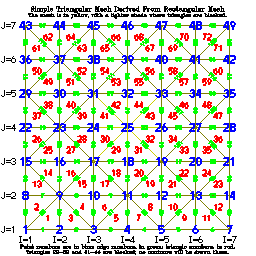
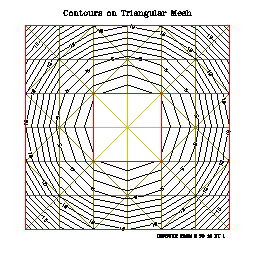
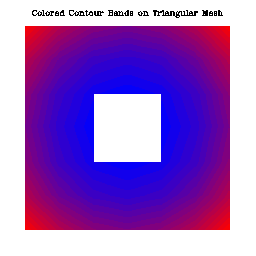
The example "ctterr" is just like "ctex01", except that it has
been adapted to process a rectangular array of user data representing a
vertical slice through an ocean basin. The rectangular grid follows the
terrain of the ocean bottom. These data came to us from Jim Hawkins, who
writes:
"If you want to describe the context of our work ... we are studying
the interaction of acoustic waves with internal gravity waves. The
internal gravity waves are modeled with ocean/atmosphere models. (The
one that generated the data I sent you was generated by a 2D model
designed by Professor Kevin Lamb of the University of Waterloo, Waterloo,
Ontario, and we have used one written by Dr. Piotr Smolarkiewicz of NCAR,
Boulder). The data are on what we call 'sigma' coordinates or terrain
following coordinates ... "
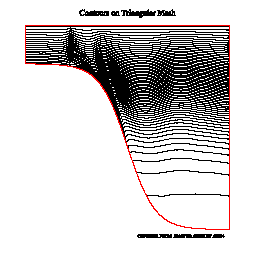
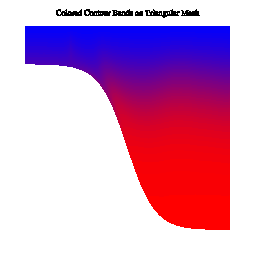
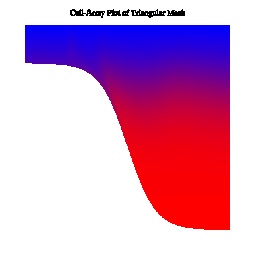
The example "ctex02" produces ten frames illustrating the use
of CONPACKT to draw contours on a planar triangular mesh that is created
in such a way as to fill an area having an irregular boundary, including
some holes. The area chosen is, by default, the conterminous 48 states
of the US, as seen on an orthographic projection of the globe, but the
program could easily be modified to work for an area defined differently.
Click on the image below for more information:
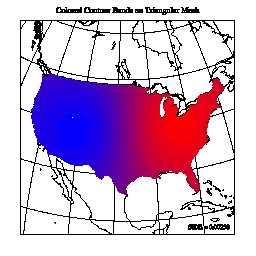
The example "ctllg1" produces twenty-four frames illustrating the
use of CONPACKT to draw contours on a triangular mesh created from a simple
rectangular grid mapped onto the globe. Six different types of plots are
shown for each of four different views of the globe. Click on the image
below for more information:
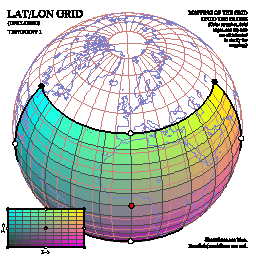
The example "ctllg2" produces twenty-four frames illustrating the
use of CONPACKT to draw contours on a triangular mesh created from a simple
rectangular grid mapped onto the globe. Six different types of plots are
shown for each of four different views of the globe. Click on the image
below for more information:
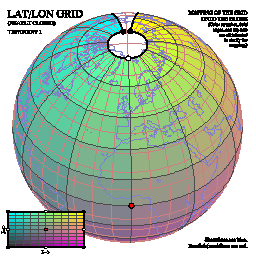
The example "ctllg3" produces twenty-four frames illustrating the
use of CONPACKT to draw contours on a triangular mesh created from a simple
rectangular grid mapped onto the globe. Six different types of plots are
shown for each of four different views of the globe. Click on the image
below for more information:
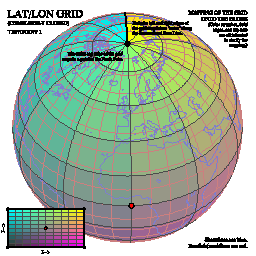
The example "ctpopg" produces twenty-four frames illustrating the
use of CONPACKT to draw contours on a triangular mesh that is created from
a POP grid on the globe. These data came to us from Frank Bryan, who
describes them as "data from the low-resolution version of the CCSM3 ocean
component model".
Six different types of plots are shown for each of four different views
of the globe. Click on the image below for more information:
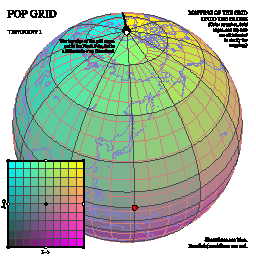
The example "ctorca" produces twenty-four frames illustrating the
use of CONPACKT to draw contours on a triangular mesh that is created from
an ORCA grid on the globe. Six different types of plots are shown for each
of four different views of the globe. Click on the image below for more
information:
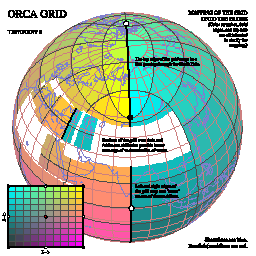
The example "ctiscp" produces twenty frames illustrating the use
of CONPACKT to draw contours on a triangular mesh that is created from
an ISCCP grid on the globe. Five different types of plots are shown for
each of four different views of the globe. Click on the image below for
more information:
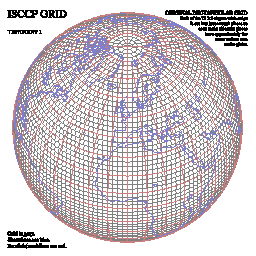
The example "ctisc2" produces twenty frames illustrating the use
of CONPACKT to draw contours on a triangular mesh that is created from
an ISCCP grid on the globe. Five different types of plots are shown for
each of four different views of the globe. Click on the image below for
more information:
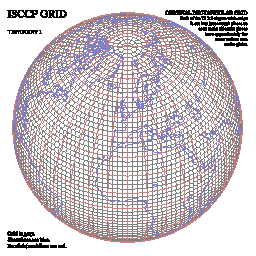
The example "ctwng1" produces twenty frames illustrating the use
of CONPACKT to draw contours on a triangular mesh that is created from
a SEAM grid (obtained from Houjun Wang) on the globe. Five different
types of plots are shown for each of four different views of the globe.
Click on the image below for more information:
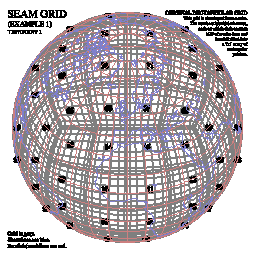
The example "ctwng2" produces twenty frames illustrating the use
of CONPACKT to draw contours on a triangular mesh that is created from
a SEAM grid (obtained from Houjun Wang) on the globe. Five different
types of plots are shown for each of four different views of the globe.
Click on the image below for more information:
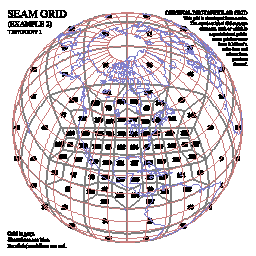
The example "ctgeo1" produces sixteen frames illustrating the use
of CONPACKT to draw contours on a triangular geodesic mesh that is created
by subdividing the triangular faces of an icosahedron into smaller triangles
and projecting them onto the surface of the globe. Four different types of
plots are shown for each of four different views of the globe. Click on
the image below for more information:
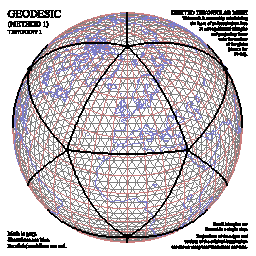
The example "ctgeo2" produces sixteen frames illustrating the use
of CONPACKT to draw contours on a triangular geodesic mesh that is created
by subdividing the triangular faces of an icosahedron into smaller triangles
and projecting them onto the surface of the globe. The method used is a
bit different from that used in "ctgeo1". Four different types of plots
are shown for each of four different views of the globe. Click on the
image below for more information:
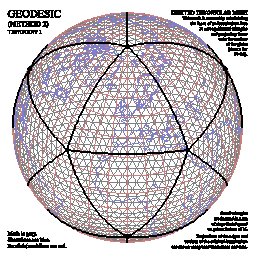
The example "ctgeo3" produces sixteen frames illustrating the use
of CONPACKT to draw contours on a triangular geodesic mesh obtained by
downloading data from a Web site at Colorado State University:
http://kiwi.atmos.colostate.edu/BUGS/geodesic/interpolate.html
The scientists who provided the data included David Randall, Ross Heikes,
and/or Todd Ringler. This mesh was obviously created by subdividing the
triangles of an icosahedron into smaller triangles and projecting them
onto the surface of the globe, but some mathematical technique was then
used to alter the mesh slightly so as to make all of its triangles have
more nearly the same size. (See the example "ctgc23" for plots comparing
the resulting mesh with that produced by "ctgeo2".) Four different types
of plots are shown for each of four different views of the globe. Click
on the image below for more information:
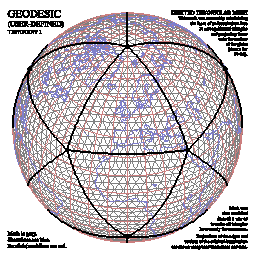
The example "ctgc23" produces four frames comparing the geodesic
grids of examples "ctgeo2" and "ctgeo3". Frame 1 shows both grids in
orthographic projection on the globe, frame 2 shows both grids in a
close-up view of the same projection, frame 3 shows a histogram of the
areas of the triangles of the grid of example "ctgeo2", and frame 4 shows
a histogram of the areas of the triangles of the grid of example "ctgeo3",
showing clearly how much more nearly equal in size they are.
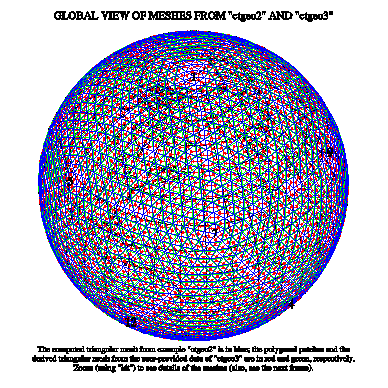
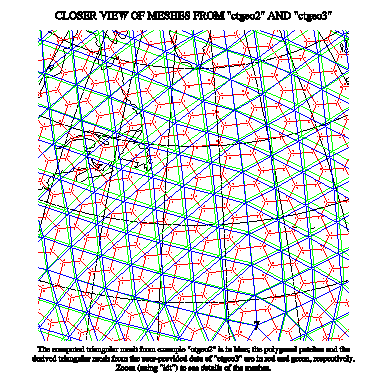
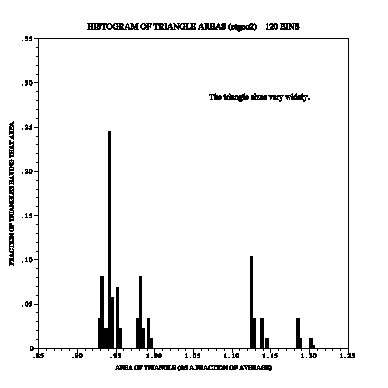
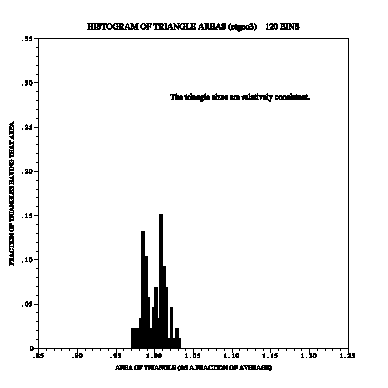
The example "ctfite" produces twenty-four frames illustrating the
use of CONPACKT to draw contours on a triangular mesh that is created from
a POP grid on the globe. This particular grid came from Marika Holland;
the data are ice thicknesses in polar oceans. Six different types of
plots are shown for each of four different views of the globe. Click on
the image below for more information:
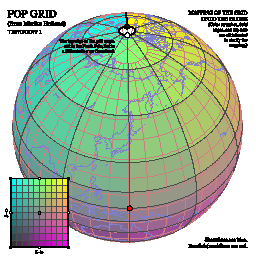
The example "ctgaus" produces twenty-four frames illustrating the
use of CONPACKT to draw contours on a triangular mesh that is created
from a Gaussian grid on the globe. This particular grid came from Paul
Swarztrauber; dummy data are used on it. Six different types of plots
are shown for each of four different views of the globe. Click on the
image below for more information:
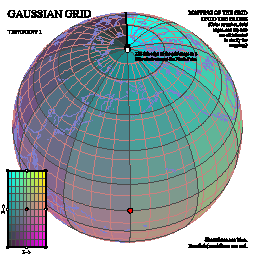
The example "ctswth" produces sixteen frames illustrating the use of
CONPACKT to draw contours on a triangular mesh that is created from a
rectangular mesh that came from Simona Bordoni. The data seem to be wind
speeds along a satellite track. Four different types of plots are shown for
each of four different views of the globe. Click on the image below for
more information:
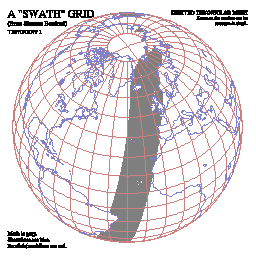
The example "ctcbay" produces four frames illustrating the use of
CONPACKT to draw contours on a triangular mesh that is used to model the
Chesapeake Bay and came to us from Tom Gross. The data are temperatures
and came from the Chesapeake Community Model Program Quoddy model:
http://ccmp.chesapeake.org
using the NOAA/NOS standardized hydrodynamic model NetCDF format:
https://sourceforge.net/projects/oceanmodelfiles
Click on the image below for more information:
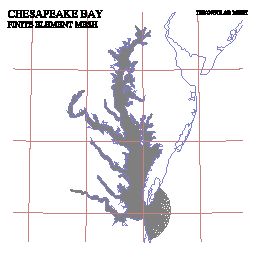
The example "ctnccl" produces four frames illustrating the use of
CONPACKT to draw contours on a triangular mesh that is used to model the
North Carolina coastal waters and came to us from Brett Estrade. The data
are ocean depths and came from the Naval Research Laboratory at the Stennis
Space Center. For more information about the grid, see the article
"Application of a Shelf-Scale Model to Wave-Induced Circulation: Rip
Currents" (Mark Cobb and Cheryl Ann Blain, Ocean Dynamics and Prediction
Branch).
Click on the image below for more information:
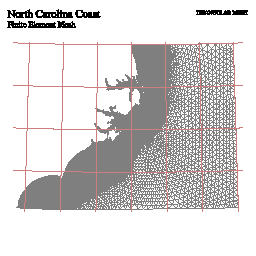
The example "cttd01" produces three frames illustrating the use
of CONPACKT with the 3D package TDPACK to draw perspective views of a
triangular mesh that forms a dumbbell-shaped object in 3-space. (On each
frame, the two views form a crossed-eye stereo pair.) Some parts of the
object are hidden behind other parts of it. The routines
CTTDBF and CTTDBM
are used to block triangles that are hidden by other triangles, that are
seen from the wrong side, or that are too nearly edge-on to the line of
sight.
- Frame 1 shows just the rectangular mesh from which the triangular mesh
delivered to CONPACKT was derived; the routine CTTDDM was used to draw
it.
- Frame 2 shows the rectangular mesh plus contour lines.
- Frame 3 uses fill areas to paint a colored picture of the object, over
which contour lines are drawn. Because of the way the algorithms work,
there are some missing triangles in the middle of the object; these
triangles are only partially obscured by nearer triangles, but are
completely omitted from the drawing. If a coarse triangular mesh is
used (as here), this problem is more noticeable than if a fine mesh
is used.
- Frame 4 uses cell arrays, constructed by the routine
CTTDCA, to paint a colored picture of the
object, over which contour lines are drawn. Because of the way the
algorithms work, the coloring of the object is very accurate (being
done on a pixel-by-pixel basis), but the drawing of the contour lines
is less accurate, since the contour lines are omitted from any triangle
that is partially obscured by nearer triangles. Again, if a coarse
triangular mesh is used (as here), the problem is more noticeable than
if a fine mesh is used.
Click on any of the four images to see a larger image (particularly
if you want to try seeing the stereo effect).
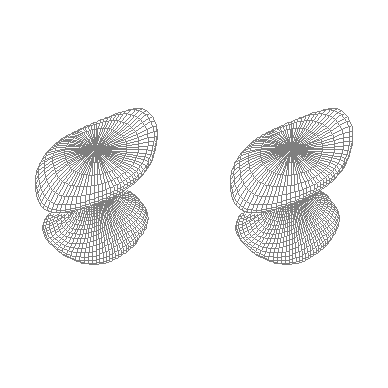
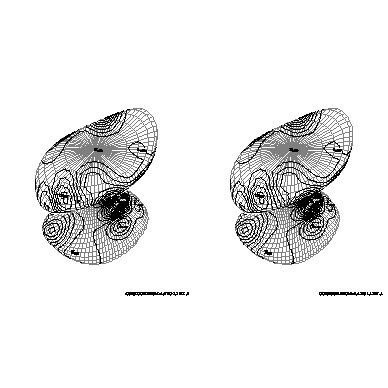
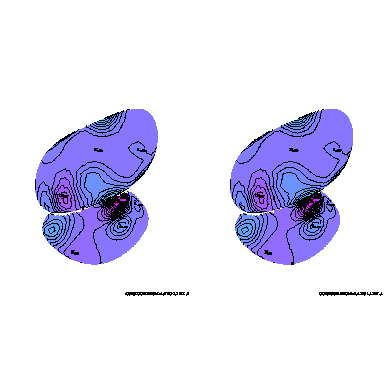
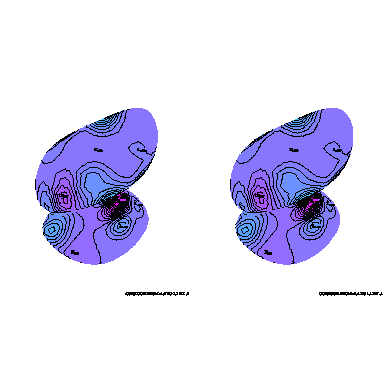
The example "cttd02" is just like "cttd01", except that the object
is not completely closed, so that portions of its "interior" are visible.
The routines CTTDBF and CTTDBM
are used in such a way that the rectangular grid may be seen on the
interior, but not the contours. For frame 3, CTTDCA
is called in such a way as to make the interior yellow and the background
green.
Again, click on any of the three images to see a larger image (particularly
if you want to try seeing the stereo effect).
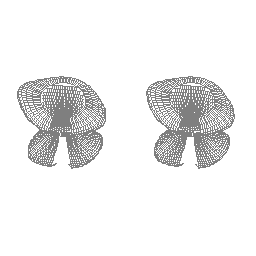
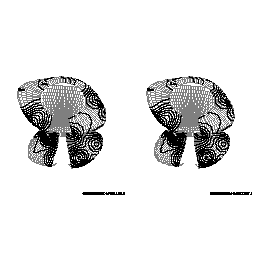
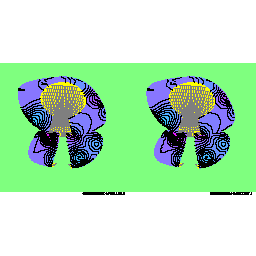
The example "c_ctllg3" produces a single frame illustrating the use
of CONPACKT to draw contours on a triangular mesh created from a simple
rectangular grid mapped onto the globe. The rectangular grid is like that
used in the example "ctllg3", but the code for this example is in C, rather
than in FORTRAN. Click on the image below for an enlarged one: