Autograph, A Package of Routines to Draw X/Y Plots
David J. Kennison
NCAR, P.O. Box 3000, Boulder, Colorado 80307-3000
email: kennison@ucar.edu
Table of Contents
INTRODUCTION
OVERVIEW
ROUTINES
EZY (YDRA,NPTS,GLAB)
EZXY (XDRA,YDRA,NPTS,GLAB)
EZMY (YDRA,IDXY,MANY,NPTS,GLAB)
EZMXY (XDRA,YDRA,IDXY,MANY,NPTS,GLAB)
ANOTAT (XLAB,YLAB,LBAC,LSET,NDSH,DSHC)
DISPLA (LFRA,LROW,LTYP)
AGSETP (TPGN,FURA,LURA)
AGSETF (TPGN,FUSR) or AGSETR (TPGN,FUSR)
AGSETI (TPGN,IUSR)
AGSETC (TPGN,CUSR)
AGGETP (TPGN,FURA,LURA)
AGGETF (TPGN,FUSR) or AGGETR (TPGN,FUSR)
AGGETI (TPGN,IUSR)
AGGETC (TPGN,CUSR)
AGSTUP (XDRA,NVIX,IIVX,NEVX,IIEX, . . . )
AGBACK
AGCURV (XVEC,IIEX,YVEC,IIEY,NEXY,KDSH)
AGSAVE (IFNO)
AGRSTR (IFNO)
AGBNCH (IDSH)
AGDSHN (IDSH)
AGUTOL (IAXS,FUNS,IDMA,VINP,VOTP)
AGCHAX (IFLG,IAXS,IPRT,VILS)
AGCHCU (IFLG,KDSH)
AGCHIL (IFLG,LBNM,LNNO)
AGCHNL (IAXS,VILS,CHRM,MCIM,NCIM, . . . )
AGPWRT (XPOS,YPOS,CHRS,NCHS,ISIZ,IORI,ICEN)
PARAMETERS
EXAMPLES
MESSAGES
This is the unabridged write-up of AUTOGRAPH: a graphics package enabling
the user to draw graphs, each with a labelled background and each displaying
one or more curves.
This write-up is divided into several major sections: The section
"OVERVIEW" presents the philosophy of the package
and should eventually be read by a serious user. The section
"ROUTINES" describes the various routines in the
package and how to call them. The section
"PARAMETERS" describes the "control parameters"
which govern the behavior of AUTOGRAPH. The section
"EXAMPLES" explains how to get a set of graphs
produced by AUTOGRAPH and the programs which produced them. The section
"MESSAGES" describes messages that accompany the
possible error exits.
Each major section is divided into titled paragraphs, which are further
divided into untitled paragraphs. In general, phrases like "the preceding
paragraph" or "the following paragraph" are to be interpreted to refer to
a titled paragraph.
Readers who wish only to quickly draw a simple graph may want to skip to
the descriptions of the routines EZY, EZXY, EZMY, and EZMXY, in the section
"ROUTINES". Others may wish to look first at the
examples.
This section describes the philosophy of AUTOGRAPH.
To draw a graph, a user program executes, directly or indirectly, a series
of calls to AUTOGRAPH routines, typically as follows:
- The routines AGSETC, AGSETF, AGSETI, AGSETP, and/or AGSETR are called
to reset "primary control parameters" having unsatisfactory values.
- The routine AGSTUP is called to perform "set-up" tasks (hence the name).
It computes appropriate values for the "secondary control parameters".
- The routine AGBACK is called to draw a background.
- The routine AGCURV is called one or more times (once per curve) to draw
the desired curves.
- The system-plot-package routine FRAME is called to advance to a new
frame.
To draw the next graph, all five steps are repeated; step 1 may be
abbreviated or omitted entirely.
Each of the routines EZY, EZXY, EZMY, and EZMXY performs a sequence of
calls like that described above. A user program may call
- EZY to graph a single curve defined by the points (I,Y(I)), for I
from 1 to N,
- EZXY to graph a single curve defined by the points (X(I),Y(I)), for
I from 1 to N,
- EZMY to graph the M curves defined by the points (I,Y(I,J)), for I
from 1 to N and J from 1 to M, and
- EZMXY to graph the M curves defined by the points (X(I),Y(I,J)) or
(X(I,J),Y(I,J)), for I from 1 to N and J from 1 to M.
See the descriptions of these routines, in the section
"ROUTINES". See also examples from
"agex01" through "agex04".
The labeled common block AGCONP contains the AUTOGRAPH "control
parameters", each of which controls some aspect of the package's
behavior. There are two types of these: "primary control parameters"
and "secondary control parameters".
- Each primary control parameter has a default value and is subject to
change by a user program to produce a desired effect.
- Each secondary control parameter is computed by AUTOGRAPH itself and
is not normally subject to direct change by a user program. The values
computed for some of the secondary control parameters may be of
interest and may be retrieved by a user program.
Access to the control parameters is provided by the routines AGGETC,
AGGETF, AGGETI, AGGETP, AGGETR, AGSETC, AGSETF, AGSETI, AGSETP, and AGSETR.
(The routines ANOTAT and DISPLA provide access to a limited subset of the
control parameters and are provided principally for historical reasons;
they are of interest mainly to users of the routines EZY, EZXY, EZMY, and
EZMXY.)
In the rest of this document, the long phrase "primary control parameter"
will usually be shortened to just "parameter".
There are many groups of parameters. Each group has a keyword associated
with it - like BACKGROUND or GRAPH or AXIS. Those groups which contain
more than one parameter are divided into subgroups, each of which also
has a keyword associated with it. The subgroups may be further subdivided
in the same manner.
Group keywords are used to make up names of parameter groups and,
ultimately, of individual parameters. This is done by stringing together
the group keywords, in descending order, separated by slashes and
terminated by a period. For example, the name 'AXIS.' refers to a group
of 92 parameters describing the four axes, the name 'AXIS/LEFT.' to a
subgroup of 23 parameters describing the left axis, the name
'AXIS/LEFT/NUMERIC.' to a further subgroup of 8 parameters describing
the numeric labels on the left axis, and the name 'AXIS/LEFT/NUMERIC/TYPE.'
to a single parameter describing the type of numeric labels on the left
axis.
Parameter-group names are used as arguments in calls to parameter-access
routines to identify the parameter(s) whose values a user program wishes
to "set" or "get". For example, the statement
CALL AGSETR ('AXIS/LEFT/NUMERIC/TYPE.',1.)
is used to set the value of the parameter specifying the type of numeric
labels to be used on the left axis to "1.".
Parameter-group names may be shortened considerably, both by abbreviation
of the keywords and by omission of some keywords; for example, the name
shown above may be shortened to 'LE/TY.'.
Complete information about the control parameters and their names is given
below, in the section "PARAMETERS".
All of the control parameters are of type REAL - even those which serve
as type specifiers, control flags, item counts, list pointers, and the
like - for which integer variables would normally be used. This was done
because of a portability problem which arose in implementing the
parameter-access routines.
Those parameters which may only have discrete integral values are
referenced internally using the FORTRAN function IFIX. For example: The
parameter 'X/NICE.' corresponds to a variable in the common block AGCONP
named QCEX, which may have any of the values "-1.", "0.", or "+1.". The
function IFIX(QCEX) is used by AUTOGRAPH to recover the integer value.
Conceptually, some parameters have character-string values; for example,
the parameter 'DASH/PATTERN/1.' may, conceptually, have the value
'$$$$$1$$$$$'. Obviously, one must come up with a scheme which will
allow any possible character string to be represented as a real number.
At one time, the real equivalent of the memory address of the character
string was used as the actual value of the parameter. This approach led
to portability problems and has been abandoned in favor of the following:
A character string which is to become the conceptual value of a parameter
is stashed in a character-string array inside AUTOGRAPH and a real
identifier which will enable later retrieval of the string is stored
as the actual value of the parameter. (As it happens, such identifiers
are always negative; positive values may therefore have other uses. For
example, if 'DASH/PATTERN/1.' has a negative value, a character-string
dash pattern is implied, but, if it has a positive value, a 16-bit binary
dash pattern is implied.)
The routine AGSETP (AGGETP) is called by a user program to "set" ("get")
the real values of a group of related parameters.
The routine AGSETR is used to store a real number as the value of a single
parameter and the routine AGGETR is used to retrieve the real value of a
single parameter. (For historical reasons, equivalent routines AGSETF and
AGGETF are provided, as well.)
The routine AGSETI is used to store the real equivalent of an integer as
the value of a single parameter and the routine AGGETI is used to retrieve
the integer equivalent of the value of a single parameter.
The routine AGSETC is used to store a character string as the (conceptual)
value of a single parameter and the routine AGGETC is used to retrieve
the (conceptual) character-string value of a single parameter.
Setting certain individual parameters results, as a side effect, in
"special action" by the routine AGSETP. For example, when 'BACKGROUND.'
is given a new value, other parameters are also changed to create the
desired background. These side effects occur whether AGSETP is reached
directly from the user program or indirectly, by way of a call to one
of the routines AGSETC, AGSETF, AGSETI, or AGSETR. They do not occur
when AGSETP is asked to set one of the parameters in question as part
of a multi-parameter group, only when it is asked to set that parameter
individually.
Parameters whose values have been changed by the user do not automatically
revert to their default values. Re-creating the default state of AUTOGRAPH
by resetting individual parameters can become quite tedious. The routines
AGSAVE, which saves the current state of AUTOGRAPH in a file, and AGRSTR,
which restores a saved state of AUTOGRAPH from a file, should be used
instead. These routines are described in the section
"ROUTINES".
The parameters 'NULL/1.' and 'NULL/2.' define the special values "null 1"
and "null 2", which have the default values "1.E36" and "2.E36",
respectively. These special values are used in a couple of ways:
- Certain parameters may be given an "actual" value or one of the "null"
values. An actual value directly expresses the value of some quantity.
The value "null 1" specifies that AUTOGRAPH is to choose an appropriate
value to use, but that it is not to store that value in place of the
"null 1". The value "null 2" specifies that AUTOGRAPH is to choose an
appropriate actual value and store that actual value in place of the
"null 2".
- Example: 'Y/MINIMUM.', which specifies the minimum Y coordinate,
has the default value "null 1", specifying that, for each graph,
AUTOGRAPH is to choose (by examining the data) an appropriate minimum
Y. This parameter may be given an actual (non-null) value, thus
imposing a desired minimum Y, or it may be given the value "null 2",
specifying that AUTOGRAPH is to choose an appropriate minimum Y for
the next graph and then use that value for following graphs.
- The value "null 1" is used in X/Y coordinate data to signal missing
points.
Note: Because of the second possibility mentioned above, if your X/Y
coordinate data might include the values "1.E36" or "2.E36", your program's
first action should be to change the values of 'NULL/1.' and 'NULL/2.' to
values which cannot possibly occur in the data.
The parameters 'GRAPH/LEFT.', 'GRAPH/RIGHT.', 'GRAPH/BOTTOM.', and
'GRAPH/TOP.' serve to locate the edges of a rectangular "graph window"
within the plotter frame. The first two are stated as fractions of the
frame width, the second two as fractions of the frame height. These
parameters have the default values "0.", "1.", "0.", and "1., respectively,
specifying a graph window which fills the entire plotter frame.
The graph window is the area in which a graph, including labels, is to
be drawn. A user program may limit a graph to any selected portion of
the plotter frame. For example, changing the values of the parameters
in the group 'GRAPH.' to "0.", ".5", "0.", and ".5", limits a graph to
the lower left-hand quarter of the frame.
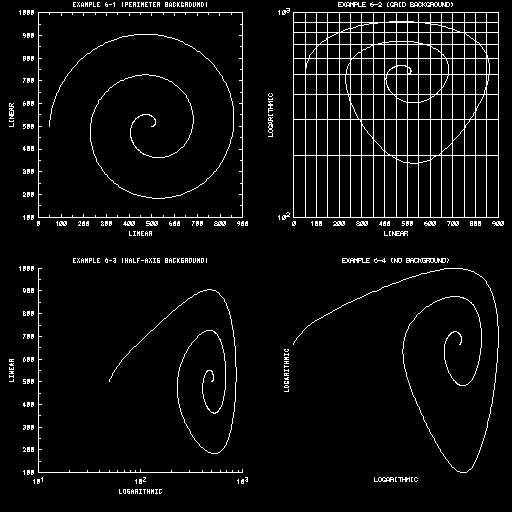
See example "agex06".
The parameters 'GRID/LEFT.', 'GRID/RIGHT.', 'GRID/BOTTOM.', and 'GRID/TOP.'
serve to locate the edges of a rectangular area within the graph window;
the parameter 'GRID/SHAPE.' specifies the shape of a "grid window", to be
centered in, and made as large as possible in, this rectangular area. The
positions of the left and right edges are stated as fractions of the
graph-window width and have default values ".15" and ".95"; the positions
of the bottom and top edges are stated as fractions of the graph-window
height and also have default values ".15" and ".95". The parameter
'GRID/SHAPE.' has the default value "0.", specifying a grid window which
completely fills the area specified by the other parameters. Other values
allow one to specify a grid window of any desired rectangular shape or of
a shape implied by the X and Y coordinate data.
The grid window is the portion of the graph window along the edges of
which the axes are to be drawn and within which curves are to be drawn.
Numeric and informational labels are ordinarily placed in the portion of
the graph window which is outside the grid window. Various positioning
parameters are stated in a "grid coordinate system" based on the grid
window and curve-point coordinates are given by the user in a "user
coordinate system" which maps into the grid window. If 'WINDOW.' has the
value "1.", only those curve portions which lie inside the grid window
are drawn. Character sizes and label-offset distances are specified as
fractions of the smaller dimension of the grid window, so as to be in scale
with the rest of the graph.
The routine AGSTUP calls the SPPS routine SET to define the mapping from a
window in "user-coordinate" space to a viewport in "fractional-coordinate"
space. AUTOGRAPH's grid window is synonymous with that viewport.
See example "agex07".
Internally, AUTOGRAPH makes use of a "grid coordinate system"; the user
also makes use of this system at times in setting certain parameter values.
The origin of the grid coordinate system is at the lower left-hand corner
of the grid window. X coordinates run linearly from "0." to "1."
horizontally, and Y coordinates linearly from "0." to "1." vertically,
in the grid window. Note that coordinate values outside the range (0.,1.)
may be used to reference points outside the grid window.
Curve-defining points are stated by a user program in the "user coordinate
system". Fourteen parameters specify how that user coordinate system is
mapped into the grid window. (The parameter 'INVERT.', described below,
might be considered a fifteenth.)
The first seven of the fourteen, named 'X/MINIMUM.', 'X/MAXIMUM.',
'X/LOGARITHMIC.', 'X/ORDER.', 'X/NICE.', 'X/SMALLEST.', and 'X/LARGEST.',
specify how user X coordinates are to be mapped onto the horizontal axis
of the grid window. The default values of these parameters are such that
the routine AGSTUP is forced to:
- Compute, from the user's X-coordinate data, minimum and maximum values
Xm and XM.
- Compute "nice" (rounded) values Xm' and XM' such
that the interval (Xm,XM) is completely contained
in the interval (Xm',XM').
- Map Xm' to the left edge, and XM' to the right
edge, of the grid window. The mapping is linear.
The other seven parameters, named 'Y/MINIMUM.', 'Y/MAXIMUM.', etc., specify
how user Y coordinates are to be mapped onto the vertical axis of the grid
window. The default values specify a mapping analogous to that of X
coordinates.
By changing the values of these fourteen parameters appropriately, a
variety of desirable ends may be achieved:
- Values of Xm, XM, Ym, and/or
YM may be specified, thus limiting the graph to a particular
range of interest and/or forcing consistent scaling of a group of
graphs. If the selection of these values is left up to AUTOGRAPH, a
range of acceptable values may be specified.
- Either or both mappings may be made logarithmic. (The logarithms of
coordinate values are mapped linearly onto the axis.)
- Either or both mappings may be flipped end-for-end. X coordinates may
be made to decrease from left to right, Y coordinates to decrease from
bottom to top.
- The rounding process for either or both mappings may be suppressed,
forcing curves to be plotted full-scale.
The call to the SPPS routine SET that is done by AGSTUP reflects the
current values of all the parameters in the groups 'X.' and 'Y.', as
described above.
See examples "agex06", "agex07"
, and "agex08".
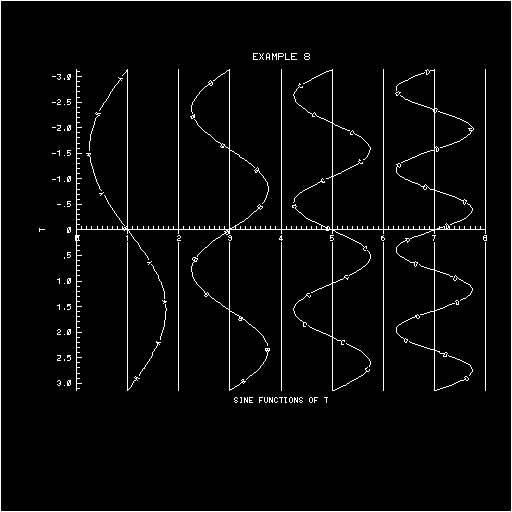
The parameter 'INVERT.' has the default value "0.". If it is set to "1."
by a user program, the routines AGSTUP and AGCURV will behave as if their
X and Y arguments had been interchanged. In some sense, this provides a
way of plotting "X as a function of Y".
This parameter is of principal interest to the users of EZY, EZXY, EZMY,
and EZMXY; those users who call the routines AGSTUP and AGCURV directly
should probably leave the parameter zeroed.
See example "agex08".
A background drawn by the routine AGBACK consists of four axes and up to
eight informational labels, each of the latter having none or more lines
of text; the total number of such lines must not exceed sixteen. Each of
these entities is defined by a group of parameters and may be modified in
a variety of ways.
The four axes are positioned along the edges of the grid window. There
are a left Y axis, a right Y axis, a bottom X axis, and a top X axis.
Each of the axes consists of a line, major tick marks, minor tick marks,
and numeric labels. Numeric labels are placed at major-tick-mark
positions.
The axes are defined by the parameter group named 'AXIS.', which has
subgroups 'AXIS/LEFT.', 'AXIS/RIGHT.', 'AXIS/BOTTOM.', and 'AXIS/TOP.'.
Each of these subgroups contains 23 parameters defining one of the four
axes. These 23 parameters fall into six further subgroups, having the
associated keywords "CONTROL", "LINE", "INTERSECTION", "FUNCTION",
"TICKS", and "NUMERIC".
The default values of the axis parameters specify a "perimeter" background:
All four axes are drawn; each has short, inward-pointing major and minor
ticks; the left axis and the bottom axis have numeric labels (placed
outside the grid window); the right-axis and top-axis numeric labels
are suppressed. See examples "agex01" through "agex04"
.
A "half-axis" background is created by suppressing the right axis and the
top axis completely. A "grid" background is created by extending the
left-axis and bottom-axis ticks all the way across the grid window and
suppressing the ticks on the other two axes. The parameter 'BACKGROUND.'
allows the user to create these standard backgrounds easily; whenever
its value is changed by a user-program call to AGSETI, AGSETF, AGSETP,
or AGSETR, parameters in the group 'AXIS.' are modified to create the
desired background.
See examples "agex05", "agex06"
, and "agex08".
In the ensuing discussions of the various parameters in the group 'AXIS.',
the character "s" is used to stand for any one of the keywords "LEFT",
"RIGHT", "BOTTOM", or "TOP". For example, 'AXIS/s/LINE.' stands for any
one of 'AXIS/LEFT/LINE.', 'AXIS/RIGHT/LINE.', etc. This form is shorter
and makes it clear that four different parameters or groups of parameters
are being described at once.
This parameter may be given any integral value from "-1." to "+4.":
- The value "-1." specifies that only the line portion of the axis
specified by "s" is to be drawn.
- The value "0." specifies that no portion of the axis is to be drawn.
- A value from "1." to "4." specifies that all portions of the axis are
to be drawn and tells AUTOGRAPH what liberties it may take in
attempting to cope with numeric labels which will not fit along the
axis without overlapping.
The precise meanings of each value are described in the section
"PARAMETERS".
This parameter has the default value "0.". Setting it to a "1." causes
the line portion of the axis specified by "s" to be suppressed. Tick
marks and/or numeric labels may still be drawn.
Both of the parameters
      'AXIS/s/INTERSECTION/GRID.'
      'AXIS/s/INTERSECTION/USER.'
have the default value "null 1", specifying that the axis "s" is to be
drawn in its normal position, along the edge of the grid window. If
either parameter is given a non-null value, the axis "s" is moved away
from its normal position in such a way as to intersect the sides of the
grid which are perpendicular to it at a point specified by that non-null
value. To move an X axis, a Y coordinate is specified; to move a Y axis,
an X coordinate is specified.
The coordinate may be specified in the grid coordinate system or in the
user coordinate system, depending on which parameter is used. If both
parameters are given non-null values, the user-system value takes
precedence.
No axis may be moved outside the graph window. Attempting to do so moves
the axis as far as the edge, but no farther.
See example "agex08".
Each of the four axes has associated with it a "user" coordinate system
(as described above, in the paragraph "THE USER COORDINATE SYSTEM") and
a "label" coordinate system. The routine AGUTOL defines the relationship
between the two coordinate systems for each of the four axes.
Tick marks are positioned at "nice" values in the label coordinate system,
mapped to the user coordinate system, and then mapped onto the axis.
Numeric labels are associated with major ticks and provide values in the
label coordinate system.
The default version of AGUTOL defines the label system on each axis to be
identical with the user system; a private version of AGUTOL may be
substituted in place of the default one in order to change the label
coordinate system for any one or more of the four axes. (Usually, this
can be done by simply compiling one's own version, in which case the
loader will use it rather than the one inside AUTOGRAPH.)
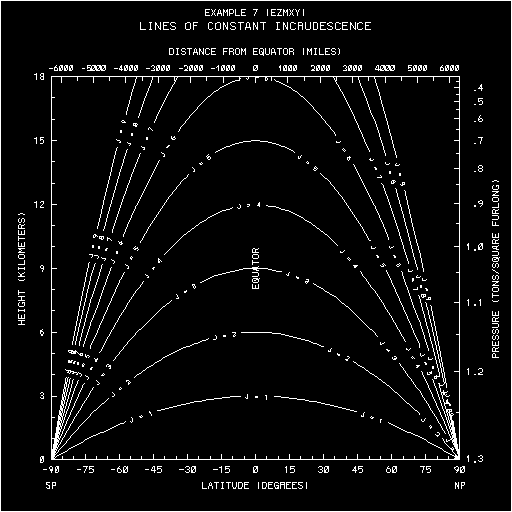
Example: Suppose that the Y-coordinate data is in miles/hour and it is
desired that the left Y axis be tick-marked and labeled in meters/second.
The user program must include a subroutine AGUTOL with five arguments
(four input, one output), as follows:
- the number of the axis being drawn (1, 2, 3, or 4, implying the left,
right, bottom, and top axes, respectively)
- the value of 'AXIS/s/FUNCTION.' for that axis
- an integer specifying whether to map from the user system to the label
system (+1) or vice-versa (-1)
- an input value in one coordinate system
- an output value in the other system
The user routine must, for the left axis only, multiply the input value
by the appropriate constant and return the result as the output value;
for all other axes, it must return an output value equal to the input
value.
It is recommended that the default value of 'AXIS/s/FUNCTION.' (zero) be
used to imply that AGUTOL should do the identity mapping for the axis "s";
other values may be used to select desired mappings. This gives a way to
"turn off" the use of a special mapping for a given axis.
Note that the tick-marking and labeling of one X (Y) axis of a graph may
be completely different from that of the other X (Y) axis of the graph.
For example, the left Y axis could be made to indicate "height in
kilometers" and the right Y axis "pressure in millibars".
See example "agex07".
The parameter group named
'AXIS/s/TICKS/MAJOR/SPACING.'
contains three parameters, with associated keywords TYPE, BASE, and COUNT.
These parameters are described in detail in the section
"PARAMETERS". Major tick marks may be spaced
linearly or logarithmically in the label coordinate system along the
axis specified by "s", or suppressed altogether. Each of the TYPE and
BASE parameters has the default value "null 1", allowing AUTOGRAPH to
position major tick marks as it sees fit.
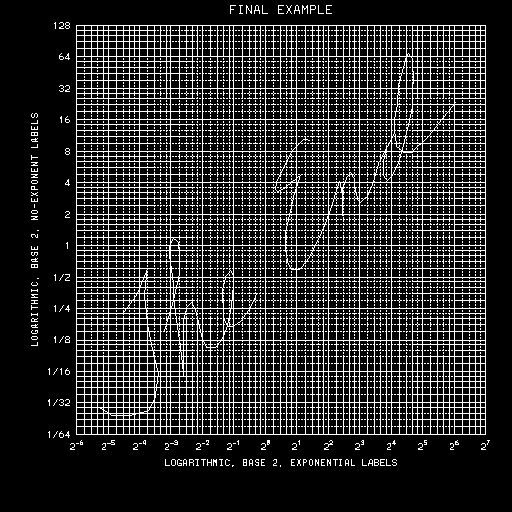
See examples "agex07", "agex08"
and "agex13".
The parameter
'AXIS/s/TICKS/MAJOR/PATTERN.'
has an integral value from "0." to "65535." and specifies the dashed-line
pattern to be used for major ticks on the axis specified by "s". Each "0"
bit in the lower 16 bits of the integral value specifies a gap 3 plotter
units long, each "1" bit a solid portion 3 plotter units long. The default
value "65535." (216-1) specifies a solid line. The value "0."
may be used to suppress major tick marks on the axis "s".
The parameters
      'AXIS/s/TICKS/MAJOR/LENGTH/OUTWARD.'
      'AXIS/s/TICKS/MAJOR/LENGTH/INWARD.'
specify the lengths of the outward-pointing and inward-pointing portions
of the major ticks. Each is stated as a fraction of the smaller dimension
of the grid window. If either of these values is made greater than or
equal to "1.", it specifies a tick-mark portion which extends to the edge
of the grid window and a little beyond, the magnitude of the "little
beyond" being specified by the fractional portion of the parameter value;
this can be used to create grids. The default values give inward-pointing
major ticks of length ".015" on all axes.
See example "agex08".
The parameter
'AXIS/s/TICKS/MINOR/SPACING.'
specifies the number of minor ticks which are to occur between pairs of
major ticks on the axis specified by "s". Minor ticks are equidistantly
spaced in the label coordinate system for that axis. The default value
of this parameter is "null 1", allowing AUTOGRAPH to position minor ticks
as it sees fit.
The parameters
      'AXIS/s/TICKS/MINOR/PATTERN.'
      'AXIS/s/TICKS/MINOR/LENGTH/OUTWARD.'
      'AXIS/s/TICKS/MINOR/LENGTH/INWARD.'
specify the dashed-line pattern, outward-pointing length, and
inward-pointing length of minor ticks. They are defined in the same
way as the analogous major-tick parameters, except that the default
inward-pointing tick length is ".010".
See example "agex13".
The parameter group named 'AXIS/s/NUMERIC.' contains eight parameters
describing the numeric labels on the axis specified by "s". These
parameters are described in detail in the section
"PARAMETERS"; they are described sketchily
in succeeding paragraphs.
The parameter named 'AXIS/s/NUMERIC/TYPE.' may be given any integral
value from "0." to "3." or one of the values "null 1" or "null 2".
- The value "0." suppresses numeric labels on the axis specified
by "s".
- The values "1.", "2.", and "3." specify the use of "scientific
notation", "exponential notation", and "no-exponent notation",
respectively.
- A null value gives AUTOGRAPH the freedom to use one of the values
"1.", "2.", or "3." - whichever is most consistent with the label
coordinate system along the axis.
The exact nature of the labels produced by a given value depends on the
three parameters
      'AXIS/s/TICKS/MAJOR/SPACING/TYPE.'
      'AXIS/s/NUMERIC/EXPONENT.'
      'AXIS/s/NUMERIC/FRACTION.'
See examples "agex07" and
"agex13".
The parameters
      'AXIS/s/NUMERIC/ANGLE/1ST.'
      'AXIS/s/NUMERIC/ANGLE/2ND.'
may have integral values "0.", "90.", "180.", or "270.". They specify the
user's first and second choices for the orientation of numeric labels on
the axis specified by "s". AUTOGRAPH will attempt to use the first choice
(default value: "0." for all axes); if that leads to overlap problems and
shrinking the labels either doesn't help or is not permitted and rotation
is permitted (by the setting of 'AXIS/s/CONTROL.'), AUTOGRAPH may try the
second choice (default value: "90." for all axes).
The values given represent angles measured in degrees counter-clockwise
from horizontal.
The parameter
'AXIS/s/NUMERIC/OFFSET.'
specifies on which side of the axis specified by "s" the numeric labels are
to lie and the size of the gap to be left between the axis line and the
numeric labels:
- A negative value specifies labels inside the grid window.
- A zero value specifies labels centered on the axis, suppresses the
line portion of the axis, and moves the inward-pointing and
outward-pointing portions of ticks out away from the axis so as to
leave room for the labels.
- A positive value specifies labels outside the grid window.
The magnitude of the value specifies the distance from the axis to the
nearest portion of the label, stated as a fraction of the smaller side
of the grid window.
The default value for all axes is ".015".
The parameters
      'AXIS/s/NUMERIC/WIDTH/MANTISSA.'
      'AXIS/s/NUMERIC/WIDTH/EXPONENT.'
specify the widths of characters in the mantissa and exponent portions of
the numeric labels on the axis specified by "s", stated as fractions of
the smaller dimension of the grid window.
The sizes specified are those desired by the user. If an overlap problem
arises and 'AXIS/s/CONTROL.' is set so as to allow AUTOGRAPH to shrink
the numeric labels, the characters may end up smaller than desired. No
character is shrunk to less than the minimum readable size, however.
These parameters have default values ".015" and ".010", respectively, for
all axes.
As many as m informational labels may be defined at any one time;
normally, m = 8. The informational labels form a part of the background
produced by a call to the routine AGBACK. Each of the informational labels
is defined as follows:
- Each label has a name - a short character string which uniquely
identifies the label.
- Each label has a "suppression flag", which may be set to enable or
disable plotting of the label.
- Each label is positioned relative to a "basepoint", whose X and Y
coordinates are specified in the grid coordinate system. Normally,
the basepoint lies on one edge - but not at a corner point - of the
grid window.
- Emanating from the label basepoint is an "offset vector", whose X
and Y components are specified as signed fractions of the smaller
dimension of the grid window. Normally, the offset vector is used
to specify the size of the gap to be left between an informational
label and the edge of the grid window. The presence or absence of
an axis along that edge of the grid window is ignored when specifying
this gap; see the paragraph
"BACKGROUND OVERLAP PROBLEMS", below.
- Emanating from the end of the offset vector is a "baseline", whose
direction is specified as an angle in degrees ("0.", "90.", "180.",
or "270.", measured counter-clockwise from horizontal). The text
lines of a label are written parallel to, and in the same direction
as, the baseline.
- A centering option for each label determines whether the left edges,
the centers, or the right edges of the text lines are aligned with
the end of the offset vector.
Each label may contain one or more text lines (or none). The total number
of text lines in all labels must not exceed n - normally, n = 16. Each of
the text lines is defined as follows:
- Each text line has an integral position number which distinguishes
it from every other line in the same label. Multiples of "100." are
recommended. Lines with positive position numbers are drawn above the
label baseline, lines with negative position numbers below the label
baseline. A line with position number "0." is centered on the label
baseline. ("Above" and "below" are defined here from the viewpoint
of a reader of the label.) The position numbers of the lines in a
label specify the order in which the lines appear - strictly decreasing
from top to bottom - but do not determine the interline spacing, which
is set by AUTOGRAPH itself.
- Each line has a "suppression flag", which may be set so as to enable
or disable drawing of the line.
- Each line has a character-width specifier, stated as a fraction of
the smaller dimension of the grid window.
- The text of each line is defined by a character string and a count
of the number of characters in the string - normally determined by
AUTOGRAPH itself.
Note: The string replacements
      'FLLB(10,8)' => 'FLLB(10,m)'
      'QBIM / 8.' => 'QBIM / m.'
where "m" is greater than or equal to 5, may be applied to the AUTOGRAPH
source file to provide for a maximum of "m" labels. Similarly, the string
replacements
      'FLLN(6,16)' => 'FLLN(6,n)'
      'QNIM / 16.' => 'QNIM / n.'
where "n" is greater than or equal to 5, may be applied to the AUTOGRAPH
source file to provide for a maximum of "n" lines.
The section "PARAMETERS" describes in detail
four "predefined" labels, named 'R', 'L', 'B', and 'T'. Each of these
labels lies along one of the four edges of the grid window - the left
edge, the right edge, the bottom edge, or the top edge.
The predefined labels greatly simplify the task of generating labels
along the edges of the grid window. For example, if you want a "header
label" above the grid window, you need only specify the desired character
string to define the text of line number "100." of the label named 'T'.
The default definitions of the predefined labels specify a label reading
"X" below the grid window and a label reading "Y" to the left of the grid
window.
See examples "agex05", "agex07"
, and "agex13".
The parameter group 'LABEL.' contains 10m+3 parameters - normally, m = 8.
Together with the parameters in the group 'LINE.', they define the
informational labels to be drawn by a call to the routine AGBACK. The
parameters in the group 'LABEL.' are as follows:
- The parameter 'LABEL/CONTROL.' may be given the value "-1." to delete
all currently-defined labels, the value "0." to temporarily disable
the drawing of labels, the value "1." to enable the drawing of labels
and prevent the shrinkage of labels when overlap problems arise, or
the value "2." to enable the drawing of labels and allow shrinkage.
The default value is "2.". See examples "agex05"
and "agex06".
- The parameter 'LABEL/BUFFER/LENGTH.' should not normally be set by a
user program. Its value is m, the maximum number of labels AUTOGRAPH
can handle.
- The subgroup 'LABEL/BUFFER/CONTENTS.' consists of 10m words, in which
the label definitions are stored. Normally, a user program should not
attempt to store values in this block directly. See the paragraph
"ACCESSING A LABEL
DEFINITION", below.
- The parameter 'LABEL/NAME.' is used in the process of accessing a
label definition. It functions as a switch, pointing to the label
definition currently being accessed.
See examples "agex05", "agex07",
and "agex13".
See the section "PARAMETERS" for further
information about these parameters.
The parameter group 'LINE.' contains 6n+4 parameters - normally, n = 16.
They define the lines belonging to the various labels. The parameters in
the group 'LINE.' are as follows:
- The parameters 'LINE/MAXIMUM.' and 'LINE/END.' define the assumed
maximum line length (default - 40 characters) and the line end
character (default - '$'). These parameters come into play when a
user program defines the text of a line. The character string tendered
by the user is assumed to be of maximum length; if it is really shorter
than that, it must be followed by the line end character. See the
examples "agex08" and "agex13"
.
- The parameter 'LINE/BUFFER/LENGTH.' should not normally be set by a
user program. Its value is n, the maximum number of lines AUTOGRAPH
can handle.
- The subgroup 'LINE/BUFFER/CONTENTS.' consists of 6n words, in which
the line definitions are stored. Normally, a user program should not
attempt to store values in this block directly. See the paragraph
"ACCESSING A LINE
DEFINITION", below.
- The parameter 'LINE/NUMBER.' is used in the process of accessing a
line definition. It functions as a switch, pointing to the line
definition currently being accessed.
See the section "PARAMETERS" for further
information about these parameters.
See the examples "agex05", "agex07"
, and "agex13".
To access a label definition, a user program must first execute an AGSETC
call to store the name of the label as the value of 'LABEL/NAME.'. Such a
call does not actually store the name as the value of that parameter.
Instead, it causes the label buffer to be searched for the definition
of the named label. If that definition is not found, a default definition
is made up and inserted in the label buffer. In any case, the index of the
definition is floated and stored as the value of the parameter
'LABEL/NAME.'.
Once 'LABEL/NAME.' has been set in this manner, the parameter group name
'LABEL/DEFINITION.' and subgroup names of the form 'LABEL/DEFINITION/...'
may be used to access the parameters defining the label. These parameters
are as follows:
- The parameter 'LABEL/DEFINITION/SUPPRESSION.' may be given the value
"-2." to delete the label and all of its lines, the value "-1." to
delete the lines of the label but leave the label itself defined, the
value "0." to enable drawing of the label, and the value "1." to
temporarily suppress drawing of the label. It has the default value
"0.". When a label is deleted, 'LABEL/NAME.' and 'LINE/NUMBER.' become
undefined; similarly, when the lines of a label are deleted,
'LINE/NUMBER.' becomes undefined.
- The parameters 'LABEL/DEFINITION/BASEPOINT/X.' and '...Y.' specify
the coordinates, in the grid coordinate system, of the label's
basepoint. The default basepoint is (.5,.5).
- The parameters 'LABEL/DEFINITION/OFFSET/X.' and '...Y.' specify the
components of the label's offset vector, as signed fractions of the
smaller dimension of the grid window. The default vector has zero
components.
- The parameter 'LABEL/DEFINITION/ANGLE.' specifies the angle ("0.",
"90.", "180.", or "270.") at which the label's baseline emanates from
the end of its offset vector. The default angle is "0.".
- The parameter 'LABEL/DEFINITION/CENTER.' has the value "-1." to align
the left ends, the value "0." to align the centers, and the value "+1."
to align the right ends, of the lines of the label with the end of its
offset vector. The default value is "0.".
- The parameters 'LABEL/DEFINITION/LINES.' and 'LABEL/DEFINITION/INDEX.'
are not normally set by a user program; they are maintained by
AUTOGRAPH. The former specifies the number of lines belonging to the
label and the latter specifies the index (in the line buffer) of the
definition of the first line belonging to the label. A default label
has no lines - both of these parameters are zeroed.
See the section "PARAMETERS" for further
information about these parameters.
See examples "agex05", "agex07"
, and "agex13".
To access the definition of one of the lines of a label, a user program
must first access the label definition by setting 'LABEL/NAME.', as
described above. Then, it must execute an AGSETP (or AGSETI) call to store
the number of the desired line as the value of 'LINE/NUMBER.'. Such a call
does not actually store the specified number as the value of that parameter.
Instead, it causes the line buffer to be searched for the definition of the
desired line. If that definition is not found, a default definition is made
up, inserted in the line buffer, and added to the linked list of definitions
of lines belonging to the label. In any case, the index of the definition
is floated and stored as the value of 'LINE/NUMBER.'.
Once 'LINE/NUMBER.' has been set in this manner, the parameter group name
'LINE/DEFINITION.' and subgroup names of the form 'LINE/DEFINITION/...'
may be used to access the parameters defining the line. These parameters
are as follows:
- The parameter 'LINE/DEFINITION/SUPPRESSION.' may be given the value
"-1." to delete the line, the value "0." to enable drawing of the line,
and the value "+1." to temporarily disable drawing of the line. It has
the default value "0.". When a line is deleted, 'LINE/NUMBER.' becomes
undefined.
- The parameter 'LINE/DEFINITION/CHARACTER-WIDTH.' specifies the desired
width of each character in the line, stated as a fraction of the smaller
dimension of the grid window. The default width is ".015".
- The parameter 'LINE/DEFINITION/TEXT.' identifies the character string
comprising the text of the label. The default value is a single blank.
- The parameter 'LINE/DEFINITION/LENGTH.' specifies the length of the
character string. The default value is a "1.".
- The parameter 'LINE/DEFINITION/INDEX.' is not normally set by a user
program. It is maintained by AUTOGRAPH and specifies the index (in the
line buffer) of the next line belonging to the label.
See the section "PARAMETERS" for further
information about these parameters. Also see examples
"agex05" , "agex07", and
"agex13".
Note: As a convenience to the user, an AGSETC call to set
'LINE/DEFINITION/TEXT.' sets both the parameters defining the text of
the label ('...TEXT.' and '...LENGTH.') the latter being computed by
examining the string. The string must be no longer than the length
specified by the value of 'LINE/MAXIMUM.' and, if shorter, it must be
followed by the 'LINE/END.' character.
Each informational label is considered to lie in one of six "label boxes",
as follows:
- Box 1 lies to the left of the grid window. It contains all labels
which have a basepoint on the left edge of the grid window and a
leftward-pointing offset vector.
- Box 2 lies to the right of the grid window. It contains all labels
which have a basepoint on the right edge of the grid window and a
rightward-pointing offset vector.
- Box 3 lies below the grid window. It contains all labels which have a
basepoint on the bottom edge of the grid window and a downward-pointing
offset vector.
- Box 4 lies above the grid window. It contains all labels which have a
basepoint on the top edge of the grid window and an upward-pointing
offset vector.
- Box 5 lies in the interior of the grid window. It contains all labels
which have a basepoint on some edge of the grid window and an
inward-pointing offset vector.
- Box 6 covers the entire grid window and contains all of the remaining
labels.
Three restrictions must be observed by the user:
- No label's basepoint may have coordinates (0.,0.), (0.,1.), (1.,0.),
or (1.,1.); these corner points must be avoided.
- No portion of any label in boxes 1 through 4 may lie inside the grid
window.
- No portion of any label in box 5 may lie outside the grid window.
The label-box concept is important in handling overlap problems, which are
discussed in the next paragraph.
The responsibility for avoiding background overlap problems might
reasonably have been placed squarely on the shoulders of the user, except
for one unpleasant fact: numeric labels are unpredictable critters.
Accordingly, AUTOGRAPH accepts a part of the burden.
In attempting to keep the numeric labels on a given axis from overlapping
each other, AUTOGRAPH may shrink and/or reorient them. Either or both of
these actions may be suppressed by the user by resetting 'AXIS/s/CONTROL.'.
If a problem still exists, some of the labels may be omitted - perhaps
leaving only every second one, every third one, every fourth one, etc.
Informational labels are positioned by the user along the edges of the
grid window as if numeric labels did not exist. AUTOGRAPH takes the
following actions in attempting to prevent the informational labels from
overlapping the numeric labels on any axis:
- Box 1 labels (to the left of the grid window) are moved leftward, box
2 labels (to the right of the grid window) are moved rightward, box 3
labels (below the grid window) are moved downward, box 4 labels (above
the grid window) are moved upward, and box 5 labels (inside the grid
window) are moved inward. Box 6 labels are not moved.
- If, during step 1, a label is shoved outside the graph window by the
numeric labels on some axis, those numeric labels may be shrunk and/or
re-oriented, as allowed by the user's setting of 'AXIS/s/CONTROL.'.
- If one or more of the labels in a given box still lies partly outside
the graph window, the labels in that box may be shrunk, depending on
the current setting of 'LABEL/CONTROL.'. Each label in the box shrinks
toward the end of its offset vector.
- If one or more of the labels in boxes 1 through 4 still lies partly
outside the graph window, all of the labels in that box may be moved
inward, shoving numeric labels ahead of them - onto, and perhaps
across, an axis.
The algorithms used to do all of this are not perfect; if pushed too
severely, they may fail to produce an esthetically pleasing or even
minimally acceptable graph. In such cases, the user must take remedial
action.
Note: None of the actions described above modify any of the parameters
except 'AXIS/s/NUMERIC/ANGLE/1ST.', which may be negated by subtracting
a multiple of "360.". Also, no label is shrunk to less than a readable
size.
The subroutine AGCURV draws curves (one per call). It does this by issuing
calls to the routines DASHD, FRSTD, VECTD, and LASTD, in the DASHCHAR
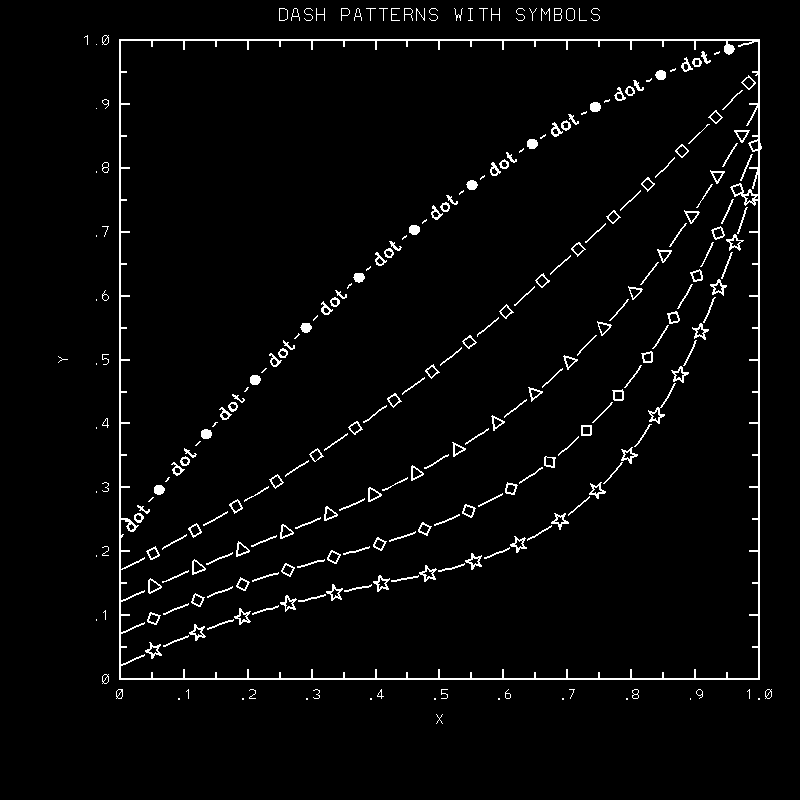
package. Each curve may thus be drawn using its own particular dashed-line
pattern. One of AGCURV's arguments, called KDSH, specifies the dashed-line
pattern to be used for a given curve:
- If KDSH is zero, the caller is assumed to have done his own call to
DASHD. AGCURV does not call it.
- If KDSH is non-zero, AGCURV calls DASHD.
- If KDSH is positive, its value (modulo n) specifies one of n "user"
patterns, defined by the parameter group named 'DASH.'. See
example "agex07".
- If KDSH is negative, its absolute value (modulo 26) specifies one of
26 "alphabetic" patterns. The curve is drawn using a solid line which
is interrupted periodically by the selected letter of the alphabet.
See example "agex08".
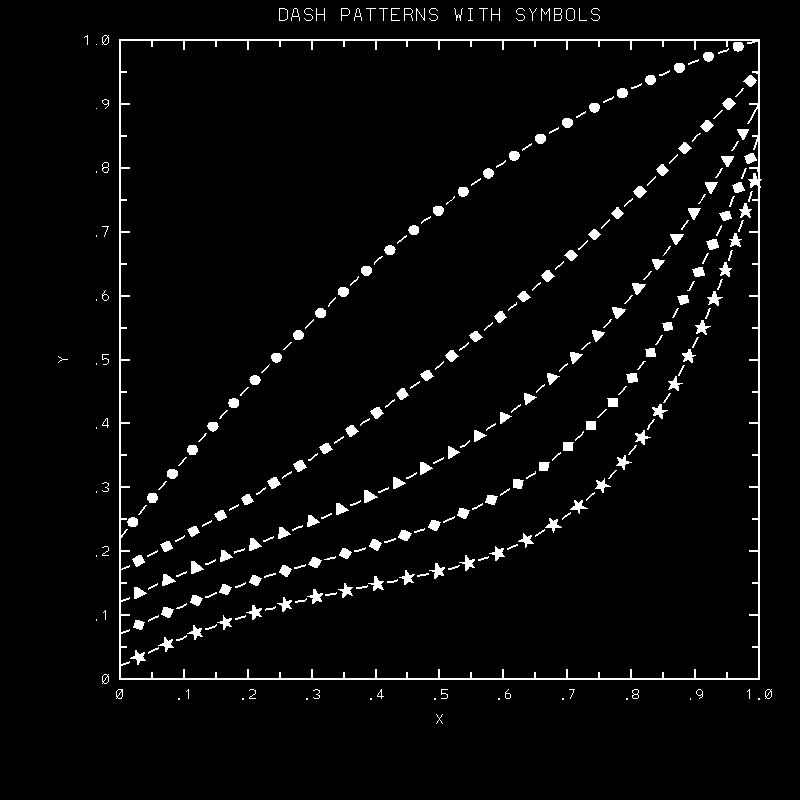
The nature of the "user" set of dashed-line patterns is discussed in the
next paragraph.
The following parameters all belong to the group 'DASH.':
- The parameter 'DASH/SELECTOR.' specifies the type of dashed-line
patterns to be used by the routines EZMY and EZMXY (EZY and EZXY
always use the first of the "user" patterns). If the value of
'DASH/SELECTOR.' is zero or negative, the alphabetic set of (26)
dashed-line patterns will be used; if its value is positive and has
magnitude "n", then the first "n" of the "user" patterns will be used.
The default value is "1.".
- The parameter 'DASH/LENGTH.' specifies the assumed length of
character-string dashed-line patterns; it must be set to the proper
value prior to any AGSETC call setting one of the "user" dashed-line
patterns 'DASH/PATTERN/n.'. The default value is "8.".
- The parameter 'DASH/CHARACTER.' specifies the curve length devoted to
a character other than a dollar sign or a quote in a character-string
dashed-line pattern, stated as a fraction of the smaller side of the
grid window. The default value is ".010".
- The parameter 'DASH/DOLLAR-QUOTE.' specifies the curve length devoted
to a dollar sign (a solid section of the line) or a quote (a gap in
the line), stated as a fraction of the smaller side of the grid window.
The default value is ".010".
- Each of the parameters 'DASH/PATTERN/1.', 'DASH/PATTERN/2.', etc.,
up to 'DASH/PATTERN/26.' defines one of the dash patterns in the
"user" group. Any of the routines AGSETI, AGSETF, or AGSETR may be
used to give one of these parameters a positive integral value
between 0. and 65535., inclusive, in which case the low-order 16
bits of it are interpreted as a dash pattern; the 0 and 1 bits
represent "pen-up" and "pen-down" segments three plotter units long.
The routine AGSETC may be used to (in effect) store a character
string (of the length specified by 'DASH/LENGTH.') as the value of
one of these parameters. In such a character string, a quote represents
a "pen-up" segment of the length specified by 'DASH/DOLLAR-QUOTE.', a
dollar sign represents a "pen-down" segment of that length, and every
other character is simply drawn as a part of the line (with a width
specified by 'DASH/CHARACTER.'). The default value of all 26 parameters
is "65535.".
See examples "agex07" and
"agex08".
Each of the routines EZY and EZXY, which draw one curve per call, calls
AGCURV with KDSH equal to 1, specifying the use of the first of the
"user-defined" set of dashed-line patterns (default - a solid line) for
the single curve to be drawn.
Each of the routines EZMY and EZMXY, which draw one or more curves per
call, calls AGCURV with KDSH equal to ISIGN(I,IDSH), where I is the number
of the curve being drawn and IDSH is the integral value of 'DASH/SELECTOR.'.
This parameter has the default value "1.", specifying the use of the "user"
set of dashed-line patterns (default - solid lines); the value "-1."
specifies the use of the "alphabetic" set.
The parameter 'WINDOW.' has the default value "0.". If it is set to a "1."
by a user program, curves subsequently drawn by the routine AGCURV are
"windowed". This means that only those portions lying inside the grid
window are drawn; the effect is as if one were viewing the curve through
an actual window.
See the example "agex07".
Normally, the routine PWRIT is used for all characters drawn by AUTOGRAPH.
Actually, a routine AGPWRT is called; the default version of that routine
just passes its arguments on to PWRIT. Trying to use PWRITX instead poses
some problems. Because "function codes" may be used in a text string
passed to PWRITX, the length of the string cannot be taken to match the
actual number of characters to be drawn; moreover, PWRITX does not use
the same plotter width for each character in a string. Thus, AUTOGRAPH
cannot properly predict where on a graph a label drawn by PWRITX lies,
which interferes with its handling of overlap problems; also, strings
which are positioned relative to an end-point may not be properly aligned.
Nevertheless, there is a way to make AUTOGRAPH use PWRITX: On a Unix
system, one simply appends a "-agupwrtx" to the "ncargf77" command. This
will cause to be loaded an alternate version of AGPWRT that calls PWRITX.
(If "ncargf77" is not being used, one must append to the "f77" command the
proper name of the library containing the alternate version of AGPWRT; this
name may be obtained from an NCAR Graphics consultant.) When the alternate
version of AGPWRT is used, a string which is centered relative to a given
position (like the "x-axis label", the "y-axis label", or the "graph label")
is drawn directly, in its entirety, by PWRITX, and may therefore contain
function codes to get Greek characters, subscripts, superscripts, etc. A
string which is positioned relative to one end (which includes all numeric
labels) is drawn by passing one character at a time to PWRITX, so that the
same plotter width will be used for each; function codes must not be
included in such strings. The results, while not as pleasing as one would
normally expect from PWRITX, are more than just acceptable.
In my opinion, the "duplex" character set of PWRITX is far superior to the
"complex" set. At present, one uses it by incorporating the following code
at the beginning of one's program, prior to any call to PWRITX (directly or
indirectly):
      COMMON /PUSER/ MODE
       : : :
      MODE = 1
The "new" character-drawing utility called PLOTCHAR, written in 1988, has
supplanted PWRITX. AUTOGRAPH would have to be modified to use PLOTCHAR
properly (taking advantage of PLOTCHAR's ability to compute text-extent
quantities). This used to be on the list of things to be done, but it was
not a trivial task, was never done, and, realistically, will probably never
be done. Nevertheless, there is a way to make AUTOGRAPH use PLOTCHAR in a
way that works pretty well: Compile this version of the routine
AGPWRT along with your program to
replace the default version, and, somewhere in your program, put the
following declaration:
COMMON /PSSFLG/ IFLG
Then, if you want AUTOGRAPH to use PLOTCHAR routines to write all labels,
set IFLG non-zero; otherwise, set IFLG to zero.
It is possible to make AUTOGRAPH use the "new" dash package (written in
1994), called DASHPACK, instead of the old package, called DASHCHAR.
For details, see the example "agdp01".
Three routines - AGCHAX, AGCHCU, and AGCHIL (the default versions of which
do nothing) - are provided solely to be replaced by the user; the
replacement versions may change intensities, line widths, colors, line
styles, etc., for selected portions of a graph. Each is called just
before an object is to be drawn and again just after it has been drawn,
with arguments enabling the user version to completely identify what the
current situation is and to make the appropriate calls. AGCHAX handles
objects which are parts of axes, AGCHCU handles curves, and AGCHIL handles
informational labels.
See the descriptions of these routines, in the section
"ROUTINES".
The routine AGCHNL (the default version of which does nothing) is called
just after the character form of a numeric label has been constructed and
just before it is to be drawn. The user may supply a version of this
routine to transform selected numeric labels in any desired fashion and
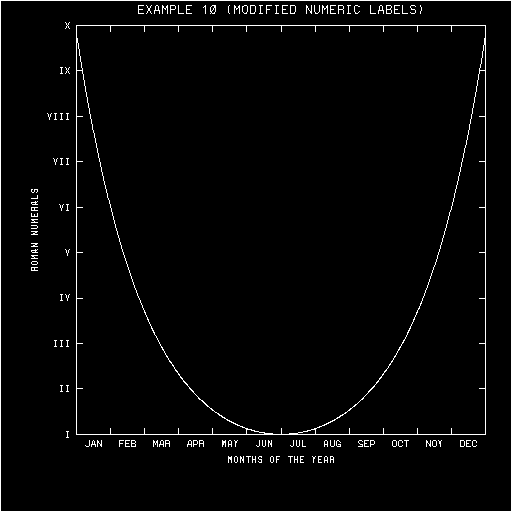
return them to AUTOGRAPH. This feature may be used to label an axis with
the names of the months, Roman numerals, etc.
See the description of the routine AGCHNL, in the section
"ROUTINES", and also example
"agex10".
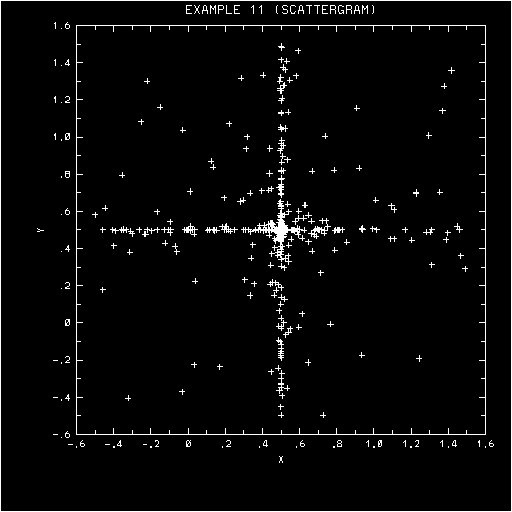
Scattergrams, histograms, and other such specialized "graphs" are not
directly provided for by AUTOGRAPH. Standard procedure is to suppress
the advancing of the frame and the drawing of curves by EZxxx, call EZxxx
with the appropriate X and Y data to generate the background, draw the
desired objects on that background, and then advance the frame.
See examples "agex11" and "agex12"
.
This section describes all of the AUTOGRAPH routines of interest to the
user. With two exceptions, they are subroutines rather than functions.
The subroutines EZY, EZXY, EZMY, and EZMXY provide a quick-and-dirty
graph-drawing capability. The appearance of a graph drawn by one of these
routines may be changed drastically by changing the values of primary
control parameters.
The subroutines ANOTAT and DISPLA are provided principally for historical
reasons. Each allows the user to provide new values for certain primary
control parameters. These parameters may also be set by calls to lower-level
routines.
The subroutines AGSETC, AGSETF, AGSETI, AGSETP, and AGSETR allow the user
to set the values of parameters.
The subroutines AGGETC, AGGETF, AGGETI, AGGETP, and AGGETR allow the user
to get the current values of parameters.
The subroutine AGSTUP must be called prior to calling AGBACK or AGCURV,
both initially and after making any change in the primary control parameters.
It examines the primary control parameters for consistency and computes the
values of required secondary control parameters.
The subroutine AGBACK is called to draw a background.
The subroutine AGCURV is called to draw a single curve.
The subroutines AGSAVE and AGRSTR are called to save/restore the current
state (commonly the default state) of AUTOGRAPH.
The function AGBNCH may be used to obtain the 16-character dash pattern
which is equivalent to a specified 16-bit integer dash pattern.
The function AGDSHN may be used to obtain the 16-character name of a
particular specified dash-pattern parameter.
The subroutine AGUTOL is called by AUTOGRAPH to do the mapping from the
user system to the label system (or vice-versa) along the four axes. The
default version may be replaced by the user to obtain a desired mapping.
The subroutines AGCHAX, AGCHCU, and AGCHIL are called by AUTOGRAPH just
before and just after drawing a particular element of a graph. The default
do-nothing versions may be replaced by a user in order to obtain desired
effects (color, different line styles, etc.).
The subroutine AGCHNL is called by AUTOGRAPH just after the character
representation of a numeric label has been generated and just before it is
to be drawn. The default do-nothing version may be replaced by a user in
order to change the numeric labels in a desired way (to get names of months,
Roman numerals, etc.).
The subroutine AGPWRT is called by AUTOGRAPH to draw a character string. The
default version just calls the plot-package routine PWRIT. This routine may
be replaced by a user version which calls PWRITX, PWRITY, or some other
character-drawer.
Note: User versions of AGUTOL, AGCHAX, AGCHCU, AGCHIL, AGCHNL, and AGPWRT
should not call any other AUTOGRAPH routine. No such call will have a useful
effect, and, at worst, an infinite loop may result.
Draws, in a manner determined by the current values of the control
parameters, a complete graph of a single curve through the points
(I,YDRA(I)), for I from 1 to NPTS. The argument GLAB may be used to
specify a "graph label", to be placed at the top of the graph.
Usage
If the default values of the parameters are unchanged, calling EZY
produces a graph having the following appearance: A "perimeter"
background outlines a grid window which is 8/10 the width and 8/10 the
height of the plotter frame and positioned slightly above and to the
right of center within it. Each edge of the perimeter has short
inward-pointing major and minor tick marks, with major tick marks
occurring at the ends of each edge. Numeric labels below major tick
marks on the bottom edge of the perimeter, increasing in value from
left to right, show the linear mapping of values of I onto the horizontal
(X) axis of the graph; below them is the label "X". Numeric labels to the
left of major tick marks on the left edge of the perimeter, increasing
in value from bottom to top, show the linear mapping of values of YDRA(I)
onto the vertical (Y) axis of the graph; to the left of them is the label
"Y". Above the perimeter is the label specified by "GLAB", if any. The
curve itself is drawn as a solid line within the perimeter. A frame
advance is done after the graph is drawn.
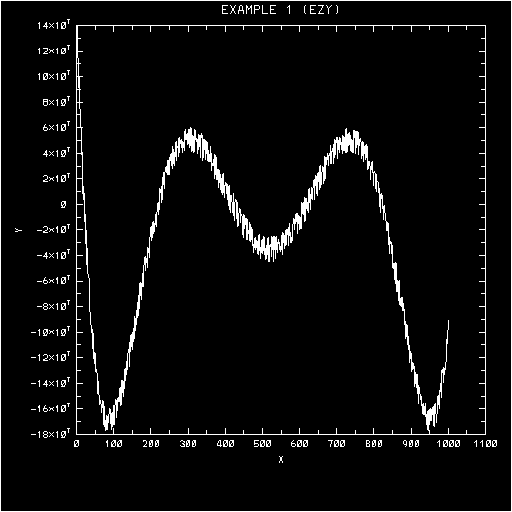
See example "agex01".
The appearance of a graph drawn by EZY may change greatly in response
to parameter changes. See the routines ANOTAT, DISPLA, and AGSETP,
below, and the section "PARAMETERS".
Arguments
YDRA (an input array of type REAL, dimensioned at least NPTS)
defines the Y coordinates of points on the curve. The current value of
'NULL/1.' (default value "1.E36") may be used in YDRA to signal missing
points; curve segments on either side of a missing point are omitted.
NPTS (an input expression of type INTEGER) is the number of curve
points defined by the array YDRA.
GLAB (an input expression of type CHARACTER) defines a new "graph
label". (If the first character of this expression is "CHAR(0)", no new
"graph label" is defined; the current one will continue to be used.) A
character string defining a new graph label must either be of the exact
length specified by the current value of 'LINE/MAXIMUM.' (default: 40
characters), or shorter; if shorter, it must be terminated by the
character defined by the current value of 'LINE/END.' (default: a '$').
The string becomes the new text of line number 100 of the label named
'T'.
Draws, in a manner determined by the current values of the control
parameters, a complete graph of a single curve through the points
(XDRA(I),YDRA(I)), for I from 1 to NPTS. The argument GLAB may be used
to specify a "graph label", to be placed at the top of the graph.
Usage
If the default values of the parameters are unchanged, calling EZXY
produces a graph having the following appearance: A "perimeter"
background outlines a grid window which is 8/10 the width and 8/10 the
height of the plotter frame and positioned slightly above and to the
right of center within it. Each edge of the perimeter has short
inward-pointing major and minor tick marks, with major tick marks
occurring at the ends of each edge. Numeric labels below major tick
marks on the bottom edge of the perimeter, increasing in value from
left to right, show the linear mapping of values of XDRA(I) onto the
horizontal (X) axis of the graph; below them is the label "X". Numeric
labels to the left of major tick marks on the left edge of the perimeter,
increasing in value from bottom to top, show the linear mapping of values
of YDRA(I) onto the vertical (Y) axis of the graph; to the left of them
is the label "Y". Above the perimeter is the label specified by "GLAB",
if any. The curve itself is drawn as a solid line within the perimeter.
A frame advance is done after the graph is drawn.
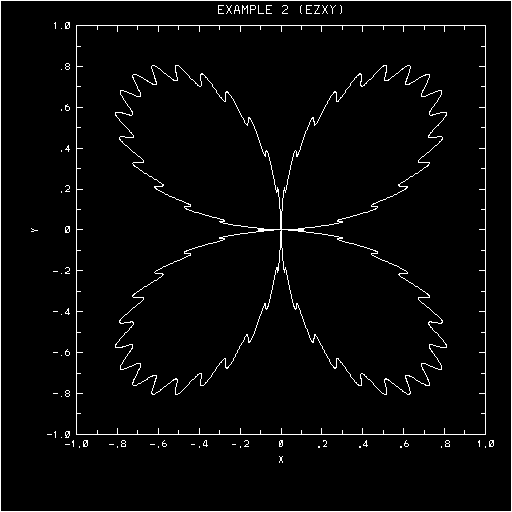
See example "agex02".
The appearance of a graph drawn by EZXY may change greatly in response
to parameter changes. See the routines ANOTAT, DISPLA, and AGSETP, below,
and the section "PARAMETERS".
Arguments
XDRA (an input array of type REAL, dimensioned NPTS) defines the
X coordinates of points on the curve.
YDRA (an input array of type REAL, dimensioned NPTS) defines the
Y coordinates of points on the curve.
The points on the curve have coordinates (XDRA(I),YDRA(I)), for I from
1 to NPTS. The current value of 'NULL/1.' (default value "1.E36") may
be used to signal missing data in these arrays. If either coordinate
of a point is missing, the point is considered to be missing; curve
segments on either side of a missing point are not drawn. Note: Because
all non-missing coordinates are used in figuring the minimum and maximum
user values along a given axis, it is safest to mark both coordinates
as "missing".
NPTS (an input expression of type INTEGER) is the number of curve
points defined by the arrays XDRA and YDRA.
GLAB (an input expression of type CHARACTER) defines a new "graph
label". (If the first character of this expression is "CHAR(0)", no new
"graph label" is defined; the current one will continue to be used.)
A character string defining a new graph label must either be of the
exact length specified by the current value of 'LINE/MAXIMUM.' (default:
40 characters), or shorter; if shorter, it must be terminated by the
character defined by the current value of 'LINE/END.' (default: a '$').
The string becomes the new text of line number 100 of the label named
'T'.
Draws, in a manner determined by the current values of the control
parameters, a complete graph of one or more curves, each defined by a
set of points (I,YDRA(I,J)) (or (I,YDRA(J,I)), depending on the current
value of 'ROW.'), for I from 1 to NPTS. The curve number J runs from 1
to MANY. The argument GLAB may be used to specify a "graph label", to be
placed at the top of the graph.
Usage
If the default values of the parameters are unchanged, calling EZMY
produces a graph having the following appearance: A "perimeter"
background outlines a grid window which is 8/10 the width and 8/10 the
height of the plotter frame and positioned slightly above and to the
right of center within it. Each edge of the perimeter has short
inward-pointing major and minor tick marks, with major tick marks
occurring at the ends of each edge. Numeric labels below major tick
marks on the bottom edge of the perimeter, increasing in value from
left to right, show the linear mapping of values of I onto the horizontal
(X) axis of the graph; below them is the label "X". Numeric labels to the
left of major tick marks on the left edge of the perimeter, increasing in
value from bottom to top, show the linear mapping of values of YDRA(I,J)
onto the vertical (Y) axis of the graph; to the left of them is the label
"Y". Above the perimeter is the label specified by "GLAB", if any. The
curves themselves are drawn as solid lines within the perimeter. A frame
advance is done after the graph is drawn.
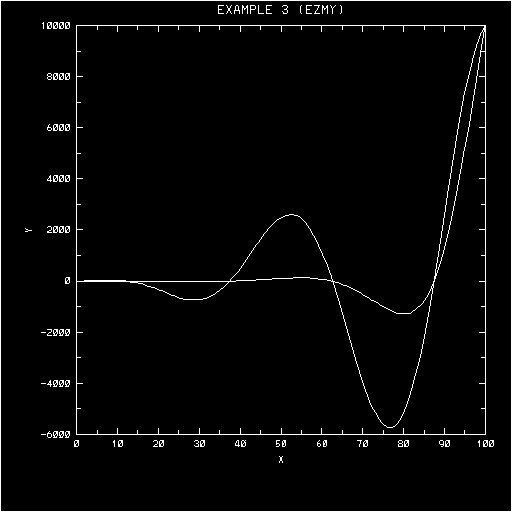
See example "agex03".
The appearance of a graph drawn by EZMY may change greatly in response to
parameter changes. See the routines ANOTAT, DISPLA, and AGSETP, below,
and the section "PARAMETERS".
Arguments
YDRA (an input array of type REAL, dimensioned IDXY x MANY or
IDXY x NPTS, depending on the current value of 'ROW.') defines
curve-point Y coordinates. The current value of 'NULL/1.' (default
value "1.E36") may be used in YDRA to signal missing points; curve
segments on either side of a missing point are omitted.
- If 'ROW.' is positive (the default), the first subscript of YDRA is
a point number and the second is a curve number.
- If 'ROW.' is negative, the order of the subscripts is reversed
("row-wise", as opposed to "column-wise", storage); the first
subscript is a curve number and the second is a point number.
IDXY (an input expression of type INTEGER) defines the first
dimension of the array YDRA, which is required by EZMY in order to index
the array properly.
- If 'ROW.' is positive (the default), IDXY must be greater than or
equal to NPTS.
- If 'ROW.' is negative, IDXY must be greater than or equal to MANY.
MANY (an input expression of type INTEGER) is the number of curves
to be drawn by EZMY.
NPTS (an input expression of type INTEGER) is the number of points
defining each curve to be drawn by EZMY.
GLAB (an input expression of type CHARACTER) defines a new "graph
label". (If the first character of this expression is "CHAR(0)", no new
"graph label" is defined; the current one will continue to be used.) A
character string defining a new graph label must either be of the exact
length specified by the current value of 'LINE/MAXIMUM.' (default: 40
characters), or shorter; if shorter, it must be terminated by the
character defined by the current value of 'LINE/END.' (default: a '$').
The string becomes the new text of line number 100 of the label named
'T'.
Draws, in a manner determined by the current values of the control
parameters, a complete graph of one or more curves, each defined by a
set of points (XDRA(I),YDRA(I,J)) (or (XDRA(I),YDRA(J,I)) or
(XDRA(I,J),YDRA(I,J)) or (XDRA(J,I),YDRA(J,I)), depending on the current
value of 'ROW.'), for I from 1 to NPTS. The curve number J runs from 1
to MANY. The argument GLAB may be used to specify a "graph label", to be
placed at the top of the graph.
Usage
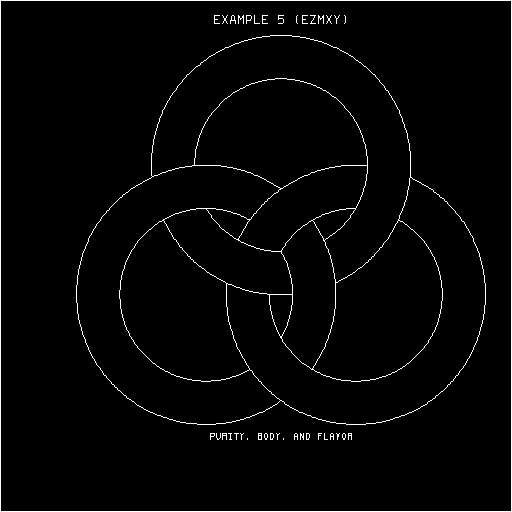
If the default values of the parameters are unchanged, calling EZMXY
produces a graph having the following appearance: A perimeter background
outlines a grid window which is 8/10 the width and 8/10 the height of the
plotter frame and positioned slightly above and to the right of center
within it. Each edge of the perimeter has short inward-pointing major
and minor tick marks, with major tick marks occurring at the ends of
each edge. Numeric labels below major tick marks on the bottom edge of
the perimeter, increasing in value from left to right, show the linear
mapping of values of XDRA(I) onto the horizontal (X) axis of the graph;
below them is the label "X". Numeric labels to the left of major tick
marks on the left edge of the perimeter, increasing in value from bottom
to top, show the linear mapping of values of YDRA(I,J) onto the vertical
(Y) axis of the graph; to the left of them is the label "Y". Above the
perimeter is the label specified by "GLAB", if any. The curves themselves
are drawn as solid lines within the perimeter. A frame advance is done
after the graph is drawn.
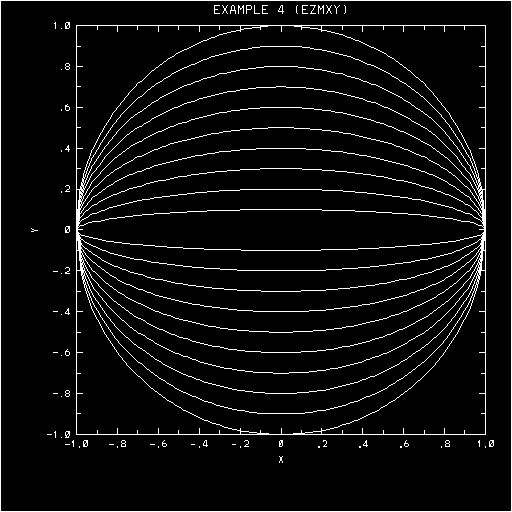
See example "agex04".
The appearance of a graph drawn by EZMXY may change greatly in response
to parameter changes. See the routines ANOTAT, DISPLA, and AGSETP, below,
and the section "PARAMETERS".
Arguments
XDRA (an input array of type REAL, dimensioned NPTS or IDXY x MANY
or IDXY x NPTS, depending on the current value of 'ROW.') contains
curve-point X coordinates. The current value of 'NULL/1.' (default value
"1.E36") may be used in XDRA to signal missing points; curve segments on
either side of a missing point are not drawn. Note: Because all
non-missing coordinates are used in figuring the minimum and maximum user
values along a given axis, it is safest to mark both coordinates as
"missing".
- If 'ROW.' has the absolute value "1." (the default), XDRA is
singly-dimensioned. It is subscripted by point number.
- If 'ROW.' has the absolute value "2." or greater, XDRA is
doubly-dimensioned. It is subscripted by point number and curve
number, in that order if 'ROW.' is positive (the default), and in
the reverse order if 'ROW.' is negative.
YDRA (an input array of type REAL, dimensioned IDXY x MANY or
IDXY x NPTS, depending on the current value of 'ROW.') contains
curve-point Y coordinates. The current value of 'NULL/1.' (default
value "1.E36") may be used in YDRA to signal missing points; curve
segments on either side of a missing point are not drawn. Note: Because
all non-missing coordinates are used in figuring the minimum and maximum
user values along a given axis, it is safest to mark both coordinates as
"missing".
- If 'ROW.' is positive (the default), YDRA is subscripted by point
number and curve number, in that order.
- If 'ROW.' is negative, YDRA is subscripted by curve number and point
number, in that order.
IDXY (an input expression of type INTEGER) is the first
dimension of the arrays XDRA (if it is doubly-dimensioned) and YDRA
(unconditionally), required by EZMXY in order to index these arrays
properly.
- If 'ROW.' is positive (the default), IDXY must be greater than or
equal to NPTS.
- If 'ROW.' is negative, IDXY must be greater than or equal to MANY.
MANY (an input expression of type INTEGER) is the number of curves
to be drawn by EZMXY.
NPTS (an input expression of type INTEGER) is the number of points
defining each curve to be drawn by EZMXY.
GLAB (an input expression of type CHARACTER) defines a new "graph
label". (If the first character of this expression is "CHAR(0)", no new
"graph label" is defined; the current one will continue to be used.) A
character string defining a new graph label must either be of the exact
length specified by the current value of 'LINE/MAXIMUM.' (default: 40
characters), or shorter; if shorter, it must be terminated by the
character defined by the current value of 'LINE/END.' (default: a '$').
The string becomes the new text of line number 100 of the label named
'T'.
Changes the values of certain primary control parameters, purportedly
having to do with "annotation" of a graph.
Usage
The subroutine ANOTAT is provided principally for historical reasons.
Each of the parameters referenced by its argument list can be set
individually by means of the routines AGSETC, AGSETF, AGSETP, and/or
AGSETR. In fact, ANOTAT is implemented using calls to these routines.
See example "agex08".
Arguments
XLAB (an input expression of type CHARACTER) defines a new
"x-axis label". (If the first character of this expression is "CHAR(0)",
no new "x-axis label" is defined; the current one will continue to be
used.) A character string defining a new X-axis label must either be of
the exact length specified by the current value of 'LINE/MAXIMUM.'
(default: 40 characters), or shorter; if shorter, it must be terminated
by the character defined by the current value of 'LINE/END.' (default:
a '$'). The string becomes the new text of line number -100 of the
label 'B'.
YLAB (an input expression of type CHARACTER) defines a new
"y-axis label". (If the first character of this expression is "CHAR(0)",
no new "y-axis label" is defined; the current one will continue to be
used.) A character string defining a new Y-axis label must either be
of the exact length specified by the current value of 'LINE/MAXIMUM.'
(default: 40 characters), or shorter; if shorter, it must be terminated
by the character defined by the current value of 'LINE/END.' (default:
a '$'). The string becomes the new text of line number 100 of the label
'L'.
LBAC (an input expression of type INTEGER), if non-zero, must
have the integer value 1, 2, 3, or 4, the real equivalent of which is
to become the new value of 'BACKGROUND.'. (If LBAC is zero, no change
is to be made in the current value.) The value "1" specifies a perimeter
background, the value "2" a grid background, the value "3" a half-axis
background, and the value "4" no background at all.
See the discussion of 'BACKGROUND.', in the section
"PARAMETERS".
LSET (an input expression of type INTEGER), if non-zero, must have
the absolute value 1, 2, 3, or 4, the real equivalent of which is to be
stored (by means of a call to AGSETI) as the new value of 'SET.'. If LSET
is zero, no change is to be made in the current value of 'SET.'.
See the discussion of 'SET.', in the section
"PARAMETERS".
NDSH (an input expression of type INTEGER), if zero, specifies
that no change is to be made in the parameters which specify the
dashed-line patterns to be used for curves.
- If NDSH is non-zero, it specifies an integer value whose real
equivalent is to be stored as the new value of 'DASH/SELECTOR.'
(which has the default value "1.").
- If NDSH is negative, 'DASH/SELECTOR.' is set negative, forcing EZMY
and EZMXY to use internally-defined "alphabetic" patterns for the
MANY curves drawn ("A" for the first, "B" for the second, . . ., "Z"
for the 26th, "A" for the 27th, etc.). The routines EZY and EZXY are
unaffected.
- If NDSH is greater than zero, it must be less than or equal to 26,
and the next argument, DSHC, must contain NDSH dashed-line patterns
comprising the new "user" set of patterns. The fact that
'DASH/SELECTOR.' is set positive forces EZMY and EZMXY to use this
set of patterns. (The routines EZY and EZXY always use the first
pattern in this set.) The contents of the array DSHC are copied to
storage local to AUTOGRAPH and pointers to them are installed as the
values of 'DASH/PATTERNS/1.', '.../2.', etc.
See the discussion of 'DASH.', in the section
"PARAMETERS".
DSHC (an input array of type CHARACTER, dimensioned NDSH) is
meaningful only when NDSH is greater than zero. In this case, it must
be an array of NDSH character strings, each of the length specified by
the current value of 'DASH/LENGTH.'. Each character string represents
a dashed-line pattern; dollar signs mean "pen down", quotes mean
"pen up", and other characters mean "draw me".
See the discussion of 'DASH.', in the section
"PARAMETERS".
Changes the values of certain primary control parameters purportedly
having to do with the "display" of a graph.
Usage
The subroutine DISPLA is provided principally for historical reasons.
Each of the parameters referenced by its argument list can be set
individually by means of the routines AGSETP and/or AGSETI. In fact,
DISPLA is implemented using calls to these routines.
See the example "agex13".
Arguments
LFRA (an input expression of type INTEGER), if non-zero, must
have an integer value, the real equivalent of which is to become the
new value of 'FRAME.'. If LFRA is zero, no change is to be made in the
current value of 'FRAME.'.
- The default value of 'FRAME.' is "1.", specifying that each of the
routines EZY, EZXY, EZMY, and EZMXY is to do a frame advance after
drawing a graph.
- The value "2." specifies no frame advance.
- The value "3." specifies a frame advance before drawing a graph.
LROW (an input expression of type INTEGER), if non-zero, must have
an integer value, the real equivalent of which is to become the new value
of 'ROW.'. If LROW is zero, no change is to be made in the current value
of 'ROW.'. This parameter affects the way in which the routines EZMY and
EZMXY interpret the arguments XDRA and YDRA, as follows:
- If 'ROW.' is positive, the first subscript of YDRA is a point number
and the second subscript is a curve number. If 'ROW.' is negative,
the order of the subscripts is reversed (row-wise, rather than
column-wise, storage).
- If the absolute value of 'ROW.' is "1.", XDRA is singly-subscripted;
its subscript is a point number. If the absolute value of 'ROW.' is
"2." or greater, XDRA is doubly-subscripted; the order of the
subscripts is the same as for YDRA.
The default value of 'ROW.' is "1.", specifying that XDRA is
singly-subscripted by point number and that YDRA is doubly-subscripted
by point number and curve number, in that order.
LTYP (an input expression of type INTEGER), if non-zero, is an
integer specifying new values for 'X/LOGARITHMIC.' and 'Y/LOGARITHMIC.'.
If LTYP is zero, no change is to be made in the current values.
- The parameter 'X/LOGARITHMIC.' has the default value "0.", specifying
a linear mapping of user X coordinates onto the horizontal axis of
the grid window; it may be given either of the two values "-1." or
"+1." to specify a logarithmic mapping. The value "-1." protects it
from being reset as a side effect of setting 'SET.'. DISPLA generates
the value "0." or "-1.".
- The parameter 'Y/LOGARITHMIC.' is defined similarly and affects the
mapping of user Y coordinates onto the vertical axis of the grid
window.
A non-zero LTYP resets these values, as follows:
| LTYP | 'X/LOGARITHMIC.' | 'Y/LOGARITHMIC.' |
| 1 | linear | linear |
| 2 | linear | logarithmic |
| 3 | logarithmic | linear |
| 4 | logarithmic | logarithmic
|
Allows a user program to reset the values of a group of parameters
containing one or more elements.
Usage
The subroutine AGSETP is called with a character string identifying a
group of parameters (possibly a single parameter), an array containing
new values of those parameters, and the length of the array, as arguments.
It transfers the new values into the appropriate locations in the labeled
common block AGCONP, thus modifying the effect of subsequent calls to
other AUTOGRAPH routines.
If a single parameter is being set, one of the routines AGSETC, AGSETF,
AGSETI, or AGSETR (which see, below) may be used instead.
When certain parameters are set individually, AGSETP takes further
"special" action. For example, if 'BACKGROUND.' is set, thereby
requesting one of the standard types of backgrounds, AGSETP changes a
number of other parameters in order to achieve the desired effect. The
parameters which imply such special action are as follows:
      'SET.'
      'BACKGROUND.'
      'NULL/1.' and 'NULL/2.'
      'LABEL/CONTROL.'
      'LABEL/NAME.'
      'LABEL/DEFINITION/SUPPRESSION.'
      'LINE/NUMBER.'
      'LINE/DEFINITION/SUPPRESSION.'
      'LINE/DEFINITION/TEXT.'
See the section "PARAMETERS" for descriptions
of the parameters whose values may be set. Special actions, if any, which
accompany the setting of a parameter are detailed there.
Arguments
TPGN (an input expression of type CHARACTER) is a character string
of the form 'k1/k2/ . . . kn.', where
each of the ki's is a keyword. The keyword k1
specifies a group of parameters, k2 a subgroup of that group,
k3 a subgroup of that subgroup, etc. The whole string is the
name of some group of parameters the user wishes to set.
For example, 'AXIS.' is the name of a 92-word group of parameters
describing the four axes, 'AXIS/RIGHT.' is the name of a 23-word
subgroup describing the right Y axis,
'AXIS/RIGHT/INTERSECTION.'
is the name of a 2-word further subgroup describing the intersection of
the right Y axis with the bottom of the grid window, and
'AXIS/RIGHT/INTERSECTION/USER.'
is the name of a single parameter specifying the point of intersection
of the right Y axis with the bottom of the grid window as an X coordinate
in the user coordinate system.
Obviously, these names can sometimes become rather long. There are
various ways in which they may be shortened. First, since the fifth
and following characters of each keyword are ignored, they may be
omitted; this would shorten
'AXIS/RIGHT/INTERSECTION/USER.'
to
'AXIS/RIGH/INTE/USER.'
Even fewer characters may be used, as long as no ambiguity of
interpretation arises. To be completely safe, use at least the first
three characters of the group keyword and at least the first two
characters of each subgroup keyword; this would shorten the example
above to 'AXI/RI/IN/US.'. Moreover, certain group and subgroup keywords
may be omitted entirely; for example, 'AXI/RI/IN/US.' may be shortened
to 'RI/IN/US.'. Keywords which may be entirely omitted are enclosed in
brackets in the headings in the section
"PARAMETERS".
Names may also be lengthened in various ways in order to improve their
readability. Blanks may be used as desired on either side of a keyword.
Any sequence of characters not including a slash or a period may be
inserted after a keyword, separated from it by at least one blank. For
example, the name
'DASH PATTERN / CHARACTER WIDTH .'
is equivalent to, and considerably more meaningful than,
'DAS/CH.' (or even 'DASH/CHARACTER.')
A complete list of the parameters may be found in the section
"PARAMETERS", below.
FURA (an input array of type REAL, dimensioned LURA) contains
new values for the parameters in the group specified by TPGN, in the
same order as they appear in the group. All parameters have real values
(because of a portability problem which arose in implementing the
routines AGSETF and AGSETR). Those which represent intrinsically
integral quantities have a value of the form "FLOAT(n)", where "n" is
the integral quantity being represented. Some parameters intrinsically
take on character-string values; the real quantity stored as the value
of such a parameter is typically an identifier allowing for later
retrieval of the character string from a character storage area inside
AUTOGRAPH. The routines AGSETC and AGGETC may be used to set/get the
character-string values of such parameters.
LURA (an input expression of type INTEGER) is the length of FURA
(the number of real elements in it). Its value may be less than, equal
to, or greater than, the length of the parameter group specified by TPGN.
The number of values transferred from FURA is the minimum of the two
(but not less than one). This means that if, for example, you only wish
to set the first two parameters of a 100-parameter group, you may do so
by using LURA = 2.
Allows a user program to store a real number as the value of a single
parameter.
Usage
Either of these subroutines transfers the value of FUSR to a local
array FURA, dimensioned 1, and executes the statement
CALL AGSETP (TPGN,FURA,1)
See the description of AGSETP, above. The "special actions" described
there may result from a call to AGSETF or AGSETR.
Arguments
TPGN (an input expression of type CHARACTER) is an parameter
identifier, as described for AGSETP, above. If a group of more than
one parameter is specified, only the first element of that group will
be affected by the call.
FUSR (an input expression of type REAL) is the value to be given
to the parameter specified by TPGN.
Allows a user program to store the real equivalent of an integer as the
value of a single parameter.
Usage
This subroutine stores the value FLOAT(IUSR) in a local array FURA,
dimensioned 1, and then executes the statement
CALL AGSETP (TPGN,FURA,1)
See the description of AGSETP, above. The "special actions" described
there may result from a call to AGSETI.
Arguments
TPGN (an input expression of type CHARACTER) is a parameter
identifier, as described for AGSETP, above. If a group of more than
one parameter is specified, only the first element of that group will
be affected by the call.
IUSR (an input expression of type INTEGER) is the value to be
given to the parameter specified by TPGN.
Allows a user program to (in effect) store a character string as the
value of a specified single parameter.
Usage
This subroutine stores the character string CUSR in an internal string
storage space, generates a real identifier allowing for later retrieval
of the character string, stores that identifier in a local array FURA,
dimensioned 1, and then executes the statement
CALL AGSETP (TPGN,FURA,1)
See the description of AGSETP, above. The "special actions" described
there may result from a call to AGSETC.
Arguments
TPGN (an input expression of type CHARACTER) is a parameter
identifier, as described for AGSETP, above. The specified parameter
must be one of those which intrinsically have values of type character:
'LINE/END.', 'LABEL/NAME.', 'LINE/TEXT.', or 'DASH/PATTERN/n.'
CUSR (an input expression of type CHARACTER) is the desired
character string.
- If 'LINE/END.' is being set, only the first character of CUSR will
be used.
- If 'LABEL/NAME.' is being set, the length of the string CUSR will
be taken to be "MAX(1,LEN(CUSR))".
- If the text of a label is being set, CUSR must either be of the
exact length specified by 'LINE/MAXIMUM.' (40 characters, by
default) or shorter; if shorter, it must be terminated by the
character defined by 'LINE/END.' (default: a '$').
- If a dash pattern is being set, the length of CUSR will be taken
to be the minimum of "LEN(CUSR)" and the value specified by
'DASH/LENGTH.'.
Allows a user program to get the values of a group of parameters containing
one or more elements.
Usage
The subroutine AGGETP is called with a character string identifying a
group of parameters (possibly a single parameter), an array to receive
the values of those parameters, and the length of the array, as
arguments. It transfers values from the appropriate locations in the
labeled common block AGCONP to the user array.
If a single parameter is being retrieved, one of the routines AGGETC,
AGGETF, AGGETI, or AGGETR (which see, below) may be used instead. No
"special" action is implied for any single parameter (as is the case
for AGSETP).
See the section "PARAMETERS" for descriptions
of parameters whose values may be retrieved.
Arguments
TPGN (an input expression of type CHARACTER) is a character
string of the form 'k1/k2/ . . . kn.',
where each of the ki's is a keyword. The keyword k1
specifies a group of parameters, k2 a subgroup of that group,
k3 a subgroup of that subgroup, etc. The whole string is the
name of some group of parameters the user wishes to get.
See the AGSETP argument TPGN, above, for an example and additional
comments.
FURA (an output array of type REAL, dimensioned LURA) is the
user array into which the real values of the parameters in the group
specified by TPGN are to be transferred, in the same order as they
appear in the group.
See the AGSETP argument FURA, above, for additional comments.
LURA (an input expression of type INTEGER) is the length
of FURA. Its value may be less than, equal to, or greater than, the
length of the group specified by TPGN. The number of values transferred
into FURA is the minimum of the two (but not less than one). You may,
for example, get the first two parameters of a 100-parameter group by
using LURA = 2.
Allows a user program to retrieve the real value of a single parameter.
Usage
Either of these subroutines executes the statement
CALL AGGETP (TPGN,FURA,1)
where FURA is a local array, dimensioned 1, and then sets FUSR equal to
FURA(1).
See the description of AGGETP, above.
Arguments
TPGN (an input expression of type CHARACTER) is a parameter
identifier, as described for AGGETP, above. If a group of more than
one parameter is specified, only the first element of that group will
be retrieved by the call.
FUSR (an output variable of type REAL) receives the real value
of the parameter specified by TPGN.
Allows a user program to retrieve the integer equivalent of the real
value of a single parameter.
Usage
This subroutine executes the statement
CALL AGGETP (TPGN,FURA,1)
where FURA is a local array, dimensioned 1, and then sets IUSR equal
to IFIX(FURA(1)).
See the description of AGGETP, above.
Arguments
TPGN (an input expression of type CHARACTER) is a parameter
identifier, as described for AGGETP, above. If a group of more than
one parameter is specified, only the first element of that group will
be retrieved by the call.
IUSR (an output variable of type INTEGER) receives the integer
equivalent of the real value of the parameter specified by TPGN.
Allows a user program to retrieve (in effect) the character-string values
of certain single parameters.
Usage
This subroutine executes the statement
CALL AGGETP (TPGN,FURA,1)
where FURA is a local array, dimensioned 1. It then retrieves, from
AUTOGRAPH's character storage space, the character string identified
by FURA(1), and returns that string as the value of CUSR.
See the description of AGGETP, above.
Arguments
TPGN (an input expression of type CHARACTER) is a parameter
identifier, as described for AGGETP, above. The specified parameter
must be one of those which intrinsically have values of type character:
'LINE/END.', 'LABEL/NAME.', 'LINE/TEXT.', or 'DASH/PATTERN/n.'
CUSR (an output variable of type CHARACTER) receives the desired
character string. If CUSR is too short, only the beginning of the string
will be put in it. If CUSR is too long, it will be padded with blanks
on the end.
(The remaining arguments are YDRA, NVIY, IIVY,
NEVY, and IIEY.)
Performs "set-up" tasks required before AGBACK and AGCURV may be called.
Basically, AGSTUP examines the current values of the primary control
parameters for errors and computes from them and from its arguments the
values of secondary control parameters. The primary and secondary control
parameters together determine how the routines AGBACK and AGCURV will
behave.
Usage
The subroutine AGSTUP should be called once per graph, just prior to
the sequence of calls to AGBACK and/or AGCURV which actually draws the
graph.
Note that each of the routines EZY, EZXY, EZMY, and EZMXY unconditionally
executes a call to AGSTUP (via a routine called AGEZSU) before calling
AGBACK and/or AGCURV.
An appropriate call to the plot-package routine SET is executed by
AGSTUP. This is important; it allows the user to position things on
the graph using X/Y coordinates that are commensurate with his/her
data.
Arguments
The first five arguments of AGSTUP are meaningful only if at least one
of 'X/MINIMUM.' and 'X/MAXIMUM.' has the value "null 1" or "null 2",
specifying that AUTOGRAPH is to determine for itself the minimum and/or
maximum X coordinate in the user's data. Similarly, the second five
arguments are meaningful only if at least one of 'Y/MINIMUM.' and
'Y/MAXIMUM.' has the value "null 1" or "null 2".
XDRA (an input array of type REAL, dimensioned as implied by the
next four arguments) contains user X coordinates.
NVIX (an input expression of type INTEGER) is the number of
"vectors" of data from XDRA to be considered in computing the minimum
and/or maximum X values.
IIVX (an input expression of type INTEGER) is the index increment
between two "vectors" in XDRA. The 1st element of the first vector is
XDRA(1), the 1st element of the second vector is XDRA(1+IIVX), the 1st
element of the third vector is XDRA(1+IIVX*2), etc.
NEVX (an input expression of type INTEGER) is the number of
elements of each vector in XDRA to be considered in computing the
minimum and/or maximum X values.
IIEX (an input expression of type INTEGER) is the index increment
between two consecutive elements of a vector in XDRA. The second element
of the 1st vector is XDRA (1+IIEX), the third element of the 1st vector
is XDRA(1+IIEX*2), etc. If IIEX has the value 0, the contents of XDRA
are ignored completely; the minimum and maximum X values are considered
to be "1." and FLOAT(NEVX), respectively.
YDRA, NVIY, IIVY, NEVY, and IIEY are
used similarly, but define the user Y coordinates.
Some examples:
| X array | Data to use | XDRA | NVIX | IIVX | NEVX | IIEX |
| X(100) | all data | X(1) | 1 | - | 100 | 1 |
| | ( X(I), I = 1,99,2 ) | X(1) | 1 | - | 50 | 2 |
| | ( X(I), I = 51,99,2 ) | X(51) | 1 | - | 25 | 2 |
| X(10,10) | all data | X(1,1) | 10 | 10 | 10 | 1 |
| | | X(1,1) | 1 | - | 100 | 1 |
| | ( ( X(I,J), I = 1,10 ), J = 1,6 ) | X(1,1) | 6 | 10 | 10 | 1 |
| | | X(1,1) | 10 | 1 | 6 | 10 |
| | | X(1,1) | 1 | - | 60 | 1 |
| | ( ( X(I,J), I = 3,7 ), J = 3,9 ) | X(3,3) | 7 | 10 | 5 | 1 |
| | | X(3,3) | 5 | 1 | 7 | 10 |
| | ( ( X(I,J), I = 3,7,4 ), J = 3,9,3 ) | X(3,3) | 3 | 30 | 2 | 4 |
| none | 1., 2., . . ., 62. | - | - | - | 62 | 0
|
Note: The character "-" is used above to indicate an argument which is
ignored and may be given a dummy value.
Normally, the X and Y coordinate data tendered to AGSTUP are the same
data which will later be used to draw curves. However, this need not be
the case. For example, one could call AGSTUP with a two-word XDRA
(setting NVIX=1, IIVX=1, NEVX=2, and IIEX=1) containing a desired
minimum and maximum to be used, disregarding the real data.
If 'INVERT.' is given the value "1." (in place of its default value
"0."), AGSTUP will behave as if its first five arguments had been
interchanged with its last five, so that X-coordinate values refer to
vertical distances, and Y-coordinate values to horizontal distances,
on the graph. This parameter affects AGCURV in a similar manner, thus
allowing one to plot "X as a function of Y".
Draws the background specified by the current values of the control
parameters - the primary parameters with default values or with values
supplied by the user, and the secondary parameters with values computed
by AGSTUP.
Usage
Just call it. See the section "PARAMETERS"
for descriptions of the parameters which affect the appearance of a
background drawn by AGBACK. See also the description of AGSTUP, above.
An appropriate call to the plot-package routine SET is executed by
AGBACK. This is the same call that was done by AGSTUP; it is re-executed
in case the user has done his/her own call to SET in the interim.
Arguments
None.
Draws a curve in a manner specified by the current values of the control
parameters - the primary parameters with default values or with values
supplied by the user, and the secondary parameters with values computed
by AGSTUP.
Usage
The subroutine AGCURV, given the X and Y coordinates of a set of data
points, draws the curve defined by those points, using a dashed-line
pattern selected by the final argument.
See the section "PARAMETERS" for a description
of the parameters which affect the behavior of AGCURV. One parameter of
particular interest is 'WINDOW.', which has the default value "0.". If
'WINDOW.' is given the value "1.", any portion of a curve which lies
outside the grid window is omitted. No distortion of any curve segment
results; the effect is exactly as if the curve were viewed through a
window. There is an additional advantage in setting 'WINDOW.' to "1.":
if either the X coordinates, or the Y coordinates, or both, are mapped
logarithmically into the grid window and zero or negative values occur
in the data, AGCURV treats those values as missing-point signals, rather
than bombing with an ALOG10 error.
Arguments
XVEC (a singly-subscripted input array of type REAL), when IIEX
is non-zero, contains NEXY X-coordinate data - curve point 1 has X
coordinate XVEC(1), curve point 2 has X coordinate XVEC(1+IIEX), curve
point 3 has X coordinate XVEC(1+IIEX*2), etc. When IIEX is zero, the
array XVEC is ignored - curve point 1 has X coordinate "1.", curve
point 2 has X coordinate "2.", etc.
If the value of any X coordinate matches the current value of 'NULL/1.'
(default - "1.E36"), the corresponding point is considered to be missing
- curve segments on either side of that point are not drawn.
IIEX (an input expression of type INTEGER), if non-zero, is the
index increment between one X coordinate in XVEC and the next. If IIEX
is zero, the array XVEC is ignored, as described above.
YVEC (a singly-subscripted input array of type REAL) is just
like XVEC, but provides Y coordinate data.
IIEY (an input expression of type INTEGER) is just like IIEX,
but describes the use (or non-use) of YVEC.
NEXY (an input expression of type INTEGER) is the number of
curve points - the number of X/Y coordinate pairs to be used.
Note: If 'INVERT.' is given the value "1." (in place of its default
value "0."), AGCURV will behave as if the arguments XVEC and IIEX had
been interchanged with the arguments YVEC and IIEY, so that X-coordinate
values refer to vertical distances, and Y-coordinate values to horizontal
distances, on the graph. This parameter affects AGSTUP in a similar
manner, thus allowing one to plot "X as a function of Y".
KDSH (an input expression of type INTEGER) specifies the
dashed-line pattern to be used in drawing the curve. (Since the
routines DASHD, FRSTD, VECTD, and LASTD, in the package DASHCHAR,
are used to draw the curve, it may have its own particular dashed-line
pattern.)
- If KDSH is zero, the user is assumed to have done his own call to
DASHD; AGCURV will do no such call.
- If KDSH is non-zero and negative, the function MOD(-KDSH-1,26)+1
determines which of 26 "alphabetic" patterns is to be used; each
of these generates a solid line interrupted by one of the letters
of the alphabet. The value 1 implies that an "A" will be used, the
value 2 that a "B" will be used, . . . the value 27 that an "A" will
be used again, etc.
- If KDSH is non-zero and positive, the function MOD(KDSH-1,n)+1
determines which of n "user" patterns is to be used; these n
patterns are defined by the parameters in the group named 'DASH.'
- the default values specify one solid-line pattern.
Note: The routines EZY and EZXY, which draw one curve per call, always
call AGCURV with KDSH = 1. The routines EZMY and EZMXY, which draw one
or more curves per call, call AGCURV with KDSH = ISIGN(p,q), where p
is the number of the curve being drawn (p is between 1 and MANY,
inclusive) and q is the current integral value of 'DASH/SELECTOR.'.
Saves the current state of AUTOGRAPH for later restoration by AGRSTR.
Usage
Calling AGSAVE saves the current state of AUTOGRAPH (frequently the
default state) by writing, on the unit specified by IFNO, the current
values of all the parameters and the contents of the character storage
space referenced by certain of those parameters.
Arguments
IFNO (an input expression of type INTEGER) is the number of a
unit to which a single unformatted record is to be written. It is the
user's responsibility to position this unit. AGSAVE does not rewind it,
either before or after writing the record.
Restores a saved state of AUTOGRAPH.
Usage
Calling AGRSTR restores AUTOGRAPH to a previously saved state
(frequently the default state) by reading, from the unit specified
by IFNO, values of all the parameters and the contents of the character
storage space referenced by certain of those parameters.
Arguments
IFNO (an input expression of type INTEGER) is the number of a
unit from which a single unformatted record is to be read. It is the
user's responsibility to position this unit. AGRSTR does not rewind
it, either before or after reading the record.
Provides an easy way to convert binary dash patterns into character dash
patterns.
Usage
AGBNCH is a function, of type CHARACTER*16, and must be declared as
such in a user program referencing it, by including the statement:
CHARACTER*16 AGBNCH
The value of AGBNCH (IDSH), where IDSH is an integer in the range 0
to 65535 (216-1) representing a 16-bit binary dash pattern,
is the equivalent character dash pattern.
Arguments
IDSH (an input expression of type INTEGER) is between 0 and
65535, inclusive.
Provides an easy way to generate the names of parameters in the group
'DASH/PATTERN.', for use in calls to AGSETC and AGGETC.
Usage
AGDSHN is a function, of type CHARACTER*16, and must be declared as
such in a user program referencing it, by including the statement:
CHARACTER*16 AGDSHN
The value of AGDSHN (IDSH), where IDSH is an integer "n" in the range
1 to 26, is the name of the nth dash-pattern parameter - that is to
say, it is the character string 'DASH/PATTERN/n.'.
Arguments
IDSH (an input expression of type INTEGER) is between 1 and 26,
inclusive.
Provides a way for the user to change the user-system-to-label-system
mapping for one or more of the four axes.
Usage
This routine is not called by the user program, but by AUTOGRAPH itself.
It defines the user-system-to-label-system mapping for all four axes.
The default version makes the label system match the user system on all
four axes. The user may supply his own version of this routine to change
the mapping on one or more of the axes. Mappings defined by the
subroutine must be continuous and monotonic.
Note: A user version of AGUTOL should not call any other AUTOGRAPH
routine.
Arguments
IAXS (an input expression of type INTEGER) is the number of the
axis. The values 1, 2, 3, and 4 imply the left, right, bottom, and top
axes, respectively.
FUNS (an input expression of type REAL) is the value of
'AXIS/s/FUNCTION.', which may be used to select the desired mapping
function for the axis IAXS. It is recommended that the default value
(zero) be used to specify the identity mapping. The value may be integral
("1.", "2.", etc.) and serve purely to select the code to be executed or
it may be the value of an actual parameter in the equations defining the
mapping.
IDMA (an input expression of type INTEGER) specifies the direction
of the mapping. A value greater than zero indicates that VINP is a value
in the user system and that VOTP is to be a value in the label system, a
value less than zero the opposite. The mappings in one direction must be
the mathematical inverses of the mappings in the other direction.
VINP (an input expression of type REAL) is an input value in one
coordinate system.
VOTP (an output variable of type REAL) is an output value in the
other coordinate system.
Provides a way for the user to change the color, intensity, line style,
etc., of various portions of the axes.
Usage
This routine is not called by the user program, but by AUTOGRAPH itself,
just before and just after each of the objects making up an axis is
drawn. The default version does nothing. The user may supply his own
version to change the color, intensity, line style, etc. of selected
portions of the axis.
Note: A user version of AGCHAX should not call any other AUTOGRAPH
routine.
Arguments
IFLG (an input expression of type INTEGER) is zero if a particular
object is about to be drawn, non-zero if it has just been drawn.
IAXS (an input expression of type INTEGER) is the number of the
axis being drawn. The values 1, 2, 3, and 4 indicate the left, right,
bottom, and top axes, respectively.
IPRT (an input expression of type INTEGER) indicates the part of
the axis being drawn. Possible values are as follows:
- 1 implies the line of the axis.
- 2 implies a major tick.
- 3 implies a minor tick.
- 4 implies the mantissa of a numeric label.
- 5 implies the exponent of a numeric label.
VILS (an input expression of type REAL) is the value in the label
system at the point where the part is being drawn. For IPRT = 1, VILS is
zero.
Provides a way for the user to change the color, intensity, line style,
etc., of curves drawn by AUTOGRAPH.
Usage
This routine is not called by the user program, but by AUTOGRAPH itself,
just before and just after each curve is drawn. The default version does
nothing. The user may supply his own version to change the color,
intensity, line style, etc. of selected curves.
Note: A user version of AGCHCU should not call any other AUTOGRAPH
routine.
Arguments
IFLG (an input expression of type INTEGER) is zero if a particular
object is about to be drawn, non-zero if it has just been drawn.
KDSH (an input expression of type INTEGER) is the value of
AGCURV's last argument, as follows:
| AGCURV called by | Value of KDSH |
| EZY | 1 |
| EZXY | 1 |
| EZMY | "n" or "-n", where "n " is the curve number |
| EZMXY | "n" or "-n", where "n" is the curve number |
| the user program | a user-specified value
|
Provides a way for the user to change the color, intensity, text style,
etc., of the informational labels.
Usage
This routine is not called by the user program, but by AUTOGRAPH itself,
just before and just after each informational-label line is drawn. The
default version does nothing. The user may supply his own version to
change the appearance of selected lines of text.
Note: A user version of AGCHIL should not call any other AUTOGRAPH
routine.
Arguments
IFLG (an input expression of type INTEGER) is zero if a particular
object is about to be drawn, non-zero if it has just been drawn.
LBNM (an input expression of type CHARACTER) is the name of
the label being drawn.
LNNO (an input expression of type INTEGER) is the number of
the line being drawn.
(The remaining arguments are IPXM, CHRE, MCIE, and
NCIE.)
Provides a way for the user to substitute arbitrary character strings for
the numeric labels generated by AUTOGRAPH.
Usage
This routine is not called by the user program, but by AUTOGRAPH itself,
just after the character string representing each numeric label has been
generated and just before it is written on the graph. The user may change
the character string in any desired way. Axes may thereby be labeled
using the names of the months, Roman numerals, etc.
Note: A user version of AGCHNL should not call any other AUTOGRAPH
routine.
Arguments
IAXS (an input expression of type INTEGER) is the number of the
axis being drawn. The values 1, 2, 3, and 4 imply the left, right,
bottom, and top axes, respectively.
VILS (an input expression of type REAL) is the value to be
represented by the numeric label, in the label system for the axis.
The value of VILS must not be altered.
CHRM (an input variable of type CHARACTER), on entry, contains
the mantissa of the numeric label, as it will appear if AGCHNL makes
no changes. If the numeric label includes a "times" symbol, it is
represented by a blank in CHRM. (See IPXM, below.) CHRM may be
modified.
MCIM (an input expression of type INTEGER) is the length of
CHRM - the maximum number of characters that it will hold. The value
of MCIM must not be altered.
NCIM (an input variable of type INTEGER), on entry, is the
number of meaningful characters in CHRM. If CHRM is changed, NCIM
should be changed accordingly.
IPXM (an input variable of type INTEGER), on entry, is zero
if there is no "times" symbol in CHRM; if it is non-zero, it is the
index of a character position in CHRM. If AGCHNL changes the position
of the "times" symbol in CHRM, removes it, or adds it, the value of
IPXM must be changed.
CHRE (an input variable of type CHARACTER), on entry, contains
the exponent of the numeric label, as it will appear if AGCHNL makes
no changes. CHRE may be modified.
MCIE (an input expression of type INTEGER) is the length of
CHRE - the maximum number of characters that it will hold. The value
of MCIE must not be altered.
NCIE (an input variable of type INTEGER), on entry, is the
number of meaningful characters in CHRE. If CHRE is changed, NCIE
should be changed accordingly.
Provides a way for the user to change the style of all text strings drawn
by AUTOGRAPH.
Usage
This routine is not called by the user program, but by AUTOGRAPH itself,
to draw a numeric label or an informational label on the graph. The
default version just calls the plot-package routine PWRIT. The user
may supply a replacement version.
Note: A user version of AGPWRT should not call any other AUTOGRAPH
routine.
Arguments
XPOS (an input expression of type REAL) is the X coordinate of a
point relative to which the text string is to be positioned.
YPOS (an input expression of type REAL) is the Y coordinate of a
point relative to which the text string is to be positioned.
CHRS (an input expression of type CHARACTER) is the text string
to be drawn.
NCHS (an input expression of type INTEGER) is the length of CHRS -
the number of characters in the text string.
ISIZ (an input expression of type INTEGER) specifies the size of
the characters to be used. The values 0, 1, 2, and 3 imply character
widths of 8, 12, 16, and 24 plotter units, respectively. Larger values
specify the character width directly.
IORI (an input expression of type INTEGER) is the orientation
angle of the text string, measured in degrees counter-clockwise from
a vector which is horizontal and pointing to the right.
ICEN (an input expression of type INTEGER) is the centering
option. The value "-1" implies that the text is to be written with
(XPOS,YPOS) in the center of the left edge of the leftmost character,
the value "0" that (XPOS,YPOS) is to be in the center of the entire
string, and the value "+1" that (XPOS,YPOS) is to be in the center of
the right edge of the rightmost character.
The AUTOGRAPH control parameters reside in the labeled common block AGCONP.
There are currently 485 of them, of which 336 are "primary" and 149 are
"secondary". Primary control parameters have default values and are subject
to change by a user program to produce some desired effect on the behavior
of AUTOGRAPH and/or on the nature of a graph being drawn. Secondary control
parameters are computed by AUTOGRAPH itself and are not normally subject to
change by a user program.
User access to these parameters is provided by the routines AGGETC, AGGETF,
AGGETI, AGGETP, AGGETR, AGSETC, AGSETF, AGSETI, AGSETP, and AGSETR (all of
which are described in the section "ROUTINES",
above). The first argument in a call to one of these routines is a character
string naming a group of parameters (perhaps containing only a single
parameter) which the user wishes to "set" or "get". Each such string has
the form 'k1/k2/k3/ . . . kn.',
where k1 is a keyword identifying a major group of parameters,
k2 is a keyword identifying a subgroup of that major group,
k3 is a keyword identifying a further subgroup of that subgroup,
and so on. Only the first three characters of k1 and the first
two characters of the others need be used; also, certain keywords may be
omitted.
Because of certain portability considerations, all of the parameters have
real values. The routine AGSETP may be used to set the real values of the
parameters in any group, and the routine AGGETP to retrieve those values.
Either of the routines AGSETF or AGSETR may be used to set the real value
of a single parameter and either of the routines AGGETF or AGGETR may be
used to get the real value of a single parameter.
Some parameters may only take on discrete integral values (like "0.", "1.",
"-6.", or "65535.") and are used in roles for which integers would normally
be used. The routine AGSETI may be used to set the integer value of a single
parameter of this type and the routine AGGETI may be used to get the integer
value of a single parameter of this type.
Other parameters intrinsically represent character strings; the real value
of the parameter is an identifier, generated when the character string is
passed to AUTOGRAPH and enabling the character string to be retrieved from
AUTOGRAPH's character storage space when it is needed. The routine AGSETC
must be used to set the character-string value associated with a single
parameter of this type and the routine AGGETC must be used to get the
character-string value associated with a single parameter of this type.
Many parameters have a limited range of acceptable values. What generally
happens when a parameter is given an out-of-range value is that AUTOGRAPH
(usually the routine AGSTUP) resets that value to the value at the nearer
end of the acceptable range.
Setting certain parameters (individually, rather than as part of a
multi-parameter group) implies, as a side effect, "special action" by the
routine AGSETP (which may be called directly by the user or indirectly by
way of a user call to AGSETC, AGSETF, AGSETI, or AGSETR). For example,
setting the parameter 'BACKGROUND.' to request a particular background type
causes a number of other parameters to be changed in order to achieve the
desired result.
Each of the named parameter groups is described below. Square brackets are
used to mark portions of a name which may be omitted; the notation
'k1/k2/ . . . [ki/]...kn.'
indicates that the keyword ki and the following slash may be
omitted. In each description, the simplest form of the name is given. If
a multi-parameter group is named, its subgroups are listed, in the order
in which they occur in the group. If a single parameter is named, the
default value of that parameter is given and any "special action" by AGSETP
is described.
Simplest form of name: 'PRI.'
This group consists of all 336 primary control parameters, in the order
in which they appear below. It was originally provided to give users the
capability of saving and restoring the state of AUTOGRAPH. The routines
AGSAVE and AGRSTR (which see) should now be used for this purpose.
Simplest form of name: 'FRA.'
An integral real number specifying when a frame advance is to be done by
the routines EZY, EZXY, EZMY, and EZMXY and having one of three possible
values:
- The value "1." specifies a frame advance after drawing a graph.
- The value "2." specifies no frame advance at all.
- The value "3." specifies a frame advance before drawing a graph.
Default value: "1." (frame advance after drawing graph).
Simplest form of name: 'SET.'
An integral real number specifying whether or not the arguments of the
last call to "SET" are used to determine the linear/log nature of the
current graph, the position of the grid window and/or the X/Y
minimum/maximum values.
(Note: The routine SET is part of the package called SPPS. Its first
four arguments specify a portion of the plotter frame, its next four
arguments specify the minimum and maximum X and Y coordinate values
to be mapped to that portion, and its ninth argument specifies the
linear/log nature of the mapping. The routine GETSET, which is also
a part of SPPS, is used to retrieve the arguments of the last call
to SET.)
Giving 'SET.' a value (individually, rather than as part of a group) has
both an immediate effect and a delayed effect. The immediate effect, which
occurs in the routine AGSETP, is to return most of the parameters in the
groups 'GRID.', 'X.', and 'Y.' to their default values. (Exceptions are
'X/LOGARITHMIC.' and 'Y/LOGARITHMIC.', which may have values making them
immune to such resetting.) The delayed effect, which occurs in the routine
AGSTUP, depends on the value given to 'SET.'.
There are eight acceptable values of 'SET.', four of which are just the
negatives of the other four. Using a negated value suppresses the drawing
of curves by the routines EZY, EZXY, EZMY, and EZMXY. Acceptable absolute
values of 'SET.' are as follows:
- The value "1." means that the arguments of the last SET call are not
to be used by AGSTUP.
- The value "2." means that, in AGSTUP, 'X/LOGARITHMIC.' and
'Y/LOGARITHMIC.' are to be given values ("0." or "-1.") consistent
with the ninth argument of the last SET call and that parameters in
the group 'GRID.' are to be given values consistent with the first
four arguments of the last SET call.
- The value "3." means that, in AGSTUP, 'X/LOGARITHMIC.' and
'Y/LOGARITHMIC.' are to be given values ("0." or "-1.") consistent
with the ninth argument of the last SET call and that the other
parameters in the groups 'X.' and 'Y.' are to be given values
consistent with the fifth through eighth arguments of the last SET
call.
- The value "4." implies a combination of the actions specified by the
values "2." and "3.".
Default value: "1." (no arguments of last SET call used).
Special action by AGSETP: As described above, if 'SET.' is set
(individually, rather than as part of a group) to any value by an AGSETP
call, the parameters in the groups 'GRID.', 'X.', and 'Y.' are reset to
their default values. The parameter 'X/LOGARITHMIC.' is reset to its
default value ("0.") only if it has the value "+1."; a value of "-1."
is not changed; 'Y/LOGARITHMIC.' is treated similarly.
Simplest form of name: 'ROW.'
An integral real number specifying the assumed dimensioning of X and Y
coordinate data arrays used in calls to the routines EZMY and EZMXY.
There are four possibilities:
- The value "-2." means that both X and Y arrays are subscripted by
curve number and point number, in that order.
- The value "-1." means that Y arrays are subscripted by curve number
and point number, in that order, but that X arrays are subscripted
by point number only. (The same X-coordinate data is used for all
the curves.)
- Either of the values "0." or "1." means that Y arrays are subscripted
by point number and curve number, in that order, but that X arrays
are subscripted by point number only. (The same X-coordinate data is
used for all of the curves.)
- The value "+2." means that both X and Y arrays are subscripted by
point number and curve number, in that order.
Default value: "1." (Y by point and curve numbers, X by point number
only).
Simplest form of name: 'INV.'
An integral real number having the value "0." or "1."; giving it the
value "1." causes the routines AGSTUP and AGCURV to behave as if arguments
defining X-coordinate data had been interchanged with arguments defining
Y-coordinate data, thus, in some sense, allowing one to graph "X as a
function of Y". This parameter is principally intended for users of the
routines EZY, EZXY, EZMY, and EZMXY.
Default value: "0." (no inversion of X and Y arguments).
Simplest form of name: 'WIN.'
An integral real number having the value "0." or "1."; giving it the
value "1." causes the routine AGCURV to use the subroutine AGQURV, rather
than AGKURV, for drawing curves. The result is that curve portions falling
outside the grid window are omitted. See the description of the routine
AGCURV, above.
Default value: "0." (no windowing of curves).
Simplest form of name: 'BAC.'
An integral real number specifying the type of background to be drawn
by AGBACK. There are four acceptable values:
- The value "1." specifies a "perimeter" background.
- The value "2." specifies a "grid" background.
- The value "3." specifies a "half-axis" background.
- The value "4." specifies no background at all.
Default value: "1." (a "perimeter" background).
Special action by AGSETP: If 'BACKGROUND.' is set (individually, rather
than as part of a group) by a call to AGSETP, the desired background is
created by changing the following parameters:
      '[AXIS/]s/CONTROL.'
      '[AXIS/]s/[TICKS/]MAJOR/[LENGTH/]INWARD.'
      '[AXIS/]s/[TICKS/]MINOR/[LENGTH/]INWARD.'
      'LABEL/CONTROL.'
where "s" stands for "LEFT", "RIGHT", "BOTTOM", and "TOP". This determines
which of the axes are plotted, how long the inward-pointing portions of
major and minor tick marks are to be, and whether or not informational
labels are to be plotted. Values used are as follows:
The value "1." (perimeter background) sets:
      's/CONTROL.' to "4." for all s;
      's/MAJOR/INWARD.' to ".015" for all s;
      's/MINOR/INWARD.' to ".010" for all s;
      'LABEL/CONTROL.' to "2.".
The value "2." (grid background) sets:
      's/CONTROL.' to "4." for "s" = "LEFT" and "BOTTOM",
      's/CONTROL.' to "-1." for "s" = "RIGHT" and "TOP";
      's/MAJOR/INWARD.' to "1." for all s;
      's/MINOR/INWARD.' to "1." for all s;
      'LABEL/CONTROL.' to "2.".
The value "3." (half-axis background) sets:
      's/CONTROL.' to "4." for "s" = "LEFT" and "BOTTOM",
      's/CONTROL.' to "-1." for "s" = "RIGHT" and "TOP";
      's/MAJOR/INWARD.' to ".015" for all s;
      's/MINOR/INWARD.' to ".010" for all s;
      'LABEL/CONTROL.' to "2.".
The value "4." (no background) sets:
      's/CONTROL.' to "0." for all s;
      's/MAJOR/INWARD.' to ".015 for all s;
      's/MINOR/INWARD.' to ".010" for all s;
      'LABEL/CONTROL.' to "0.".
The default values of these thirteen parameters correspond to the default
value of 'BACKGROUND.'. Note that, if they are changed directly, the value
of 'BACKGROUND.' may not reflect the actual nature of the background
defined by them.
Simplest form of name: 'NUL.'
This group contains the two "nulls" (or "special values") 'NULL/1.' and
'NULL/2.'.
'NULL/1.'
Simplest form of name: 'NUL/1.'
A real number "null 1", used in the following ways by AUTOGRAPH:
- Certain parameters have by default, or may be given, the value "null
1", specifying that the routine AGSTUP is to choose values for them.
The value chosen for a given parameter is not back-stored in place of
the "null 1"; thus, a unique value will be chosen for each graph
drawn.
- If a curve point specified by the user has X and/or Y coordinates
equal to "null 1", that curve point is ignored. It is not used in
computing minimum and maximum values. Curve segments on either side
of it are not drawn.
Default value: "1.E36" (an arbitrary value).
Special action by AGSETP: If 'NULL/1.' is changed (individually, rather
than as part of a group) by an AGSETP call, the entire list of primary
parameters is scanned - any value equal to the old "null 1" is replaced
by the new one.
'NULL/2.'
Simplest form of name: 'NUL/2.'
A real number "null 2". Certain parameters may be given the value "null
2", specifying that the routine AGSTUP is to choose values for them. The
value chosen for a given parameter is back-stored in place of the "null
2"; thus, a unique value may be chosen for the first graph of a series
and then used for all remaining graphs in the series.
Default value: "2.E36" (an arbitrary value).
Special action by AGSETP: If 'NULL/2.' is changed (individually, rather
than as part of a group) by an AGSETP call, the entire list of primary
parameters is scanned - any value equal to the old "null 2" is replaced
by the new one.
Simplest form of name: 'GRA.'
A group of four parameters describing the position of the "graph window"
within the plotter frame. A graph drawn by AUTOGRAPH (including labels)
is forced to lie entirely within this window. Subgroups and the number
of parameters in each are as follows:
      'GRAPH/LEFT.'   (1)
      'GRAPH/RIGHT.'  (1)
      'GRAPH/BOTTOM.' (1)
      'GRAPH/TOP.'    (1)
'GRAPH/LEFT.'
Simplest form of name: 'GRA/LE.'
A real number between "0." and "1." specifying the position of the left
edge of the graph window as a fraction of the distance from the left edge
to the right edge of the plotter frame.
Default value: "0." (left edge of plotter frame).
'GRAPH/RIGHT.'
Simplest form of name: 'GRA/RI.'
A real number between "0." and "1." specifying the position of the right
edge of the graph window as a fraction of the distance from the left edge
to the right edge of the plotter frame.
Default value: "1." (right edge of plotter frame).
'GRAPH/BOTTOM.'
Simplest form of name: 'GRA/BO.'
A real number between "0." and "1." specifying the position of the bottom
edge of the graph window as a fraction of the distance from the bottom
edge to the top edge of the plotter frame.
Default value: "0." (bottom edge of plotter frame).
'GRAPH/TOP.'
Simplest form of name: 'GRA/TO.'
A real number between "0." and "1." specifying the position of the top
edge of the graph window as a fraction of the distance from the bottom
edge to the top edge of the plotter frame.
Default value: "0." (top edge of plotter frame).
Simplest form of name: 'GRI.'
A group of five parameters describing the position and shape of the "grid
window" within the graph window. Subgroups and the number of parameters
in each are as follows:
      'GRID/LEFT.'   (1)
      'GRID/RIGHT.'  (1)
      'GRID/BOTTOM.' (1)
      'GRID/TOP.'    (1)
      'GRID/SHAPE.'  (1)
'GRID/LEFT.'
Simplest form of name: 'GRI/LE.'
A real number between "0." and "1." specifying the position of the left
edge of the area in which the grid window is to be placed, stated as a
fraction of the distance from the left edge to the right edge of the
graph window.
Default value: ".15".
'GRID/RIGHT.'
Simplest form of name: 'GRI/RI.'
A real number between "0." and "1." specifying the position of the right
edge of the area in which the grid window is to be placed, stated as a
fraction of the distance from the left edge to the right edge of the
graph window.
Default value: ".95".
'GRID/BOTTOM.'
Simplest form of name: 'GRI/BO.'
A real number between "0." and "1." specifying the position of the bottom
edge of the area in which the grid window is to be placed, stated as a
fraction of the distance from the bottom edge to the top edge of the
graph window.
Default value: ".15".
'GRID/TOP.'
Simplest form of name: 'GRI/TO.'
A real number between "0." and "1." specifying the position of the top
edge of the area in which the grid window is to be placed, stated as a
fraction of the distance from the bottom edge to the top edge of the
graph window.
Default value: ".95".
'GRID/SHAPE.'
Simplest form of name: 'GRI/SH.'
A real number specifying the shape of the grid window. The grid window,
whatever its shape, is centered in, and made as large as possible in,
the area specified by the first four parameters in the group 'GRID.'.
The value of 'GRID/SHAPE.' falls in one of four possible ranges, as
follows:
- A value less than "0." specifies the negative of the desired ratio of
the grid window's width to its height. For example, the value "-2."
specifies a grid window which is twice as wide as it is high.
- The value "0." specifies a grid window of exactly the same shape as
the area specified by the first four parameters in the group 'GRID.'.
The grid window therefore fills that area completely.
- A value "s" between "0." and "1." specifies a grid window whose shape
is determined by the range of the user's coordinate data, reverting
to the shape of the area specified by the first four arguments in the
group 'GRID.' if the ratio of the shorter side of the grid window to
the longer side of the grid window would thereby be made less than
"s". For example, if "s" were given the value ".5" and the user X
coordinate data ranged in value from "0." to "10." and the user Y
coordinate data ranged in value from "0." to "15.", the grid window
would be made two-thirds as wide as it was high; however, if the Y
coordinate data ranged in value from "0." to "100.", the grid window
would not be made one-tenth as wide as it is high, but would instead
be made to fill the entire area specified by the first four arguments
of the group 'GRID.'.
- A value "s" greater than or equal to "1." specifies a grid window
whose shape is determined by the range of the user's coordinate data,
reverting to a square if the ratio of the longer side of the grid
window to the shorter side of the grid window would thereby be made
greater than "s".
Note that, if 'GRID/SHAPE.' is given a value greater than "0.", AUTOGRAPH
assumes that the user's X and Y coordinate data have the same units (both
in inches, for example) and that the outline of a real two-dimensional
object is to be graphed without distortion. The grid window is shaped in
such a way as to accomplish this. This feature should not be used when
either 'X/LOGARITHMIC.' or 'Y/LOGARITHMIC.' has a non-zero value; doing
so will yield strange results.
Note that either "-1." or "+1." produces a square and that
"-1.61803398874989" produces a golden rectangle.
Default value: "0.".
Simplest form of name: 'X.'
A group of seven parameters specifying the mapping of the user's
X-coordinate data onto the horizontal axis of the grid window. Subgroups
and the number of parameters in each are as follows:
      'X/MINIMUM.'     (1)
      'X/MAXIMUM.'     (1)
      'X/LOGARITHMIC.' (1)
      'X/ORDER.'       (1)
      'X/NICE.'        (1)
      'X/SMALLEST.'    (1)
      'X/LARGEST.'     (1)
See also 'SET.' and 'INVERT.', above.
'X/MINIMUM.'
Simplest form of name: 'X/MI.'
A real number specifying the minimum user X coordinate to be considered.
This parameter normally has the value "null 1", specifying that the routine
AGSTUP should examine the user's X-coordinate data and find the minimum
value for itself.
If the value "null 2" is used, it will be replaced, the next time AGSTUP
is called, by an actual minimum value computed by AGSTUP.
If a non-null value is used, AGSTUP will not examine the user's
X-coordinate data; the given value will be considered to be the
minimum.
If both 'X/MINIMUM.' and 'X/MAXIMUM.' are given non-null values, the
former should have a lesser value than the latter.
Default value: "1.E36" ("null 1").
'X/MAXIMUM.'
Simplest form of name: 'X/MA.'
Analogous to 'X/MINIMUM.', above; it specifies the way in which the
maximum X coordinate is to be determined.
Default value: "1.E36" ("null 1").
'X/LOGARITHMIC.'
Simplest form of name: 'X/LO.'
An integral real number having one of the values "-1.", "0.", or "+1.":
- The value "0." specifies that the mapping of user X coordinates onto
the horizontal axis of the grid window is to be linear.
- The values "-1." and "+1." specify that the mapping is to be
logarithmic, in which case all user X-coordinate data must be greater
than zero.
- The value "-1." is immune to change when 'SET.' (which see, above) is
reset; the value "+1." is not.
Default value: "0." (linear X mapping).
'X/ORDER.'
Simplest form of name: 'X/OR.'
An integral real number having one of the values "0." or "1.":
- The value "0." specifies that the values of user X coordinates mapped
to the horizontal axis of the grid window should increase from left
to right.
- The value "1." specifies that user X coordinates should decrease from
left to right.
Default value: "0." (increase from left to right).
'X/NICE.'
Simplest form of name: 'X/NI.'
An integral real number having one of the values "-1.", "0.", or "+1.":
- The value "-1." specifies that user X-coordinate data are to be mapped
onto the horizontal axis of the grid window in such a way as to force
major-tick positions at the endpoints of the bottom X axis.
- The value "+1." specifies that user X-coordinate data are to be mapped
onto the horizontal axis of the grid window in such a way as to force
major-tick positions at the endpoints of the top X axis.
- The value "0." specifies that the X-coordinate data are to be mapped
so as to range from the left edge of the grid window to the right edge
of the grid window; major-tick positions are not forced at the ends of
either X axis.
Default value: "-1." (bottom axis "nice").
'X/SMALLEST.'
Simplest form of name: 'X/SM.'
This parameter comes into play when AGSTUP is called upon to compute the
minimum X coordinate (when 'X/MINIMUM.' has a null value); if the value
of 'X/SMALLEST.' is non-null, values less than it will not be considered
in the computation.
Default value: "1.E36" ("null 1").
'X/LARGEST.'
Simplest form of name: 'X/LA.'
This parameter comes into play when AGSTUP is called upon to compute the
maximum X coordinate (when 'X/MAXIMUM.' has a null value); if the value
of 'X/LARGEST.' is non-null, values greater than it will not be considered
in the computation.
Default value: "1.E36" ("null 1").
Simplest form of name: 'Y.'
A group of seven parameters specifying the mapping of the user's
Y-coordinate data onto the vertical axis of the grid window. Subgroups
and the number of parameters in each are as follows:
      'Y/MINIMUM.'     (1)
      'Y/MAXIMUM.'     (1)
      'Y/LOGARITHMIC.' (1)
      'Y/ORDER.'       (1)
      'Y/NICE.'        (1)
      'Y/SMALLEST.'    (1)
      'Y/LARGEST.'     (1)
See also 'SET.' and 'INVERT.', above.
'Y/MINIMUM.'
Simplest form of name: 'Y/MI.'
Analogous to 'X/MINIMUM.', above; it specifies the way in which the
minimum Y coordinate is to be determined.
Default value: "1.E36" ("null 1").
'Y/MAXIMUM.'
Simplest form of name: 'Y/MA.'
Analogous to 'X/MAXIMUM.', above; it specifies the way in which the
maximum Y coordinate is to be determined.
Default value: "1.E36" ("null 1").
'Y/LOGARITHMIC.'
Simplest form of name: 'Y/LO.'
Analogous to 'X/LOGARITHMIC.', above; it specifies whether the mapping
of Y coordinates is linear or logarithmic.
Default value: "0." (linear Y).
'Y/ORDER.'
Simplest form of name: 'Y/OR.'
Analogous to 'X/ORDER.', above; it specifies whether Y-coordinates
increase or decrease from bottom to top.
Default value: "0." (increase from bottom to top).
'Y/NICE.'
Simplest form of name: 'Y/NI.'
Analogous to 'X/NICE.', above; it specifies whether the left Y axis,
the right Y axis, or neither, is to be "nice".
Default value: "-1." (left axis "nice").
'Y/SMALLEST.'
Simplest form of name: 'Y/SM.'
Analogous to 'X/SMALLEST.', above; comes into play when AGSTUP is called
upon to compute the minimum Y coordinate.
Default value: "1.E36" ("null 1").
'Y/LARGEST.'
Simplest form of name: 'Y/LA.'
Analogous to 'X/LARGEST.', above; comes into play when AGSTUP is called
upon to compute the maximum Y coordinate.
Default value: "1.E36" ("null 1").
Simplest form of name: 'AXI.'
A group of 92 parameters describing four axes: the left axis, the right
axis, the bottom axis, and the top axis. Subgroups and the number of
parameters in each are as follows:
      '[AXIS/]LEFT.'   (23)
      '[AXIS/]RIGHT.'  (23)
      '[AXIS/]BOTTOM.' (23)
      '[AXIS/]TOP.'    (23)
The elements of the subgroups are interleaved in the group; that is to
say, the first elements of the four subgroups constitute elements 1
through 4 of the group, the second elements of the four subgroups
constitute elements 5 through 8 of the group, and so on.
(where "s" means "any one of the keywords LEFT, RIGHT, BOTTOM, or TOP".)
Simplest form of name: 's.'
A group of 23 parameters describing the axis specified by "s". Subgroups
and the number of parameters in each are as follows:
      '[AXIS/]s/CONTROL.'      (1)
      '[AXIS/]s/LINE.'         (1)
      '[AXIS/]s/INTERSECTION.' (2)
      '[AXIS/]s/FUNCTION.'     (1)
      '[AXIS/]s/TICKS.'       (10)
      '[AXIS/]s/NUMERIC.'      (8)
Simplest form of name: 's/CO.'
An integral real number having one of the values "-1.", "0.", "1.", "2.",
"3.", or "4." and controlling certain aspects of the drawing of the axis
specified by "s", as follows:
- The value "-1." specifies that only the line portion of the axis may
be drawn; tick marks and numeric labels are suppressed.
- The value "0." specifies that no portion of the axis may be drawn.
- A positive value specifies that all portions of the axis may be drawn
and specifies what actions AUTOGRAPH may take to prevent numeric-label
overlap problems, as follows:
- The value "1." specifies that numeric labels may not be shrunk or
rotated.
- The value "2." specifies that numeric labels may be shrunk, but not
rotated.
- The value "3." specifies that numeric labels may be rotated, but not
shrunk.
- The value "4." specifies that numeric labels may be both shrunk and/or
rotated.
Default value: "4." for all "s" (all axes drawn, numeric labels may be
shrunk and/or rotated).
Simplest form of name: 's/LI.'
An integral real number having one of the values "0." or "1.":
- The value "0." specifies that the line portion of the axis specified
by "s" may be drawn.
- The value "1." suppresses the line portion of the axis specified by
"s".
Default value: "0." for all "s" (line portions of all axes may be drawn).
Simplest form of name: 's/IN.'
A group of two parameters
      '[AXIS/]s/INTERSECTION/GRID.'
      '[AXIS/]s/INTERSECTION/USER.'
each having the default value "1.E36" ("null 1"). Giving either of them
a non-null value causes the axis specified by "s" to be moved away from
its normal position on one edge of the grid window. If both are given
non-null values, '.../USER.' takes precedence over '.../GRID.'.
If the left Y axis or the right Y axis is moved, it remains vertical, but
intersects the bottom of the grid window at a specified X coordinate.
Similarly, if the bottom X axis or the top X axis is moved, it remains
horizontal, but intersects the left edge of the grid at a specified Y
coordinate.
No axis may be moved outside the current graph window; if an attempt is
made to do so, the axis is moved as far as the edge and no farther.
'[AXIS/]s/INTERSECTION/GRID.'
Simplest form of name: 's/IN/GR.'
A real number which, if not equal to the current "null 1", specifies, in
the grid coordinate system, the X coordinate (if "s" = "LEFT" or "RIGHT")
or the Y coordinate (if "s" = "BOTTOM" or "TOP") of the point of
intersection of the axis specified by "s" with the perpendicular sides
of the grid window.
Default value: "1.E36" ("null 1") for all "s" (axes lie on the edges of
the grid window).
'[AXIS/]s/INTERSECTION/USER.'
Simplest form of name: 's/IN/US.'
A real number which, if not equal to the current "null 1", specifies, in
the user coordinate system, the X coordinate (if "s" = "LEFT" or "RIGHT")
or the Y coordinate (if "s" = "BOTTOM" or "TOP") of the point of
intersection of the axis specified by "s" with the perpendicular sides
of the grid window.
Default value: "1.E36" ("null 1") for all "s" (axes lie on the edges of
the grid window).
Simplest form of name: 's/FU.'
A real number, passed as an argument to the subroutine AGUTOL; this
subroutine defines the user-system-to-label-system mappings, and thus
the label coordinate systems, for all the axes. The default version of
AGUTOL defines the identity mapping for all axes; a user version may be
substituted to define any desired set of mappings. It is intended that
'AXIS/s/FUNCTION.' be used within a user version of AGUTOL as a function
selector. It is further recommended that the value "0." select the
identity mapping, thus providing a way to re-create the default
situation.
Tick marks on the axis specified by "s" are positioned in the label
coordinate system. Numeric labels on the axis give values in the label
coordinate system.
See the description of AGUTOL in the section
"ROUTINES"; see also example
"agex07".
Default value: "0." for all "s" (identity mapping for all axes).
Simplest form of name: 's/TI.'
A group of ten parameters describing the tick marks, if any, which are
to be a part of the axis specified by "s". Subgroups and the number of
parameters in each are as follows:
      '[AXIS/]s/[TICKS/]MAJOR.' (6)
      '[AXIS/]s/[TICKS/]MINOR.' (4)
Simplest form of name: 's/MA.'
A group of six parameters describing the major tick marks, if any, which
are to be a part of the axis specified by "s". Subgroups and the number
of parameters in each are as follows:
      '[AXIS/]s/[TICKS/]MAJOR/SPACING.' (3)
      '[AXIS/]s/[TICKS/]MAJOR/PATTERN.' (1)
      '[AXIS/]s/[TICKS/]MAJOR/LENGTH.'  (2)
Simplest form of name: 's/MA/SP.'
A group of three parameters describing the way in which major tick marks,
if any, are to be spaced along the axis specified by "s". Subgroups and
the number of parameters in each are as follows:
      '[AXIS/]s/[TICKS/]MAJOR/[SPACING/]TYPE.'  (1)
      '[AXIS/]s/[TICKS/]MAJOR/[SPACING/]BASE.'  (1)
      '[AXIS/]s/[TICKS/]MAJOR/[SPACING/]COUNT.' (1)
'[AXIS/]s/[TICKS/]MAJOR/[SPACING/]TYPE.'
Simplest form of name: 's/MA/TY.'
A real number specifying where major tick marks are to be placed along
the axis specified by "s" (that is to say, at what values in the label
coordinate system along that axis). Let "b" represent the value of the
parameter '.../BASE.' (described next) and "k" represent an arbitrary
integer. Then, there are six acceptable values of '.../TYPE.':
- The value "0." specifies that no major tick marks are to be drawn on
the axis.
- The value "1." specifies major tick marks at values of the form plus
or minus b times k.
- The value "2." specifies major tick marks at values of the form plus
or minus b times 10 to the power k.
- The value "3." specifies major tick marks at values of the form plus
or minus b to the power k.
- The value "null 1" specifies that AUTOGRAPH should use a value "1.",
"2.", or "3." - whichever it considers best.
- The value "null 2" specifies that AUTOGRAPH should use a value "1.",
"2.", or "3." - whichever it considers best - and replace the "null 2"
by that value.
Notice that major tick marks on a linear axis may be spaced logarithmically
and that major tick marks on a logarithmic axis may be spaced linearly;
this is sometimes useful.
Default value: "1.E36" ("null 1") for all "s" (AUTOGRAPH spaces major tick
marks as it sees fit).
'[AXIS/]s/[TICKS/]MAJOR/[SPACING/]BASE.'
Simplest form of name: 's/MA/BA.'
A real number which, if greater than zero and non-null, specifies the base
value ("b", in the preceding parameter description) used in spacing major
tick marks in the label coordinate system along the axis specified by "s".
A negative or zero value suppresses major tick marks on the axis. A null
value causes AUTOGRAPH to pick an appropriate base value and, if the null
was a "null 2", to backstore that value in place of the "null 2".
Default value: "1.E36" ("null 1") for all "s" (AUTOGRAPH picks the base
values).
'[AXIS/]s/[TICKS/]MAJOR/[SPACING/]COUNT.'
Simplest form of name: 's/MA/CO.'
A real number, having an integral value "n" greater than or equal to 0.
A negative value is treated as if it were a zero. The value n is only
used when major tick marks are to be spaced linearly and the base value
("b", in the preceding parameter descriptions) is to be chosen by
AUTOGRAPH. In this case, n is a rough estimate of the minimum number of
major tick marks to be placed on the axis specified by "s". The actual
number used may vary between "n+2" and "5n/2+4" (approximately).
Default value: "6." for all "s" (somewhere between 8 and 19 major tick
marks per linear axis).
Simplest form of name: 's/MA/PA.'
A real number specifying the dashed-line pattern to be used for major
tick marks on the axis specified by "s". Normally, its integer equivalent
is a 16-bit integer in which "0" bits specify "pen-up" segments (gaps) 3
plotter units long and "1" bits specify "pen-down" segments (solids) 3
plotter units long. The value "0." turns off the major tick marks, the
value "65535." (decimal) = "177777." (octal) makes them solid lines. If
the value "null 1" is used, the next call to AGSTUP resets it to "65535."
(decimal).
Default value: "1.E36" ("null 1") for all "s" (solid-line patterns).
Simplest form of name: 's/MA/LE.'
A group of two parameters determining the length of the outward-pointing
and inward-pointing portions of the major tick marks on the axis specified
by "s". Subgroups and the number of parameters in each are as follows:
      '[AXIS/]s/[TICKS/]MAJOR/[LENGTH/]OUTWARD.' (1)
      '[AXIS/]s/[TICKS/]MAJOR/[LENGTH/]INWARD.'  (1)
'[AXIS/]s/[TICKS/]MAJOR/[LENGTH/]OUTWARD.'
Simplest form of name: 's/MA/OU.'
A real number specifying the length of the outward-pointing portion of
each major tick mark on the axis specified by "s". The value must be of
the form "e", "1.+e", or "-e", where "e" is greater than or equal to "0."
and less than "1." and represents a fraction of the smaller dimension of
the grid window.
Note: "Outward" is defined relative to the normal position of the axis
"s", even when that axis has been moved away from its normal position.
- When a value "e" is used, each major tick mark extends outward "e"
units from the axis.
- When a value "1.+e" is used, each major tick mark extends outward to
the farther edge of the grid window and then "e" units beyond that
edge. (If the axis is not moved away from its normal position, "1.+e"
has the same effect as "e".)
- When a value "-e" is used, the first "e" units of the inward-pointing
portion of each major tick mark are erased. (This can be used to create
off-axis major tick marks - for whatever that may be worth.)
Default value: "0." for all "s" (all major ticks point inward).
'[AXIS/]s/[TICKS/]MAJOR/[LENGTH/]INWARD.'
Simplest form of name: 's/MA/IN.'
A real number specifying the length of the inward-pointing portion of
each tick mark on the axis specified by "s". The value must be of the
form "e", "1.+e", or "-e", where e is greater than or equal to "0." and
less than "1." and represents a fraction of the smaller dimension of the
grid window.
Note: "Inward" is defined relative to the normal position of the axis
"s", even when that axis has been moved away from its normal position.
- When a value "e" is used, each major tick mark extends inward "e"
units from the axis.
- When a value "1.+e" is used, each major tick mark extends inward to
the farther edge of the grid window and then "e" units beyond that
edge. This feature is used to create grid backgrounds.
- When a value "-e" is used, the first "e" units of the outward-pointing
portion of each major tick mark are erased.
Default value: ".015" for all "s" (all major ticks point inward).
Simplest form of name: 's/MI.'
A group of four parameters describing the minor tick marks, if any, which
are to be a part of the axis specified by "s". Subgroups and the number
of parameters in each are as follows:
      '[AXIS/]s/[TICKS/]MINOR/SPACING.' (1)
      '[AXIS/]s/[TICKS/]MINOR/PATTERN.' (1)
      '[AXIS/]s/[TICKS/]MINOR/LENGTH.'  (2)
Simplest form of name: 's/MI/SP.'
A real number specifying the desired number of minor tick marks to be
distributed between each pair of major tick marks on the axis specified
by "s". Acceptable values are as follows:
- A value less than "1." suppresses minor tick marks completely.
- A value greater than or equal to "1." which is non-null should be
integral; it specifies the number of minor tick marks directly.
- The values "null 1" and "null 2" specify that AUTOGRAPH is to choose
a reasonable integral value; if a "null 2" is specified, it is replaced
by the integral value chosen.
The minor tick marks, if any, are spaced linearly in the label coordinate
system along the axis specified by "s". Note that the appropriate value
for the usual sort of logarithmic axis is "8."; this causes the minor
tick marks between two major tick marks at label-system values
10n and 10n+1 to be placed at the label-system
values 2x10n, 3x10n, 4x10n, . . .,
9x10n.
Default value: "1.E36" ("null 1") for all "s" (AUTOGRAPH chooses
appropriate values).
Simplest form of name: 's/MI/PA.'
A real number specifying the dashed-line pattern to be used for minor
tick marks on the axis specified by "s"; analogous to
'[AXIS/]s/[TICKS/]MAJOR/PATTERN.', described above.
Default value: "1.E36" ("null 1") for all "s" (solid-line patterns).
Simplest form of name: 's/MI/LE.'
A group of two parameters determining the length of the outward-pointing
and inward-pointing portions of the minor tick marks on the axis specified
by "s". Subgroups and the number of parameters in each are as follows:
      '[AXIS/]s/[TICKS/]MINOR/[LENGTH/]OUTWARD.' (1)
      '[AXIS/]s/[TICKS/]MINOR/[LENGTH/]INWARD.'  (1)
'[AXIS/]s/[TICKS/]MINOR/[LENGTH/]OUTWARD.'
Simplest form of name: 's/MI/OU.'
A real number specifying the length of the outward-pointing portion of
each minor tick mark on the axis specified by "s"; analogous to
'...MAJOR/[LENGTH/]OUTWARD.', described above.
Default value: "0." for all "s" (all minor ticks point inward).
'[AXIS/]s/[TICKS/]MINOR/[LENGTH/]INWARD.'
Simplest form of name: 's/MI/IN.'
A real number specifying the length of the inward-pointing portion of
each minor tick mark on the axis specified by "s"; analogous to
'...MAJOR/[LENGTH/]INWARD.', described above.
Default value: ".010" for all "s" (all minor ticks point inward).
Simplest form of name: 's/NU.'
A group of eight parameters describing the numeric labels, if any, which
are to be a part of the axis specified by "s". Subgroups and the number
of parameters in each are as follows:
      '[AXIS/]s/[NUMERIC/]TYPE.'     (1)
      '[AXIS/]s/[NUMERIC/]EXPONENT.' (1)
      '[AXIS/]s/[NUMERIC/]FRACTION.' (1)
      '[AXIS/]s/[NUMERIC/]ANGLE.'    (2)
      '[AXIS/]s/[NUMERIC/]OFFSET.'   (1)
      '[AXIS/]s/[NUMERIC/]WIDTH.'    (2)
Simplest form of name: 's/TY.'
The three parameters
      '[AXIS/]s/[NUMERIC/]TYPE.'
      '[AXIS/]s/[NUMERIC/]EXPONENT.'
      '[AXIS/]s/[NUMERIC/]FRACTION.'
will be described together, because they are so closely interdependent.
They specify the type of numeric labels to be used (at major-tick
positions) on the axis specified by "s". A fourth parameter,
'[AXIS/]s/[TICKS/]MAJOR/[SPACING/]TYPE.',
described above, also affects the type of numeric labels to be used. I
shall refer to these four parameters in the ensuing discussion using short
forms of their names ('s/TYPE.', 's/EXPO.', 's/FRAC.', and 's/MAJOR/TYPE.',
respectively).
All four have the default value "null 1" (except for the first, which has
the default value "0." for "s" = "RIGHT" and "TOP"), leaving AUTOGRAPH
free to choose values which are consistent with each other and with other
parameters describing the axis specified by "s". Any one or more of them
may be given the value "null 2" (in which case an actual value chosen by
AUTOGRAPH is backstored over the "null 2") or an actual integral real
value.
Setting 's/TYPE.' to "0.":
This turns off the numeric labels on the axis specified by "s". The other
three parameters are then ignored.
Setting 's/TYPE.' to "1.":
This selects "scientific" notation. Each numeric label is written in the
form
[-] [i] [.] [f] x 10 e
where brackets enclose portions which may be independently present or
absent and "e" is a superscript exponent.
The parameter 's/EXPO.' specifies the length of "i" (the number of
characters), thus also specifying the value of the exponent "e". If
's/EXPO.' has a value less than or equal to zero, "i" is omitted. If
's/EXPO.' is less than zero and has the integral absolute value "n", the
fraction "f" is forced to have "n" leading zeroes.
The parameter 's/FRAC.' specifies the length of "f" (the number of
characters). If 's/FRAC.' is less than or equal to zero, "f" is omitted.
If 's/FRAC.' is less than zero, the decimal point is omitted.
If "[i] [.] [f]" has the value "1.", the first part of the label is
omitted, leaving only "10 e".
If the entire label has the value "0.", the single character "0" is
used.
The value of 's/MAJOR/TYPE.' is immaterial.
Setting 's/TYPE.' to "2.":
This selects "exponential" notation, the exact nature of which depends
on the value of 's/MAJOR/TYPE.', as follows:
- If 's/MAJOR/TYPE.' has the value "1." (all major ticks at values of
the form plus or minus b times k), each numeric label is written in
the form
[-] [i] [.] [f] x 10 e
- where brackets enclose portions which may be independently present
or absent and "e" is a superscript exponent.
- The parameter 's/EXPO.' specifies the integral value of the
exponent "e".
- The parameter 's/FRAC.' specifies the length of "f" (the number
of characters). If 's/FRAC.' is less than or equal to zero, f is
omitted. If 's/FRAC.' is less than zero, the decimal point is
omitted.
- If the label value is exactly zero, the single character "0" is
used.
- If 's/MAJOR/TYPE.' has the value "2." (all major ticks at values of
the form plus or minus b times 10 to the power k), each numeric label
is written in the form
[-] [i] [.] [f] x 10 e
- where brackets enclose portions which may be independently present
or absent and "e" is a superscript exponent.
- The parameter 's/EXPO.' specifies the integral value of the
exponent "e" when "k" equals "0." The value of "e" is 's/EXPO.' plus
"k".
- The parameter 's/FRAC.' specifies the length of "f" (the number
of characters). If 's/FRAC.' is less than or equal to zero, "f" is
omitted. If 's/FRAC.' is less than zero, the decimal point is
omitted.
- If the label value is exactly zero, the single character "0" is
used.
- If 's/MAJOR/TYPE.' has the value "3." (all major ticks at values of
the form plus or minus b to the power k), each numeric label is written
in the form
[-] [i] [.] [f] e
- where brackets enclose portions which may be independently
present or absent and "e" is a superscript exponent.
- The parameter 's/EXPO.' is ignored. The value of "e" is "k".
- The parameter 's/FRAC.' specifies the length of "f" (the number
of characters). If 's/FRAC.' is less than or equal to zero, "f" is
omitted. If 's/FRAC.' is less than zero, the decimal point is
omitted.
- Note that "[i] [.] [f]" expresses the value of "b".
Setting 's/TYPE.' to "3.":
This selects "no-exponent" notation, the exact nature of which depends
on the value of 's/MAJOR/TYPE.', as follows:
- If 's/MAJOR/TYPE.' has the value "1." (all major ticks at values of
the form plus or minus b times k), each numeric label is written in
the form
[-] [i] [.] [f]
- where brackets enclose portions which may be independently present
or absent.
- The parameter 's/EXPO.' is ignored.
- The parameter 's/FRAC.' specifies the length of "f" (the number
of characters). If 's/FRAC.' is less than or equal to zero, "f" is
omitted. If 's/FRAC.' is less than zero, the decimal point is
omitted.
- If the label value is exactly zero, the single character "0" is
used.
- If 's/MAJOR/TYPE.' has the value "2." (all major ticks at values of
the form plus or minus b times 10 to the power k), each numeric label
is written in the form
[-] [i] [.] [f]
- where brackets enclose portions which may be independently
present or absent.
- The parameter 's/EXPO.' is ignored.
- The length of "f" (the number of characters) is specified by
the function
MAX('s/FRAC.',0) - k
- if this quantity is greater than zero, and
MIN('s/FRAC.',0)
- otherwise. This may appear somewhat formidable, but it produces
a simple, desirable result. Suppose, for example, that 's/FRAC.' =
"1.", "b" = "3.6", and "k" ranges from "-3" to "+3"; the labels
produced are
.0036, .036, .36, 3.6, 36., 360., and 3600.
- The parameter 's/FRAC.' may be viewed as specifying the length
of "f" when "k" is zero. If the function value is less than or equal
to zero, "f" is omitted; if it is less than zero, the decimal point
is omitted.
- If 's/MAJOR/TYPE.' has the value "3." (all major ticks at values of
the form plus or minus b to the power k), each numeric label is
written in the form
[-] [i] [.] [f]
- if "k" is greater than or equal to zero, and in the form
[-] 1/ [i] [.] [f]
- if "k" is less than zero. Brackets enclose portions which may be
independently present or absent.
- The parameter 's/EXPO.' is ignored.
- The length of "f" (the number of characters) is specified by the
function
's/FRAC.' * ABS(k)
- if "k" is non-zero, or
MIN('s/FRAC.',0)
- if "k" is zero. Again, this function produces a simple result.
Suppose that 's/FRAC.' = "1.", "b" = "1.1", and "k" ranges from "-3"
to "+3"; the labels produced are
1/1.331, 1/1.21, 1/1.1, 1., 1.1, 1.21, and 1.331
- The parameter 's/FRAC.' may be viewed as specifying the length
of "f" when "k" is equal to 1. If the function value is less than
or equal to zero, "f" is omitted; if it is less than zero, the decimal
point is omitted.
- Another example: Suppose 's/FRAC.' = "-1.", "b" = "2.", and "k"
ranges from "-4" to "+4"; the labels produced are
1/16, 1/8, 1/4, 1/2, 1, 2, 4, 8, and 16
Default value: "1.E36" ("null 1") for all three for all "s" (AUTOGRAPH
chooses values to use), except for
      'RIGHT/[NUMERIC/]TYPE.' and
      'TOP/[NUMERIC/]TYPE.',
which are zeroed to suppress the numeric labels on the right and top
axes.
Simplest form of name: 's/EX.'
See the discussion of '[AXIS/]s/[NUMERIC/]TYPE.', above.
Simplest form of name: 's/FR.'
See the discussion of '[AXIS/]s/[NUMERIC/]TYPE.', above.
Simplest form of name: 's/AN.'
A group of two integral real numbers specifying the orientation angle of
numeric labels on the axis specified by "s". Subgroups and the number of
parameters in each are as follows:
      '[AXIS/]s/[NUMERIC/]ANGLE/1ST.' (1)
      '[AXIS/]s/[NUMERIC/]ANGLE/2ND.' (1)
'[AXIS/]s/[NUMERIC/]ANGLE/1ST.'
Simplest form of name: 's/AN/1S.'
An integral real number having one of the values "0.", "90.", "180.",
or "270." (plus or minus a small multiple of "360."), specifying the
user's first choice for the orientation angle of numeric labels on the
axis specified by "s". The value is stated in degrees counter-clockwise
from a left-to-right horizontal vector.
The routine AGSTUP decides whether the first choice or the second choice
is to be used. The second choice is used only when the first choice leads
to overlap problems and the current value of '[AXIS/]s/CONTROL.' is a "3."
or a "4." and the second choice works out better than the first. If AGSTUP
decides to use the first choice, it leaves the first-choice parameter with
a positive value; if it decides to use the second choice, it leaves the
first-choice parameter with a negative value. Values are made positive or
negative by adding and subtracting multiples of "360.".
Default value: "0." for all "s" (horizontal labels preferred on all
axes).
'[AXIS/]s/[NUMERIC/]ANGLE/2ND.'
Simplest form of name: 's/AN/2N.'
An integral real number having one of the values "0.", "90.", "180.",
or "270." (plus or minus a small multiple of "360."), specifying the
user's second choice for the orientation angle of numeric labels on the
axis specified by "s". The value is stated in degrees counter-clockwise
from a left-to-right horizontal vector. See the description of the
preceding parameter.
Default value: "90." for all "s" (vertical labels, readable from the
right, on all axes).
Simplest form of name: 's/OF.'
A real number specifying the desired position of numeric labels relative
to the axis specified by "s".
If the value is positive, numeric labels are to be placed toward the
outside of the grid. If the value is negative, numeric labels are to be
placed toward the inside of the grid. In either of these two cases, the
magnitude of the value specifies the distance from the line portion of
the axis to the nearest part of any numeric label, stated as a fraction
of the smaller dimension of the grid window. Note: "Inside" and "outside"
are defined relative to the normal position of the axis "s", even when
that axis has been moved away from its normal position.
If the value is exactly zero, each numeric label is centered on the axis.
In this case, the line portion of the axis is suppressed and major and
minor tick marks are moved outward so as not to overlap the numeric
labels.
Default value: ".015" for all "s" (all labels outside the grid).
Simplest form of name: 's/WI.'
A group of two real parameters specifying the widths of characters to be
used in numeric labels on the axis specified by "s". Subgroups and the
number of parameters in each are as follows:
      '[AXIS/]s/[NUMERIC/]WIDTH/MANTISSA.' (1)
      '[AXIS/]s/[NUMERIC/]WIDTH/EXPONENT.' (1)
'[AXIS/]s/[NUMERIC/]WIDTH/MANTISSA.'
Simplest form of name: 's/WI/MA.'
A real number specifying the width of characters to be used in the
"mantissa" of each numeric label on the axis specified by "s", expressed
as a fraction of the smaller dimension of the grid window.
Default value: ".015" for all "s".
'[AXIS/]s/[NUMERIC/]WIDTH/EXPONENT.'
Simplest form of name: 's/WI/EX.'
A real number specifying the width of characters to be used in the
exponent of each numeric label on the axis specified by "s", expressed
as a fraction of the smaller dimension of the grid window.
Default value: ".010" for all "s".
Simplest form of name: 'DAS.'
A group of thirty parameters, the first of which determines what
dashed-line patterns are to be used by the routines EZMY and EZMXY and
the rest of which describe the "user" set of dashed-line patterns (as
opposed to the "alphabetic" set, which is defined by code in the subroutine
AGCURV and is not subject to change by the user). Subgroups and the number
of parameters in each are as follows:
      'DASH/SELECTOR.'     (1)
      'DASH/LENGTH.'       (1)
      'DASH/CHARACTER.'    (1)
      'DASH/DOLLAR-QUOTE.' (1)
      'DASH/PATTERNS.'    (26)
Simplest form of name: 'DAS/SE.'
The parameter 'DASH/SELECTOR.' is given a negative integral value to
specify that the routines EZMY and EZMXY should use the "alphabetic"
set of 26 dashed-line patterns for the curves they draw and a positive
integral value "n", less than or equal to 26, to specify that EZMY and
EZMXY should use the first "n" patterns in the "user" set of dashed-line
patterns, as defined by the current values of the remaining parameters in
the group 'DASH.'.
Each of the patterns in the "alphabetic" set specifies a solid line
interrupted periodically by a letter of the alphabet. Each of the
patterns in the "user" set is as defined by the user. The default "user"
set produces all solid lines.
The routines EZY and EZXY, which draw but one curve per call, always use
the first of the patterns in the "user" set; they are unaffected by the
value of 'DASH/SELECTOR.'.
The selected pattern set is used in a circular fashion. For example, if
'DASH/SELECTOR.' has the value "3." and EZMY is used to draw nine curves,
pattern 1 is used for curves 1, 4, and 7, pattern 2 for curves 2, 5, and
8, and pattern 3 for curves 3, 6, and 9.
Default value: "+1." (The first element of the "user" set of dashed-line
patterns is to be used by EZMY and EZMXY.)
Simplest form of name: 'DAS/LE.'
An integral real number specifying how long character-string dashed-line
patterns are expected to be. In a user call to ANOTAT with a positive
fifth argument (implying that the sixth argument is an array of
character-string dashed-line patterns) or in a user call to AGSETC
setting 'DASH/PATTERN/n.' (in which case the second argument is such
a pattern), the specified character strings must be of the length
specified by the current value of 'DASH/LENGTH.'.
Default value: "8." (dashed-line patterns are expected to be eight
characters long).
Simplest form of name: 'DAS/CH.'
A real number specifying the width of each character (other than a
dollar sign or a quote) which is drawn along a curve as directed by a
character-string dashed-line pattern (whether from the "alphabetic" set
or from the "user" set). This width is expressed as a fraction of the
smaller dimension of the grid window.
Default value: ".010"
Simplest form of name: 'DAS/DO.'
A real number specifying the line length corresponding to a dollar sign
(solid) or a quote (gap) in a character-string dashed-line pattern,
expressed as a fraction of the smaller dimension of the grid window.
Default value: ".010"
Simplest form of name: 'DAS/PA.'
A group of 26 parameters defining the "user" set of dashed-line patterns.
Subgroups and the number of parameters in each are as follows:
      'DASH/PATTERNS/1.'  (1)
      'DASH/PATTERNS/2.'  (1)
       .
       .
       .
      'DASH/PATTERNS/26.' (1)
'DASH/PATTERNS/n.'
Simplest form of name: 'DAS/PA/n.'
(The symbol "n" represents an integer between "1" and "26", inclusive.)
An integral real number defining the "n"th dashed-line pattern in the
"user" set.
If the value is positive, it must be between "0." and "65535.", inclusive,
and is interpreted as a 16-bit binary pattern in which each "0" bit
specifies a "pen-up" gap segment 3 plotter units long and each "1" bit
specifies a "pen-down" solid segment 3 plotter units long. Such a pattern
may be defined by a user call to AGSETF, AGSETI, or AGSETR.
If the value is negative, it serves as an identifier, allowing AUTOGRAPH
to retrieve, from its character storage space, a character string in which
each single quote specifies a "pen-up" gap segment, each dollar sign
specifies a "pen-down" solid segment, and each other character is simply
to be drawn as a part of the line. Such a pattern may be defined by a user
call to AGSETC.
Note that the function "AGDSHN" allows a user to easily generate the name
of the "n"th dash pattern.
Default values: "65535." for all "n" (solid lines).
Simplest form of name: 'LAB.'
A group of 3+10n parameters, where "n" is the current value of
'LABEL/BUFFER/LENGTH.' (8, by default) describing up to "n"
informational labels. These labels are a part of the background
drawn by a call to the routine AGBACK. Subgroups and the number
of parameters in each are as follows:
      'LABEL/CONTROL.'            (1)
      'LABEL/BUFFER/LENGTH.'      (1)
      'LABEL/BUFFER/CONTENTS.'  (10n)
      'LABEL/NAME.'               (1)
Simplest form of name: 'LAB/CO.'
An integral real number having the value "0.", "1.", or "2.". Values
greater than "2." are changed to a "2." by the next AGSTUP call. Values
less than "0." are changed to a "0." by the next AGSTUP call; negative
values have a special use, however (see below).
- The value "0." disables the drawing of informational labels. They
remain defined, however.
- The value "1." enables the drawing of informational labels and
specifies that they may not be shrunk in response to overlap
problems.
- The value "2." enables the drawing of informational labels and
specifies that they may be shrunk in response to overlap problems.
Default value: "2." (labels enabled, shrinkable).
Special action by AGSETP: An AGSETP call which sets this parameter
(individually, rather than as part of a group) to a negative value
results in the deletion of all currently-defined labels. Note that
the negative value is changed to a zero by the next AGSTUP call; thus,
the drawing of informational labels is disabled until re-enabled by the
user.
Simplest form of name: 'LAB/BU.'
A group of 1+10n parameters, where "n" is the current value of
'LABEL/BUFFER/LENGTH.' (8, by default). Subgroups and the number of
parameters in each are as follows:
      'LABEL/BUFFER/LENGTH.'     (1)
      'LABEL/BUFFER/CONTENTS.' (10n)
'LABEL/BUFFER/LENGTH.'
Simplest form of name: 'LAB/BU/LE.'
An integral real number specifying the number of 10-word label definitions
the label buffer will hold. A user program may need to retrieve, but must
not set, the value of this parameter, since its value must match the second
dimension of the label buffer.
Increasing the size of the label buffer requires modifying the AUTOGRAPH
source code. See the paragraph
"INFORMATIONAL LABELS", in the section "OVERVIEW"
.
Default value: "8.".
'LABEL/BUFFER/CONTENTS.'
Simplest form of name: 'LAB/BU/CO.'
This parameter group may be thought of as an array FLLB, dimensioned 10 x
n, containing up to n 10-word label definitions. For a second subscript
j,
- FLLB(1,j) is either a real "0.", saying that no label is defined by
this 10-word block, or it is non-zero, in which case it identifies a
character string in AUTOGRAPH's character-string storage area; the
character string serves as a name for the label defined by this
10-word block. When FLLB(1,j) is non-zero:
- FLLB(2,j) is either a "0.", to enable drawing of the label, or a "1.",
to disable drawing of the label,
- FLLB(3,j) and FLLB(4,j) are the X and Y coordinates of the label's
"basepoint", in the grid coordinate system,
- FLLB(5,j) and FLLB(6,j) are the X and Y components of the label's
"offset vector", stated as signed fractions of the smaller dimension
of the grid window,
- FLLB(7,j) is an integral real number "0.", "90.", "180.", or "270.",
specifying the angle at which the label's "baseline" emanates from
the end of its offset vector,
- FLLB(8,j) is an integral real number specifying how the lines of the
label are to be positioned relative to the end of the offset vector
("-1." to line up the left ends, "0." to line up the centers, or "+1."
to line up the right ends),
- FLLB(9,j) is an integral real count of the number of lines belonging
to the label, and
- FLLB(10,j) is an integral real pointer specifying the second subscript
(in the line buffer) of the first line of the label (the one having
the largest line number), or, if no lines belong to the label, a
"0.".
It is not recommended that a user program change the contents of this
buffer directly. Label definitions should be accessed indirectly by
means of the parameters 'LABEL/NAME.' and 'LABEL/[DEFINITION/]...'.
Default values: The label buffer contains four pre-defined labels,
corresponding to the four edges of the grid window. They are as follows:
| Label name: | 'L' | 'R' | 'B' | 'T' |
| Suppression flag: | 0. | 0. | 0. | 0. |
| Basepoint X: | 0. | 1. | .5 | .5 |
| Basepoint Y: | .5 | .5 | 0. | 1. |
| Offset X: | -.015 | +.015 | 0. | 0. |
| Offset Y: | 0. | 0. | -.015 | +.015 |
| Baseline angle: | 90. | 90. | 0. | 0. |
| Centering option: | 0. | 0. | 0. | 0. |
| Line count: | 1. | 1. | 1. | 1. |
| First-line index: | 1. | 2. | 3. | 4.
|
The description of 'LINE/BUFFER/CONTENTS.', below, gives the default
values for the definitions of the lines which belong to these labels.
'LABEL/BUFFER/NAMES.'
Simplest form of name: 'LAB/BU/NA.'
This group is a subset of the previous one. It provides a way of retrieving
the names of all currently-defined labels.
Simplest form of name: 'LAB/NA.'
An integral real pointer which, if non-zero, specifies a particular label
in the label buffer - the one which is to be referenced by the parameter
group 'LABEL/DEFINITION.' (which see, below).
Setting 'LABEL/NAME.' is the required first step in accessing a particular
label definition.
Default value: "0." (undefined).
Special action by AGSETP: To access the definition of a particular label,
one must first call AGSETC with 'LABEL/NAME.' as the first argument and
the name of the label one wishes to access as the second argument. This
causes AGSETP (which is called by AGSETC) to search for the definition
of the desired label in the label buffer. If that definition is not found,
a new one is made up and inserted in the label buffer. In either case,
'LABEL/NAME.' is given a real value whose integer equivalent specifies
the second subscript of the label definition in the label buffer.
The definition of a new label has the name specified by the user, a
suppression flag "0.", a basepoint (.5,.5), an offset vector (0.,0.),
a baseline angle "0.", a centering option "0.", a line count "0.", and
a first-line index "0.".
Simplest form of name: 'LAB/DE.'
A set of nine parameters defining the label specified by the current
value of 'LABEL/NAME.'. If 'LABEL/NAME.' has the value "0.", referencing
this group or a parameter in it causes an error exit. Subgroups and the
number of parameters in each are as follows:
      'LABEL/[DEFINITION/]SUPPRESSION.' (1)
      'LABEL/[DEFINITION/]BASEPOINT.'   (2)
      'LABEL/[DEFINITION/]OFFSET.'      (2)
      'LABEL/[DEFINITION/]ANGLE.'       (1)
      'LABEL/[DEFINITION/]CENTERING.'   (1)
      'LABEL/[DEFINITION/]LINES.'       (1)
      'LABEL/[DEFINITION/]INDEX.'       (1)
'LABEL/[DEFINITION/]SUPPRESSION.'
Simplest form of name: 'LAB/SU.'
An integral real "suppression flag" having the value "0." or "1." and
specifying whether drawing of the label specified by 'LABEL/NAME.' is
enabled ("0.") or disabled ("1.").
Default value for a new label: "0." (label enabled).
Special action by AGSETP: If a user program attempts to set this parameter
(individually, rather than as part of a group) to a negative value, the
lines of the label specified by 'LABEL/NAME.' are deleted and
'LINE/NUMBER.' is zeroed. If the negative value is less than "-1.", the
label is deleted as well and 'LABEL/NAME.' is zeroed. (Deleting a label
means that its name cell is set to "0.".)
'LABEL/[DEFINITION/]BASEPOINT.'
Simplest form of name: 'LAB/BA.'
A set of two parameters specifying the X and Y coordinates of the basepoint
of the label specified by 'LABEL/NAME.', in the grid coordinate system.
The label is positioned relative to this basepoint. Subgroups and the
number of parameters in each are as follows:
      'LABEL/[DEFINITION/]BASEPOINT/X.' (1)
      'LABEL/[DEFINITION/]BASEPOINT/Y.' (1)
'LABEL/[DEFINITION/]BASEPOINT/X.'
Simplest form of name: 'LAB/BA/X.'
The X coordinate of the basepoint of the label specified by 'LABEL/NAME.'.
The value "0." refers to the left edge of the grid window, the value "1."
to the right edge of the grid window.
Default value for a new label: ".5" (centered).
'LABEL/[DEFINITION/]BASEPOINT/Y.'
Simplest form of name: 'LAB/BA/Y.'
The Y coordinate of the basepoint of the label specified by 'LABEL/NAME.'.
The value "0." refers to the bottom edge of the grid window, the value "1."
to the top edge of the grid window.
Default value for a new label: ".5" (centered).
'LABEL/[DEFINITION/]OFFSET.'
Simplest form of name: 'LAB/OF.'
A set of two parameters specifying the X and Y components of the offset
vector of the label specified by 'LABEL/NAME.', as signed fractions of
the smaller dimension of the grid window. The offset vector has its
basepoint at the label basepoint. Subgroups and the number of parameters
in each are as follows:
      'LABEL/[DEFINITION/]OFFSET/X.' (1)
      'LABEL/[DEFINITION/]OFFSET/Y.' (1)
'LABEL/[DEFINITION/]OFFSET/X.'
Simplest form of name: 'LAB/OF/X.'
The X component of the offset vector of the label specified by
'LABEL/NAME.' - negative toward the left edge, positive toward the
right edge, of the grid window. The magnitude represents a fraction
of the smaller dimension of the grid window.
Default value for a new label: "0." (zero-length vector).
'LABEL/[DEFINITION/]OFFSET/Y.'
Simplest form of name: 'LAB/OF/Y.'
The Y component of the offset vector of the label specified by
'LABEL/NAME.' - negative toward the bottom edge, positive toward
the top edge, of the grid window. The magnitude represents a fraction
of the smaller dimension of the grid window.
Default value for a new label: "0." (zero-length vector).
'LABEL/[DEFINITION/]ANGLE.'
Simplest form of name: 'LAB/AN.'
An integral real number having one of the values "0.", "90.", "180.",
or "270.", and specifying the direction in which the baseline of the
label specified by 'LABEL/NAME.' emanates from the end of its offset
vector, measured counter-clockwise from a left-to-right horizontal
vector. All the lines of a label are written parallel to its baseline
and in the direction of the baseline.
Default value for a new label: "0." (horizontal, left to right).
'LABEL/[DEFINITION/]CENTERING.'
Simplest form of name: 'LAB/CE.'
An integral real number specifying the alignment of the lines of the
label specified by 'LABEL/NAME.' with the end of its offset vector. A
negative value aligns the left ends, a zero value the centers, and a
positive value the right ends, of the lines.
Default value for a new label: "0." (centers aligned).
'LABEL/[DEFINITION/]LINES.'
Simplest form of name: 'LAB/LI.'
An integral real number specifying the number of lines in the label
specified by 'LABEL/NAME.'.
This parameter is updated by AUTOGRAPH as lines are added to or deleted
from the label and should not be set by a user program.
Default value for a new label: "0." (no lines).
'LABEL/[DEFINITION/]INDEX.'
Simplest form of name: 'LAB/IN.'
An integral real number specifying the second subscript (in the line
buffer) of the first line belonging to the label specified by 'LABEL/NAME.'
- a zero if no line belongs to the label.
This parameter is updated by AUTOGRAPH as lines are added to or deleted
from the label and should not be set by a user program.
Default value for a new label: "0." (no lines).
Simplest form of name: 'LIN.'
A group of 4+6n parameters, where "n" is the current value of
'LINE/BUFFER/LENGTH.' (16, by default) describing up to "n" lines,
each of which is a part of some informational label. Subgroups and
the number of parameters in each are as follows:
      'LINE/MAXIMUM.'           (1)
      'LINE/END.'               (1)
      'LINE/BUFFER/LENGTH.'     (1)
      'LINE/BUFFER/CONTENTS.'  (6n)
      'LINE/NUMBER.'            (1)
Simplest form of name: 'LIN/MA.'
An integral real number specifying the assumed maximum length of a
character string delivered to AUTOGRAPH for use as the text of a label
line. Such a character string may occur as the first argument of a call
to ANOTAT (defining the text of line "100." in the label 'L'), as the
second argument of a call to ANOTAT (defining the text of line "-100."
in the label 'B'), as the last argument of a call to one of the routines
EZY, EZXY, EZMY, or EZMXY (defining the text of line "100." in the label
'T'), or as the second argument of a call to AGSETC whose first argument
is
'LINE/[DEFINITION/]TEXT.'
(defining the text of any line). In each of these cases, the character
string must be of the length specified by 'LINE/MAXIMUM.' or shorter. If
it is shorter, its last character must be the character specified by
'LINE/END.', described below.
This parameter may be given any desired non-negative integral value.
Default value: "40.".
Simplest form of name: 'LIN/EN.'
A character string whose first character is the one used to mark the end
of a character string defining the text of a label line (in calls to
ANOTAT, EZY, EZXY, EZMY, EZMXY, and AGSETC), when that character string
is shorter than the current maximum specified by 'LINE/MAXIMUM.' (as
described above).
The terminator character does not become a part of the text of the line.
It is stripped off, so that only the preceding characters constitute the
text of the line.
Default value: "'$'".
Simplest form of name: 'LIN/BU.'
A group of 1+6n parameters, where "n" is the current value of
'LINE/BUFFER/LENGTH.' (16, by default). Subgroups and the number of
parameters in each are as follows:
      'LINE/BUFFER/LENGTH.'    (1)
      'LINE/BUFFER/CONTENTS.' (6n)
'LINE/BUFFER/LENGTH.'
Simplest form of name: 'LIN/BU/LE.'
An integral real number specifying the number of 6-word line definitions
the line buffer will hold. A user program may need to retrieve, but must
not set, the value of this parameter, since its value must match the
second dimension of the line buffer.
Increasing the size of the line buffer requires modifying the AUTOGRAPH
source code. See the paragraph
"INFORMATIONAL LABELS", in the section "OVERVIEW"
.
Default value: "16.".
'LINE/BUFFER/CONTENTS.'
Simplest form of name: 'LIN/BU/CO.'
This group may be thought of as an array FLLN, dimensioned 6 x n,
containing up to n 6-word line definitions. For a second subscript j,
- FLLN(1,j) is either a real "null 1", saying that no label line is
defined by this 6-word block, or an integral real "line number",
saying that it does define a label line, in which case:
- FLLN(2,j) is either "0.", to enable drawing of the line, or "1.", to
disable drawing of the line.
- FLLN(3,j) is the real width of each character of the line, stated as
a fraction of the smaller dimension of the grid window.
- FLLN(4,j) is an integral real number serving as the identifier of
the character string defining the text of the line and enabling it
to be retrieved from AUTOGRAPH's internal character storage space.
- FLLN(5,j) is an integral real count of the number of characters in
the text of the line.
- FLLN(6,j) is an integral real number specifying the second subscript
(in the line buffer) of the next line of the label to which this line
belongs (that one of the remaining lines in the chain with the largest
line number) or, if there is no next line, a "0.".
It is not recommended that a user program change the contents of this
buffer directly. Line definitions should be accessed indirectly by means
of the parameters 'LINE/NUMBER.' and 'LINE/[DEFINITION/]...'.
Default values: The line buffer contains four pre-defined lines, each of
which belongs to one of the four pre-defined labels. They are as follows:
| Label name | 'L' | 'R' | 'B' | 'T' |
| Line number | +100. | -100. | -100. | +100. |
| Suppression flag | 0. | 0. | 0. | 0. |
| Character width | .015 | .015 | .015 | .020 |
| Text pointed to | 'Y' | ' ' (a blank) | 'X' | ' ' (a blank) |
| Text length | 1. | 0. | 1. | 0. |
| Next-line index | 0. | 0. | 0. | 0.
|
The description of 'LABEL/BUFFER/CONTENTS.', above, gives default values
for the definitions of the four labels which contain these lines.
Simplest form of name: 'LIN/NU.'
An integral real pointer which, if non-zero, specifies a particular line
in the line buffer - the one which is to be referenced by the parameter
group 'LINE/DEFINITION.' (which see, below).
Setting this parameter is the required first step in accessing a particular
line definition.
Default value: "0." (undefined).
Special action by AGSETP: To access the definition of a particular line
of a particular label, one must ensure that 'LABEL/NAME.' (which see,
above) is set. Then, one must call AGSETI with 'LINE/NUMBER.' as the first
argument and the number of the line one wishes to access as the second
argument. This causes AGSETP (which is called by AGSETI) to search the
line buffer for the definition of a line belonging to the label specified
by the current value of 'LABEL/NAME.' and having the desired line number.
If no such definition is found, a new one is made up, inserted in the
line buffer, and linked into the proper place in the chain of lines
belonging to the label. In either case, 'LINE/NUMBER.' is given an
integral real value specifying the second subscript of the line definition
in the line buffer.
The definition of a new line has the number specified by the user, a
suppression flag "0.", a character width ".015", a pointer to the text
string "' ' (a single blank)", and a text length of "1.".
Note: The "line numbers" are used to identify the lines of a label and
to specify their positions relative to each other and to the baseline
of the label. Lines having positive line numbers are drawn above the
label baseline, lines having zero line numbers are drawn along the label
baseline, and lines having negative line numbers are drawn below the label
baseline. A line having a greater line number than another line is drawn
above that line. ("Above" and "below" are used here from the viewpoint
of someone reading the label.) The magnitudes of the line numbers in
no way affect inter-line spacing, which is determined by AUTOGRAPH
itself.
Simplest form of name: 'LIN/DE.'
A group of five parameters defining the line specified by 'LINE/NUMBER.'.
If 'LINE/NUMBER.' has the value "0.", referencing a parameter in this
group causes an error exit. Subgroups and the number of parameters in
each are as follows:
      'LINE/[DEFINITION/]SUPPRESSION.' (1)
      'LINE/[DEFINITION/]CHARACTER.'   (1)
      'LINE/[DEFINITION/]TEXT.'        (1)
      'LINE/[DEFINITION/]LENGTH.'      (1)
      'LINE/[DEFINITION/]INDEX.'       (1)
'LINE/[DEFINITION/]SUPPRESSION.'
Simplest form of name: 'LIN/SU.'
An integral real number having the value "0." or "1." and specifying
whether drawing of the line specified by 'LINE/NUMBER.' is enabled ("0.")
or disabled ("1.").
Default value for a new line: "0." (line enabled).
Special action by AGSETP: If a user program attempts to set this
parameter (individually, rather than as a part of a group) to a negative
value, the line specified by 'LINE/NUMBER.' is deleted and 'LINE/NUMBER.'
is reset to "0.". (Deleting a line means that it is unlinked from the
chain of lines belonging to its label and that its number cell is set
to "null 1".)
'LINE/[DEFINITION/]CHARACTER.'
Simplest form of name: 'LIN/CH.'
A real number specifying the desired width of each character of the line
specified by 'LINE/NUMBER.', stated as a fraction of the smaller dimension
of the grid window.
Default value for a new line: ".015".
'LINE/[DEFINITION/]TEXT.'
Simplest form of name: 'LIN/TE.'
An integral real number serving as an identifier for a character string
stored away in AUTOGRAPH's internal character storage space.
Default value for a new line: "' ' (a single blank)".
Special action by AGSETP: When this parameter is set by a call to AGSETC,
the character string appearing as the second argument of AGSETC is stored
in a character storage array inside AUTOGRAPH, an identifier allowing for
later retrieval of the string is generated, and the value of that
identifier is stored (by AGSETP, which is called by AGSETC) as the
parameter value. At that time, the length of the string is determined
and 'LINE/[DEFINITION/]LENGTH.' is set. See 'LINE/MAXIMUM.' and
'LINE/TERMINATOR.', above.
'LINE/[DEFINITION/]LENGTH.'
Simplest form of name: 'LIN/LE.'
An integral real count of the number of characters in the text of the
line specified by 'LINE/NUMBER.'. Setting this parameter less than or
equal to zero suppresses the drawing of the line. See also the description
of 'LINE/[DEFINITION/]TEXT.', above.
Default value for a new line: "1." (one character - a blank).
'LINE/[DEFINITION/]INDEX.'
Simplest form of name: 'LIN/IN.'
An integral real number specifying the second subscript (in the line
buffer) of the next line of the label - a zero if there is no next line.
This parameter is updated by AUTOGRAPH as lines are added to or deleted
from the label and should not be set by a user program.
Simplest form of name: 'SEC.'
A group of 149 "secondary" control parameters. These are not normally set
by a user program, but are computed by AUTOGRAPH itself (the routine
AGSTUP). Their values may be of use in some applications. Subgroups and
the number of parameters in each are as follows:
      'SECONDARY/GRAPH.'      (4)
      'SECONDARY/USER.'       (4)
      'SECONDARY/CURVE.'      (4)
      'SECONDARY/DIMENSIONS.' (3)
      'SECONDARY/AXIS.'      (80)
      'SECONDARY/LABEL.'     (54)
Simplest form of name: 'SEC/GR.'
A group of four real numbers specifying the X coordinates of the left and
right edges of the graph window and the Y coordinates of the bottom and
top edges of the graph window, in the grid coordinate system. These values
are used by AUTOGRAPH to determine whether a point whose coordinates are
expressed in the grid coordinate system lies inside or outside the graph
window.
If the parameters in the group 'GRID.' have their default values (".15",
".95", ".15", ".95", and "0."), these four parameters will be given the
values "-.1875", "1.0625", "-.1875", and "1.0625". Note that -.1875 =
(0.-.15)/(.95-.15) and that 1.0625 = (1.-.15)/(.95-.15).
Simplest form of name: 'SEC/US.'
A set of four real numbers specifying the X coordinates of the left and
right edges of the grid window and the Y coordinates of the bottom and
top edges of the grid window, in the user coordinate system. These values
are used in mapping user curve points into the grid window. The routines
AGSTUP, AGBACK, and AGCURV use these four numbers as arguments 5 through
8 in calls to the system-plot-package routine SET.
Simplest form of name: 'SEC/CU.'
A group of four real numbers specifying the X coordinates of the left
and right edges of the grid (curve) window and the Y coordinates of the
bottom and top edges of the grid (curve) window. The X coordinates are
stated as fractions of the distance from left to right, and the Y
coordinates as fractions of the distance from bottom to top, in the
plotter frame. The routines AGSTUP, AGBACK, and AGCURV use these four
numbers as arguments 1 through 4 in calls to the system-plot-package
routine SET. If the parameters in the groups 'GRAPH.' and 'GRID.' have
their default values, these four parameters are given the values ".15",
".95", ".15", and ".95".
Simplest form of name: 'SEC/DI.'
A group of three real numbers, the first two of which specify the width
and height of the grid window and the third of which is equal to the
smaller of the first two. Each is stated as a number of plotter units.
If the parameters in the groups 'GRAPH.' and 'GRID.' have their default
values and the plotter being used has 1024x1024 addressable positions,
then each of these three parameters will be given the value 818.4 =
(.95-.15) * 1023.
Simplest form of name: 'SEC/AX.'
A group of eighty parameters having to do with the drawing of the four
axes. Subgroups and the number of parameters in each are as follows:
      'SECONDARY/[AXIS/]LEFT.'   (20)
      'SECONDARY/[AXIS/]RIGHT.'  (20)
      'SECONDARY/[AXIS/]BOTTOM.' (20)
      'SECONDARY/[AXIS/]TOP.'    (20)
The parameters from the subgroups are interleaved in the group; that is
to say, the first elements of the subgroups comprise elements 1 through
4 of the group, the second elements of the subgroups comprise elements
5 through 8 of the group, and so on.
'SECONDARY/[AXIS/]s.'
Simplest form of name: 'SEC/s.'
A group of twenty parameters having to do with the drawing of the axis
specified by "s", where "s" is one of the keywords "LEFT", "RIGHT",
"BOTTOM", or "TOP". Subgroups and the number of parameters in each are
as follows:
      'SECONDARY/[AXIS/]s/POSITION.' (6)
      'SECONDARY/[AXIS/]s/TICKS.'    (3)
      'SECONDARY/[AXIS/]s/NUMERIC.' (11)
'SECONDARY/[AXIS/]s/POSITION.'
Simplest form of name: 'SEC/s/PO.'
A group of six real numbers, the first three of which describe a point
at the beginning of axis "s" and the last three of which describe a point
at the end of axis "s". The first two numbers of each triplet are the X
and Y coordinates of the point, in the grid coordinate system. The third
number of each triplet is a user-system X or Y coordinate (an X coordinate
for a horizontal axis, a Y coordinate for a vertical axis) of the point.
'SECONDARY/[AXIS/]s/TICKS.'
Simplest form of name: 'SEC/s/TI.'
A group of three real numbers, specifying the values AUTOGRAPH has chosen
to use for the primary parameters
      '[AXIS/]s/[TICKS/]MAJOR/[SPACING/]TYPE.'
      '[AXIS/]s/[TICKS/]MAJOR/[SPACING/]BASE.'
      '[AXIS/]s/[TICKS/]MINOR/SPACING.'
(which see, above). These secondary parameters are used to hold the values
AUTOGRAPH chooses for the corresponding primary parameters so as not to
disturb "null 1" values of those primary parameters.
'SECONDARY/[AXIS/]s/NUMERIC.'
Simplest form of name: 'SEC/s/NU.'
A group of eleven real numbers having to do with the generation of numeric
labels on the axis specified by "s". The first three of these specify the
values AUTOGRAPH has chosen to use for the primary parameters
      '[AXIS/]s/[NUMERIC/]TYPE.'
      '[AXIS/]s/[NUMERIC/]EXPONENT.'
      '[AXIS/]s/[NUMERIC/]FRACTION.'
(which see, above). The secondary parameters are used so as not to disturb
"null 1" values of the primary parameters.
The fourth parameter is an integral real count of the number of characters
in the longest numeric-label mantissa on the axis "s".
The fifth parameter is an integral real count of the number of characters
in the longest numeric-label exponent on the axis "s".
The sixth parameter is the necessary multiplicative "reduction factor"
(between "0." and "1.") to be applied to the sizes of numeric labels on
the axis "s" in order to make them fit without overlap problems.
The seventh, eighth, ninth, and tenth parameters are real numbers
specifying the width of the space required by numeric labels to the left
(outward), to the right (inward), at the beginning and at the end of the
axis "s" - each is stated as a fraction of the width or height of the
grid window, depending on the orientation of the axis "s".
The eleventh parameter indicates the linear/log nature of the axis
specified by "s".
Simplest form of name: 'SEC/LA.'
A group of fifty-four parameters describing the six "label boxes", each
of which provides a mechanism for moving and/or shrinking a particular
group of labels in attempting to keep any label in that group from
overlapping an axis or extending outside the current graph window.
Subgroups and the number of parameters in each are as follows:
      'SECONDARY/LABEL/LEFT.'   (9)
      'SECONDARY/LABEL/RIGHT.'  (9)
      'SECONDARY/LABEL/BOTTOM.' (9)
      'SECONDARY/LABEL/TOP.'    (9)
      'SECONDARY/LABEL/CENTER.' (9)
      'SECONDARY/LABEL/GRAPH.'  (9)
The parameters of the subgroups are interleaved in the group. The first
elements of the subgroups form elements 1 through 6 of the group, the
second elements of the subgroups form elements 7 through 12 of the group,
and so on.
'SECONDARY/LABEL/b.'
Simplest form of name: 'SEC/LA/b.'
where the keyword "b" specifies the label box, as follows:
- If "b" = "LEFT", label box 1 is specified. It contains all labels
having a basepoint on the left edge of the grid window and a
leftward-pointing offset vector. These labels are to be moved
leftward as required to avoid overlapping any numeric labels on
either Y axis.
- If "b" = "RIGHT", label box 2 is specified. It contains all labels
having a basepoint on the right edge of the grid window and a
rightward-pointing offset vector. These labels are to be moved
rightward as required to avoid overlapping any numeric labels on
either Y axis.
- If "b" = "BOTTOM", label box 3 is specified. It contains all labels
having a basepoint on the bottom edge of the grid window and a
downward-pointing offset vector. These labels are to be moved
downward as required to avoid overlapping any numeric labels on
either X axis.
- If "b" = "TOP", label box 4 is specified. It contains all labels
having a basepoint on the top edge of the grid window and an
upward-pointing offset vector. These labels are to be moved upward
as required to avoid overlapping any numeric labels on either X
axis.
- If "b" = "CENTER", label box 5 is specified. It contains all labels
having a basepoint on some edge of the grid window and an
inward-pointing offset vector. These labels are to be moved inward
as required to avoid overlapping numeric labels on any axis.
- If "b" = "GRAPH", label box 6 is specified. It contains all labels
not specifically assigned to one of the other boxes. These labels
are not moved, but may still be shrunk as required to avoid their
running outside the grid window.
Prior to a call to AGSTUP, the nine parameters in this group are
undefined. Following an AGSTUP call, but preceding an AGBACK call,
they have what I shall call "interim" values. Following an AGBACK call,
they have what I shall call "final" values.
The first parameter in the group is a "reduction factor" for the widths
of characters in the labels in box "b". This parameter may have the
interim value "0.", specifying that no actual value has yet been computed,
or "1.", specifying that the user has prohibited shrinkage of labels in
box "b" (by giving 'LABEL/CONTROL.' the value "1."). The final value of
the reduction factor may be "-1.", specifying that minimum-sized labels
were used, but even they led to overlap problems, or a value between "0."
and "1.", specifying the actual reduction factor applied when the labels
were drawn.
The next four parameters in the group specify the grid-system X coordinates
of the left and right edges, and the grid-system Y coordinates of the
bottom and top edges, of label box "b". The interim values specify the
box in which the labels must be made to fit in order to avoid overlap,
the final values the box in which the labels were actually made to fit.
The last four parameters in the group specify the grid-system X coordinates
of the left and right edges, and the grid-system Y coordinates of the
bottom and top edges, of the label box "b" which would result if all the
labels were reduced to minimum size. The interim values specify an unmoved
box, the final values a (possibly) moved box.
Fourteen examples are available for AUTOGRAPH, illustrating many of its
capabilities. On a Unix system on which NCAR Graphics has been installed,
one may obtain the code for an example and run it by executing the command
ncargex example_name
where "example_name" is one of the following:
      tautog tagupw agex01 agex02 agex03 agex04 agex05 agex06 agex07 agex08
      agex09 agex10 agex11 agex12 agex13
To obtain the code for an example without running it, one uses the command
ncargex -n example_name
Then, after the code has been examined and, perhaps, modified, it can be
compiled and executed using the commands
      ncargf77 *.f
      a.out
The metafile created by executing an example can be viewed using the
command
ctrans metafile_name
(It may be necessary to set some environment variables and/or to set other
options on the "ctrans" command line.)
See the document "Using NCAR Graphics in a Unix Environment" for additional
details.
Many of the example programs use a subroutine called BNDARY to draw a
boundary line indicating where the edge of the plotter frame is. This
subroutine is not a part of AUTOGRAPH or of the NCAR plot package. It is
written as follows:
      SUBROUTINE BNDARY
      CALL PLOTIT ( 0, 0,0)
      CALL PLOTIT (32767, 0,1)
      CALL PLOTIT (32767,32767,1)
      CALL PLOTIT ( 0,32767,1)
      CALL PLOTIT ( 0, 0,1)
      RETURN
      END
This example is used to demonstrate minimal functioning of AUTOGRAPH. It
produces four very simple graphs - one by calling EZY, another by calling
EZXY, another by calling EZMY, and a fourth by calling EZMXY.
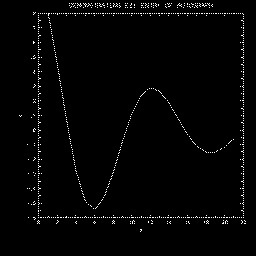
This example produces the same plots as does "tautog", but labels them
using PWRITX.
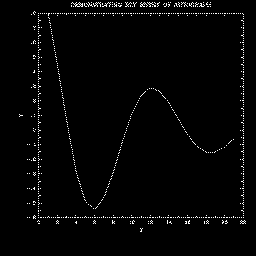
This example illustrates a simple use of EZY. Note that AUTOGRAPH chose
to use exponential left-axis numeric labels, since non-exponential labels
would have required more characters.
This example illustrates a simple use of EZXY. Note that X coordinates
used need not be monotonically increasing.
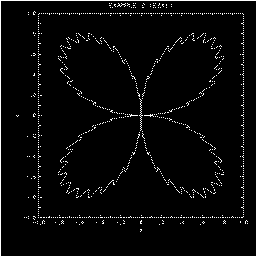
This example illustrates a simple use of EZMY.
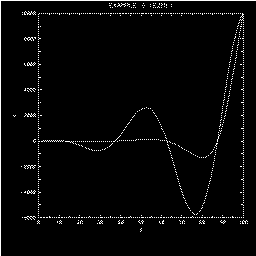
This example illustrates a simple use of EZMXY - nested ellipses.
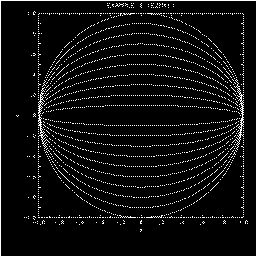
This example illustrates a relatively simple use of EZMXY; generating
the data requires using some really fascinating numeric constants.
Essentially, six circles are drawn; two small portions of each are
blanked out by salting in some "null 1's" (1.E36's). The result is a
possibly recognizable commercial logo.
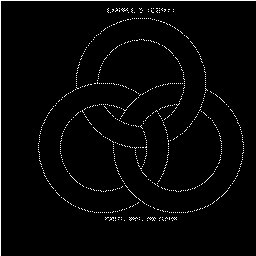
This example illustrates the use of the graph window and the four
principal types of backgrounds one can use: perimeter, grid, half-axis,
and "none". Note that I have cheated a bit and turned the labels back on
for the last of these. This example also illustrates the use of linear
and logarithmic X and Y mappings.
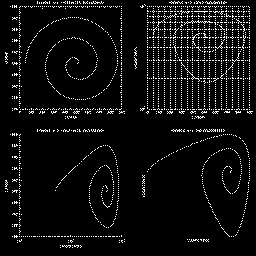
This example illustrates several features. It shows how to define
informational labels. It shows how label coordinate systems along
an axis are defined. Windowing is used to prevent the curves from
running wild. The "user" set of dashed-line patterns is employed.
("Incrudescence" is just a silly word that I invented, by the way.)
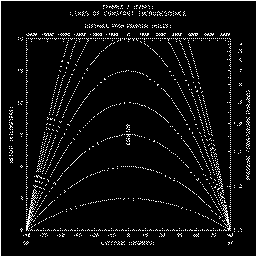
This example demonstrates that one can plot "X as a function of Y",
that label values can run "backwards" along an axis, and that axes
need not have major tick marks at their ends. The "alphabetic" set
of dashed-line patterns is used. Major tick marks on the X axis are
extended in both directions.
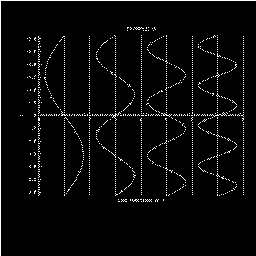
This example shows how to create a hybrid logarithmic axis with positive
values on one end and negative values on the other; a line of discontinuity
separates the two. The routine AGCHNL is replaced by a version which forces
the numeric label in the middle of the left axis to be blank.
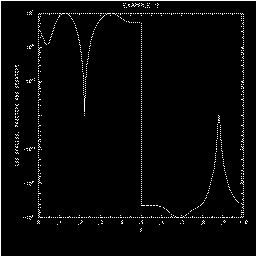
This example shows how to create non-standard numeric labels on the axes.
The bottom X axis is labelled with the names of the months, and the left
Y axis with Roman numerals.
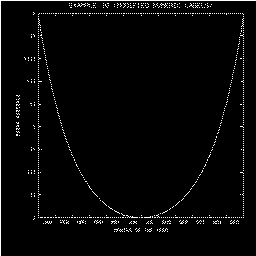
This example shows how to create a scattergram.
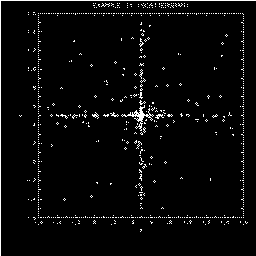
This example shows how to create the effect of a histogram. Shading is
done by the NCAR Graphics utility SOFTFILL.
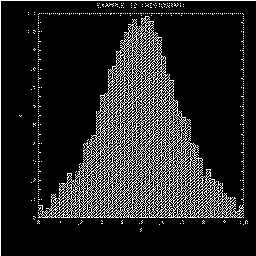
This example conveys an appropriate message. It demonstrates two
of the peculiar types of numeric labels which may be generated. (There
are others.) It also demonstrates the use of dashed ticks which have
been extended to create grid lines (a rather time-consuming business
which can produce a nice effect).
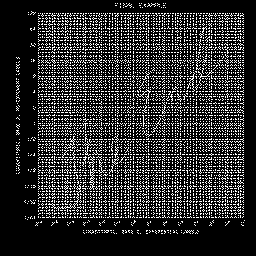
This example demonstrates how to make AUTOGRAPH use the "new" dash package,
called DASHPACK, which was written in
1994, instead of the "old" dash package, called DASHCHAR. All that one has
to do is to load one's own versions of the DASHCHAR routines that AUTOGRAPH
calls, which are implemented by calling the appropriate DASHPACK routines;
the necessary FORTRAN code is here.
Among the advantages this has is that one may then define dash patterns
that specify the use of arbitrary symbols. By default, one can use circles,
squares, triangles, diamonds, and stars, filled or unfilled; if necessary,
one can define one's own symbols. (For details, follow the link above to
the programmer document for DASHPACK.)
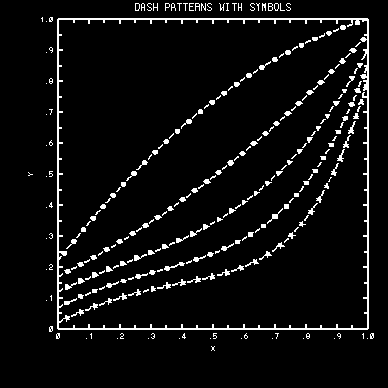
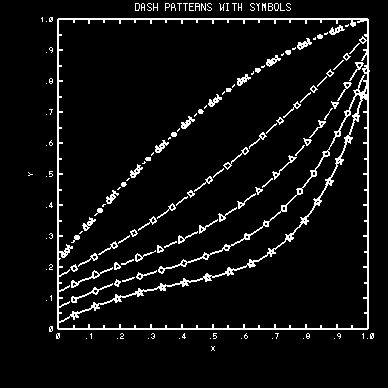
AUTOGRAPH routines detect certain errors and, in response, call the routine
SETER, which is an adapted version of a PORT error handler. Currently, all
such errors are treated as being fatal and cause termination of the job. An
error message is logged before the job is terminated. Each such message
includes the name of the routine which detected the error and may be
accompanied by supplementary information aimed at allowing the user to
easily identify the call that caused the error. The possible error messages
are as follows (in alphabetical order):
AGEXAX (CALLED BY AGSTUP) - USER-SYSTEM-TO-LABEL-SYSTEM MAPPING IS NOT MONOTONIC
This probably means that you have replaced the default routine AGUTOL with
a version of your own, and you've blown it.
AGGETC - PARAMETER TO GET IS NOT INTRINSICALLY OF TYPE CHARACTER
The argument TPGN specifies a parameter which is not intrinsically of type
character. See the description of AGGETC, in the section
"ROUTINES".
AGGETP OR AGSETP - ATTEMPT TO ACCESS LABEL ATTRIBUTES BEFORE SETTING LABEL NAME
The parameter 'LABEL/NAME.' must be set prior to the call which gave the
error message, specifying which label's attributes are being referenced.
AGGETP OR AGSETP - ATTEMPT TO ACCESS LINE ATTRIBUTES BEFORE SETTING LINE NUMBER
The parameter 'LINE/NUMBER.' must be set prior to the call which gave the
error message, specifying which label line's attributes are being
referenced.
AGGETP OR AGSETP - ILLEGAL KEYWORD USED IN PARAMETER IDENTIFIER
The argument TPGN contains an unrecognizable keyword.
AGKURV - NUMBER OF POINTS IS .LE. 0
The argument NEXY, in a call to AGCURV, is less than or equal to zero. The
routine AGKURV is called by AGCURV to draw un-windowed curves.
  AGNUMB - MANTISSA TOO LONG
  AGNUMB - EXPONENT TOO LARGE
  AGNUMB - ZERO-LENGTH MANTISSA
AGNUMB is called by AGAXIS to generate a character string expressing the
value of a real number. You should not be able to generate any of AGNUMB's
error messages. If you do, see the AUTOGRAPH specialist.
AGQURV - NUMBER OF POINTS IS .LE. 0
The argument NEXY, in a call to AGCURV, is less than or equal to zero. The
routine AGQURV is called by AGCURV to draw windowed curves.
  AGRSTR - ERROR ON READ
  AGRSTR - END-OF-FILE ON READ
Probably the unit specified by IFNO was not positioned properly.
AGSAVE - ERROR ON WRITE
A system error has occurred as a result of the attempted "WRITE".
AGSETC - PARAMETER TO SET IS NOT INTRINSICALLY OF TYPE CHARACTER
This means that the argument TPGN specifies some parameter other than one
of the acceptable possibilities. See the description of AGSETC in the section
"ROUTINES".
AGSETP - ATTEMPT TO DEFINE LINE OF NON-EXISTENT LABEL
The user has attempted to define a line of a label without first specifying
which label; 'LABEL/NAME.' must be set prior to the call which gave the
error message.
AGSETP - LABEL LIST OVERFLOW - SEE AUTOGRAPH SPECIALIST
The user has attempted to define more labels than AUTOGRAPH can handle; a
modification of AUTOGRAPH is required. See the paragraph
"INFORMATIONAL LABELS", in the
section "OVERVIEW", or talk to the AUTOGRAPH
specialist.
AGSETP - LINE LIST OVERFLOW - SEE AUTOGRAPH SPECIALIST
The user has attempted to define more label lines than AUTOGRAPH can handle;
a modification of AUTOGRAPH is required. See the paragraph
"INFORMATIONAL LABELS", in the
section "OVERVIEW", or talk to the AUTOGRAPH
specialist.
AGSTCH - CHARACTER-STRING BUFFER OVERFLOW - SEE CONSULTANT
The routine AGSTCH is called by AGSETC to stash the character string in
AUTOGRAPH's character storage space. The available storage space has been
exhausted. See the consultant.
AGSTCH - CHARACTER-STRING INDEX OVERFLOW - SEE CONSULTANT
The routine AGSTCH is called by AGSETC to stash the character string in
AUTOGRAPH's character storage space. Too many such strings have been stored.
See the consultant.
AGSTUP - GRAPH WINDOW IMPROPERLY SPECIFIED
The parameters in the group named 'GRAPH.' have improper values.
AGSTUP - GRID WINDOW IMPROPERLY SPECIFIED
The parameters in the group named 'GRID.' have improper values. This is most
likely to occur when 'SET.' has the value "2." or "4.", specifying that the
edges of the grid window are to be as implied by the last call to the plot
package routine SET. Check to make sure that the portion of the plotter
frame specified by the last SET call is within the current graph window.
AGSTUP - s LABELS IMPROPERLY SPECIFIED
(where "s" = "LEFT", "RIGHT", "BOTTOM", "TOP", or "INTERIOR"). Re-read the
paragraph "THE LABEL BOXES", in the section "OVERVIEW"
. You have defined a label with a basepoint on one edge of the grid
window and an offset vector pointing outward, some part of which extends
inside the grid window (or vice-versa). This is not allowed.